This guide will cover how messages can be sent to and from Family & Friend users. The first half of this guide will instruct on sending messages from your organisation to a Family & Friends user. The second half will cover sending messages to an organisation, from a F&F user.
1
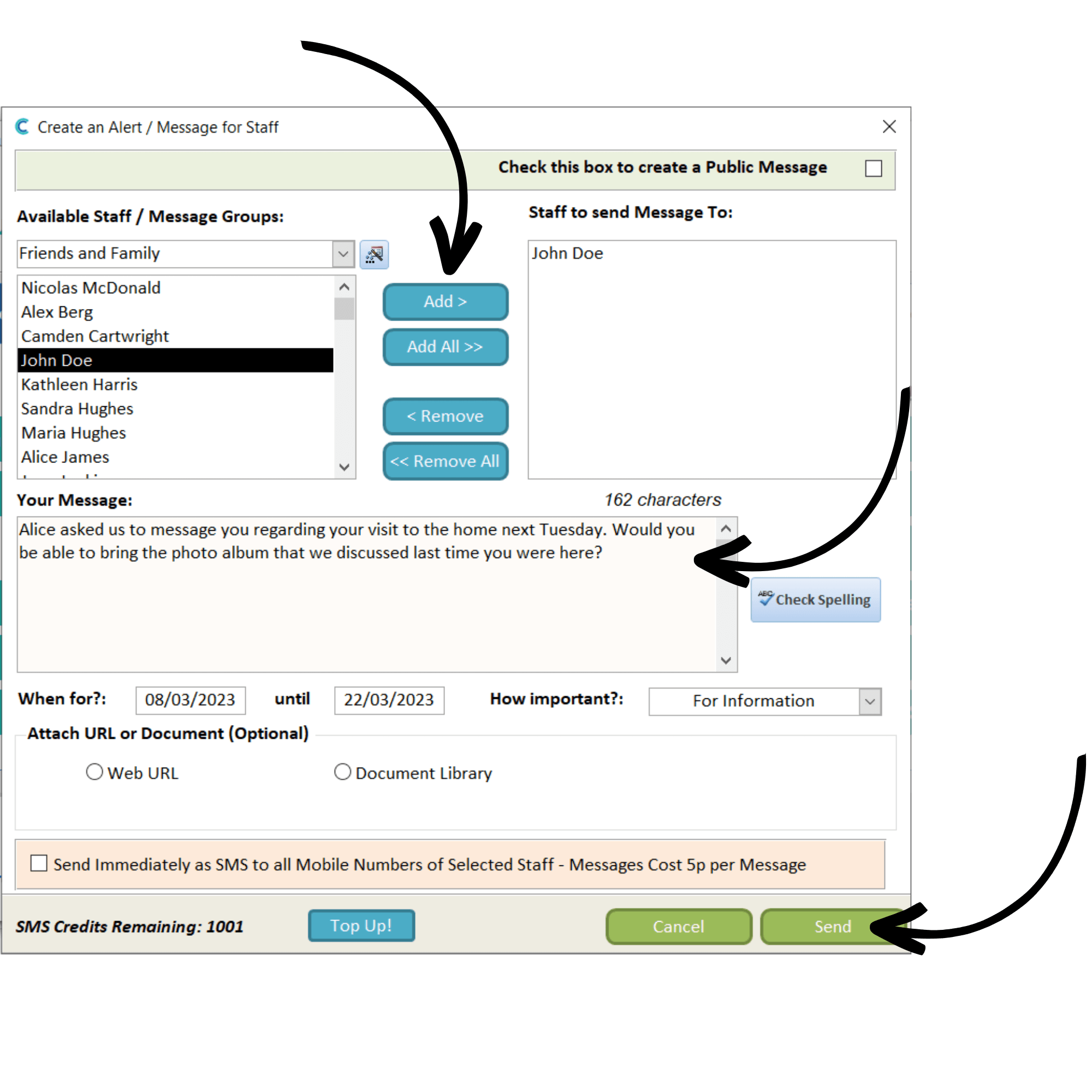
In the Administration of Care Control Windows, navigate to the Create a Message tool, which can be found under the Communication tab.
2
Select a MessageGroup from the drop-down list. In this case, we are selecting Friends & Family.
A list of the registered F&F users will display. To add one to the message, select their name and press Add. Their name should now be on the list on the right-hand side.
Next, enter the message body in the Your Message box.
Finally, choose the dates that this message will be viewable and set the importance level. After completing the form, press Send.
3
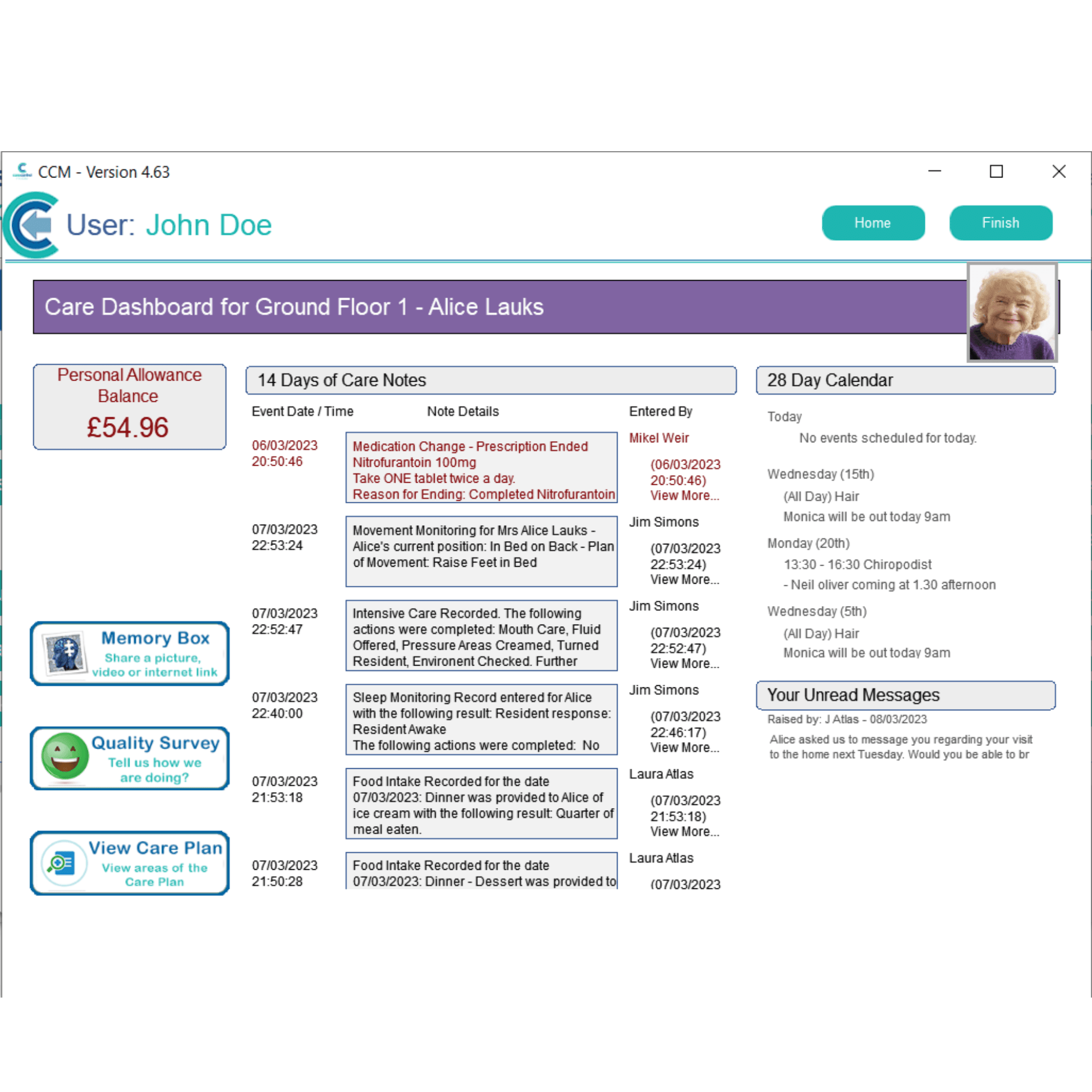
When a message is sent to a F&F user, it will appear in their inbox in the bottom right-hand corner of their dashboard. Tapping on it will open the message area.
4
As an F&F user, you can acknowledge the message by selecting it using the check box, and pressing Mark as Read. In the same way, you can reply to a message by selecting it and pressing Reply.
You can also start a New Message.
5
Replying to a message, or creating a new one, will open a message window. Here, select the staff member you wish to communicate with and enter the message body. After completing the form, press Send.