You could win a £250 Amazon gift card! All you need to do is spare us 3 minutes of your time. Click here to find out more!
Moving a shift is simple and easy.
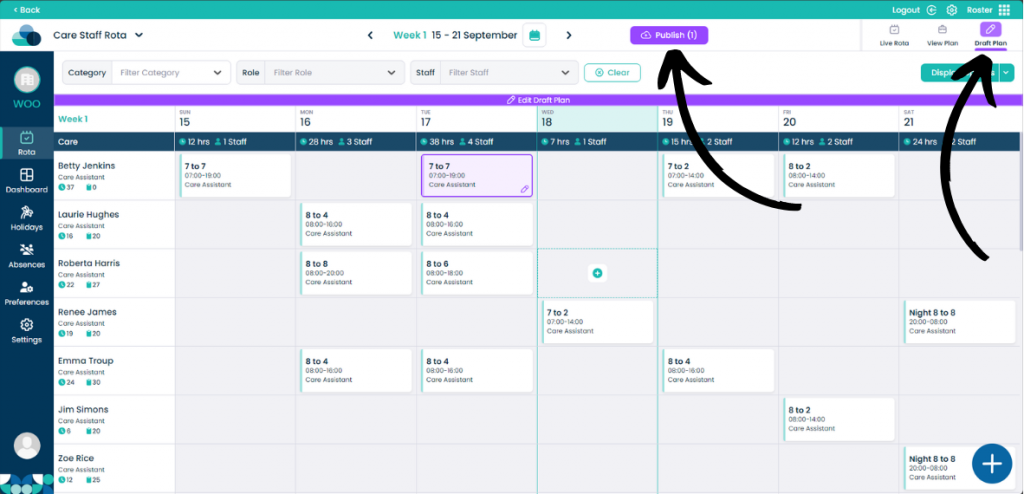
When on your rota screen, select Draft Plan and then Edit Draft Plan. You can also perform this action in the Live Rota.
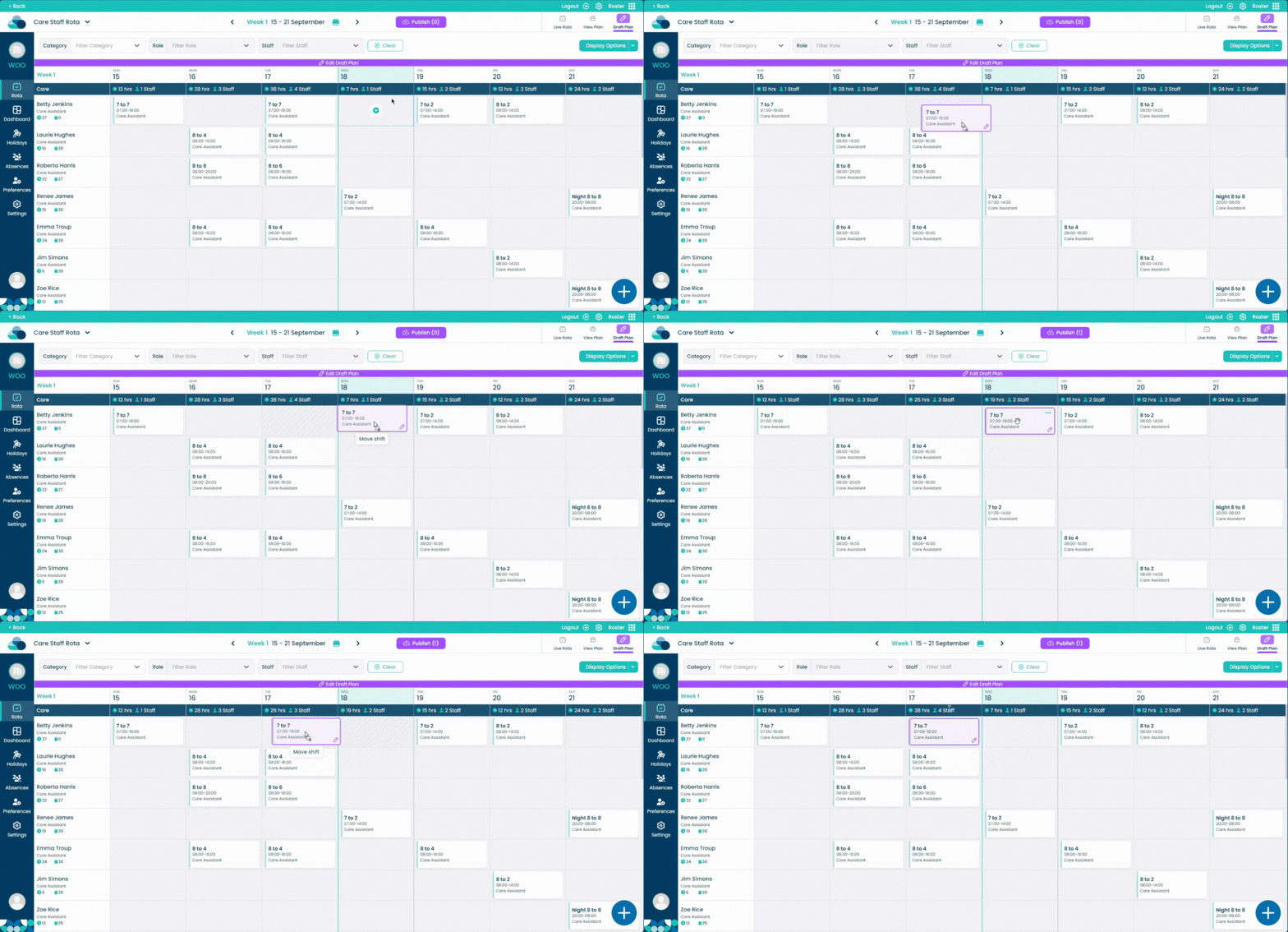
Hold left click on a shift and simply drag it into an empty cell. Let go of left click and the shift will now be moved.