Bank Holiday Closure Notice: We will be closed on the 3rd April for the Easter bank holiday, so our customer service team will not be available on this day. If you need to get in touch, you can still use our customer contact form and we will get back to you as soon as possible. Even better, Margo will still be available on our phone lines to help with your queries whenever you need support. We hope you have a lovely Easter weekend 🐣
View Categories
New Look!
This guide will give an overview to the new look of Care Controls beloved Care Plan and focus on the new Summary Screen.
This area of the Care Plan is designed to be accessible and easily digestible so that information relating to the service user can be gained quickly and effectively.
1
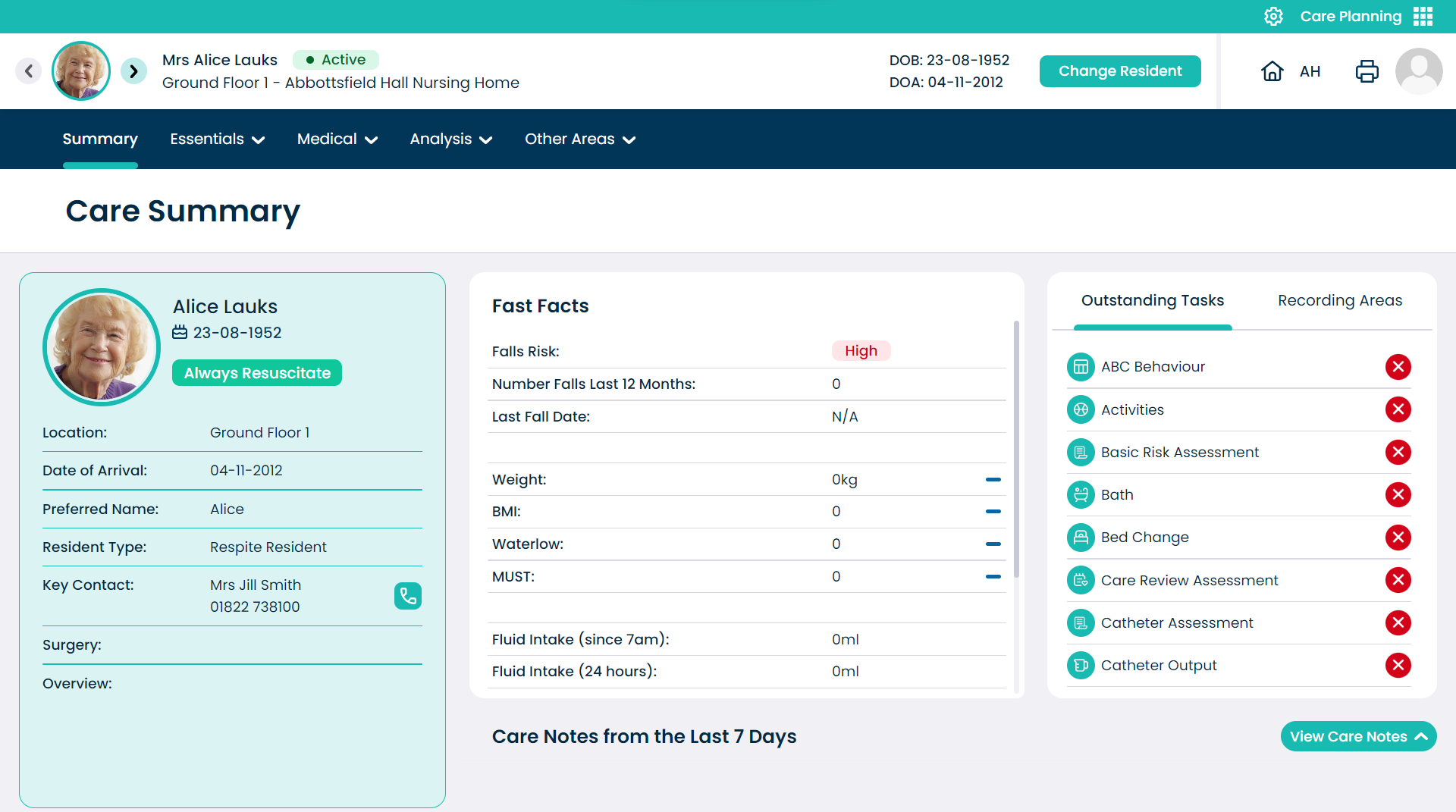
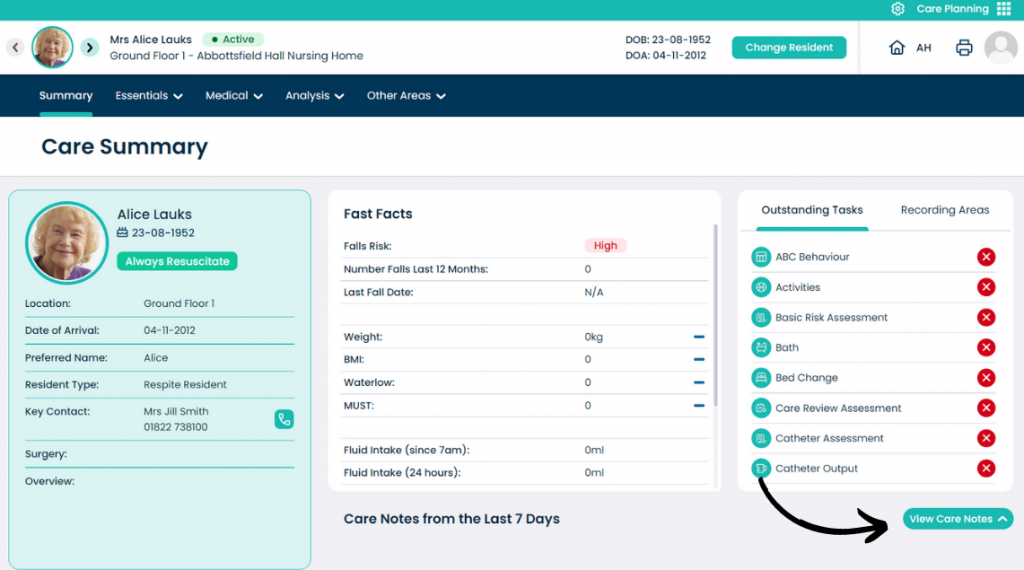
This is the new Care Planning home screen! Our new look hopes to make navigating and viewing the care plan more enjoyable.
2
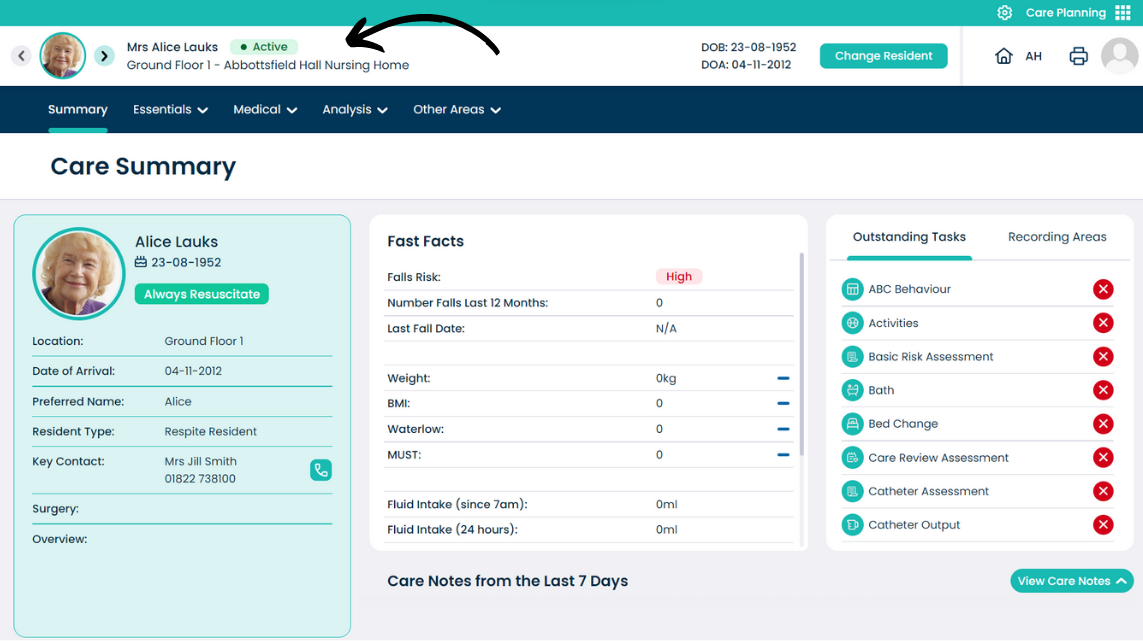
The top of the window shows which service users care plan is currently open and shows their name, room location and the site they are at. The DOB and DOA is also displayed to the right-hand side.
3
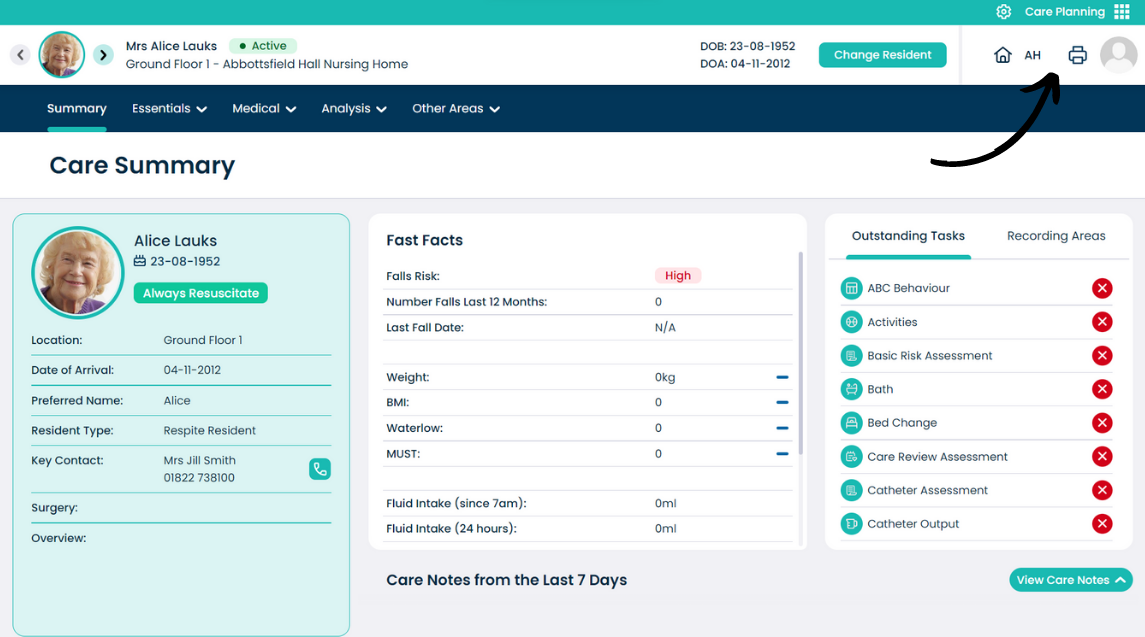
In the top-right corner of the window is information related to the user and the site selection. Pressing the house icon opens the site list, and pressing the user icon opens some user account options.
4
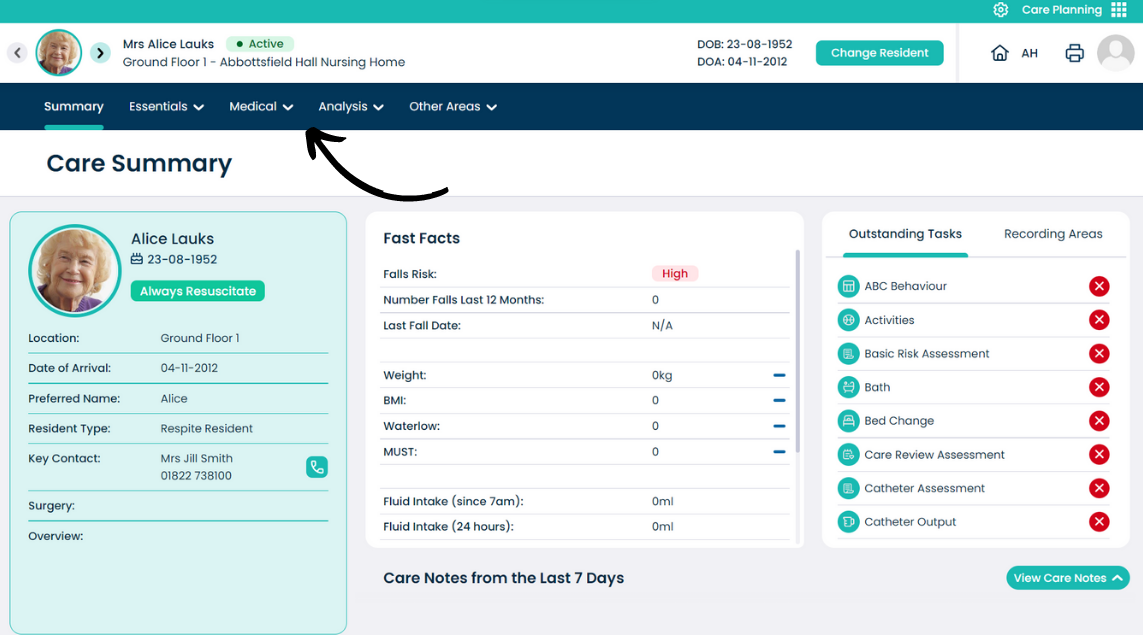
The main tool bar on the Care Planning screen allows navigation between the different Care Plan sections. This is split up into the Summary, Essentials, Medical, Analysis and Other Areas tabs.
5
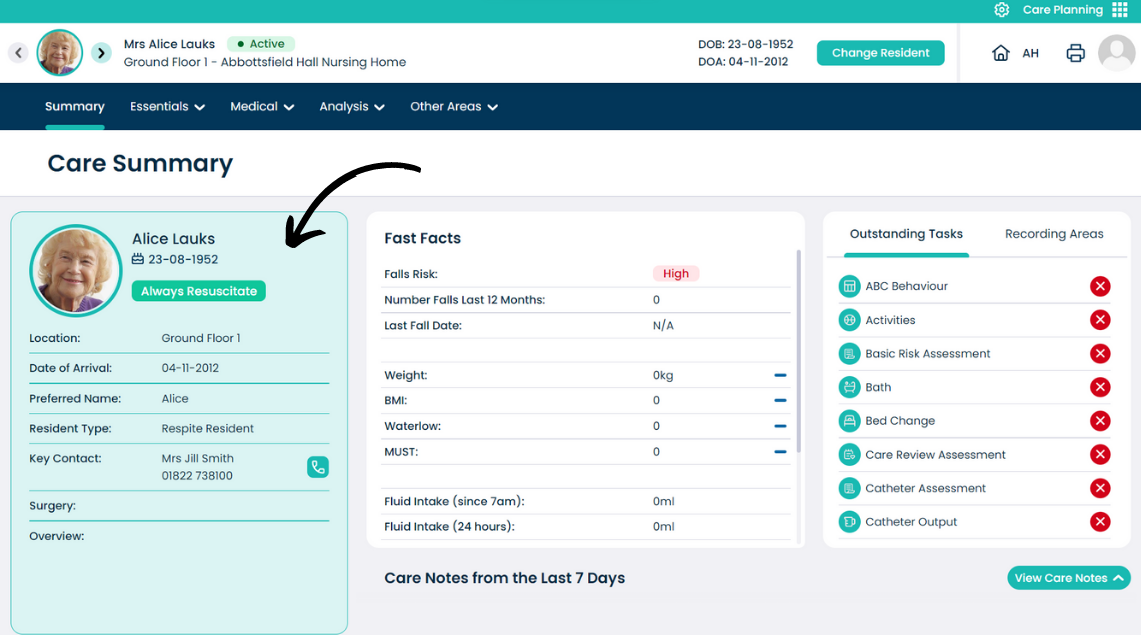
The summary screen gives a brief overview of the selected service user. On the left hand side, basic details for the user can be seen, including their name, location, DOB/DOA, key contacts and more.
6
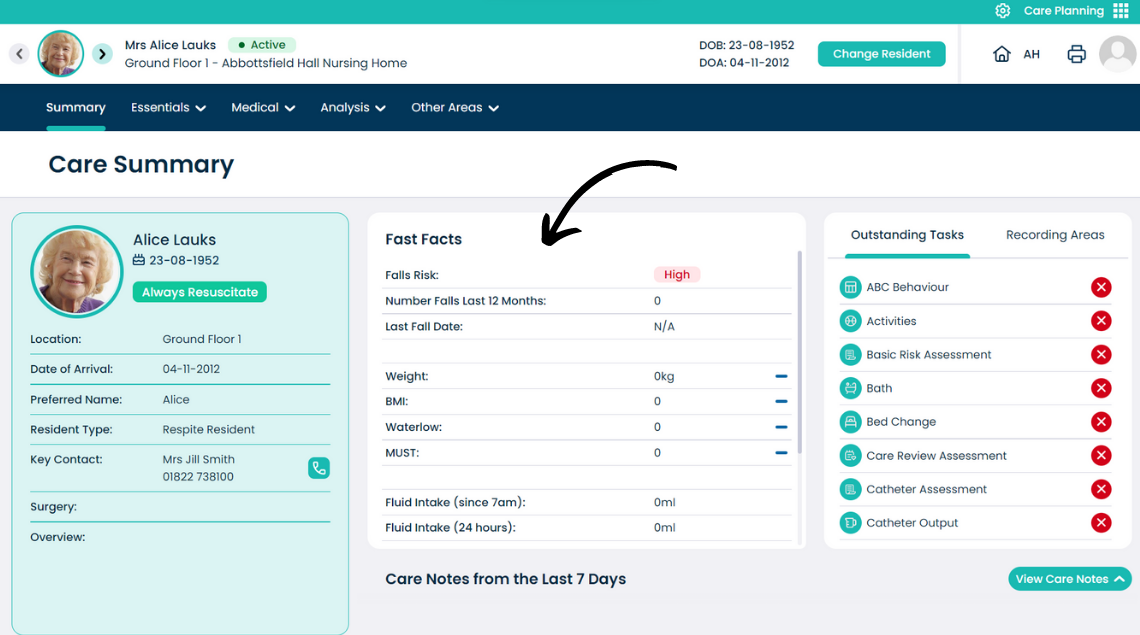
In the middle of the summary screen is the Fast Facts. Here, information relating to their health, incidents and base measurements like weight, BMI and Waterlow can be seen.
7
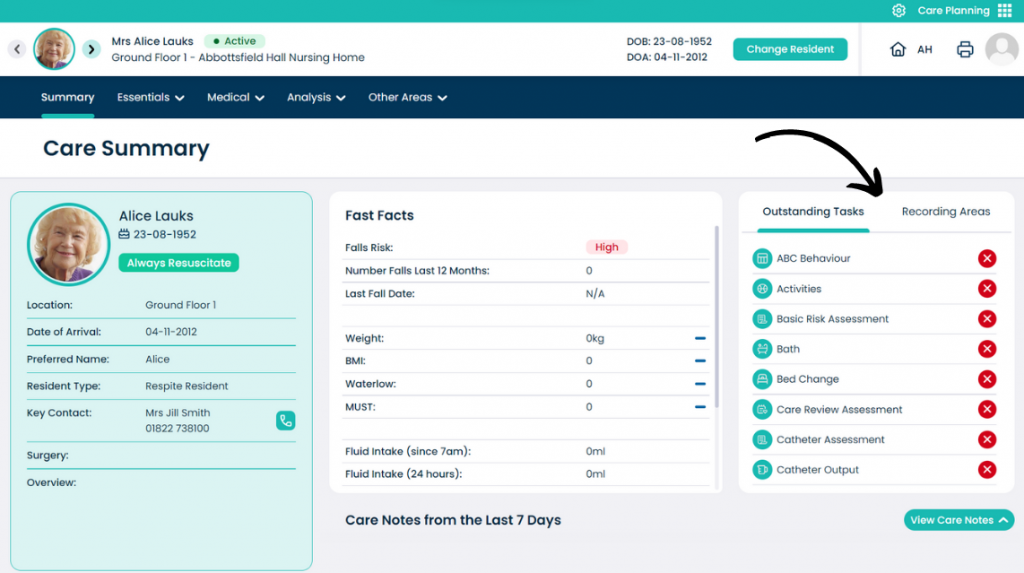
On the right-hand side of the summary screen is the Outstanding Tasks and Recording Areas for the selected service user. Here, a list of upcoming and overdue care tasks can be viewed and actioned.
In the Recording Areas tab, a list of the service users active monitoring areas can be viewed, and recording can be completed from here.
8
In the bottom of the summary screen is the Care Notes from the Last 7 Days. To open this, press the View Care Notes button to expand the section.