Bank Holiday Closure Notice: We will be closed on the 3rd April for the Easter bank holiday, so our customer service team will not be available on this day. If you need to get in touch, you can still use our customer contact form and we will get back to you as soon as possible. Even better, Margo will still be available on our phone lines to help with your queries whenever you need support. We hope you have a lovely Easter weekend 🐣
View Categories
Resetting eMAR, Pocket & Mobile on a PC/Laptop
Sometimes it is necessary to reset a Care Control application. Here is our guide on doing this when using Care Control eMAR, Pocket or Mobile on a PC / Laptop.
1
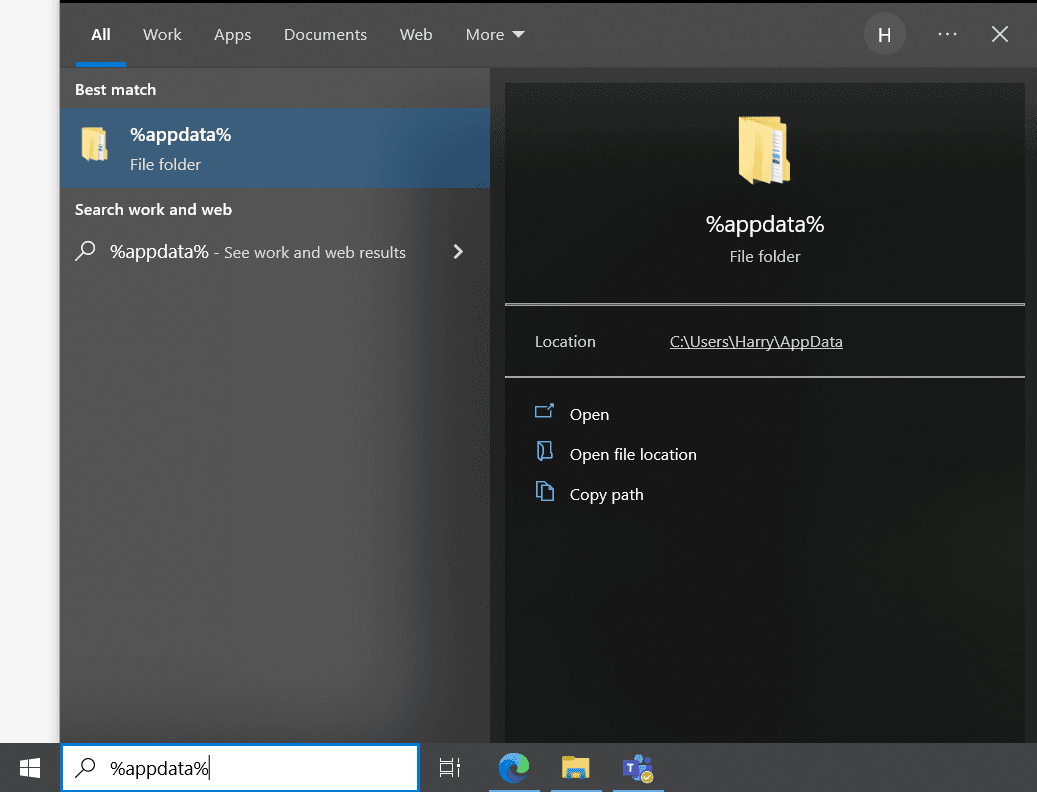
First, close the application you wish to reset. Press the Windows icon, or Search icon on the taskbar at the bottom of your screen.
On your keyboard, type the phrase %appdata% and press Enter. Note: If there is no search bar, just start typing and it will appear.
2
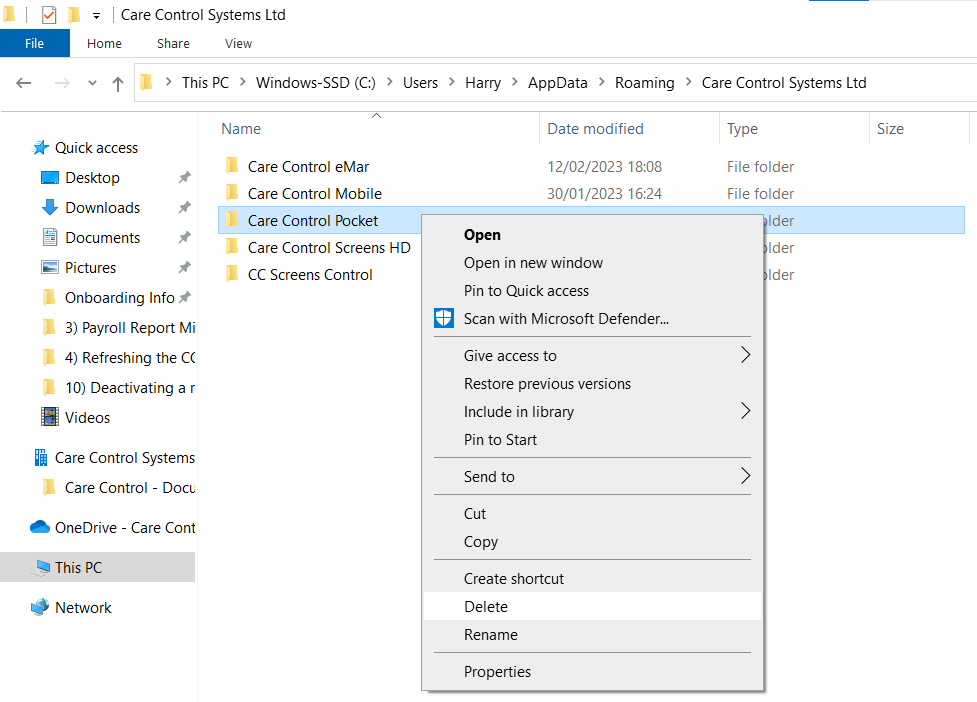
A file explorer window will open called Roaming and here there will be a folder called Care Control Systems Ltd, open this.
3
In this folder will be a list of your Care Control apps installed on the PC / Laptop. Simply select the one you wish to reset (click once) and press the delete key on your keyboard. Alternatively, right click the folder, and select delete.
You can now reopen the application and enter your site or one time code.