This guide will cover how family and friends of service users can set up Care Control Mobile in Family & Friends mode.
Note: The organisation must have provided the family or friend with their security code before they can proceed.
1
In order to set up Family & Friends, you will need:
-A smartphone, tablet, or laptop /computer.
-A security code provided by the organisation
-A one-time PIN provided by the organisation
2
If using a smartphone or tablet, navigate to the relevant app store and search for Care Control Mobile. If your device is an Apple product, use the AppStore. If your device is an Android product, use the PlayStore.
After finding CC Mobile, install it to your device. Linked below is our guide on installing CC Mobile on Apple and Android devices.
If using a laptop or computer, you can download Care Control Mobile from our downloads page, linked below. Also linked below is our guide on installing CC Mobile on a laptop or computer.
After successfully installing CC Mobile, open the application and select the third option.
4
Select Family & Friends, then press Continue.
5
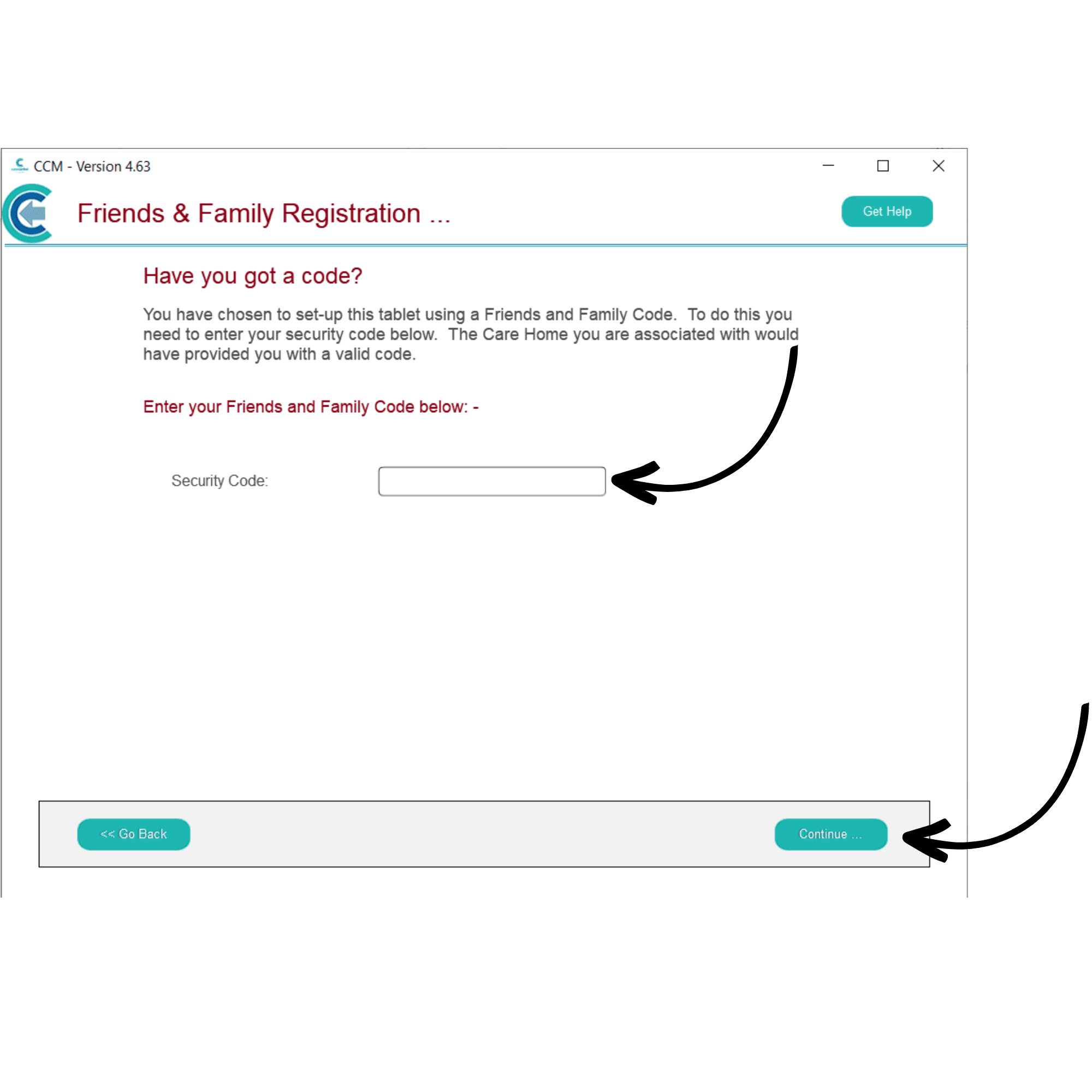
Enter the Security Code given to you by the organisation, then, press Continue.
6
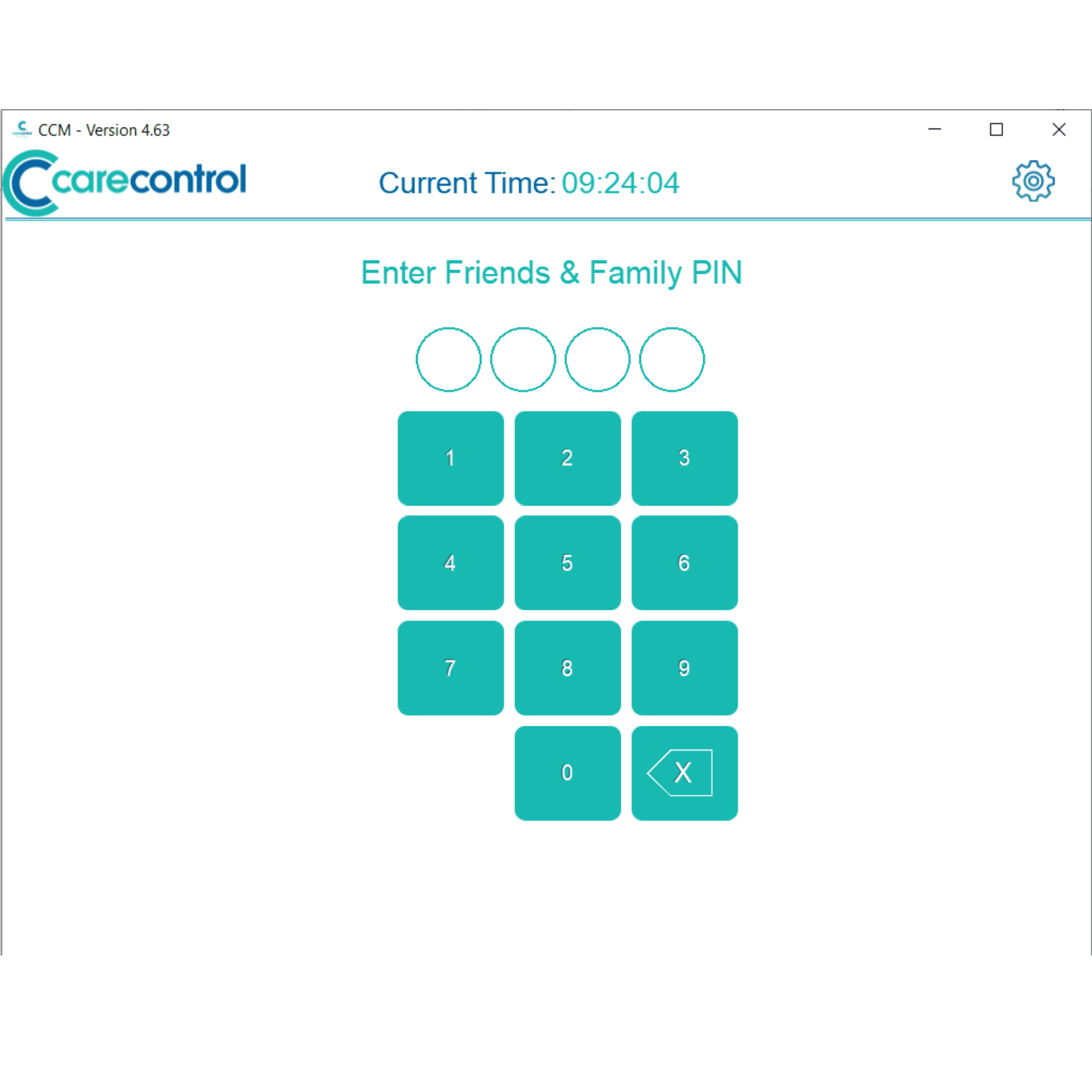
Finally, enter the PIN given to you by the organisation. After entering it for the first time, the system will prompt you to change it to something more personal and memorable.
7
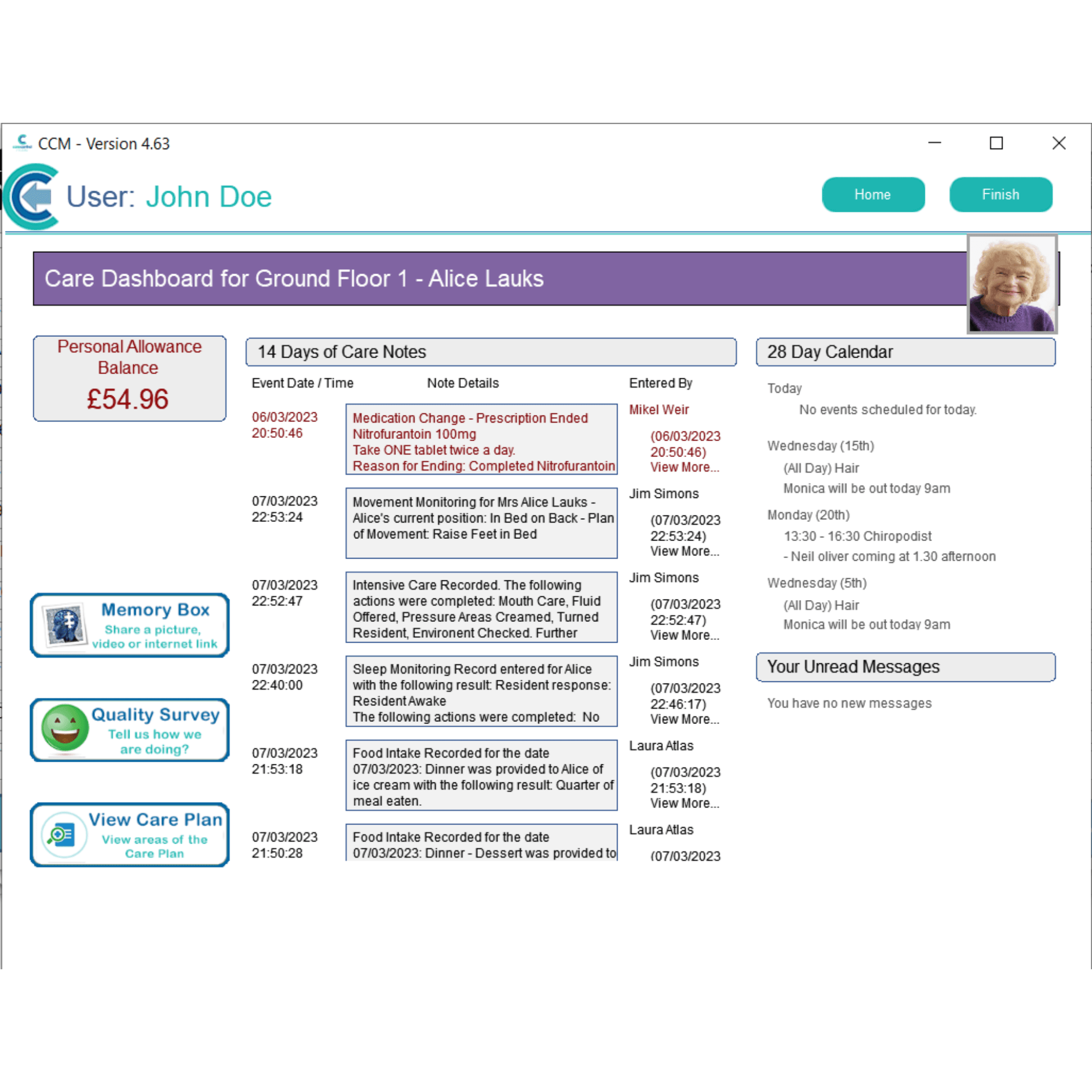
The Care Control Family & Friends Dashboard will open.
Note: the features available in Family & Friends are controlled by the organisation, and so areas seen in these guides may differ from what you have access to.