You could win a £250 Amazon gift card! All you need to do is spare us 3 minutes of your time. Click here to find out more!
This guide will cover how to create a Group on the Screens Controller software.
After signing into CC Screens Controller, select Group Management.
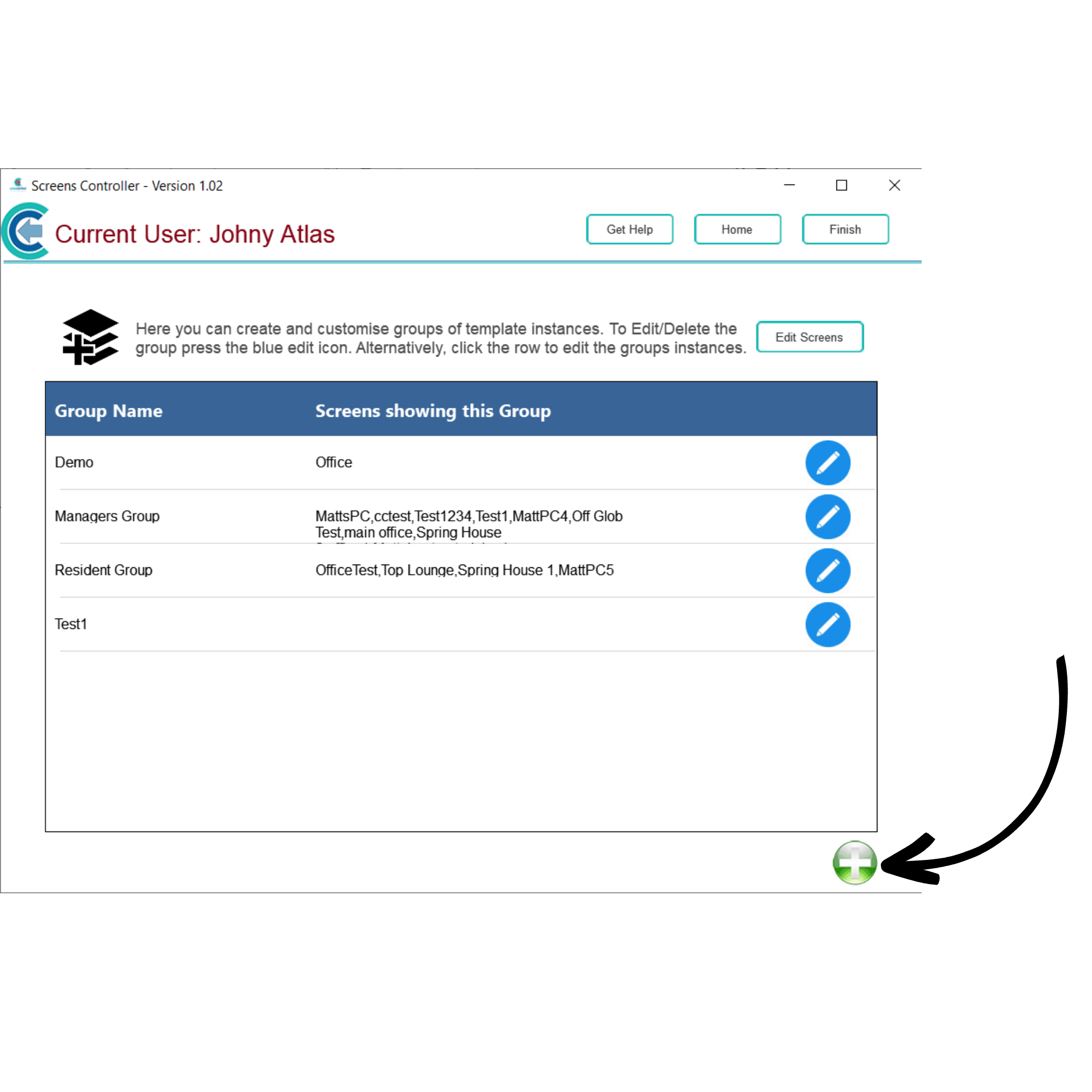
Here, a list of your groups will be displayed. You can create a new one using the Green + symbol in the bottom right corner of the screen.
Enter a name for your group and press Save.
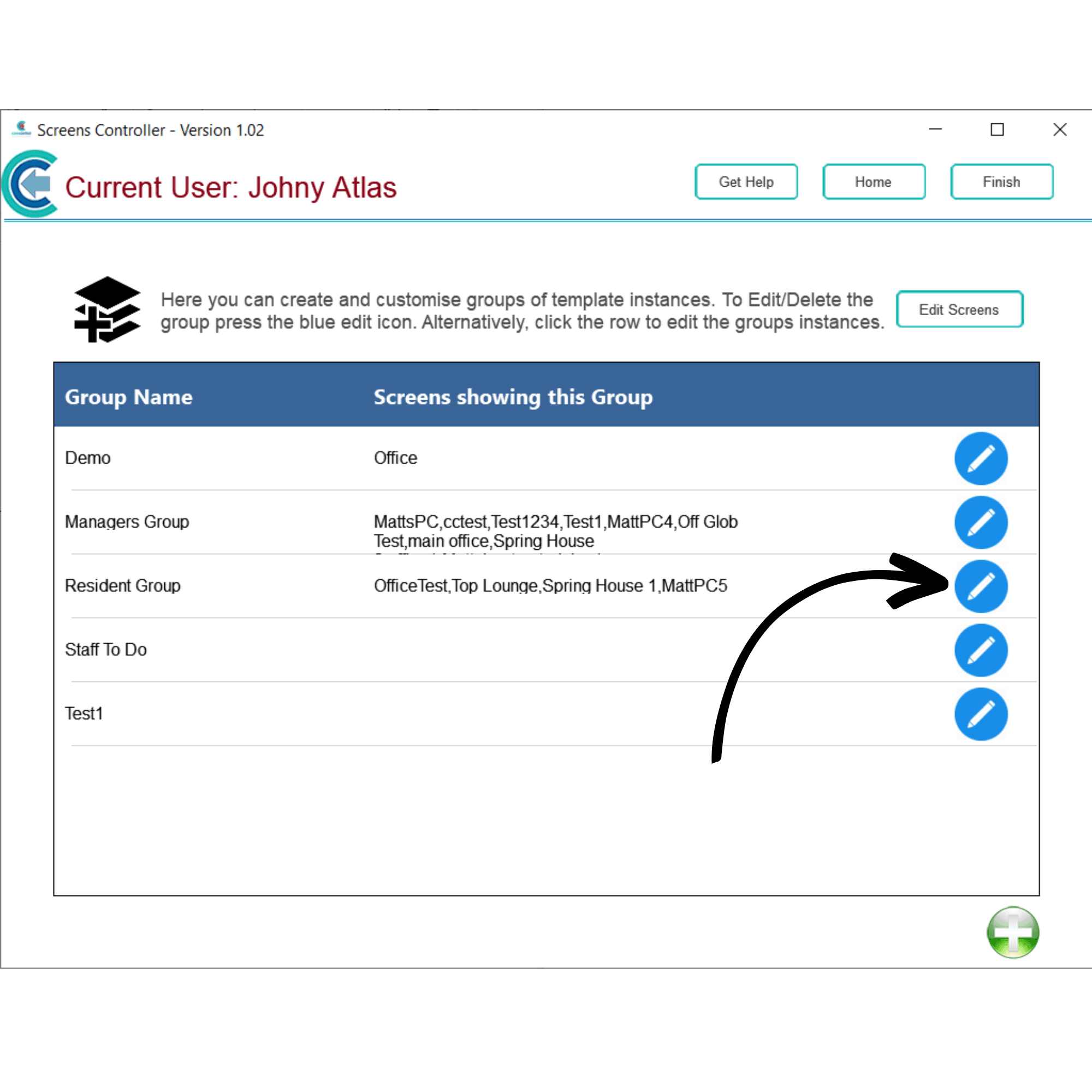
Your new group will appear in the list. To amend a groups name, press the Blue Pencil symbol.
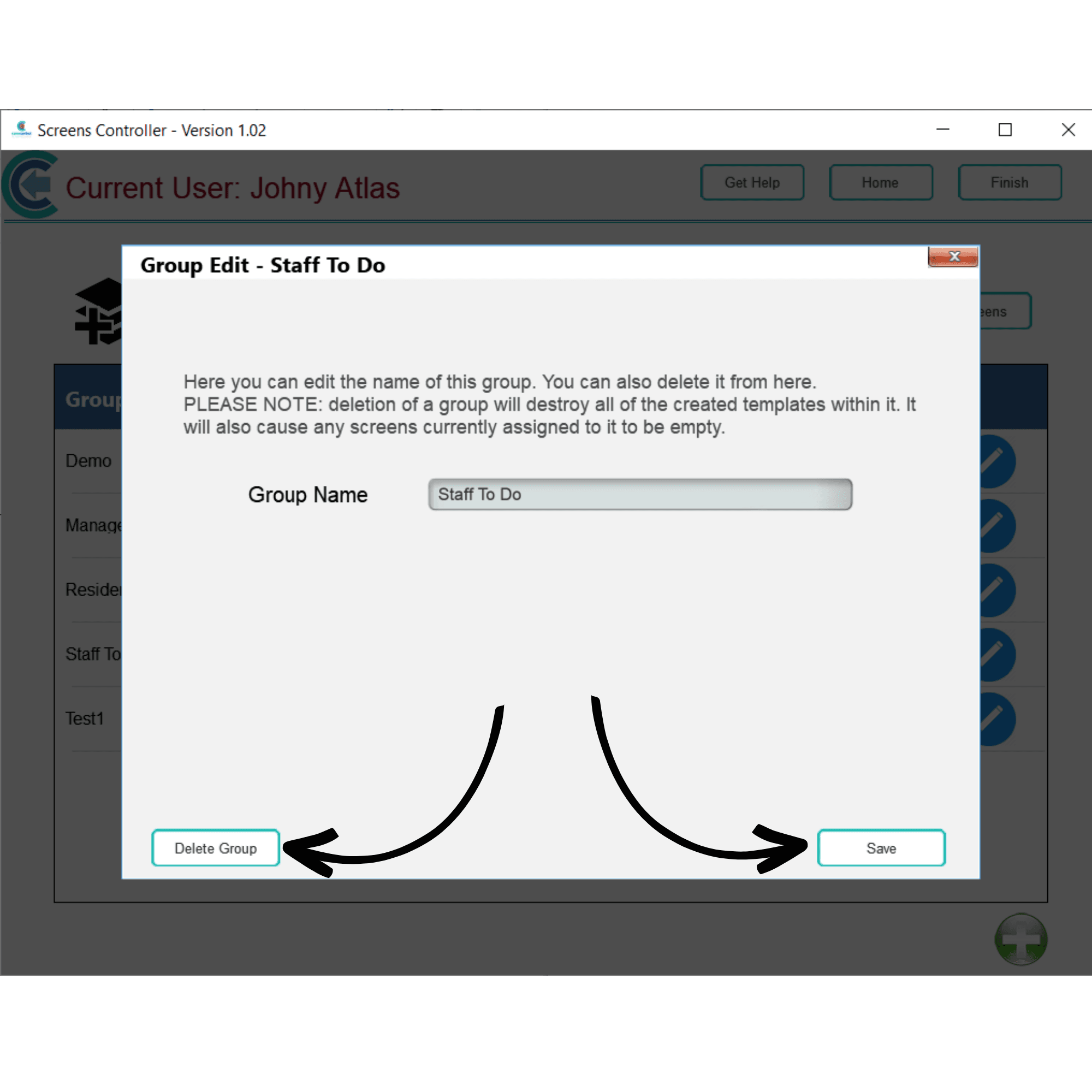
Here, you can edit the name of the group. Press Save after making any changes. You can also delete the group by pressing Delete Group.