You could win a £250 Amazon gift card! All you need to do is spare us 3 minutes of your time. Click here to find out more!
This guide will cover viewing and adding references for staff in Care Control Cloud.
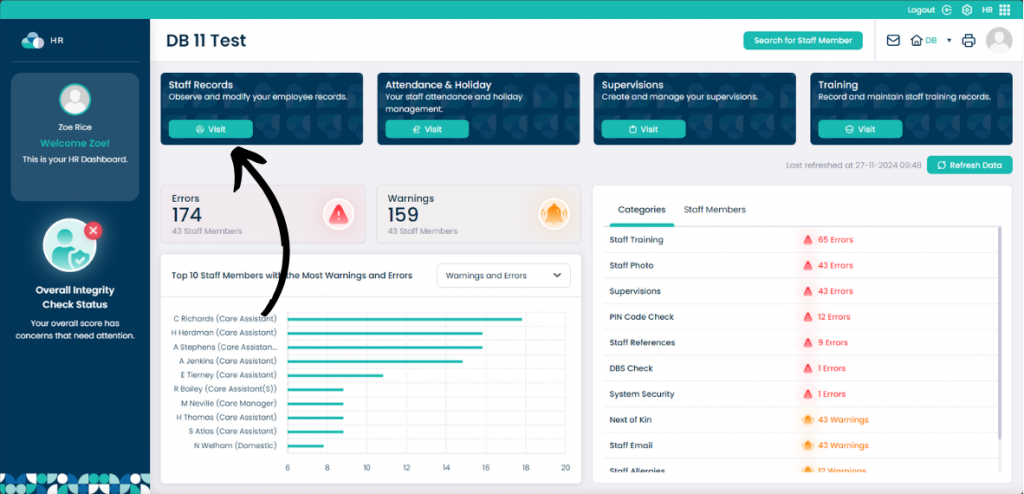
When in the HR App, select Visit under Staff Records.
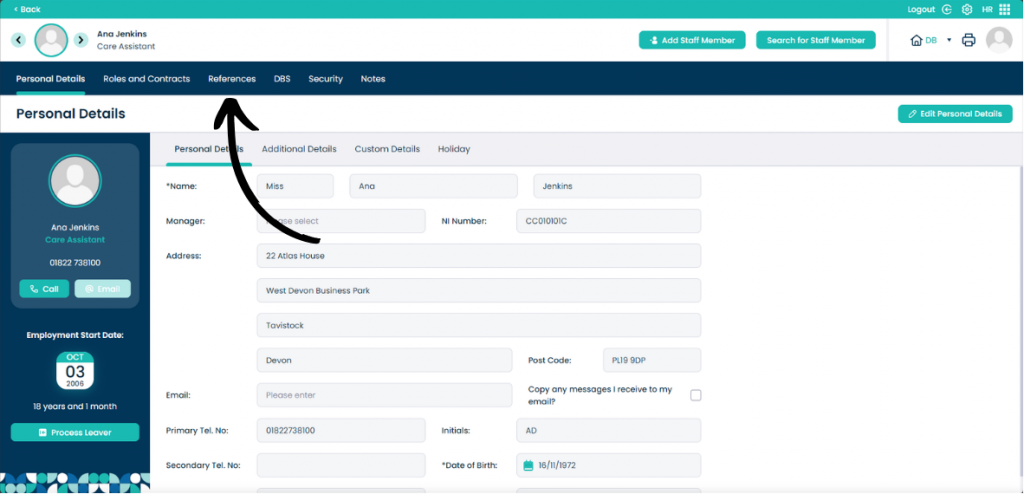
When on the staff member you want to view, click References.
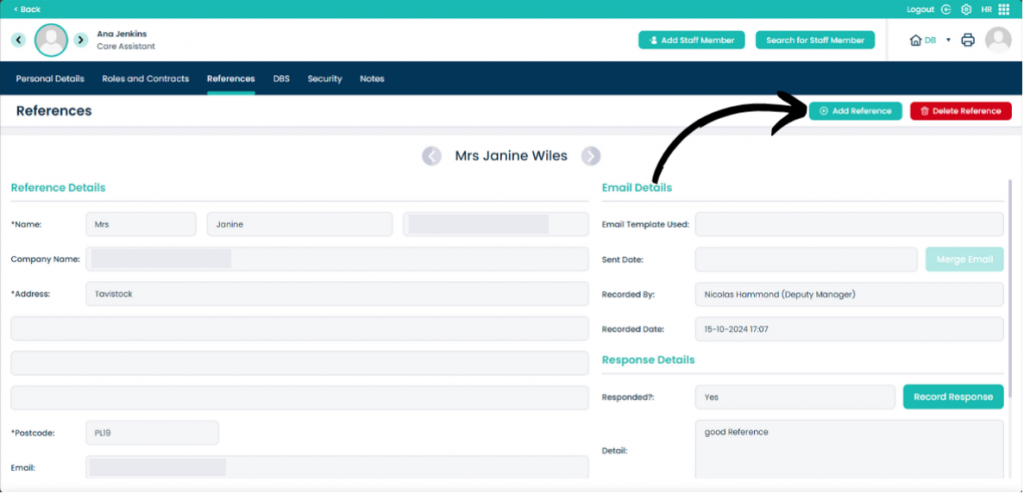
On this page you can view the existing references and all of the information that relates to them.
To add a new reference click Add Reference.
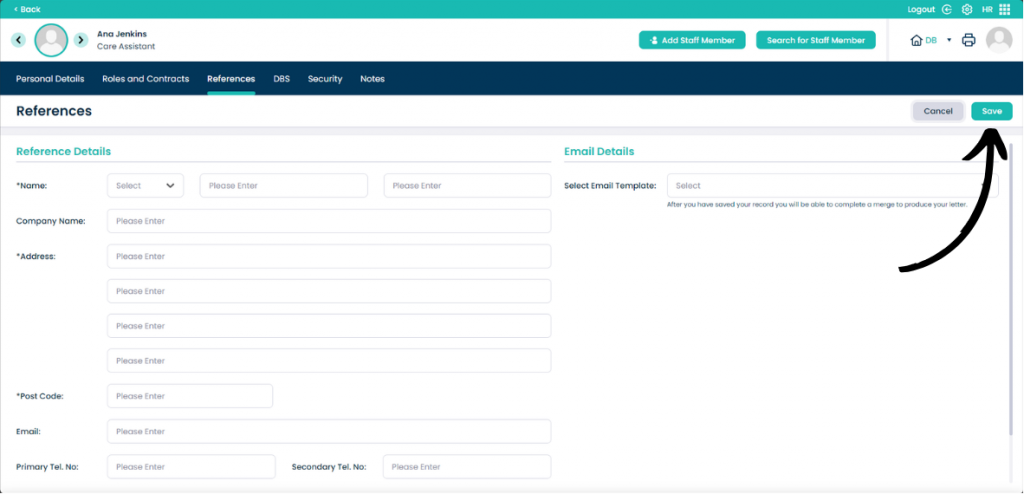
Input all of the details of the reference. Boxes that are marked with a * are mandatory for completion.
You can also select the email template to produce a letter to send to the reference.
Once happy with the details, click Save.