This guide will cover how to add and assign staff training courses, including how to set courses as mandatory. These are records of training completed by staff members.
1
In the Administration of Care Control Windows, navigate to the Training Records tool, which can be found under the Staff Area tab.
2
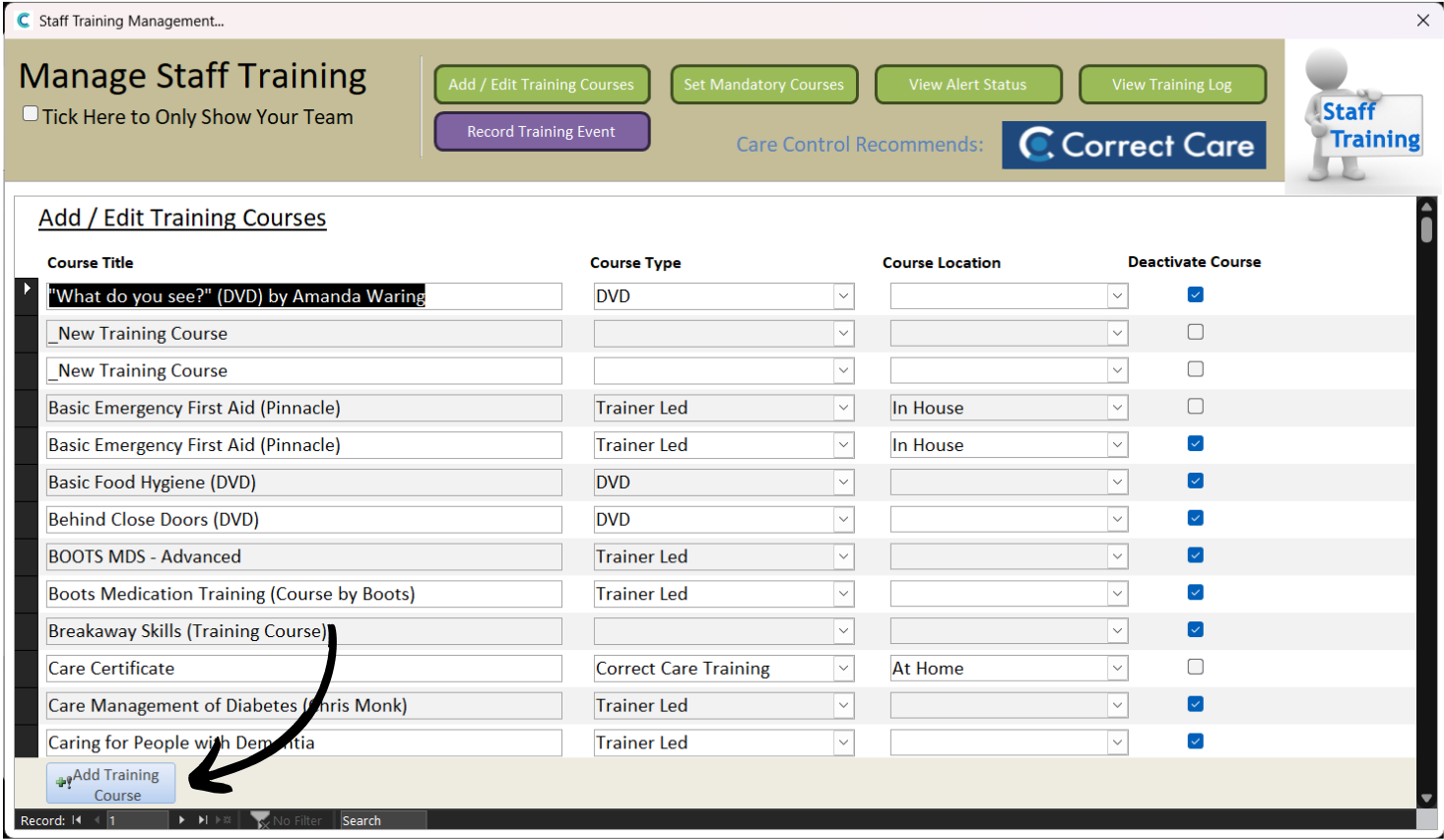
A new window will open. To add a new course, select Add / Edit Training Courses from the options at the top of the window.
3
A list of already added courses will be displayed. Here, select Add Training Course.
4
A blank row will appear at the top of the list.
Enter the Course Title and select the Course Type and Location from the drop down lists.
Then, press Save Changes.
5
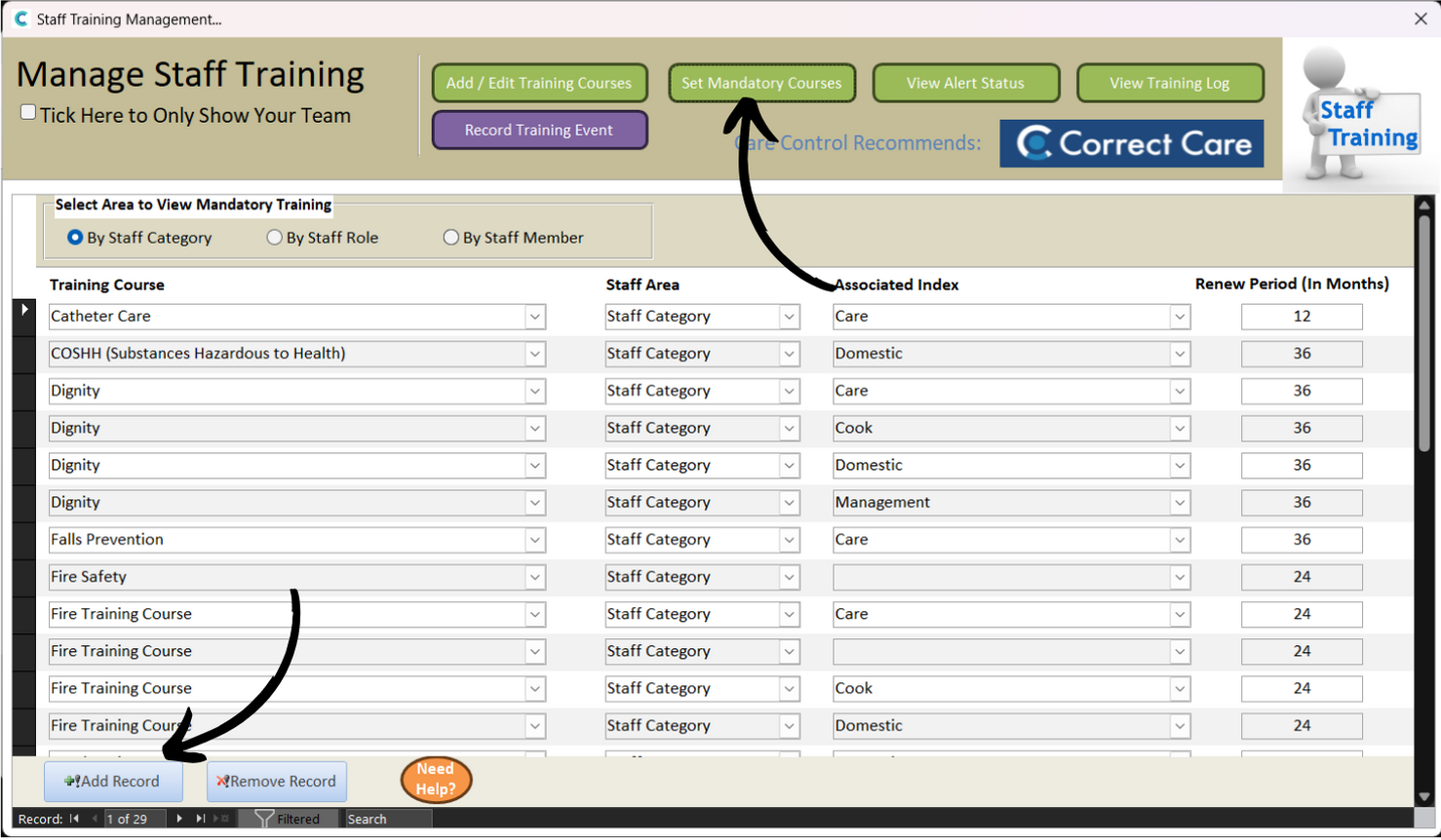
To set Mandatory Courses, press the dedicated button at the top of the window.
Next, select Add Record.
6
Similarly to Step 4, a blank row will appear at the top of the list.
Select the course you wish to make mandatory from the drop down list of your current courses.
Then, select the associated Staff Area, and an Index if required. Finally add a Renew Period (in months). This is the amount of time before the course will be required to be completed again.
You can assign mandatory courses by Staff Category, Staff Role or Staff Member. Selecting this at the top of the window will filter the mandatory courses. This will also change what is available to select in the Associated Index drop down list when creating a new one.
For example, if you select by Staff Role, the index will contain a list of roles on the system. Similarly, if you select by Staff Member, the index will contain a list of your staff members.