How to Create and Send a One Time Code
Learn how to create and send secure One-Time Codes to staff. This guide covers setting an expiry, selecting recipients, restricting eMAR access to a specific service user where required, and reviewing previously issued codes.
Takes 3 minutes
For: Managers
Updated: 9th Sept 2026
Introduction
One-Time Codes provide a secure way to give staff temporary access to Care Control. When creating a code, you can control when it expires, who receives it and, where required, restrict eMAR access to a specific service user.
You can send codes to individual staff members, multiple staff members or a selected group. Previously issued codes can also be reviewed through Historic Codes, helping you keep track of codes that have been sent.
In this guide you'll learn how to:
- Create a One-Time Code and set its expiry.
- Choose where the code is sent.
- Restrict eMAR access to a specific service user.
- Select one or more staff members to receive the code.
- Send the One-Time Code.
- Review previously issued codes.
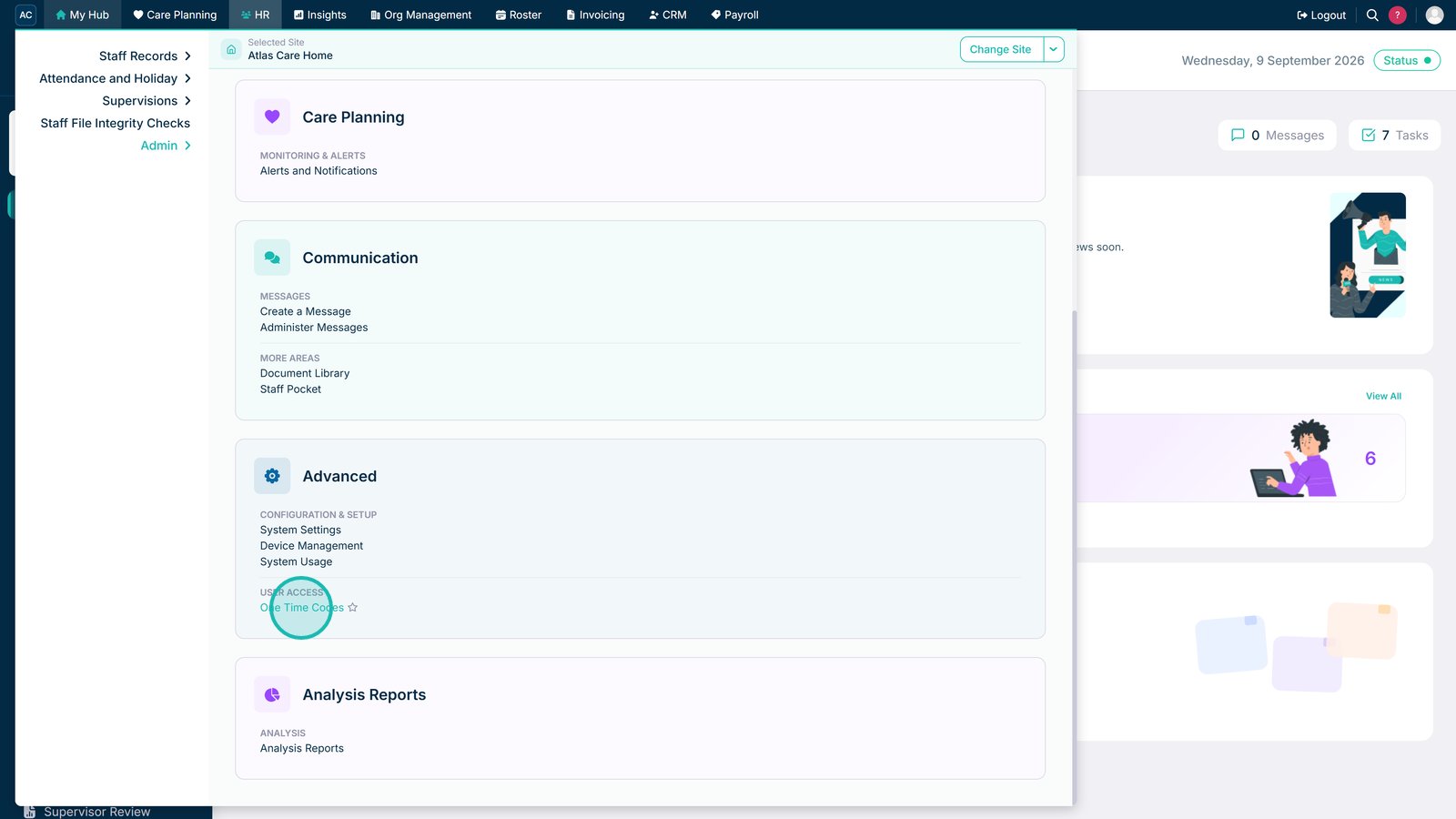
Open One Time Codes within the HR Advanced section.

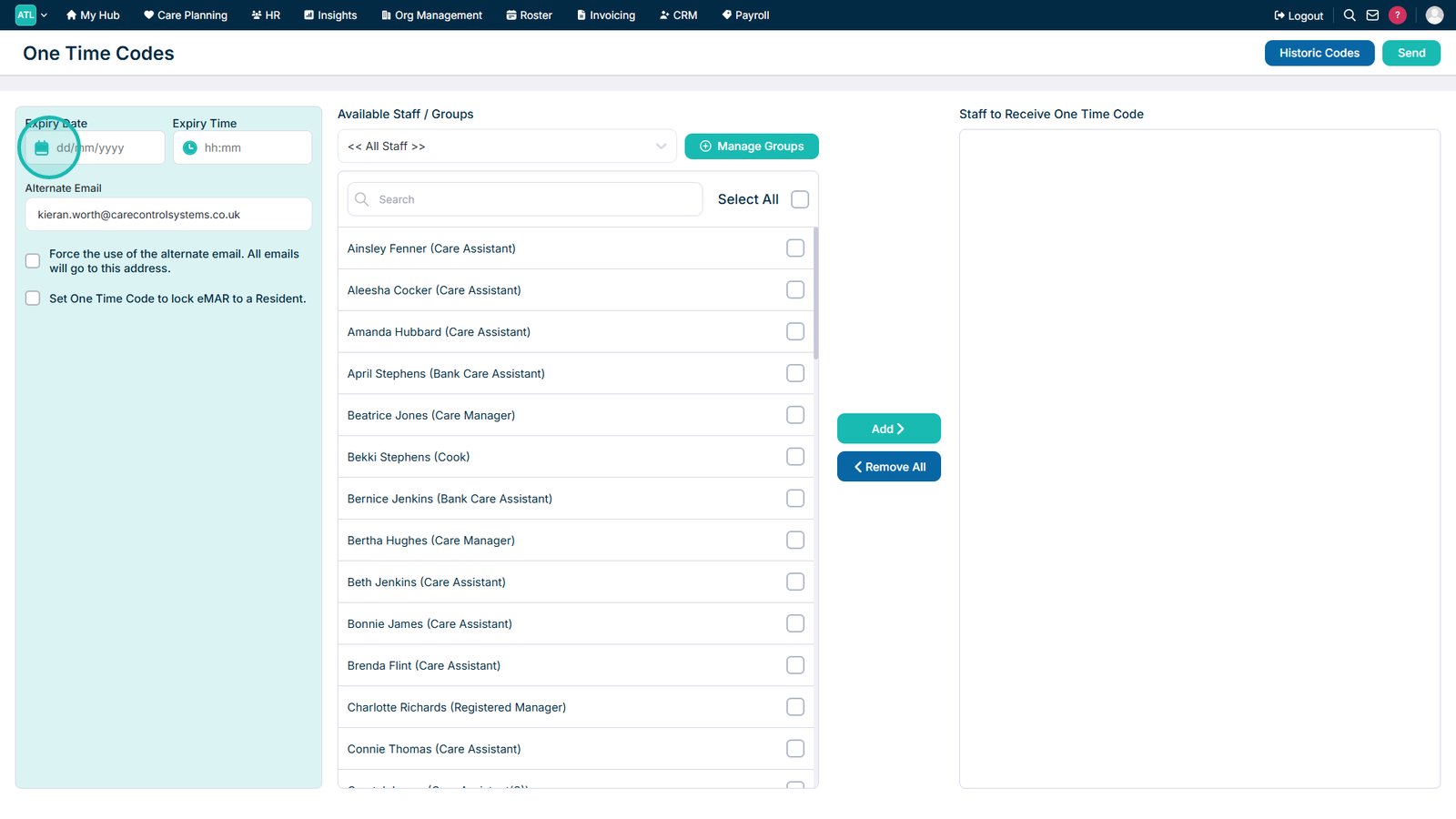
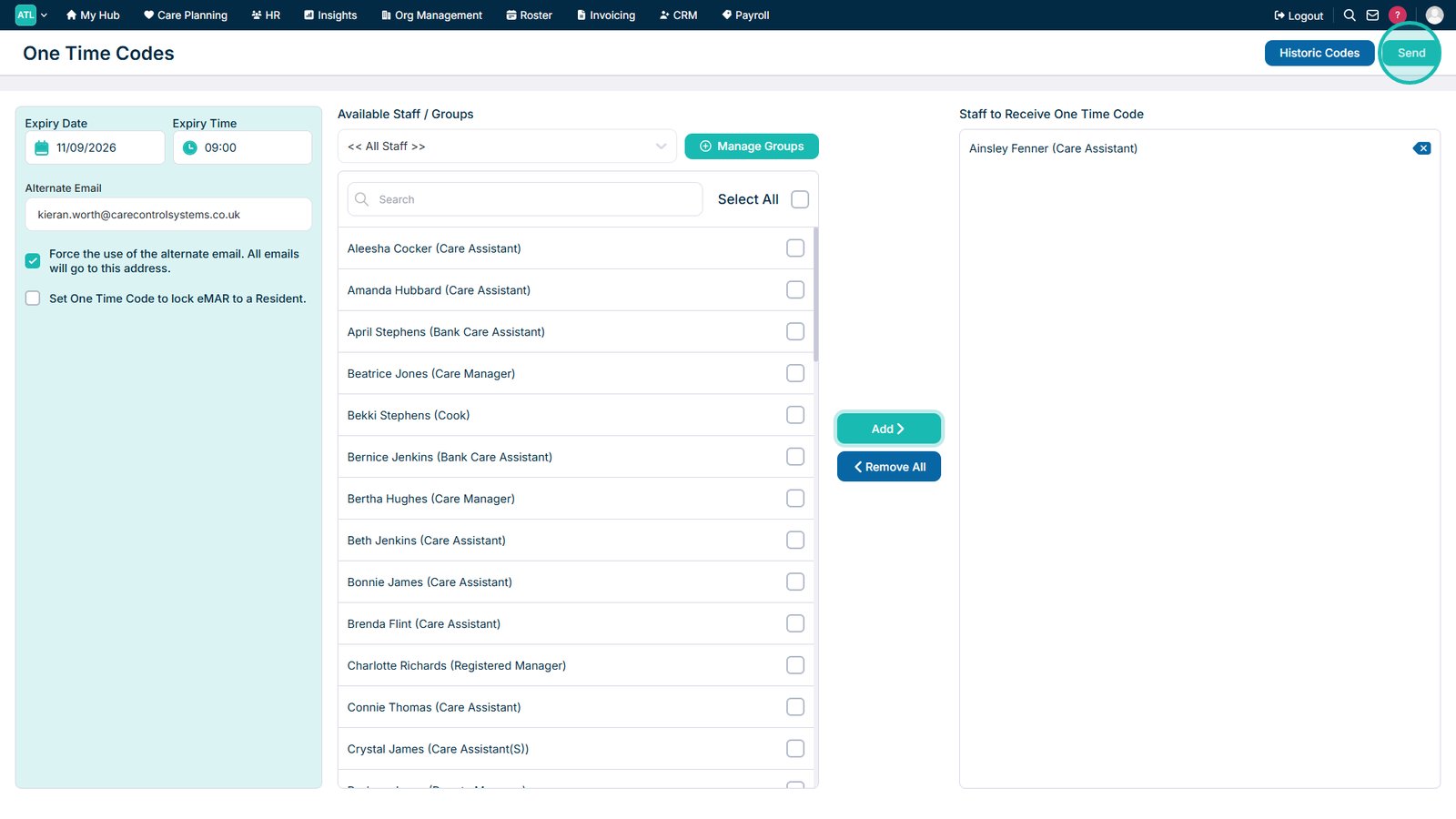
Select the calendar icon to choose when the code will expire.

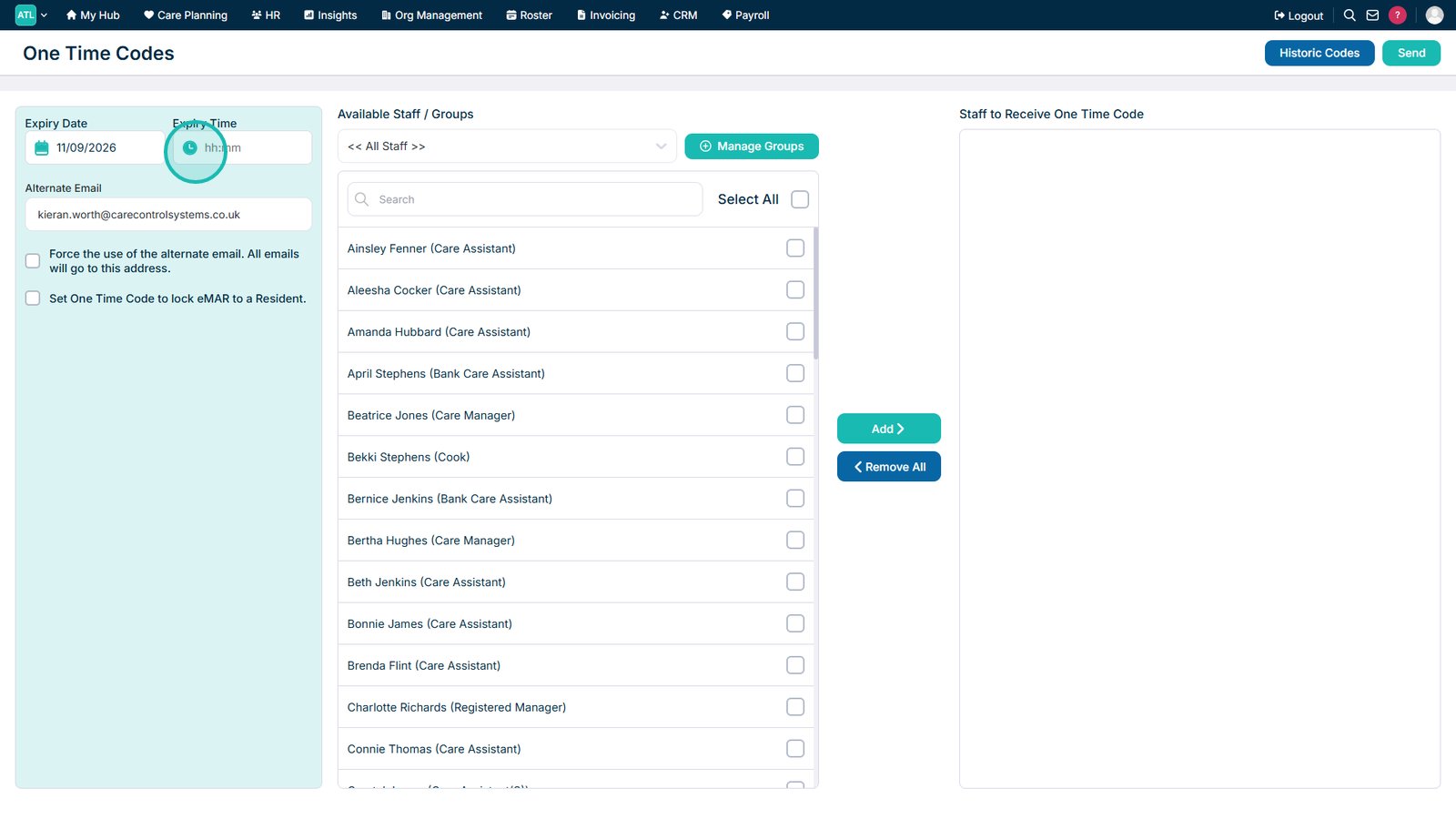
Select the clock icon to set the expiry time.

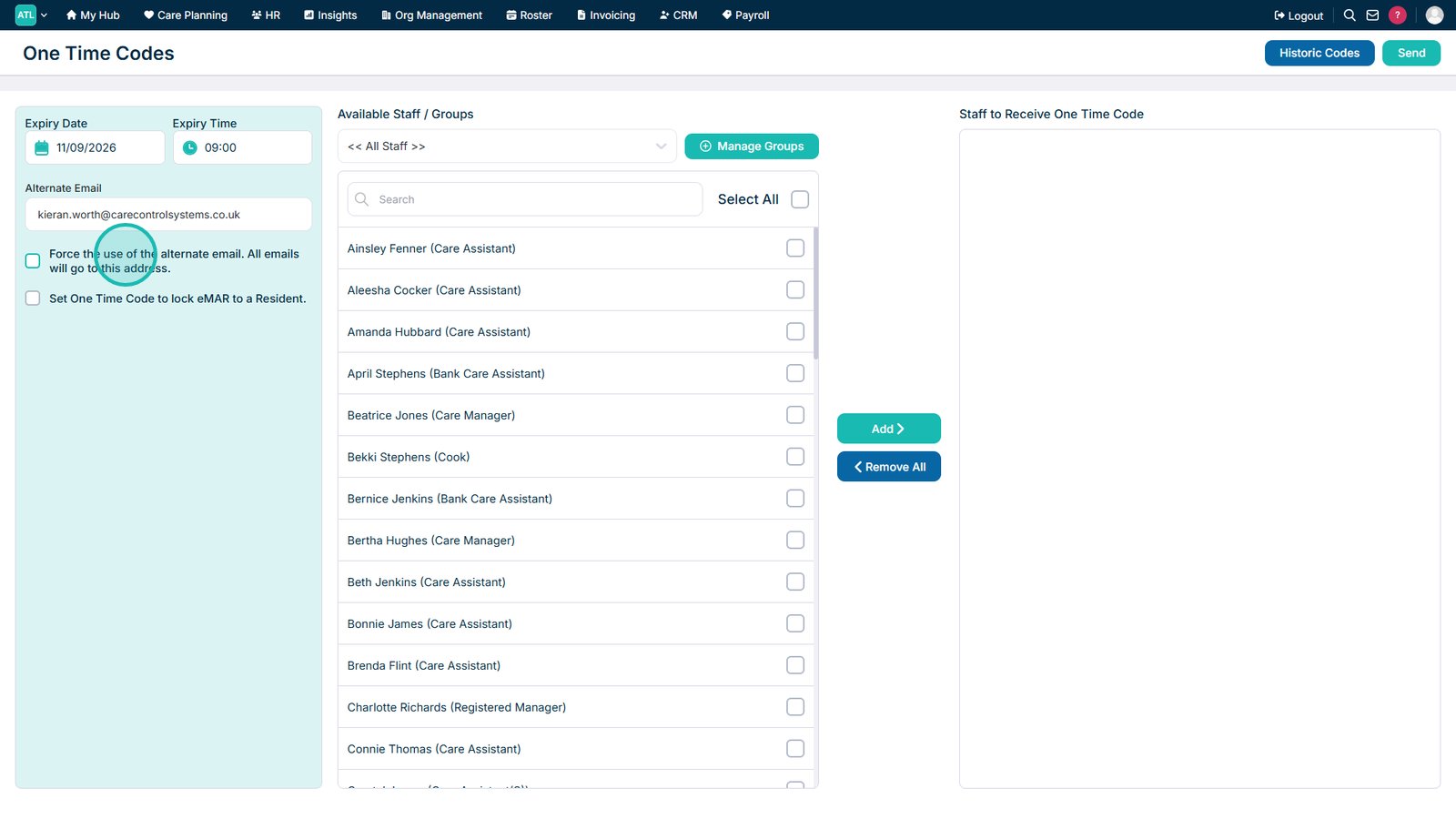
If required, select the option to force the use of the alternate email address.

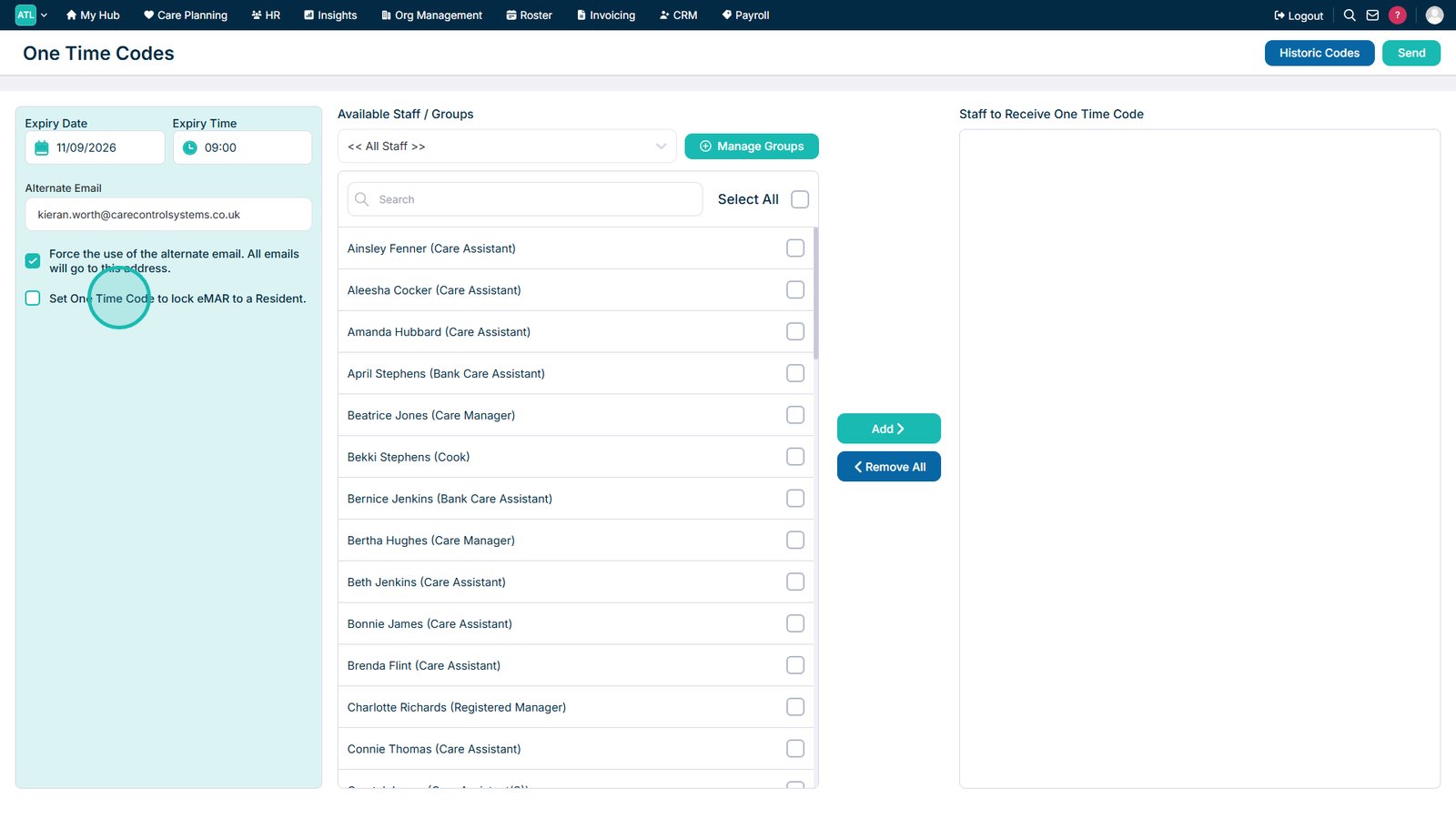
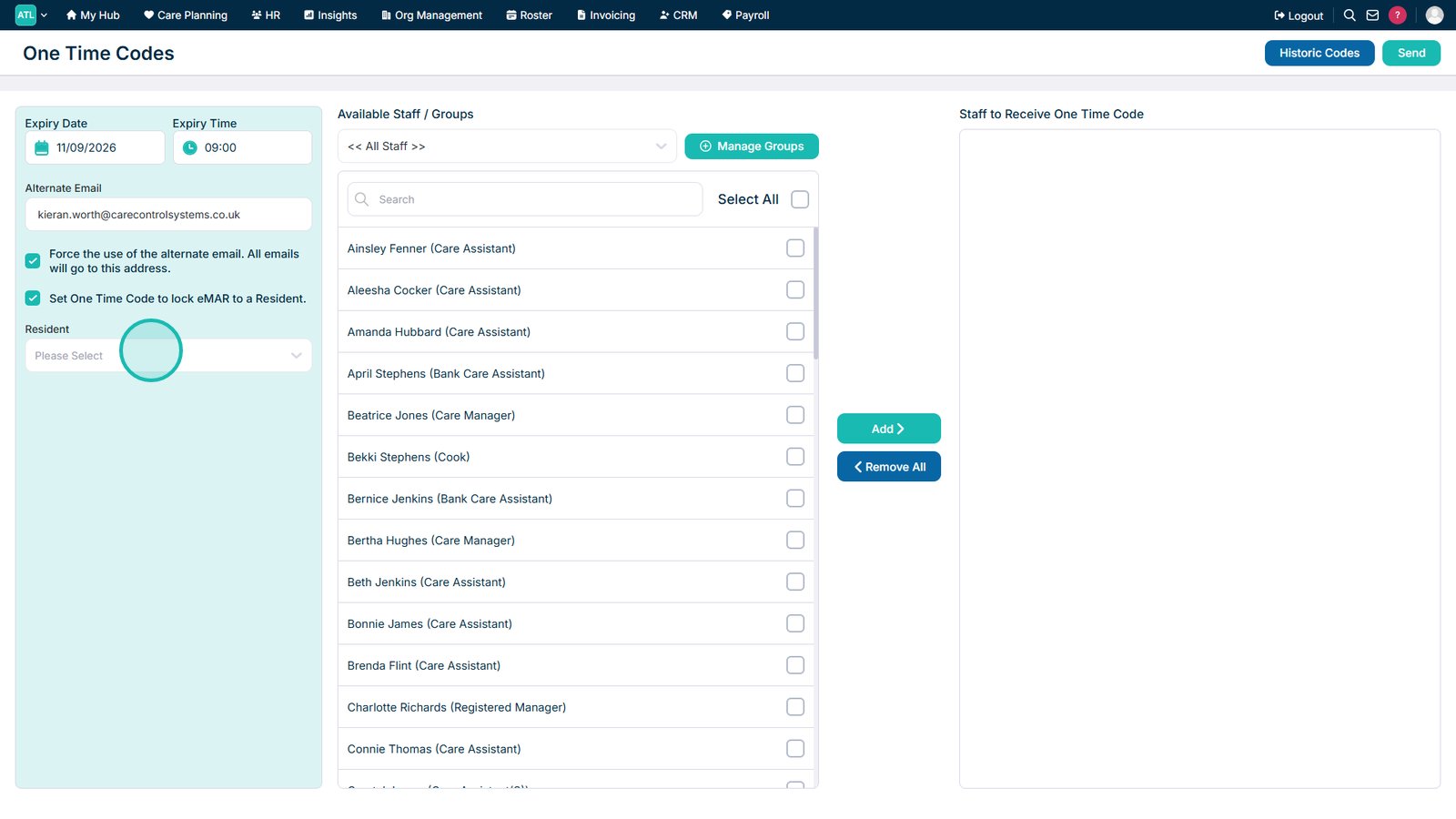
If required, enable the option to restrict eMAR access to a specific service user.

Select the service user whose medication records the code should provide access to.

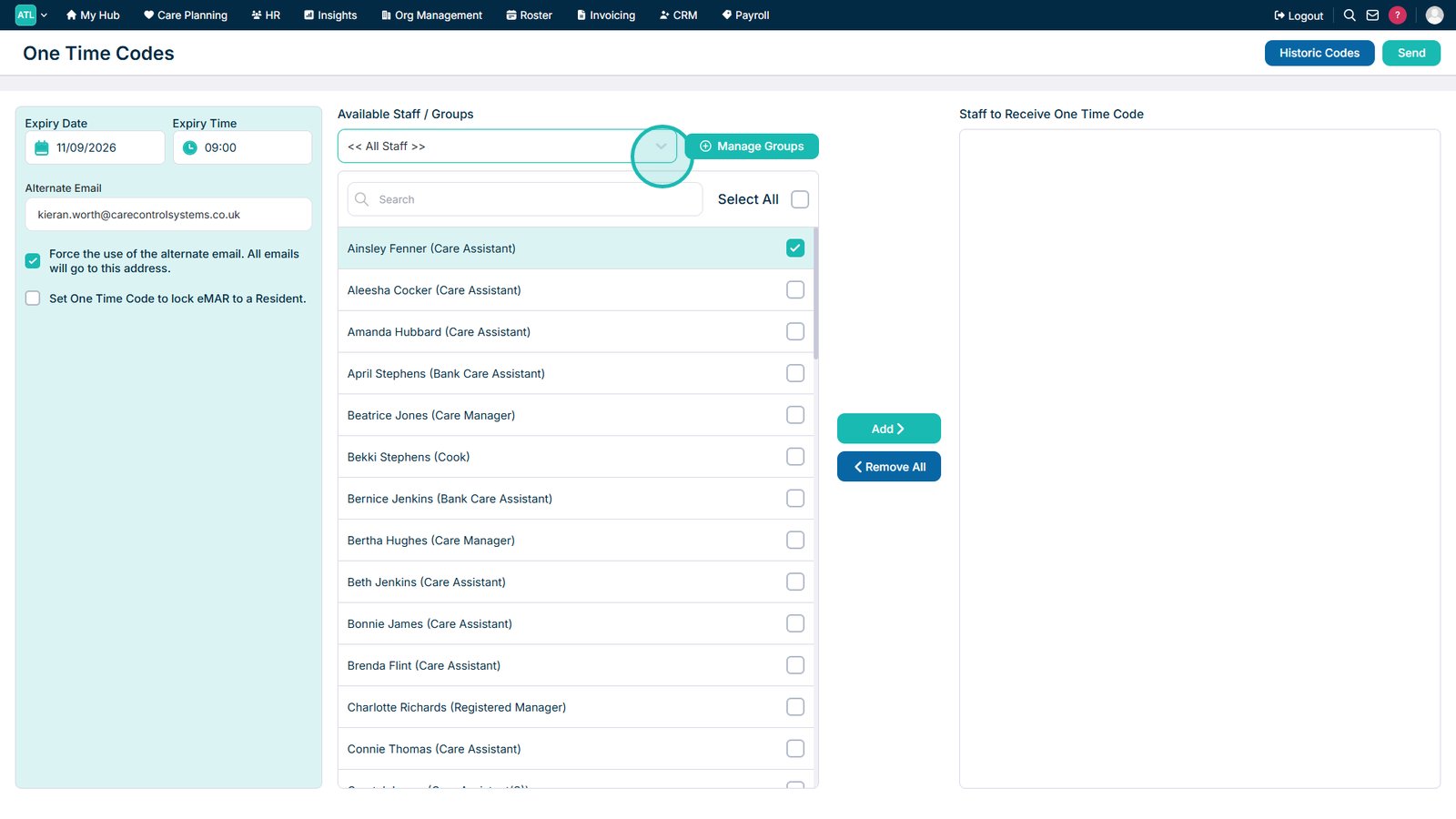
Use the Group drop-down list to filter the available staff members.

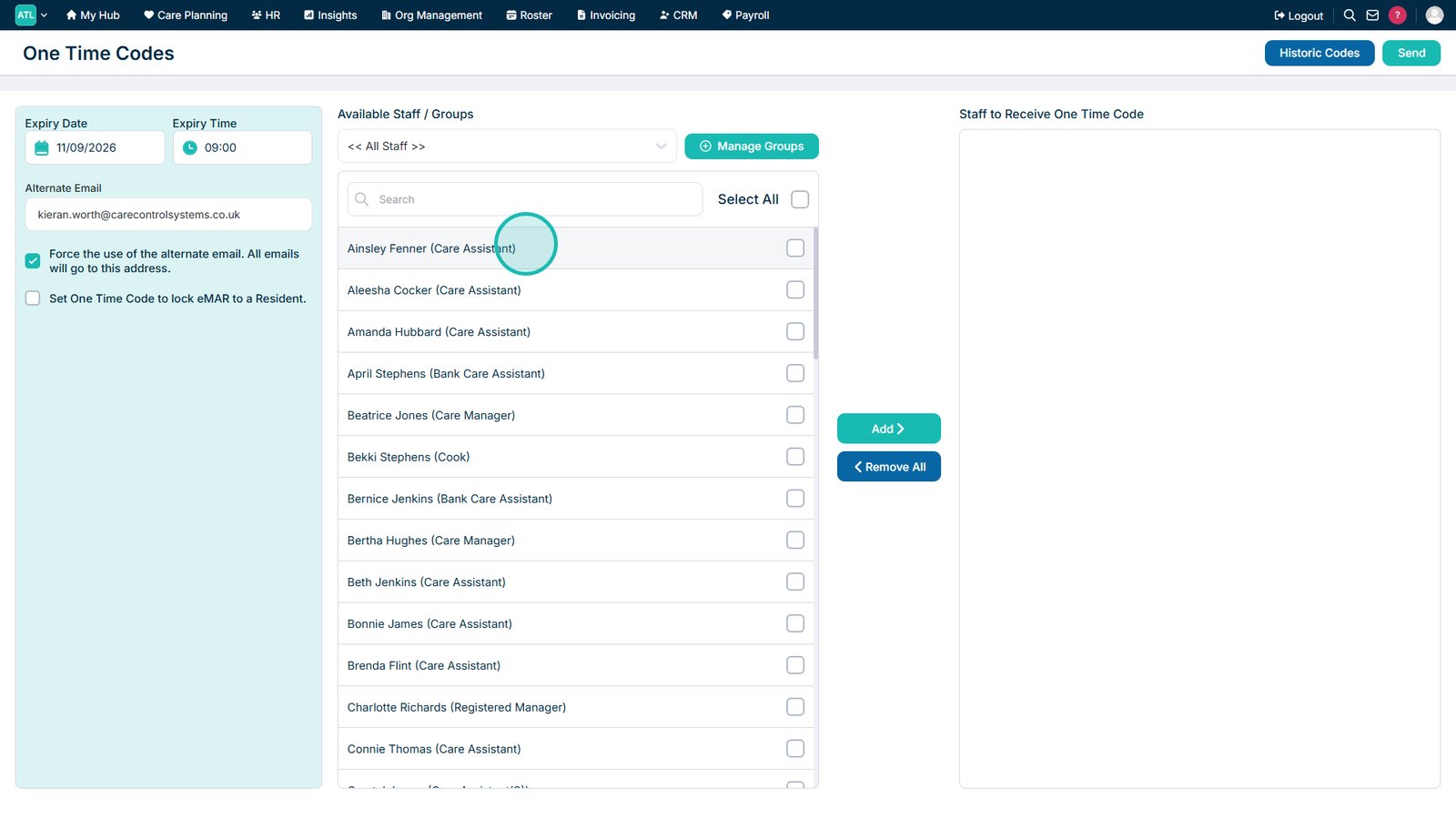
Select the staff members you want to receive the One-Time Code. You can select one, multiple or all staff members.

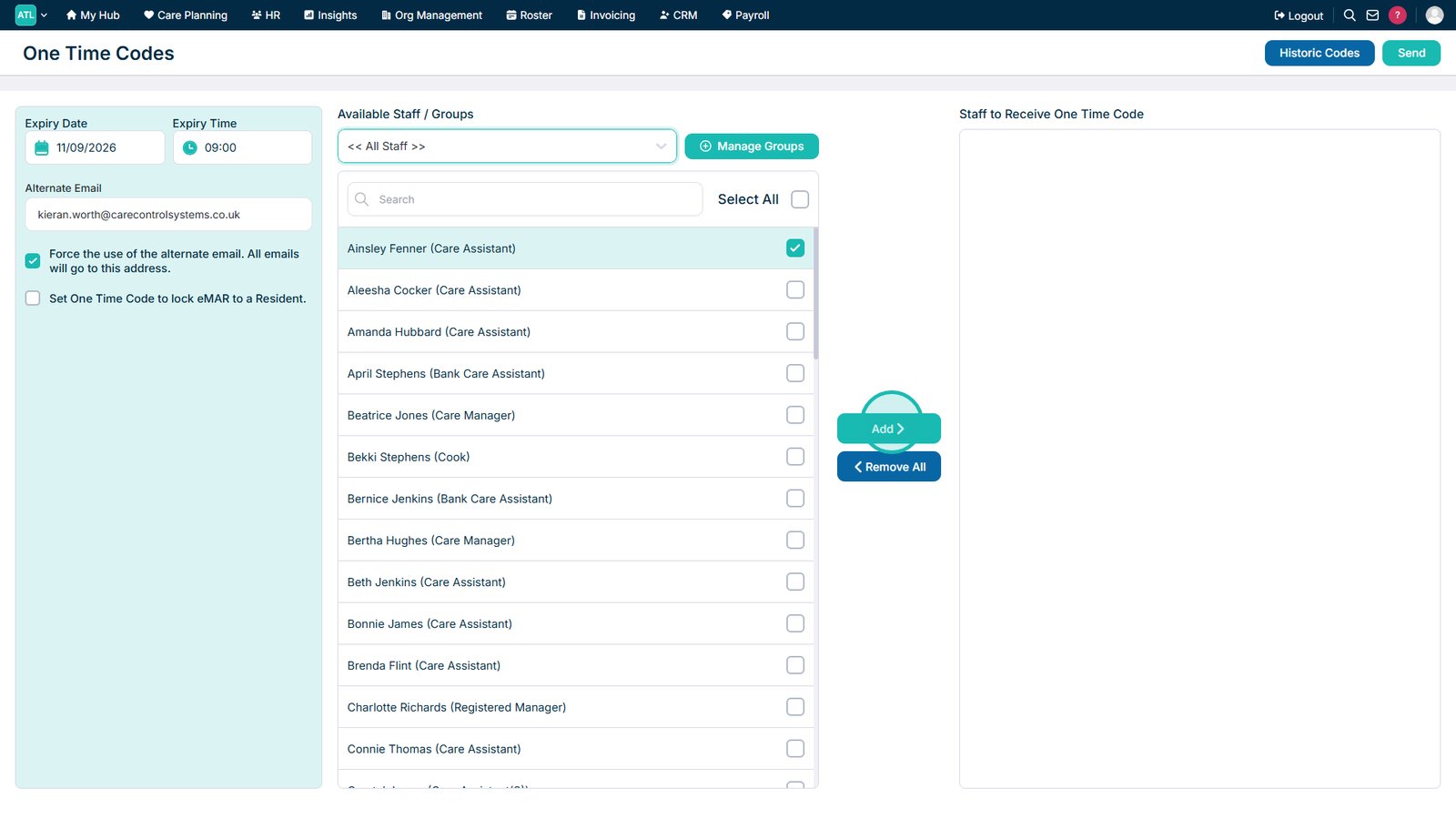
Select Add to include the selected staff members in the recipient list.

Select Send to generate the One-Time Code and send it to the selected recipients.

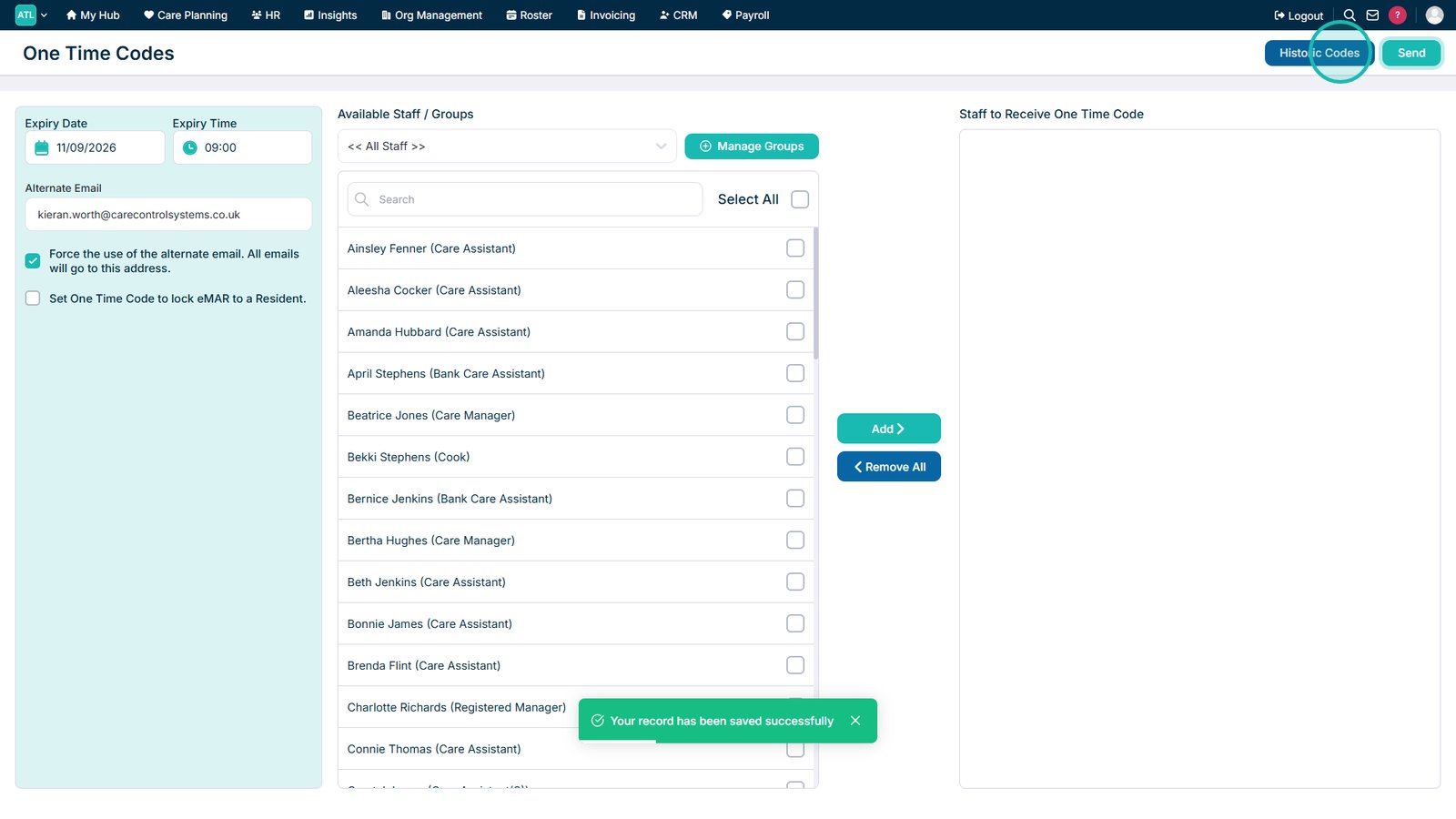
Open Historic Codes to review previously issued One-Time Codes.

Top tip
For additional security, you can restrict a One-Time Code's eMAR access to a specific service user. This means the code can only be used to access that service user's medication records.
Need more help?
Can't find what you're looking for? Our support team is here to help.
Contact SupportOr call us on