How to Create a Consent Template in Cloud
This guide explains how to create and configure consent templates within the Admin app, including building the template, testing it with real data, and setting default options.
Creating structured consent templates ensures consistency across documentation, improves efficiency when recording consent, and reduces the risk of missing important information. Using templates also helps standardise processes, making it easier for staff to capture accurate and compliant consent records.
By following this guide, you will learn how to:
- Access consent template settings within the Admin app
- Create and name a new consent template
- Build and customise the template using identifiers and manual input
- Test the template with real service user data
- Set default options and manage template availability
This ensures all consent documentation is consistent, efficient to complete, and aligned with compliance and care planning requirements.
Interactive Guide
Text based guide
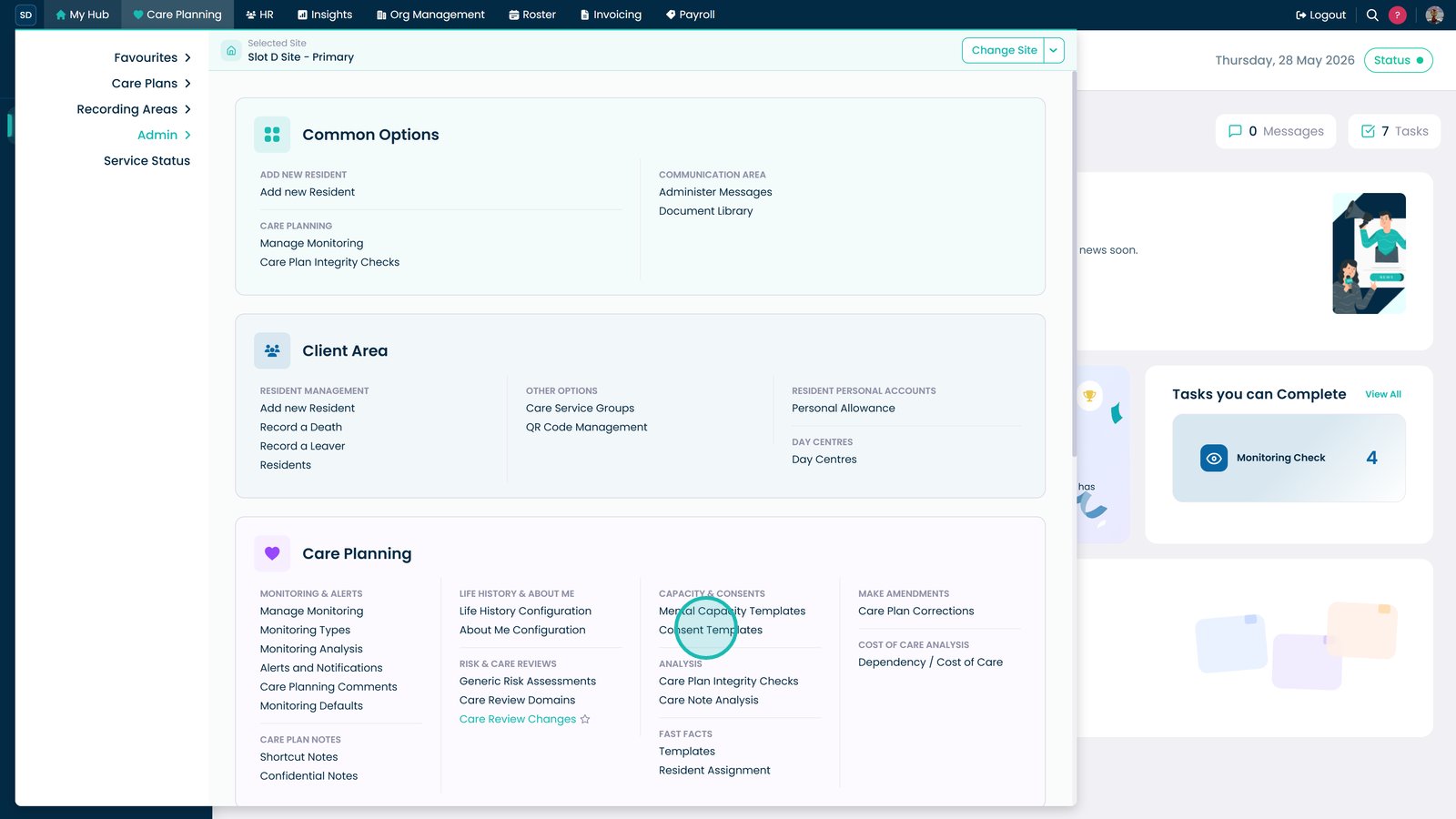
Open the Admin app to begin managing system settings
Select Care Planning to access care planning settings
Open the Capacity & Consents menu to access consent management options
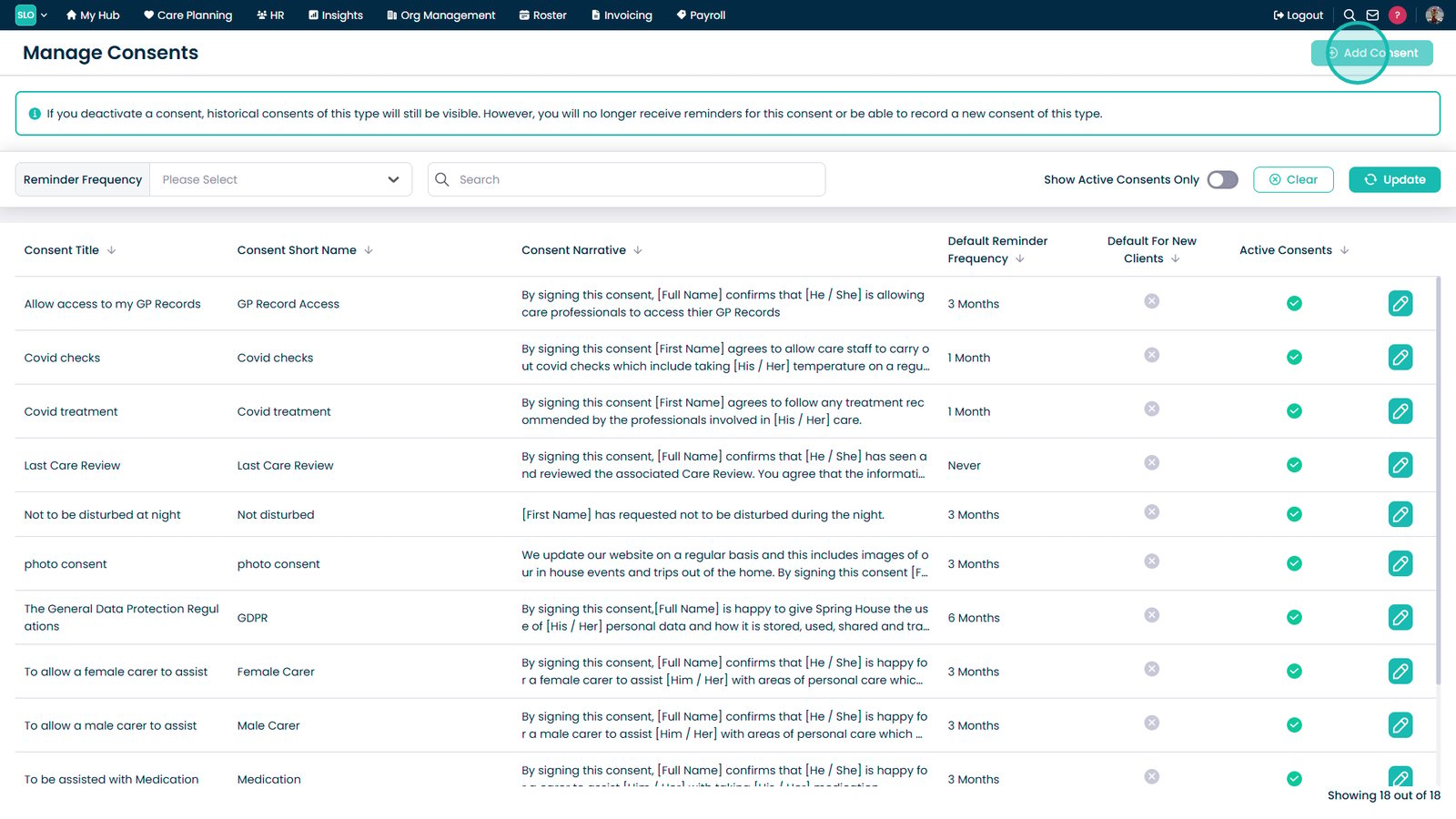
Select Consent Templates to view and manage templates
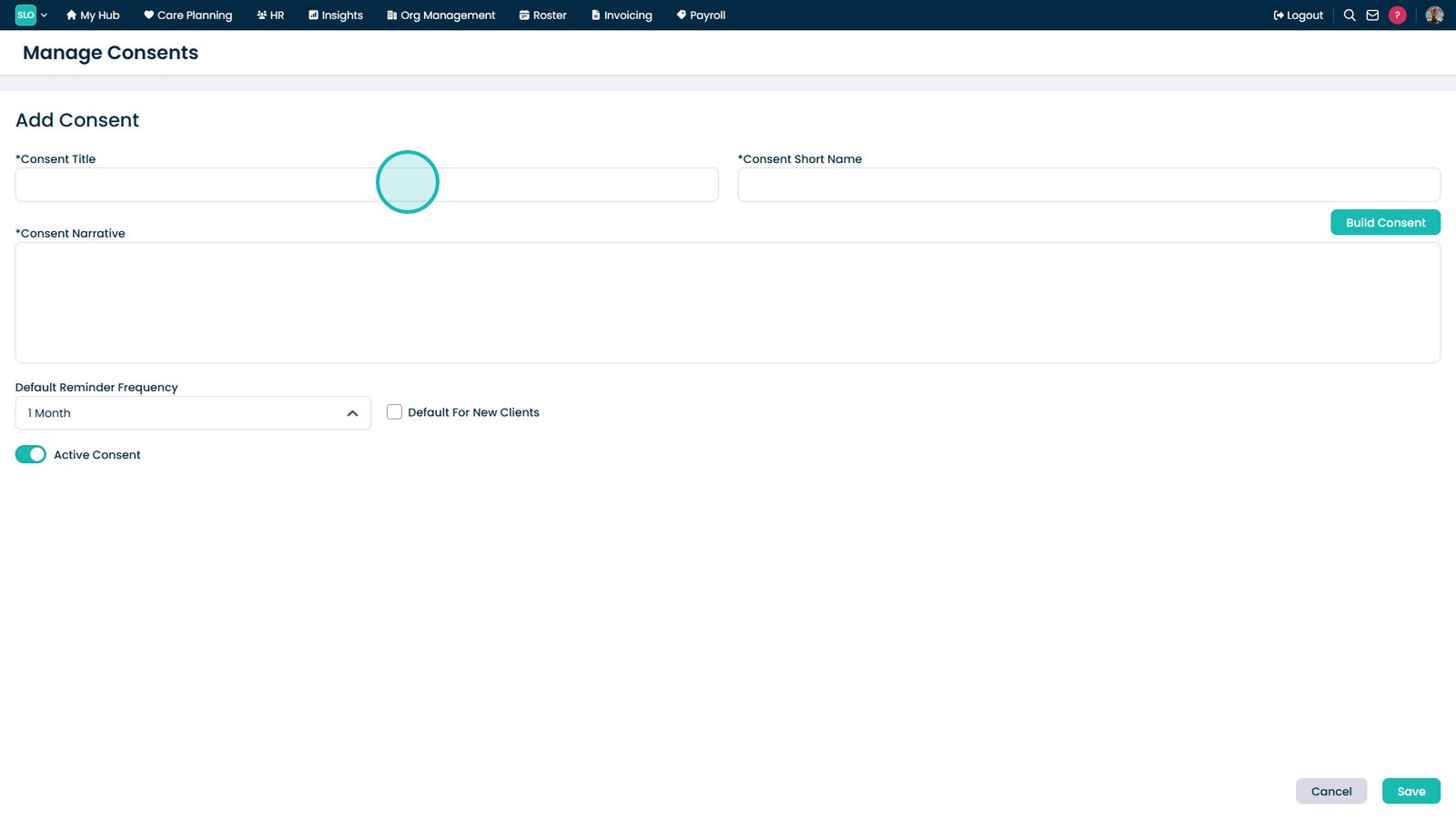
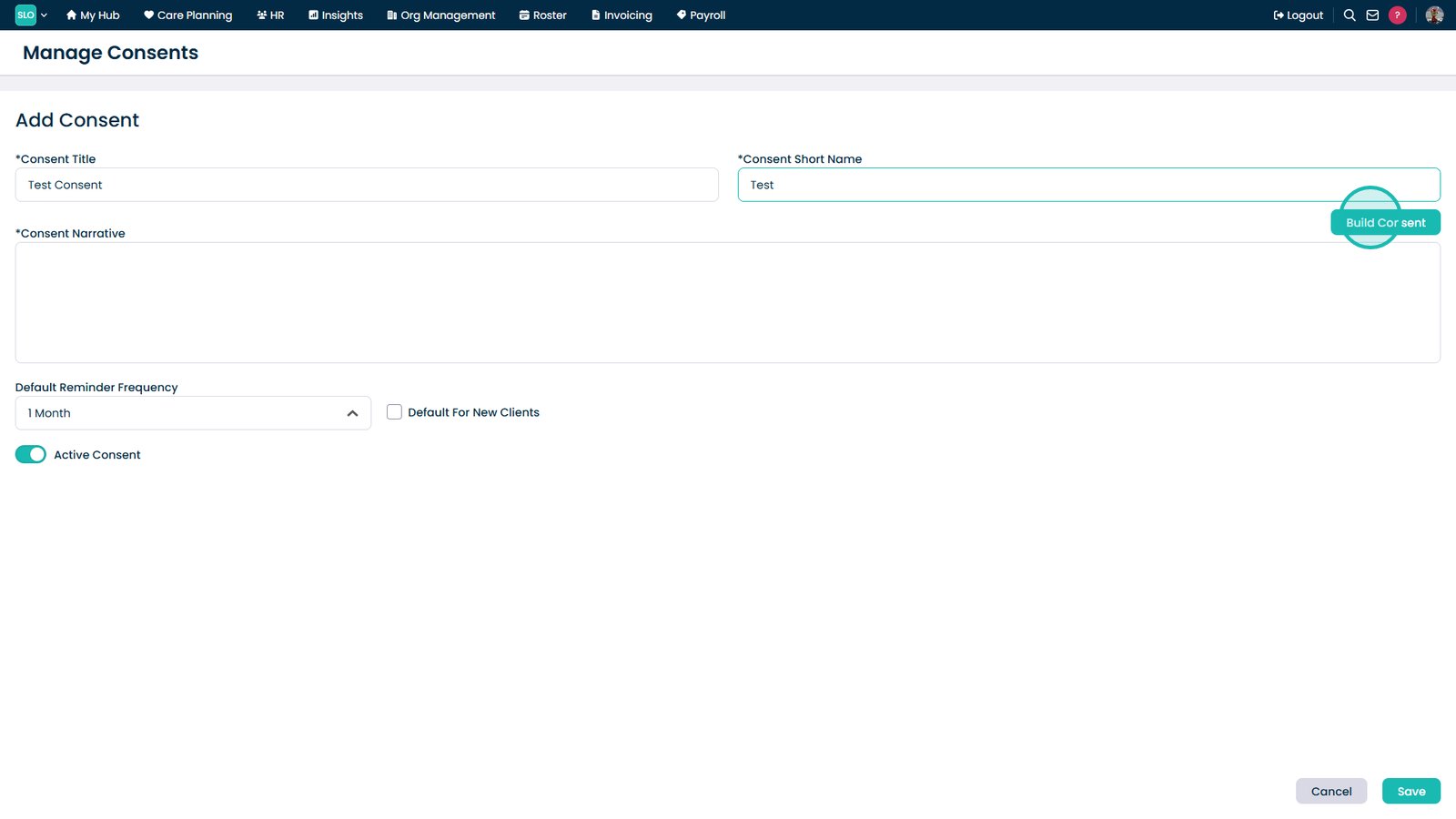
Select Add Consent to create a new consent template
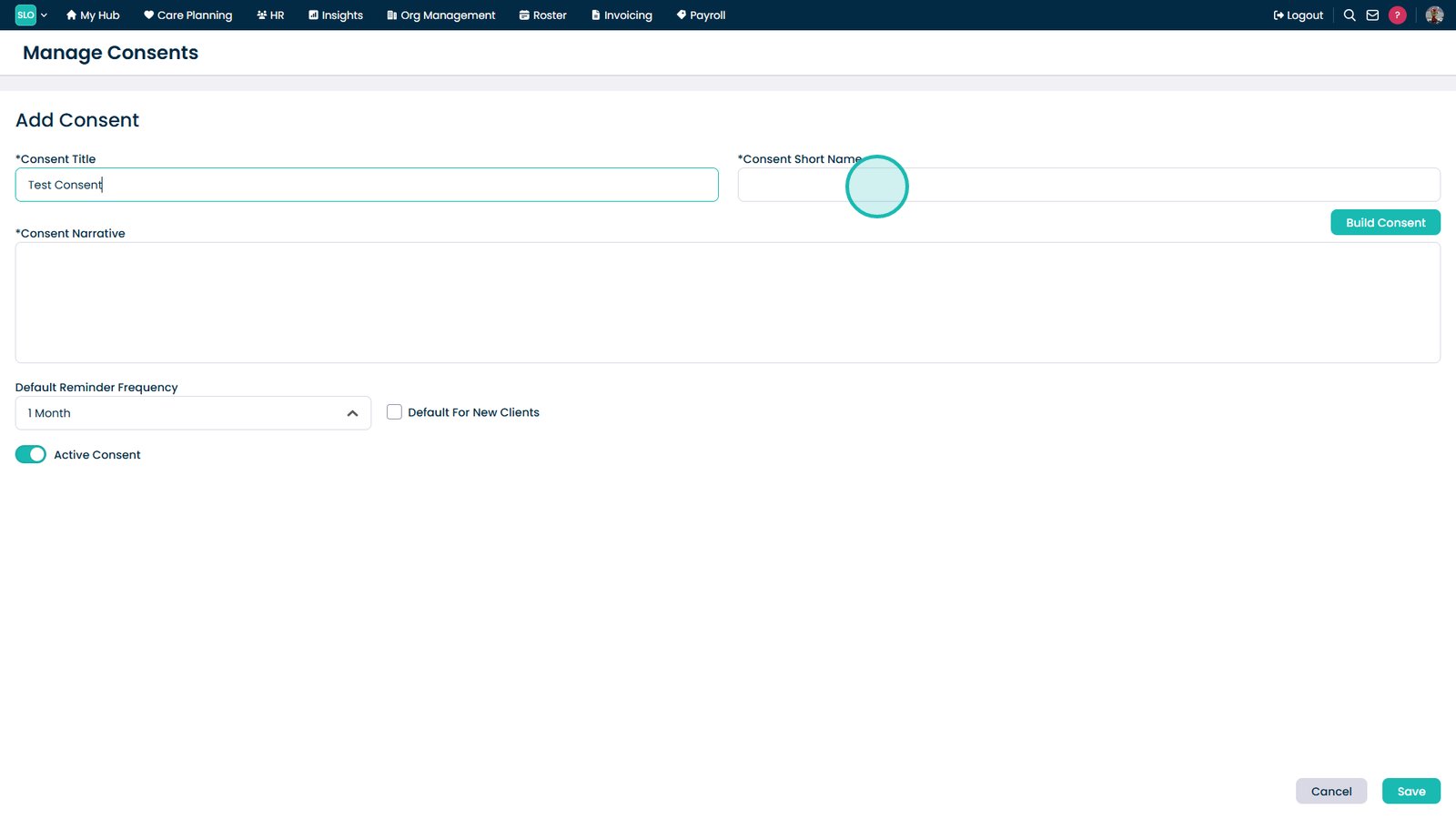
Enter a clear and descriptive consent title
Enter a short name for quick reference within the system
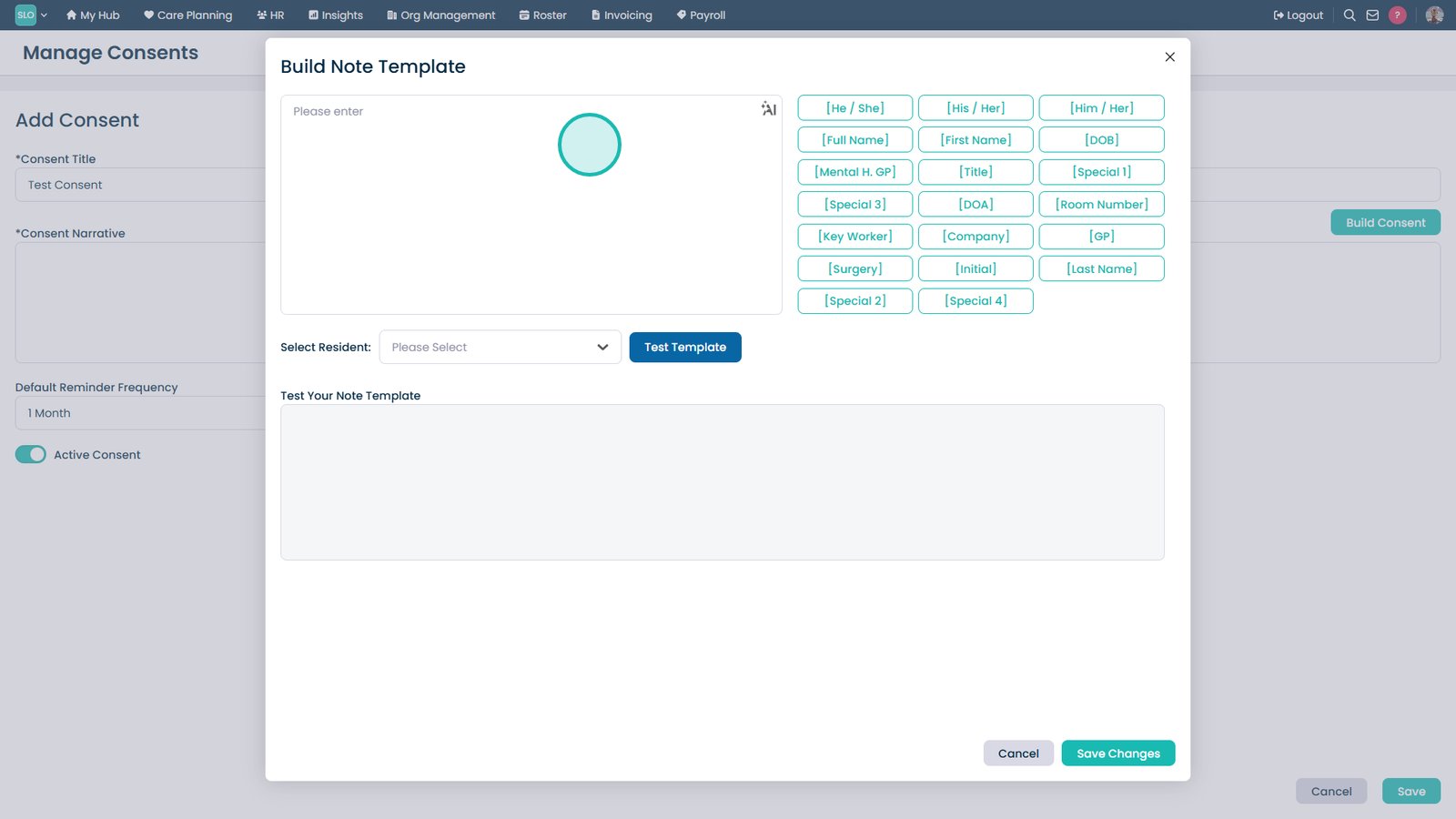
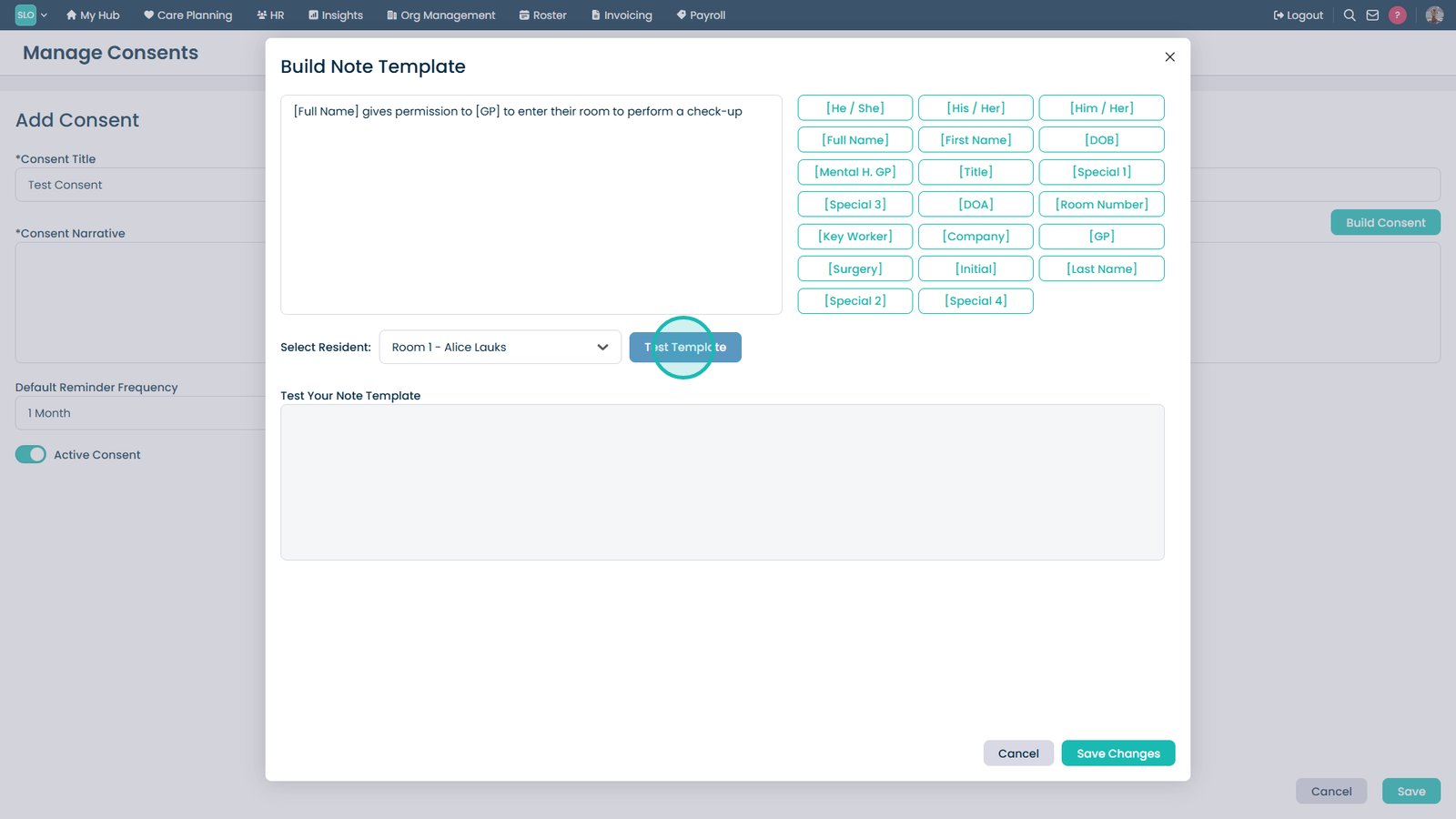
Select Build Consent to open the template editor
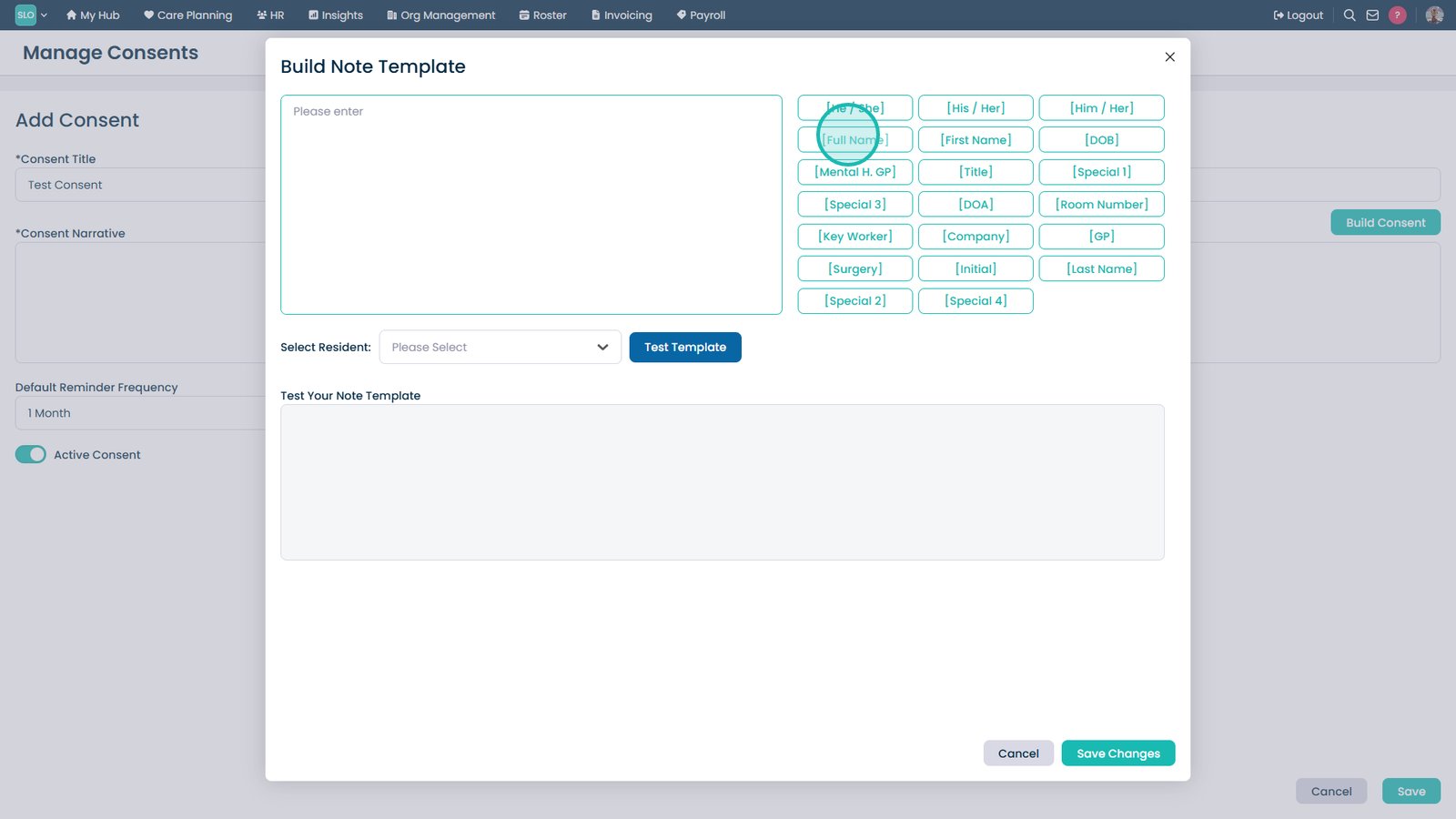
Use the identifiers on the right to automatically populate service user information
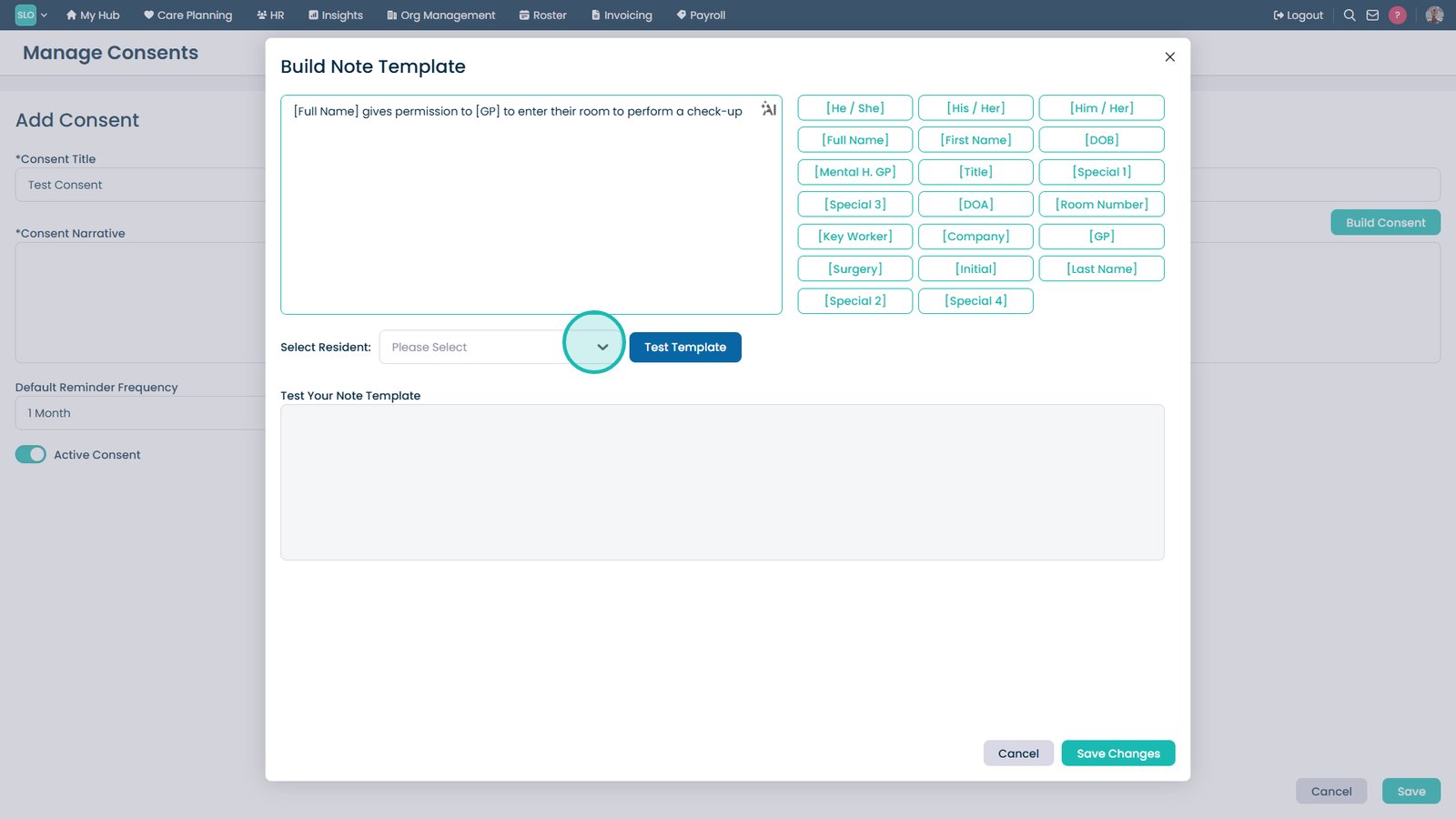
Enter and format your template content in the editor on the left
Select a resident to preview how the template will populate
Select a specific resident to test the template with real data
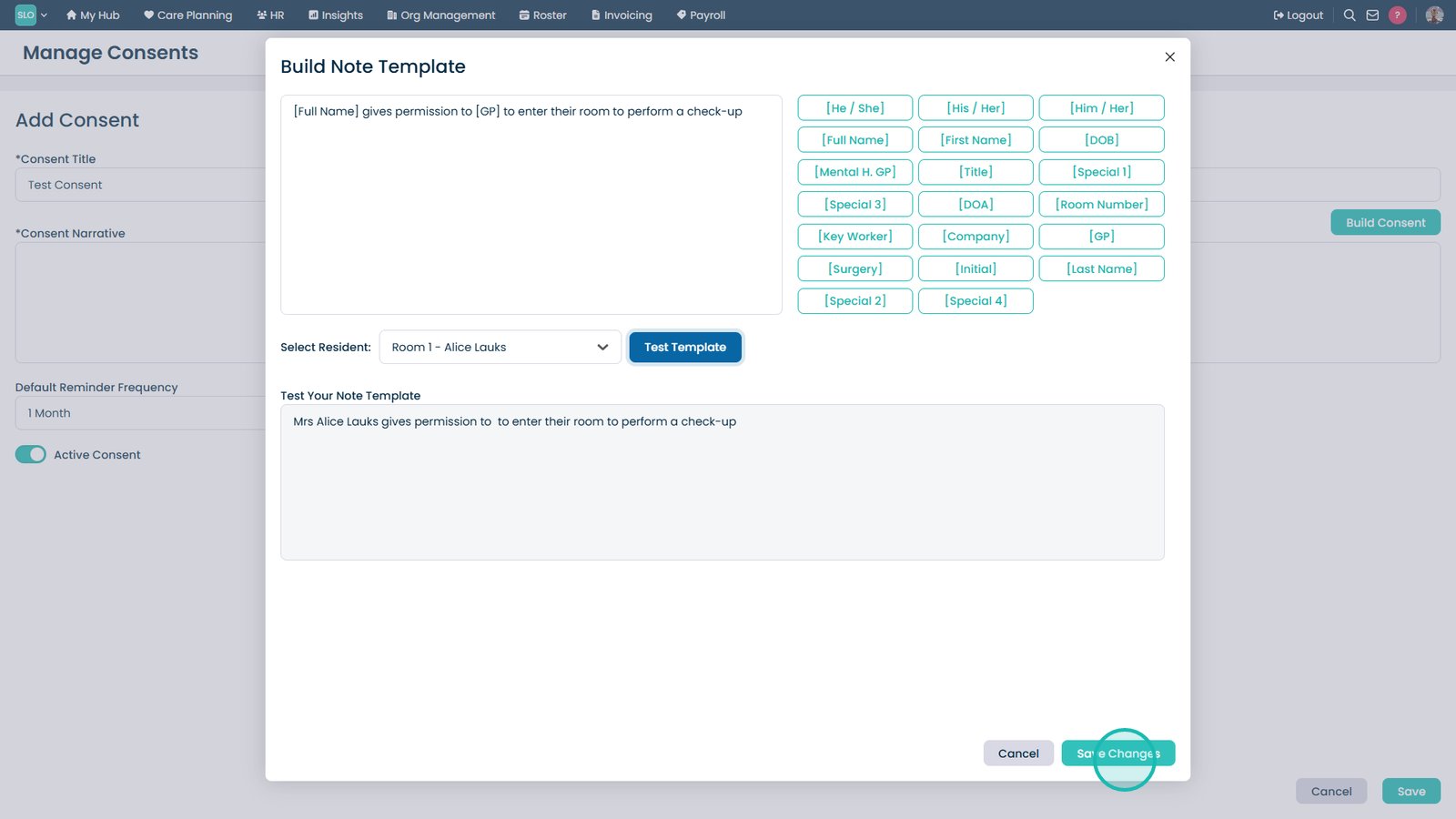
Select Test Template to preview the populated consent form
Review the preview to ensure all information is displayed correctly
Select Save to store the consent template
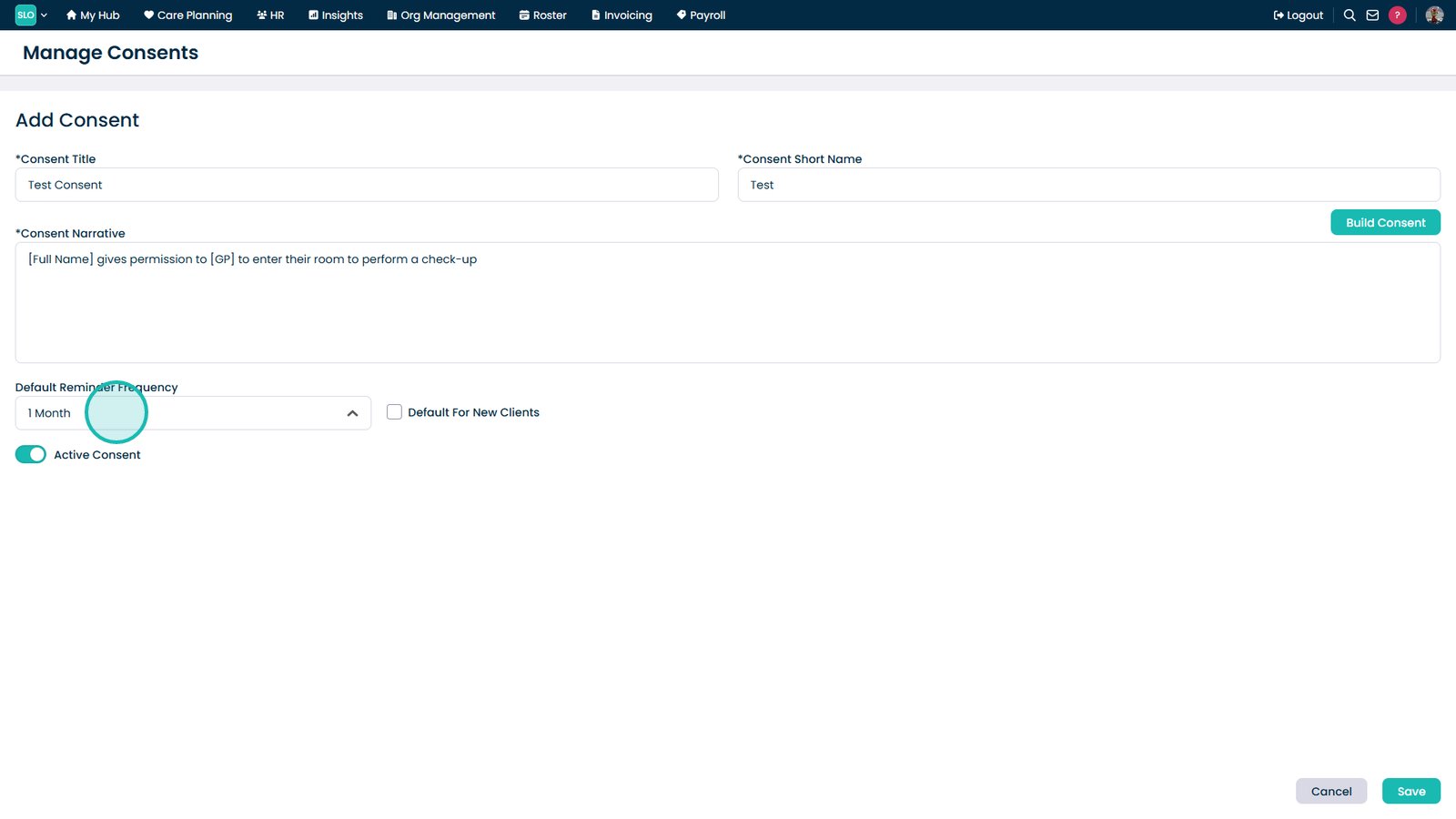
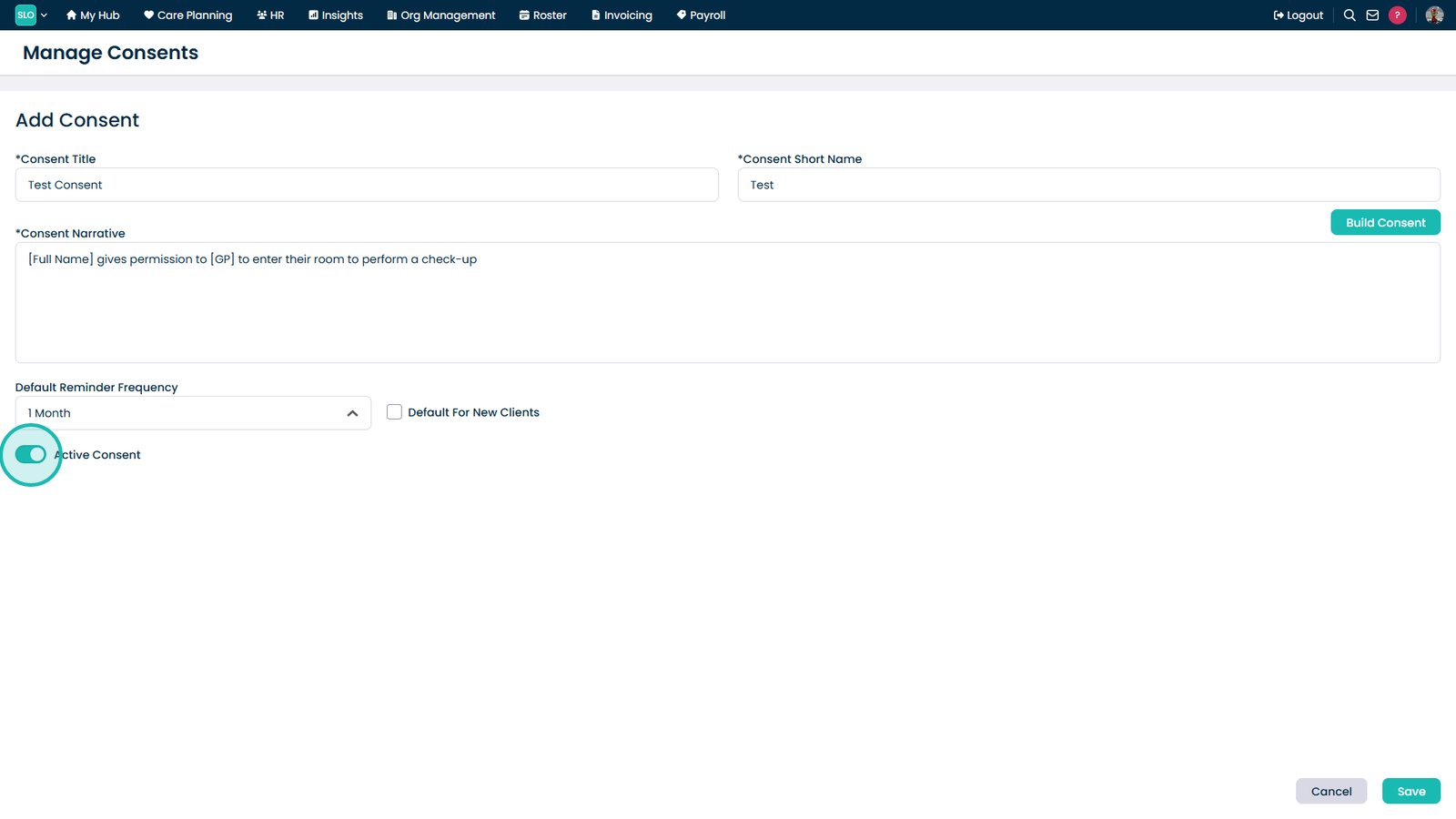
Set a default reminder frequency for consent renewals
Select a renewal period to manage consent updates proactively
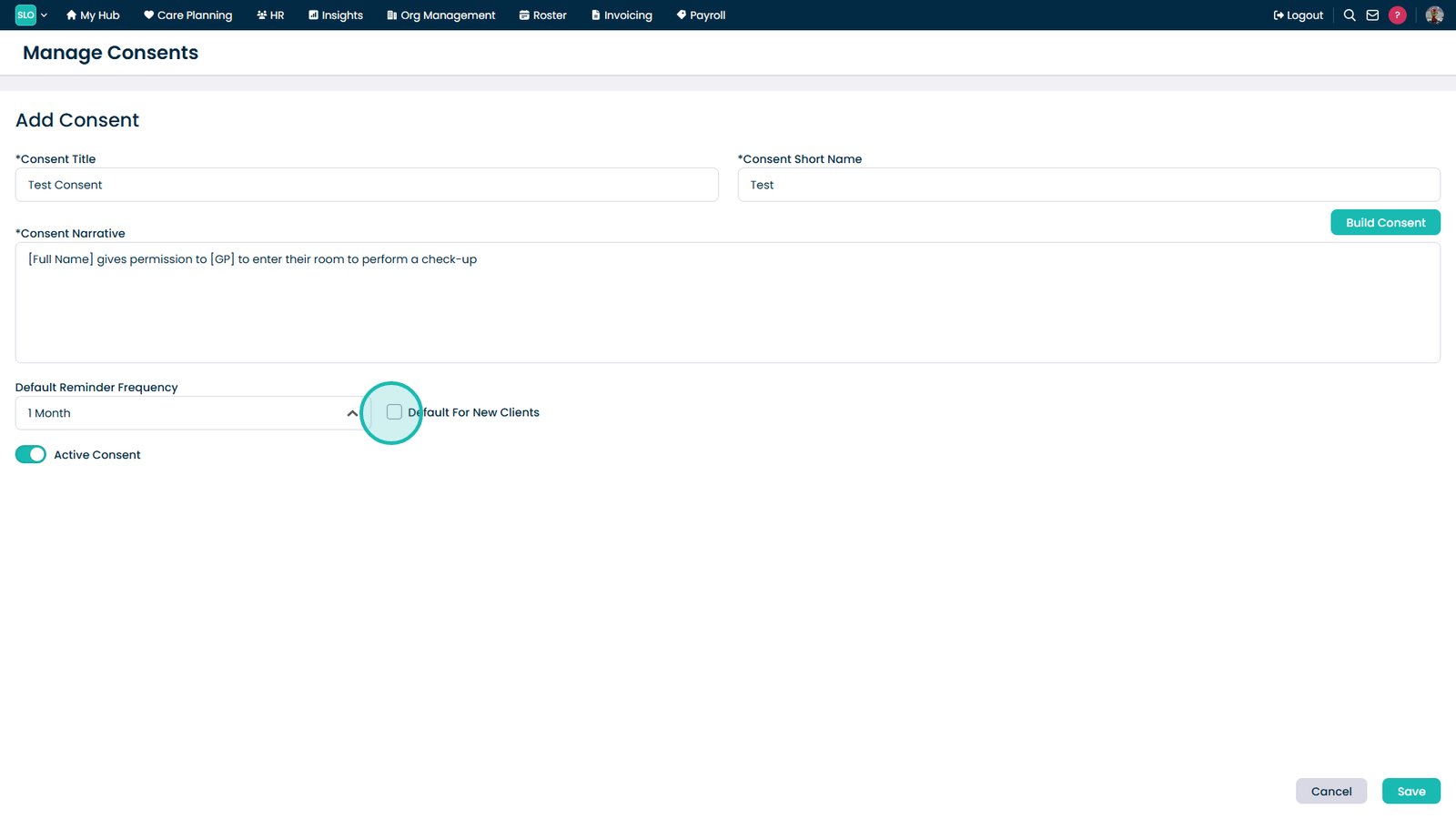
Enable Mark as Default For New Clients to apply this template automatically
Toggle the template on or off depending on your requirements
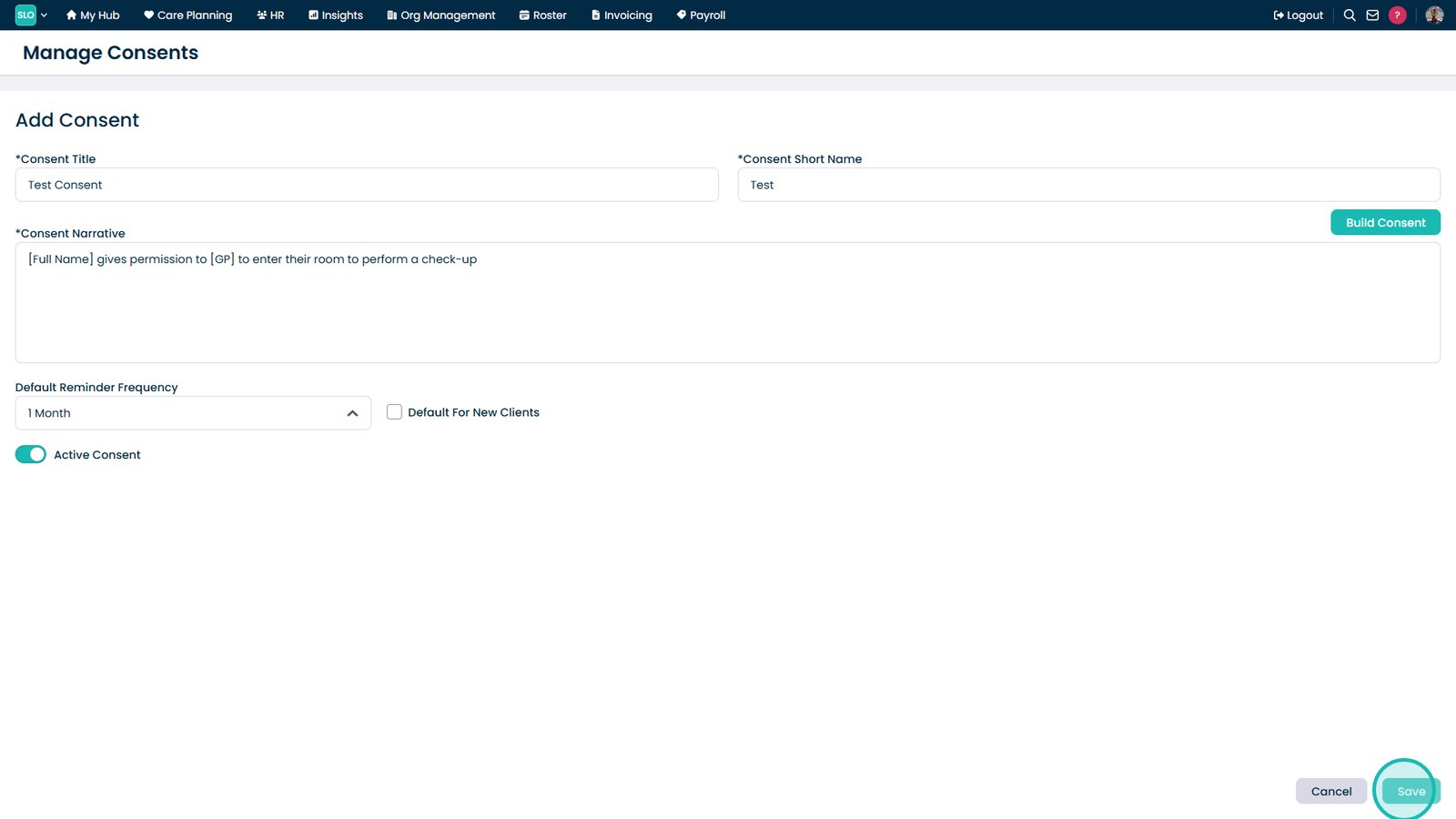
Select Save to finalise and add the new consent template