How to Print a Current and Historic Risk Assessment
This guide explains how to print current and historical risk assessments for a service user.
Takes 2 minutes
For: Care Staff
Updated: 29th June 2026
Introduction
The Risk Assessments section allows you to review completed assessments for a service user, including previous versions and historical records. This provides a clear overview of identified risks, assessment outcomes, and any supporting information that has been recorded over time.
In this guide you'll learn how to:
- Access service user risk assessments
- Review different assessment categories
- Print current and historical assessments
- Access previous assessment records
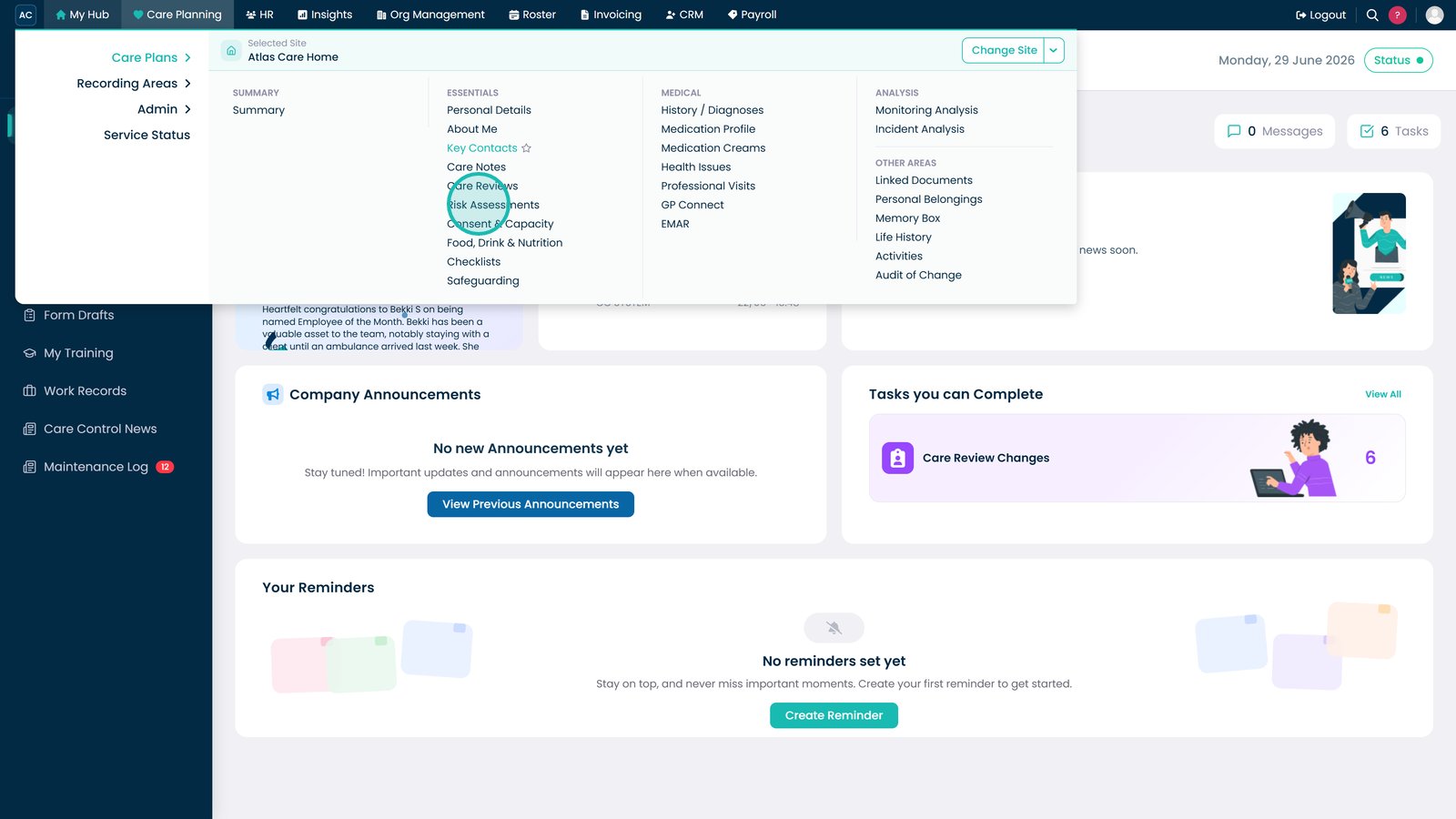
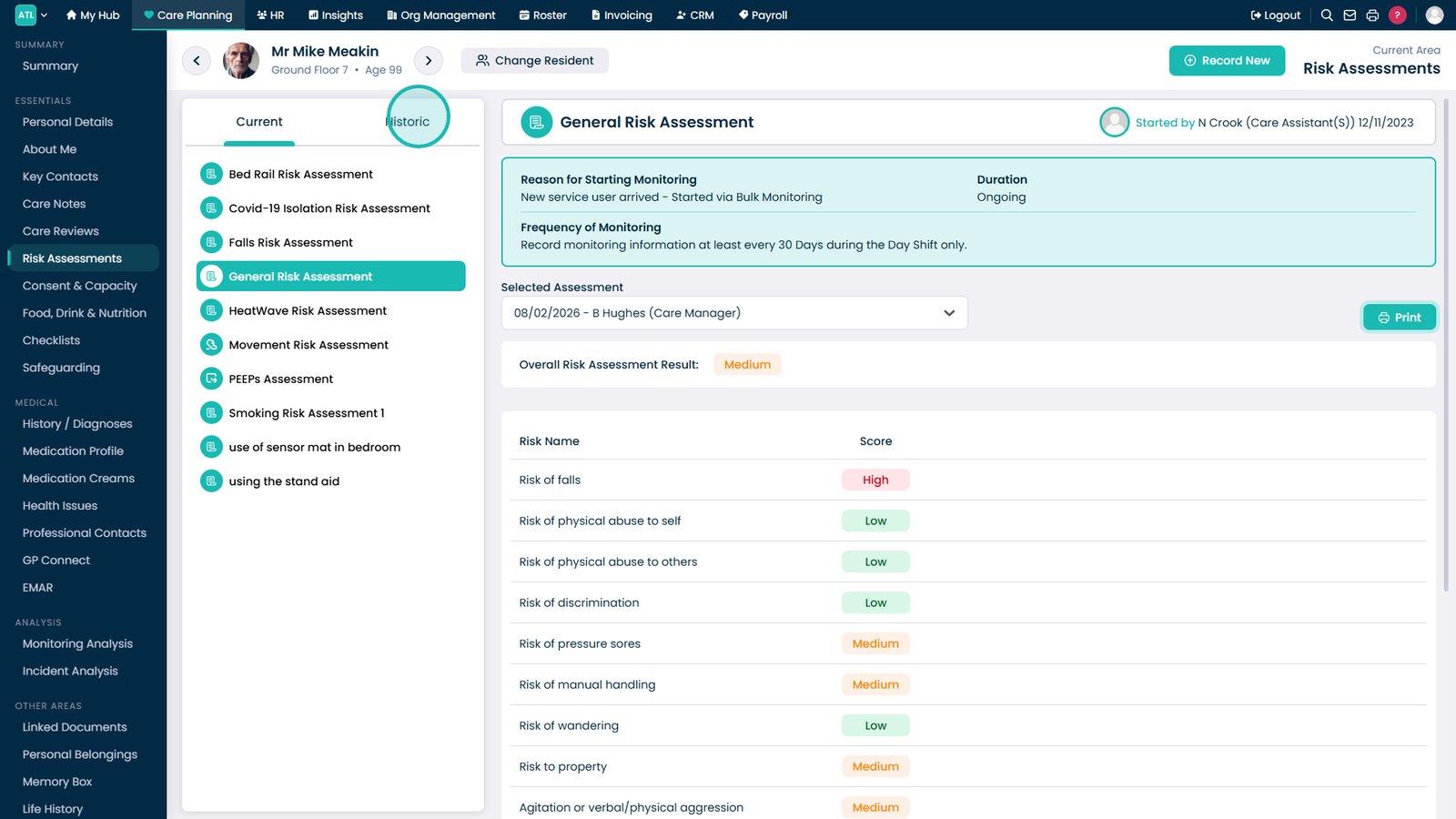
Open Risk Assessments from the Care Plans menu.

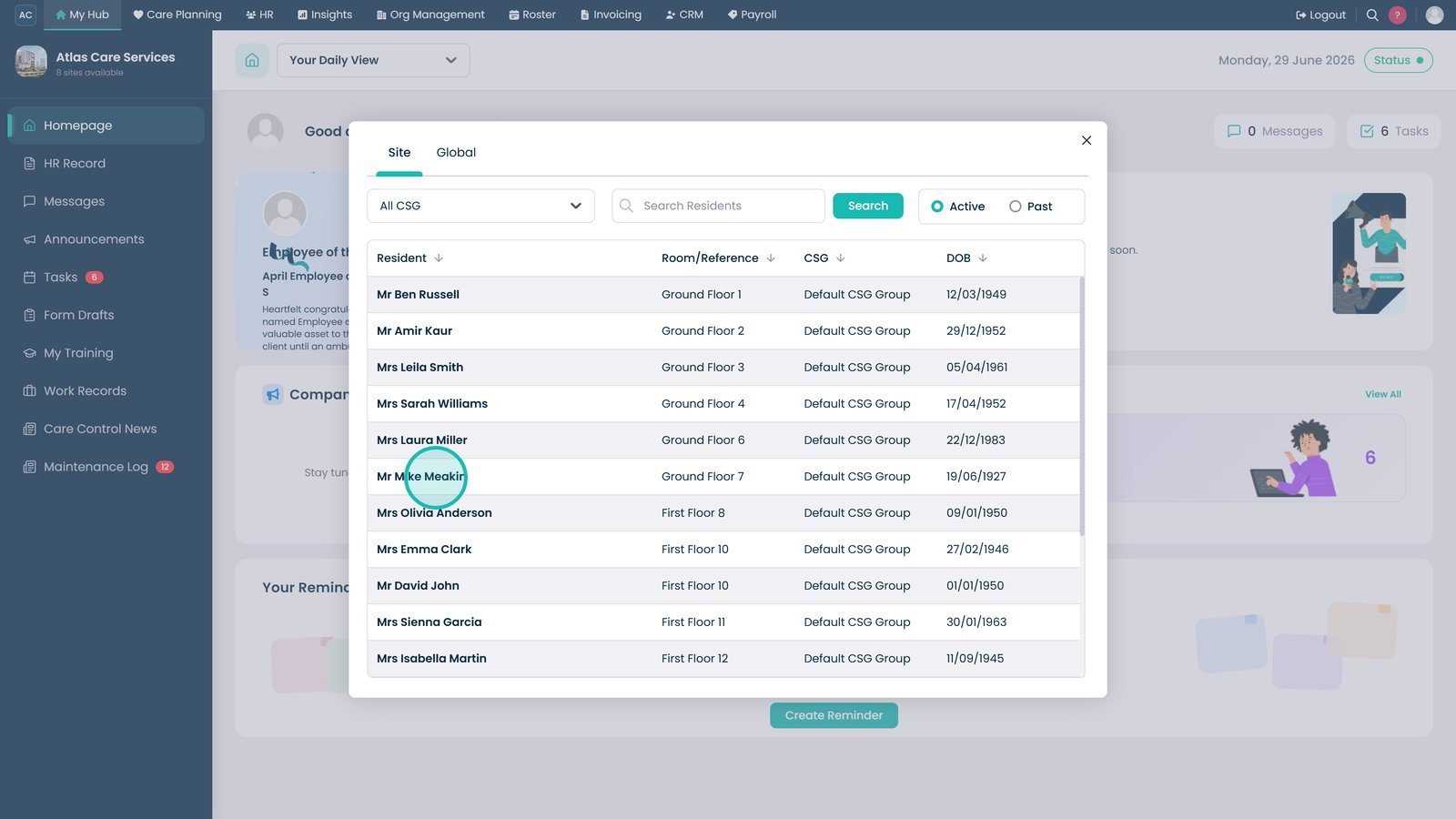
Select the service user whose risk assessments you want to review.

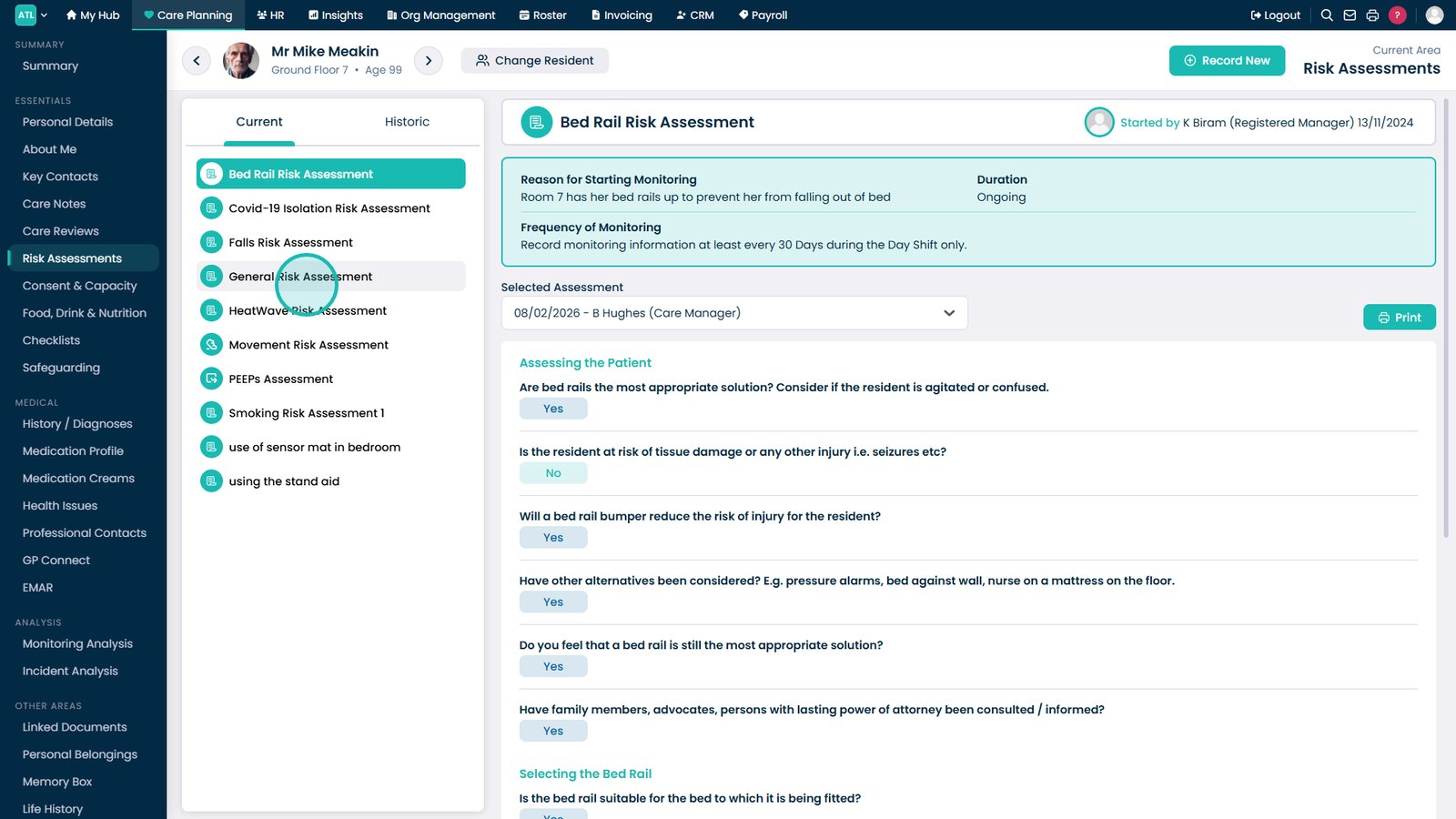
Select the risk assessment category you want to review.

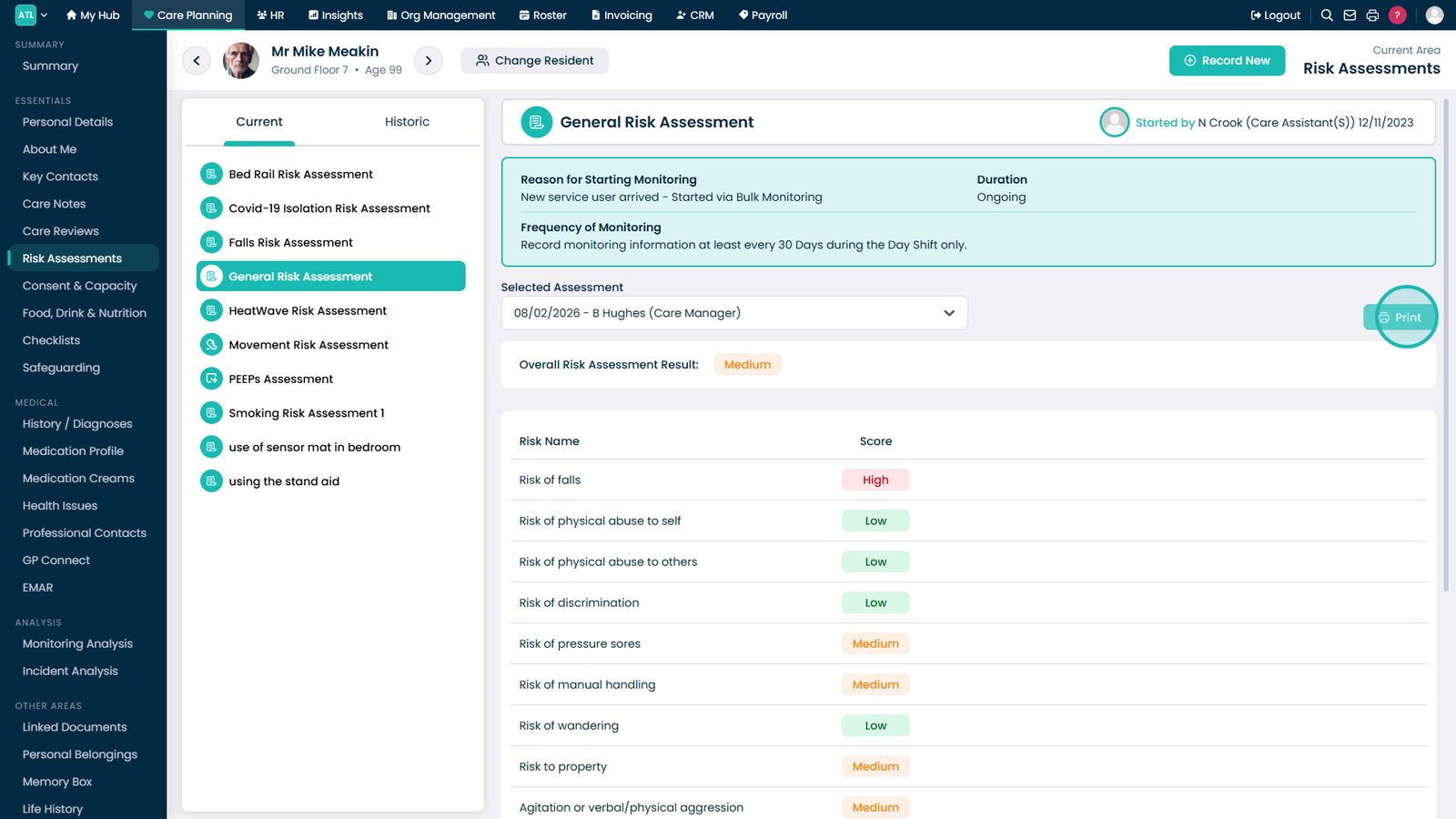
Select Print to create a copy of the current risk assessment.

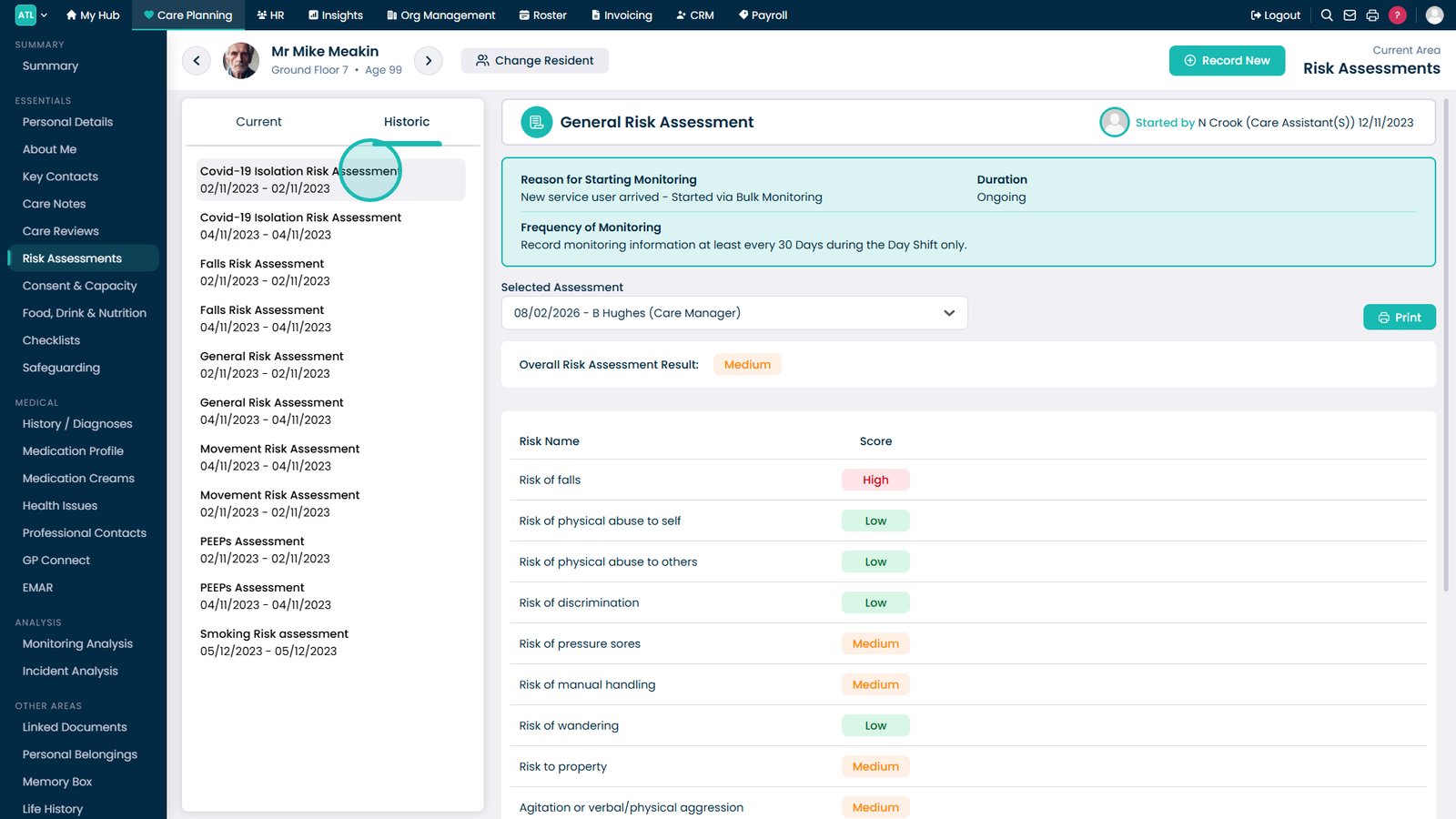
Open the Historic tab to review previous risk assessments.

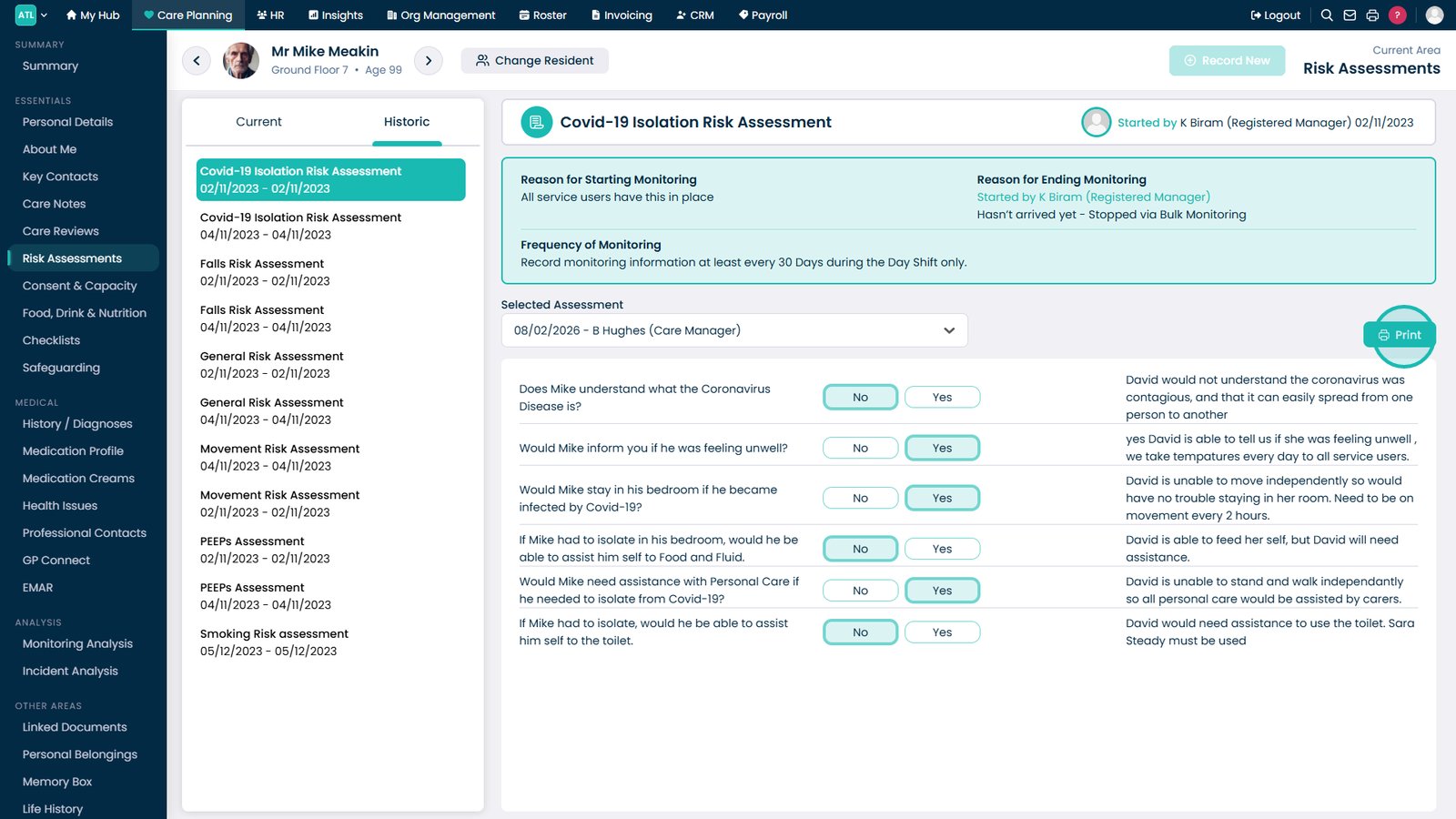
Select the historical assessment you want to review.

Select Print to create a copy of the historical assessment.

Top tip
Use the Historic tab to compare previous assessments and track how a service user's risk profile has changed over time.
Need more help?
Can't find what you're looking for? Our support team is here to help.
Contact SupportOr call us on