View Categories

How to Add More Licenses to Care Control

Learn how to add additional service user licences when registering a new service user and your current licence allocation has been reached.

Takes 2 minutes
For: Managers
Updated: 17th Aug 2026

Introduction

If you attempt to add a new service user after reaching your current licence limit, Care Control will give you the option to add additional licences. You can review your existing allocation, choose how many more licences you need, and confirm the change before continuing.

In this guide, you'll learn how to:

  • Identify when your service user licence limit has been reached.
  • Check your current number of licences.
  • Select the number of additional licences required.
  • Confirm and continue with the licence increase.

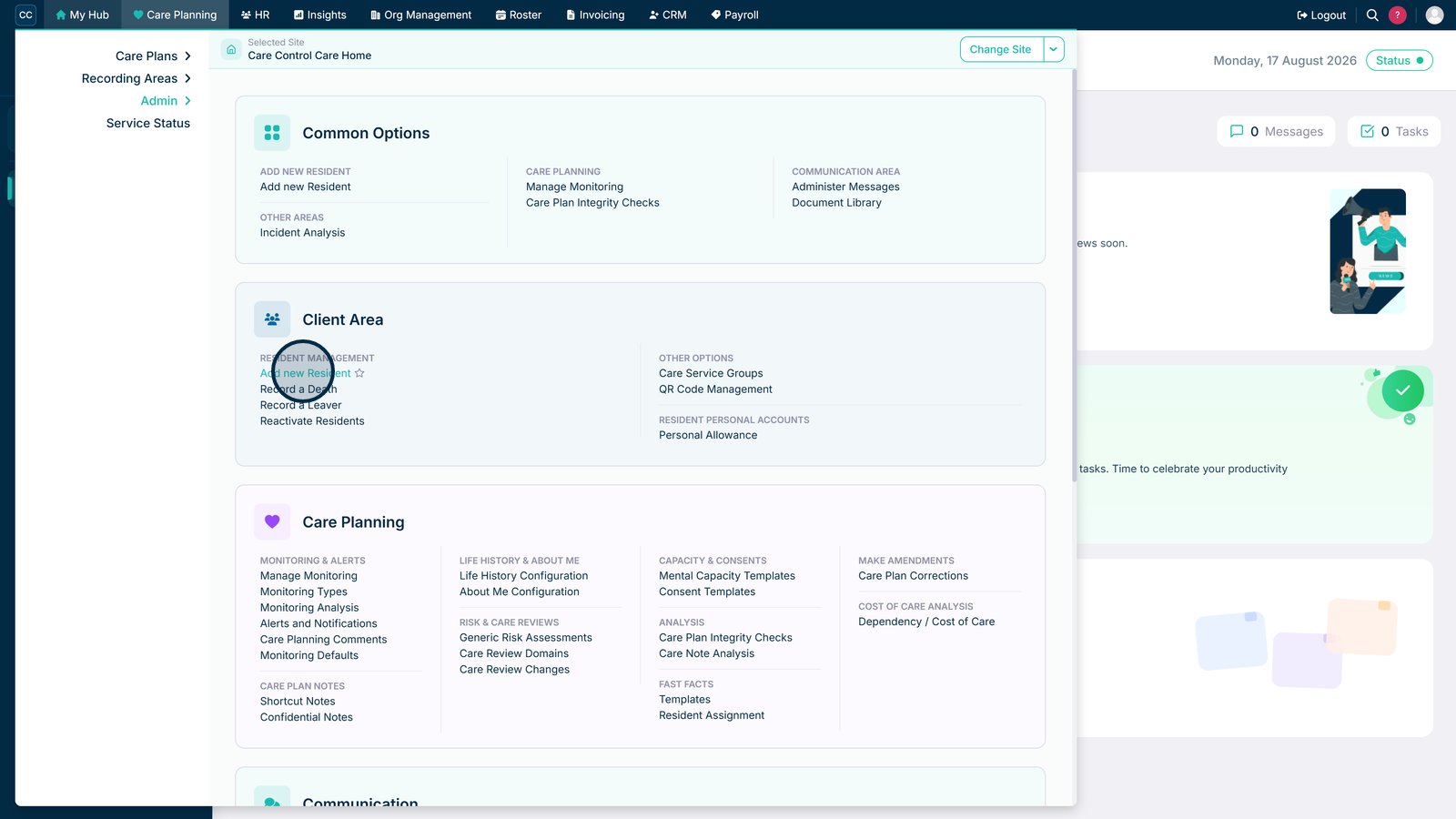
Click Add New Service User to begin registering a new Service User.

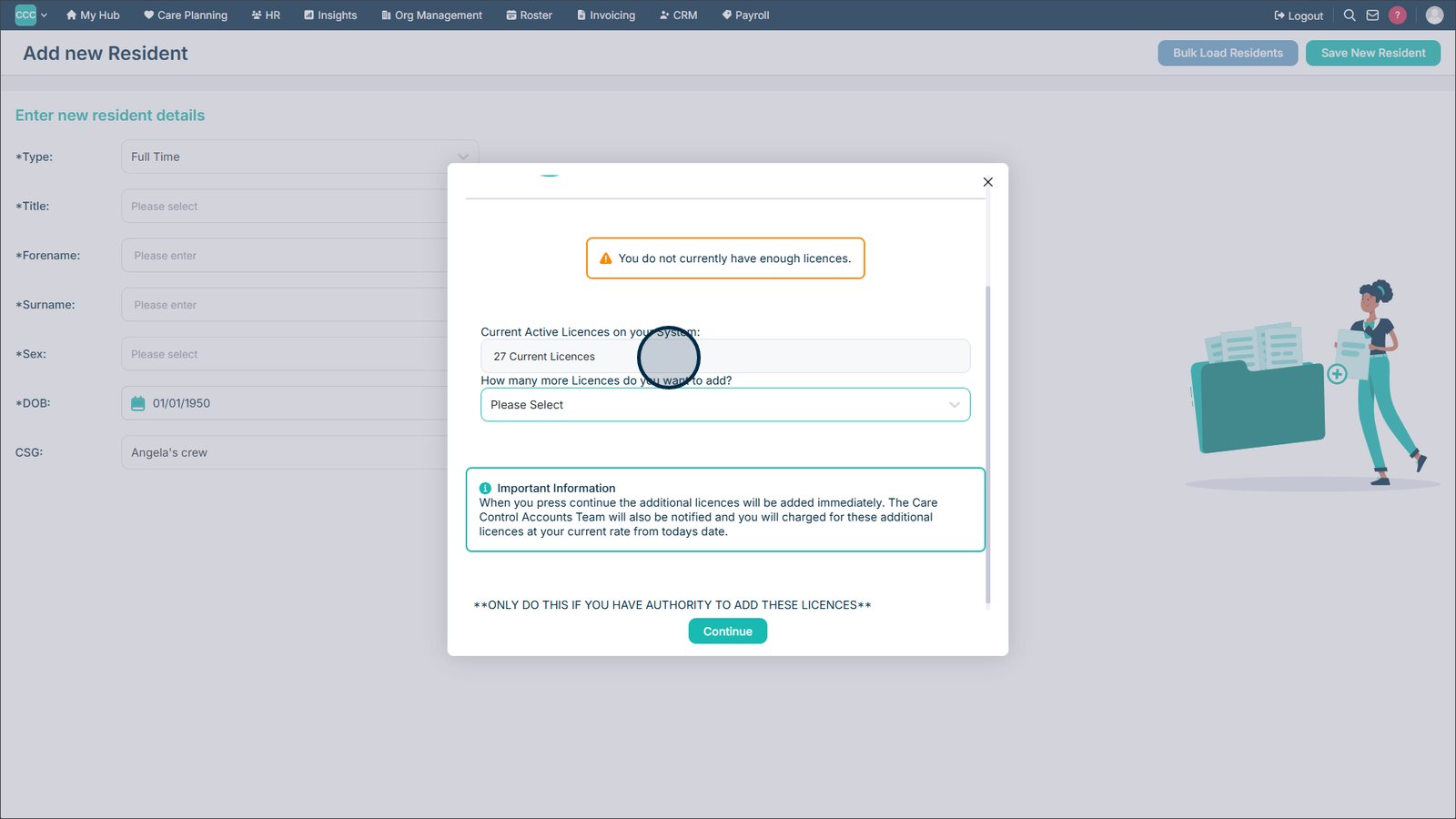
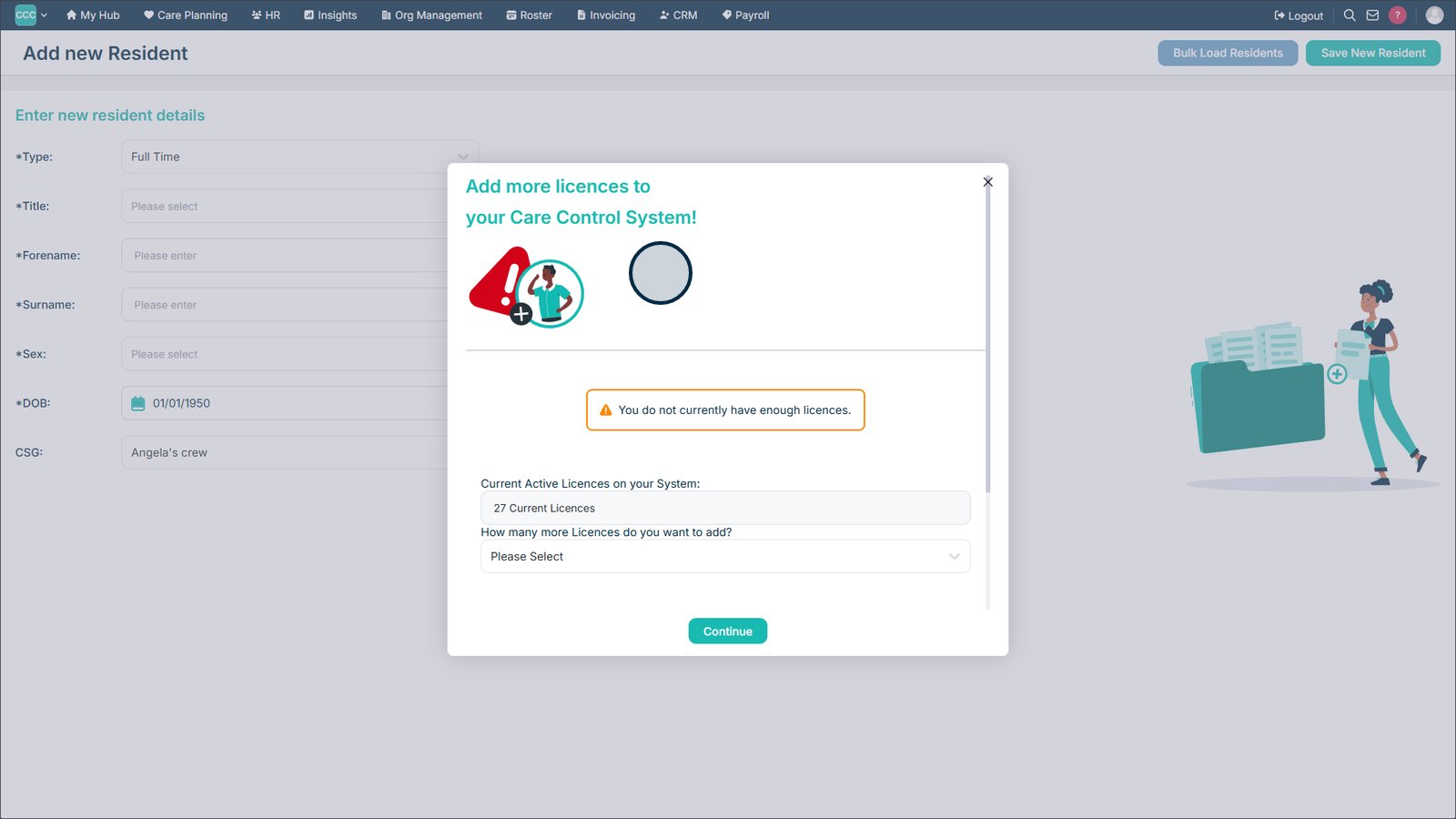
If you have reached your current licence limit, you will be shown this screen.

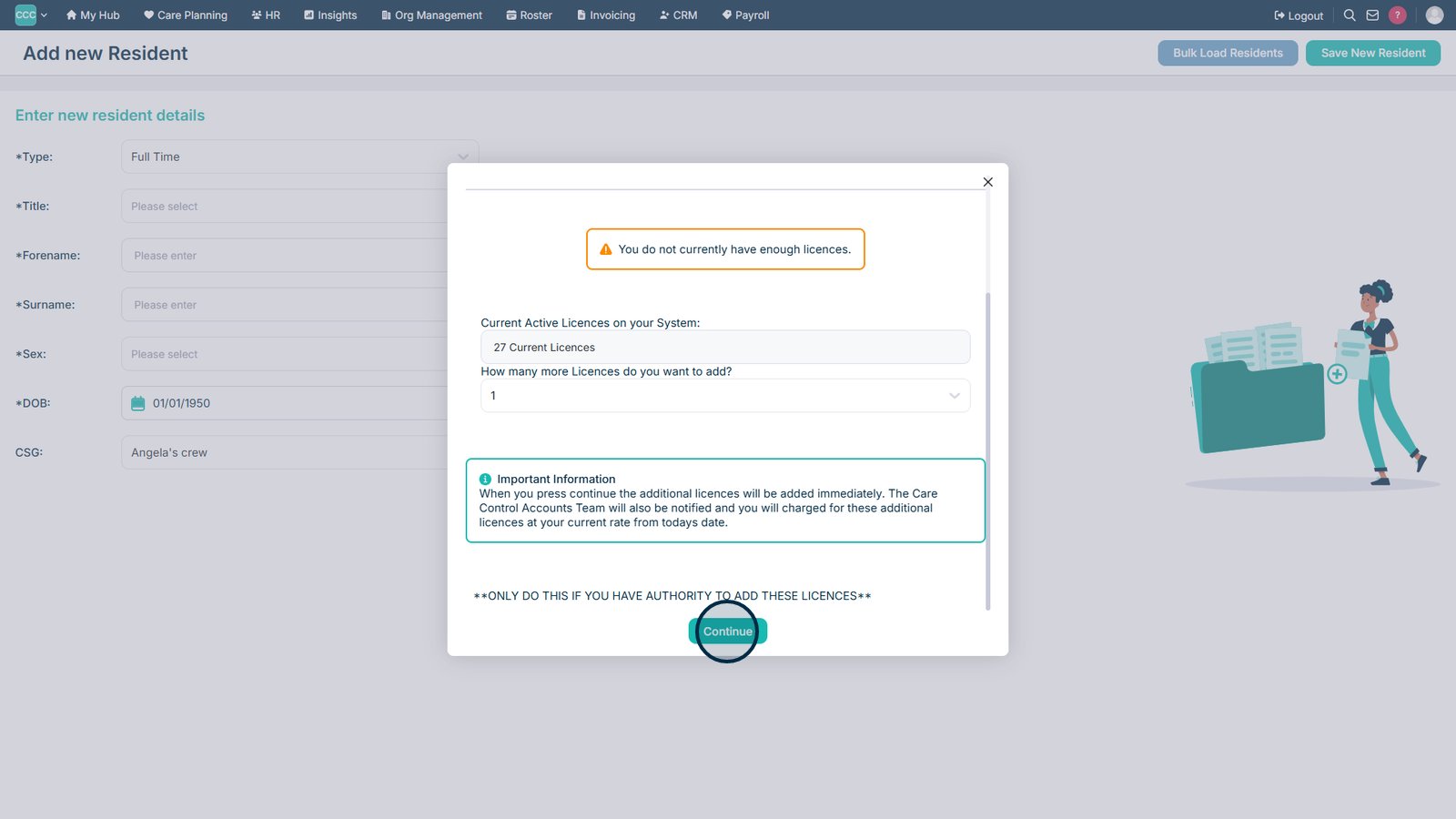
Review the current number of licences shown on screen.

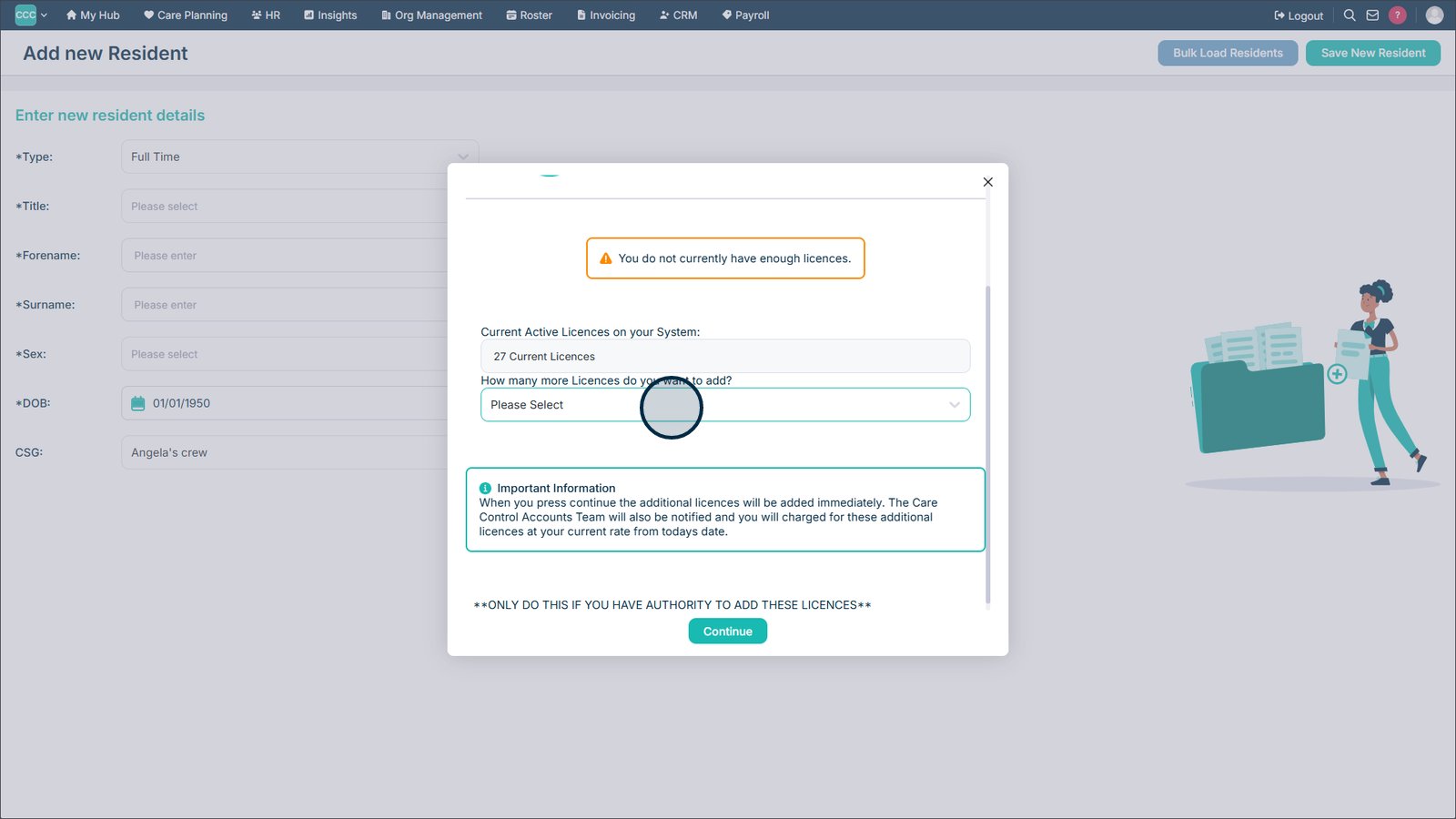
Select how many additional licences you would like to add.

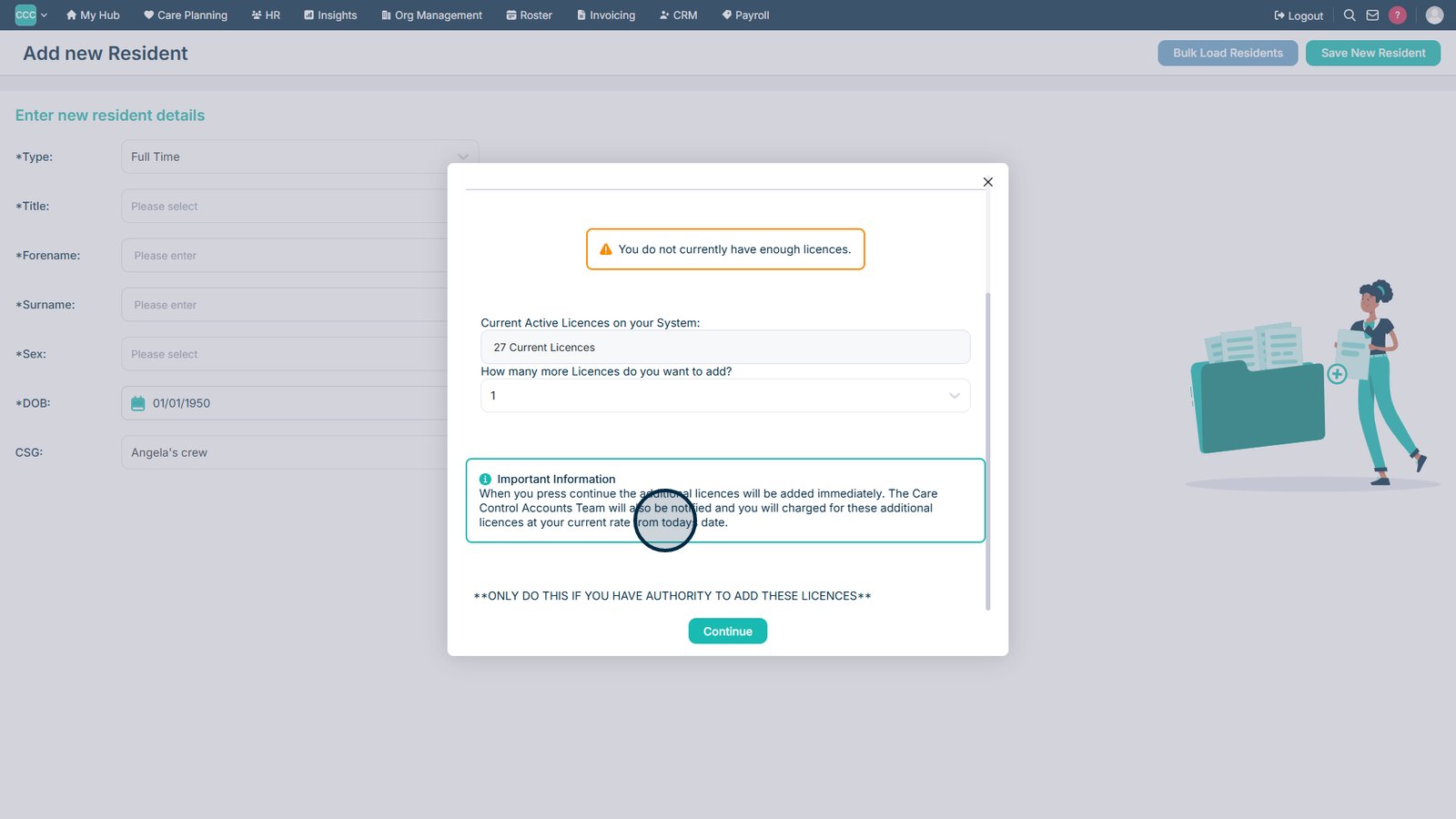
Review the information provided before continuing with the licence increase.

Select Continue to confirm and proceed with adding the additional licence(s).

Top tip

Before adding additional licences, check the current licence amount and only add the number required for your service.

Was this guide helpful?

Need more help?

Can't find what you're looking for? Our support team is here to help.

Contact Support

Or call us on

On this page