Bank Holiday Closure Notice: We will be closed on the 3rd April for the Easter bank holiday, so our customer service team will not be available on this day. If you need to get in touch, you can still use our customer contact form and we will get back to you as soon as possible. Even better, Margo will still be available on our phone lines to help with your queries whenever you need support. We hope you have a lovely Easter weekend 🐣
This guide explains how to assign a Site Super User to a user account. You’ll learn where to manage user roles and how to apply the Super User role to a specific site.
Interactive Guide
Text based guide
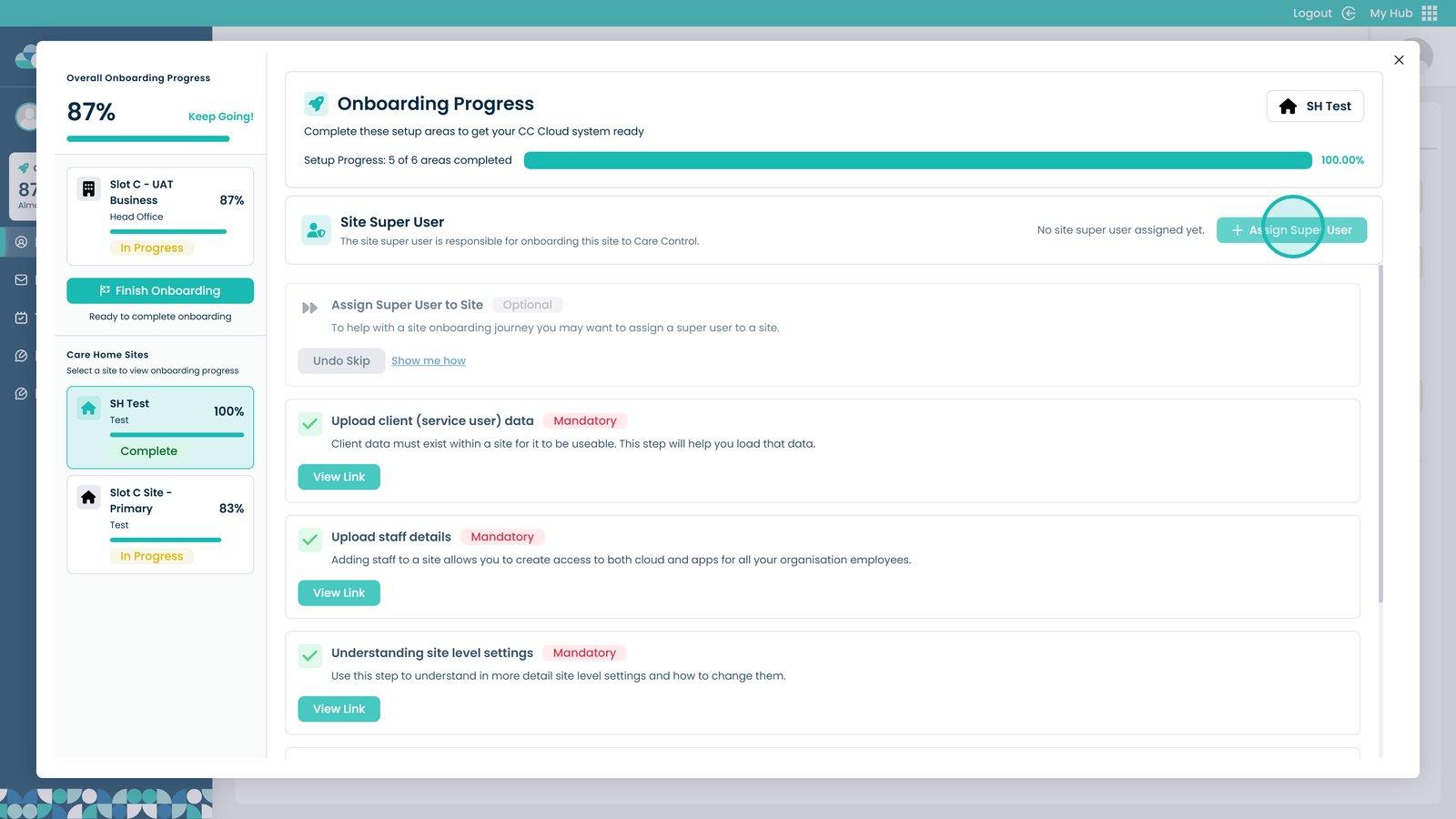
Click the Assign Super User button
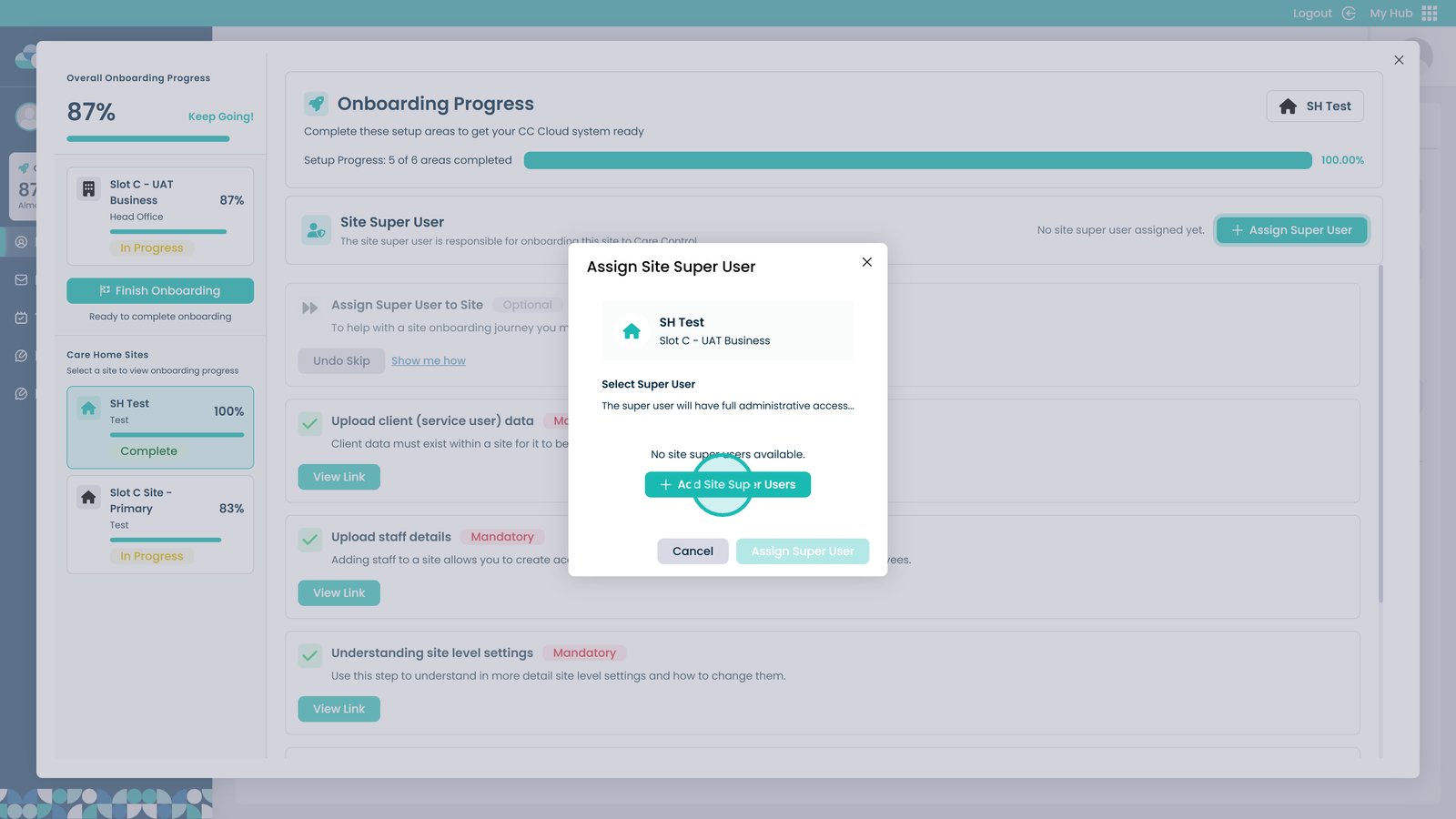
Select Add Site Super Users
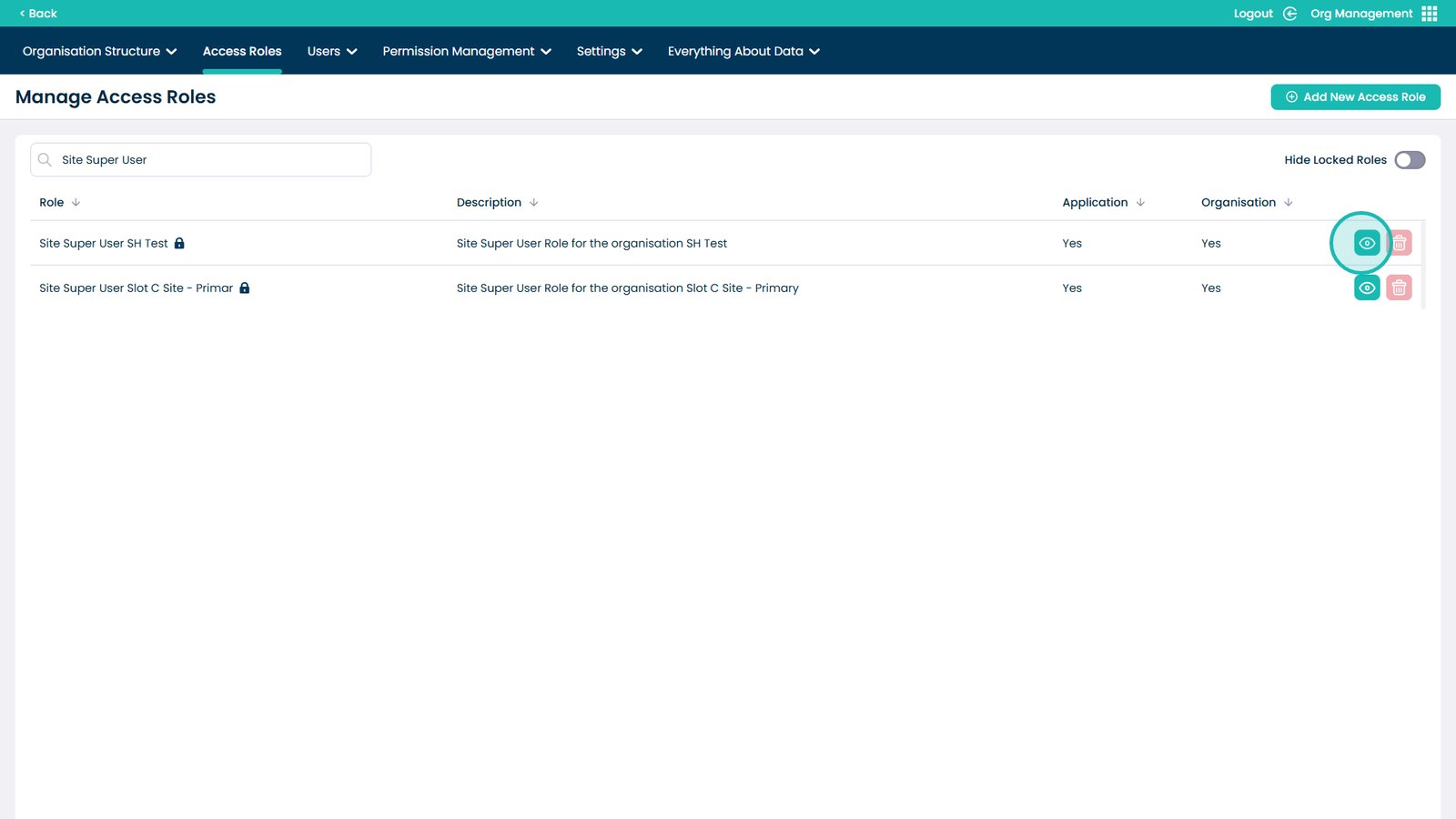
Click the eye icon next to the role you want to add the super user to
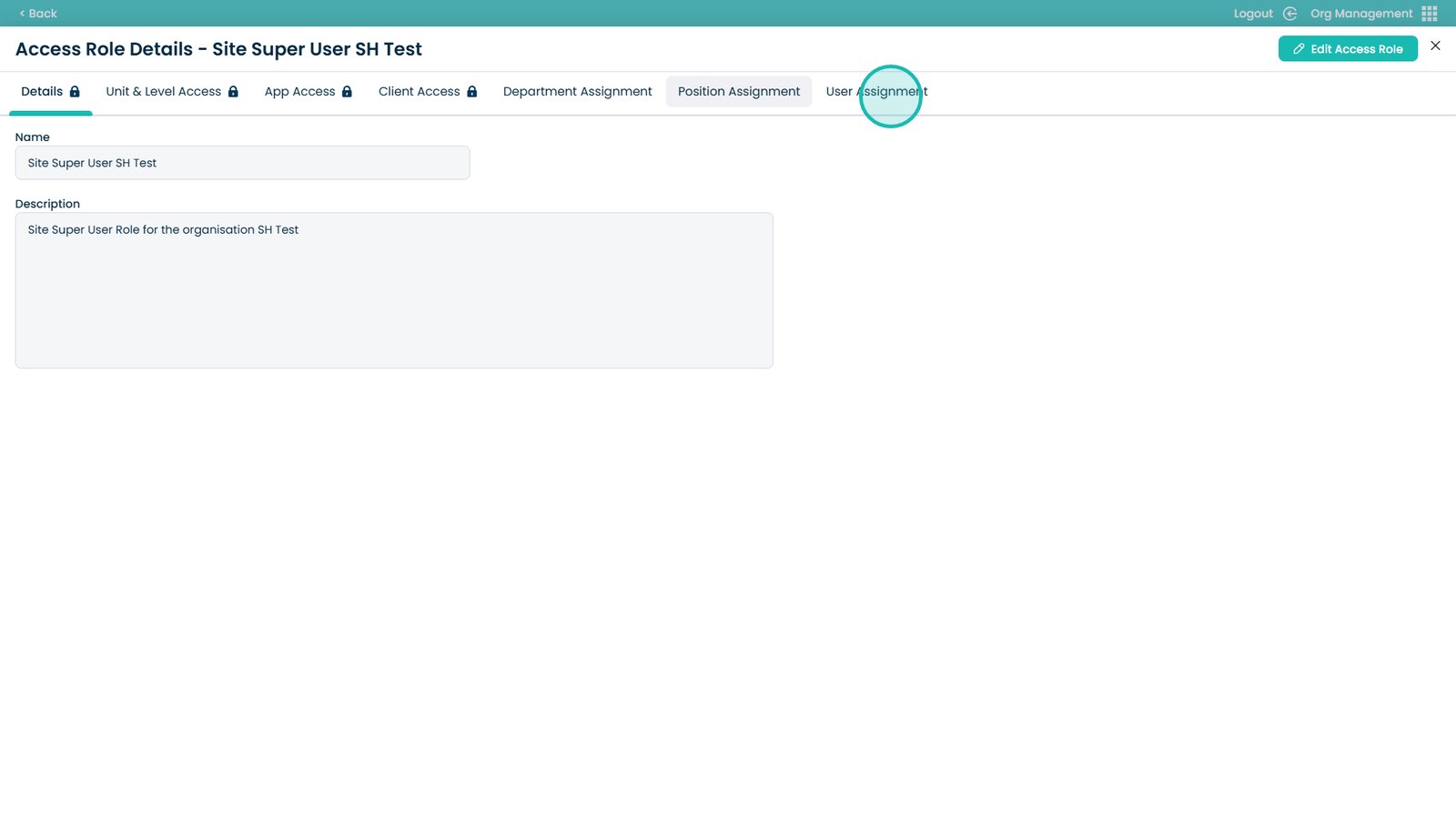
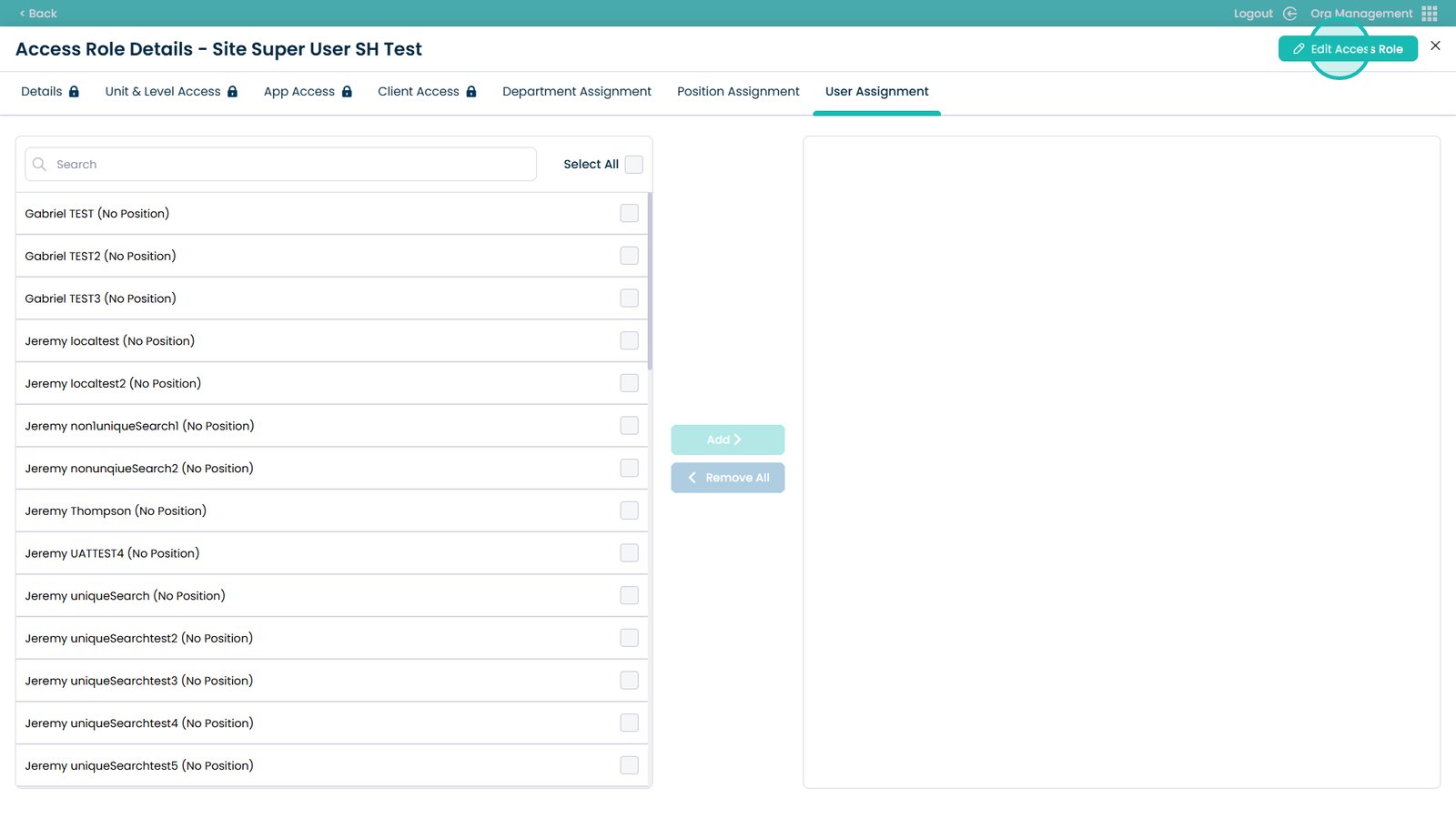
Select the User Assignment tab
Click to edit access roles
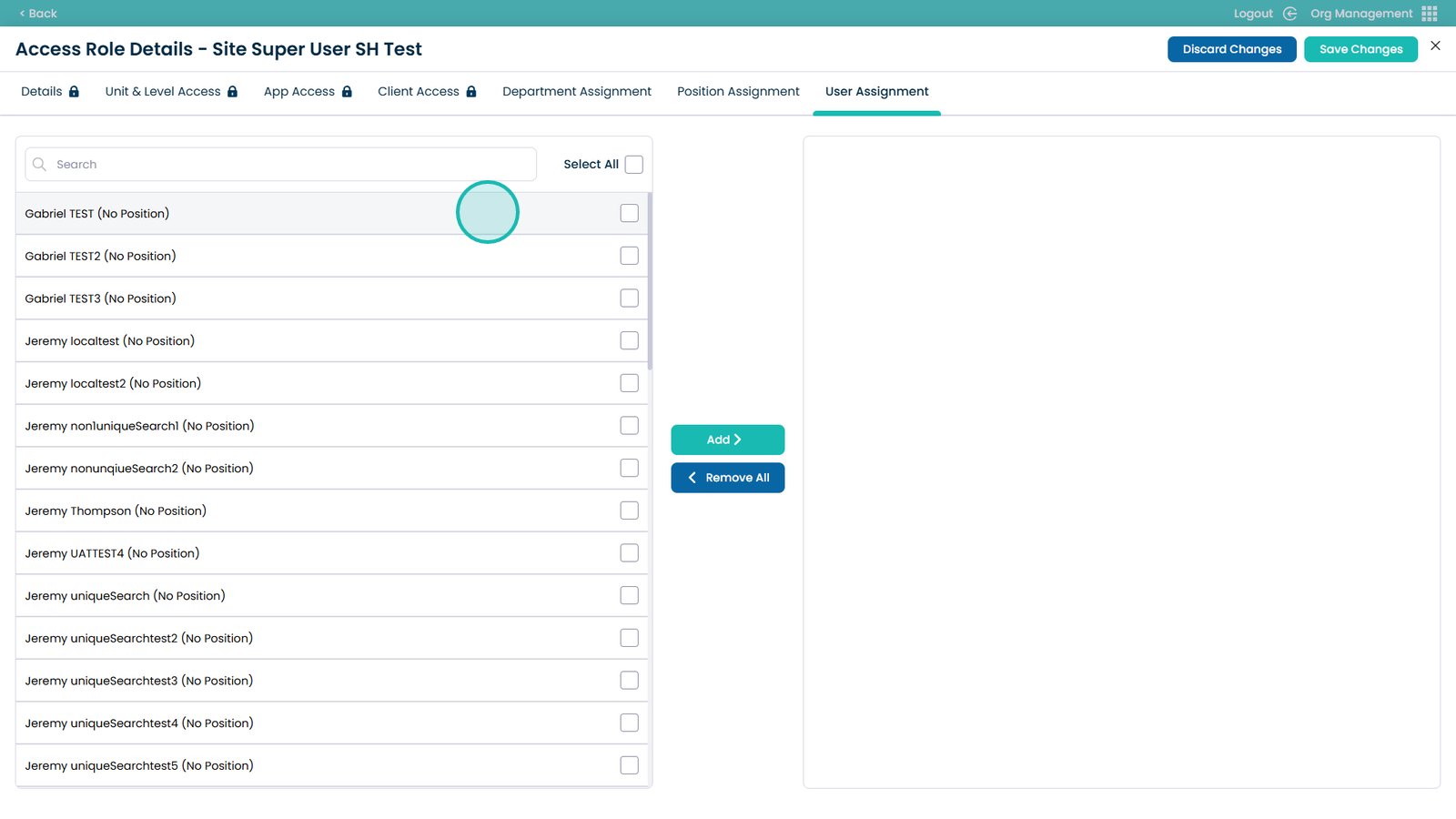
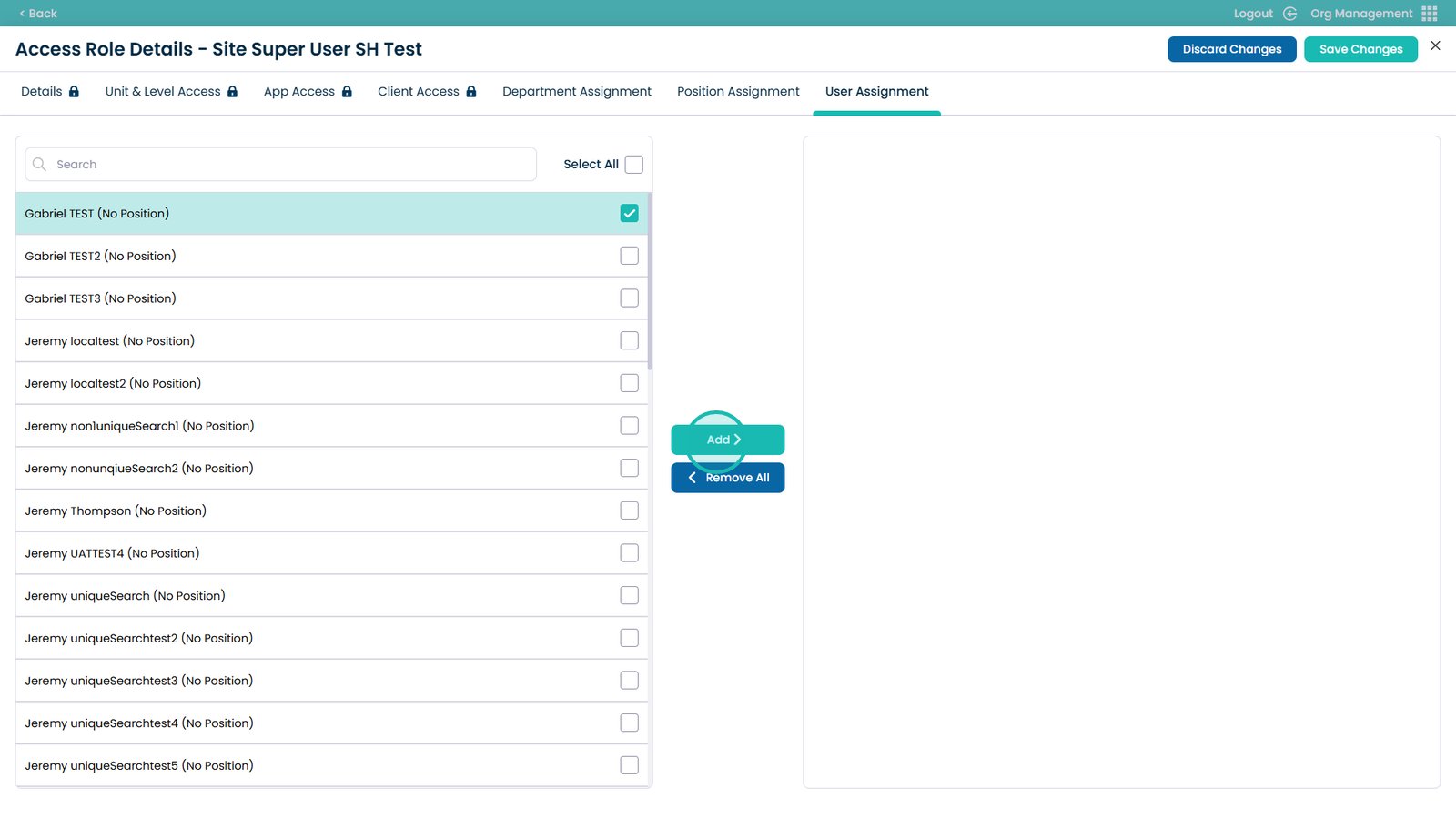
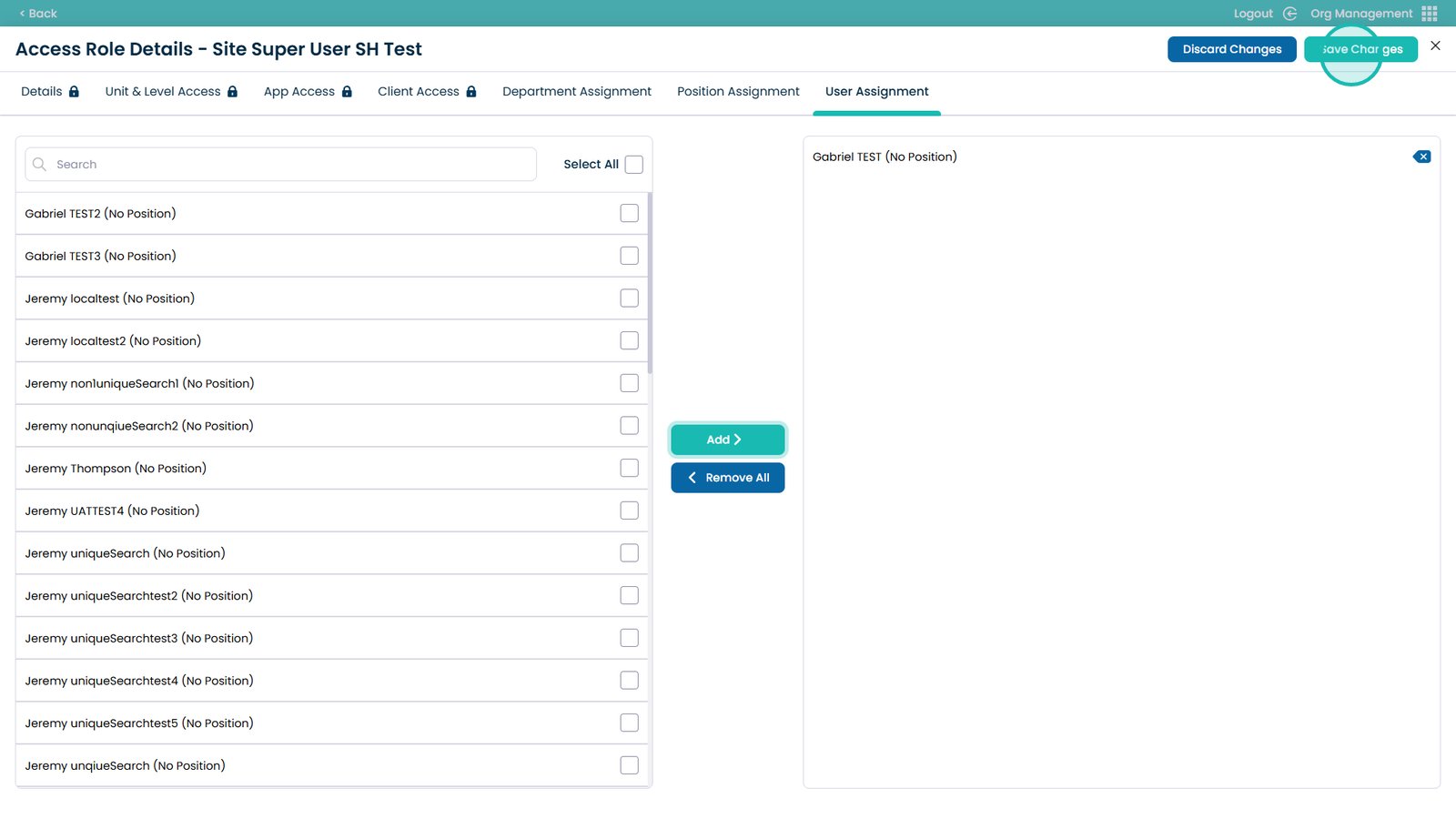
Choose one or multiple users from the list on the left-hand side