View Categories

How to Add and Modify a Key Contact

Learn how to add a Key Contact to a resident’s record, including their contact details, authoriser type, Primary Contact or Next of Kin status, legal authority, supporting documents, and any additional notes.

Takes 5 minutes
For: Care Staff
Updated: 30th Sept 2026

Introduction

Key Contacts allow you to record the important people connected to a resident, including relatives, representatives and people who may have authority to make decisions on their behalf.

You can record their contact information, identify whether they are the Primary Contact or Next of Kin, and add details about any legal authority they hold. Supporting documents can also be uploaded to provide evidence of that authority.

This information can then be used elsewhere in Care Control, including when recording consent.

In this guide you'll learn how to:

  • Open the Key Contacts area
  • Add a new Key Contact
  • Enter their contact details
  • Set an Authoriser Type where required
  • Mark them as Primary Contact or Next of Kin
  • Record Health & Welfare or Finance authority
  • Upload proof of authority
  • Save the Key Contact

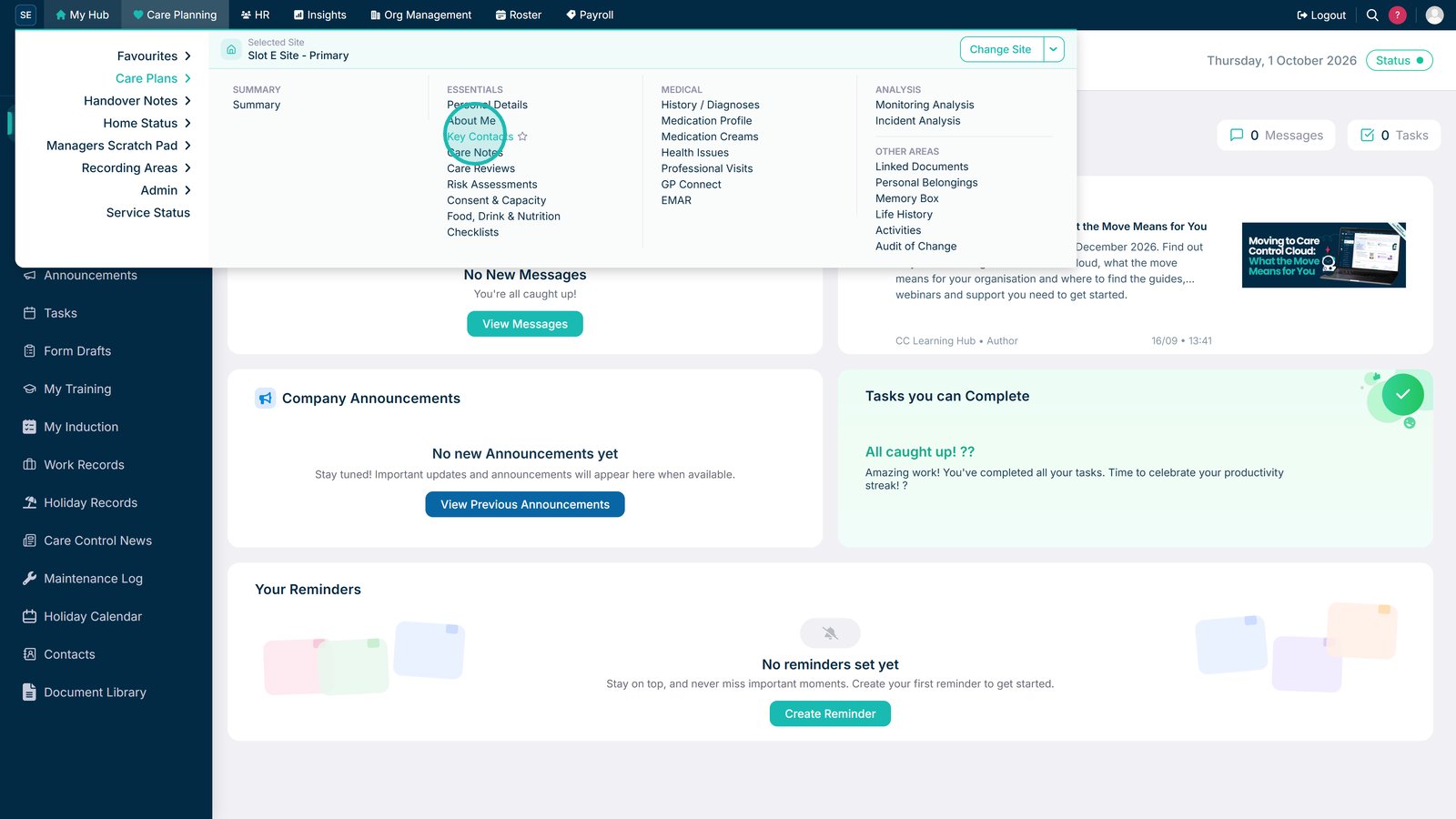
Open Key Contacts.

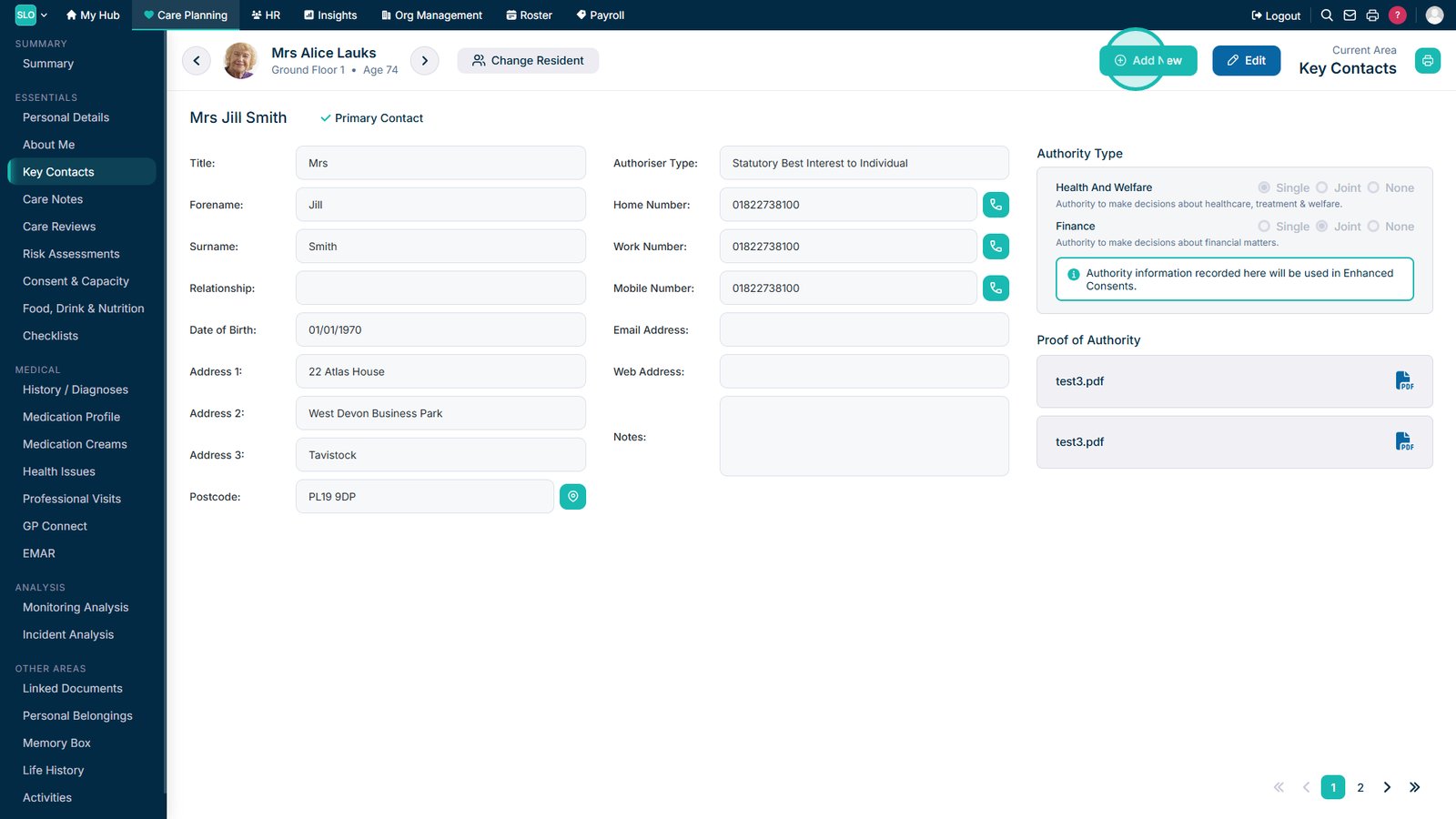
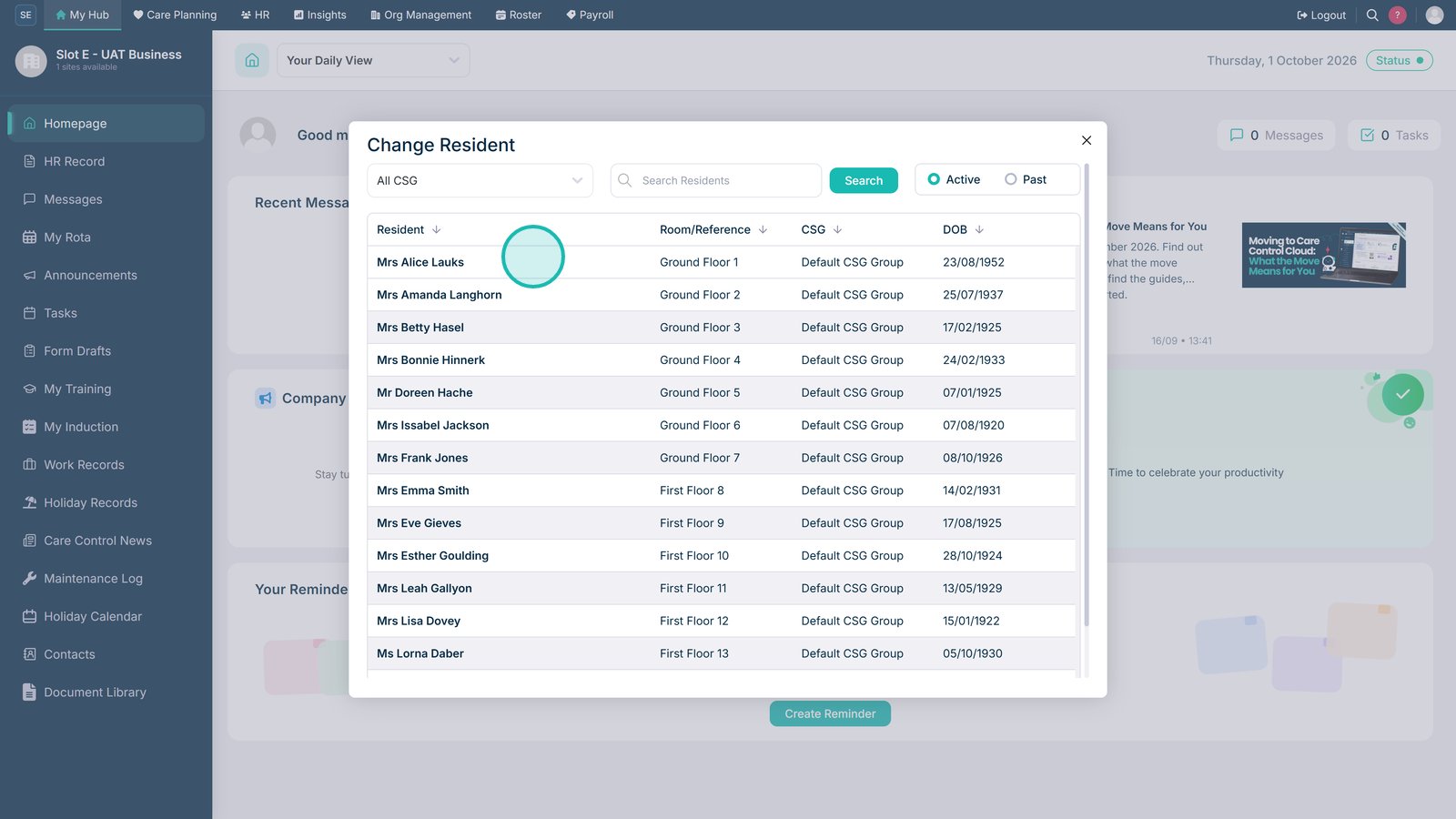
Select the resident whose Key Contacts you want to manage.

Select Add New to create a Key Contact.

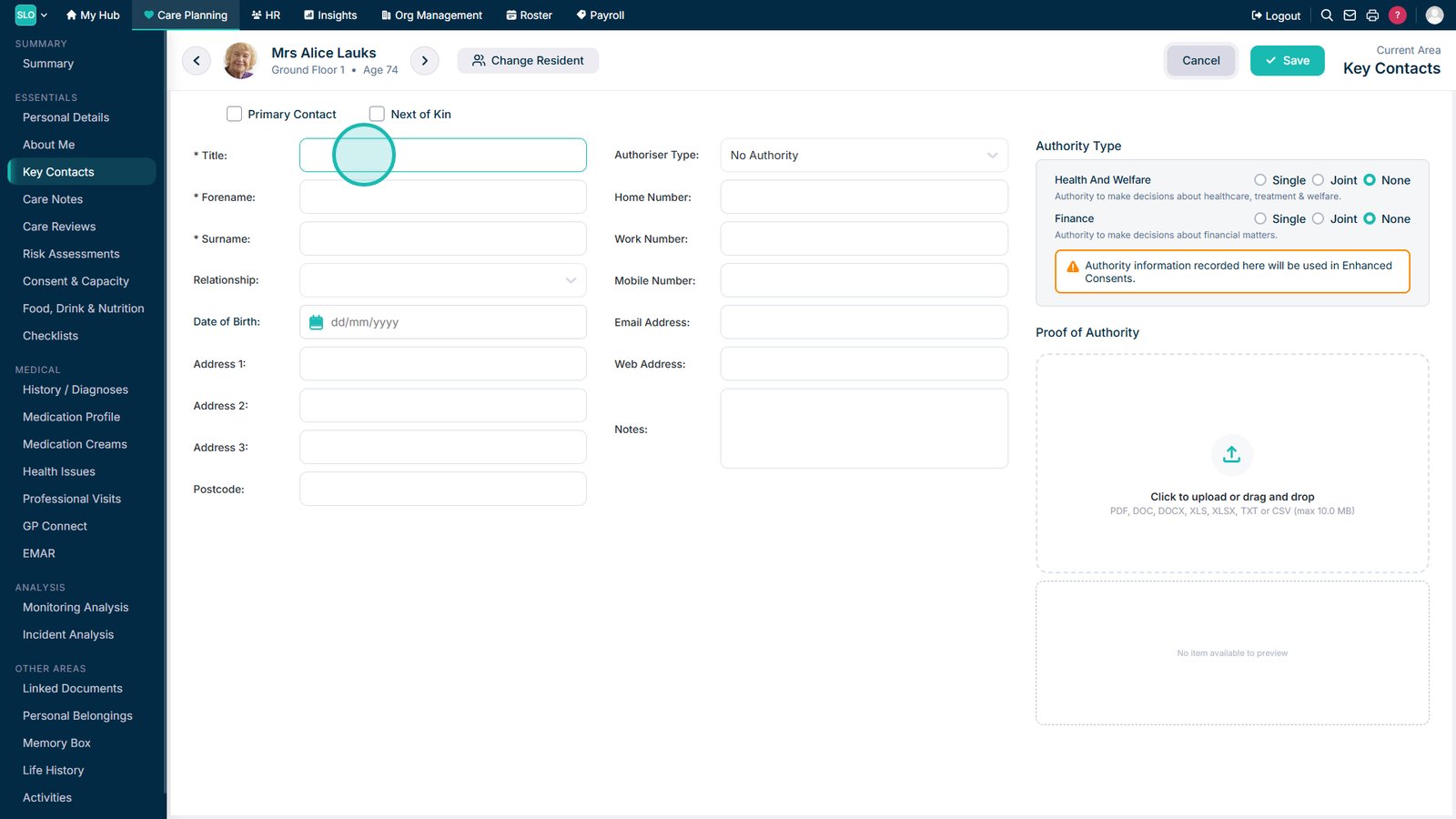
Enter the relevant contact details. Fields marked with an asterisk are required.

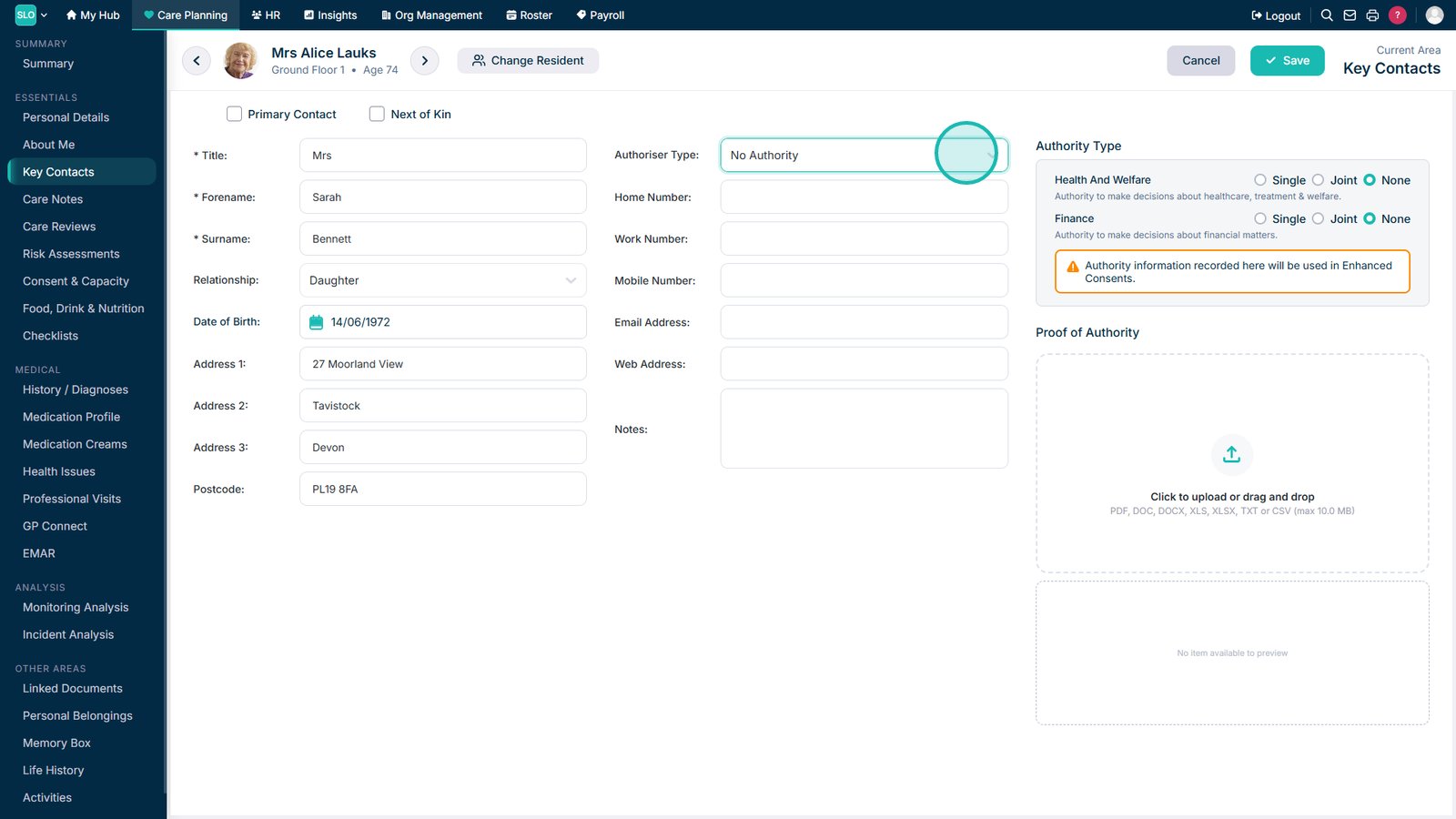
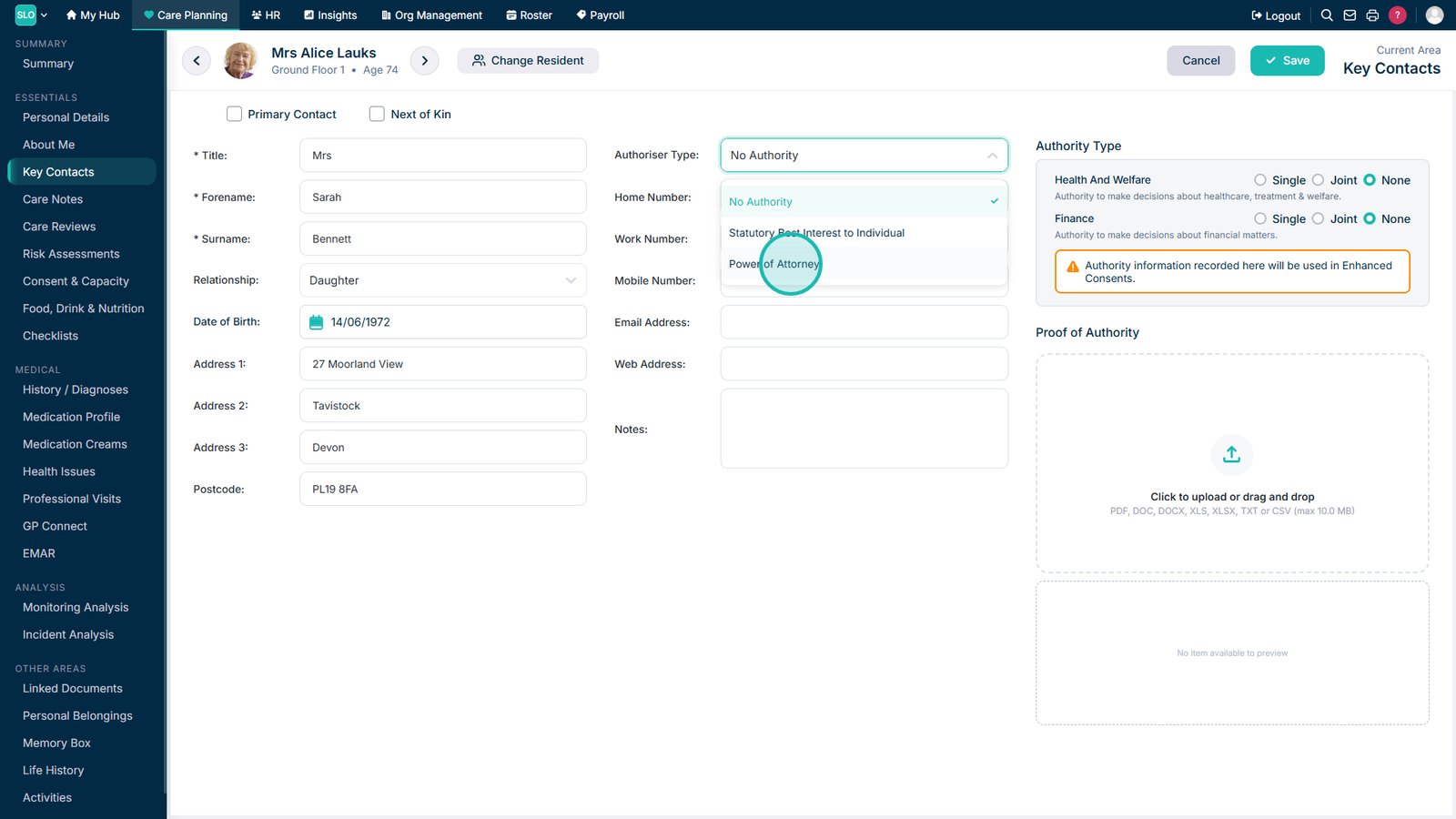
If required, open the Authoriser Type drop-down.

Select the appropriate Authoriser Type from the list.

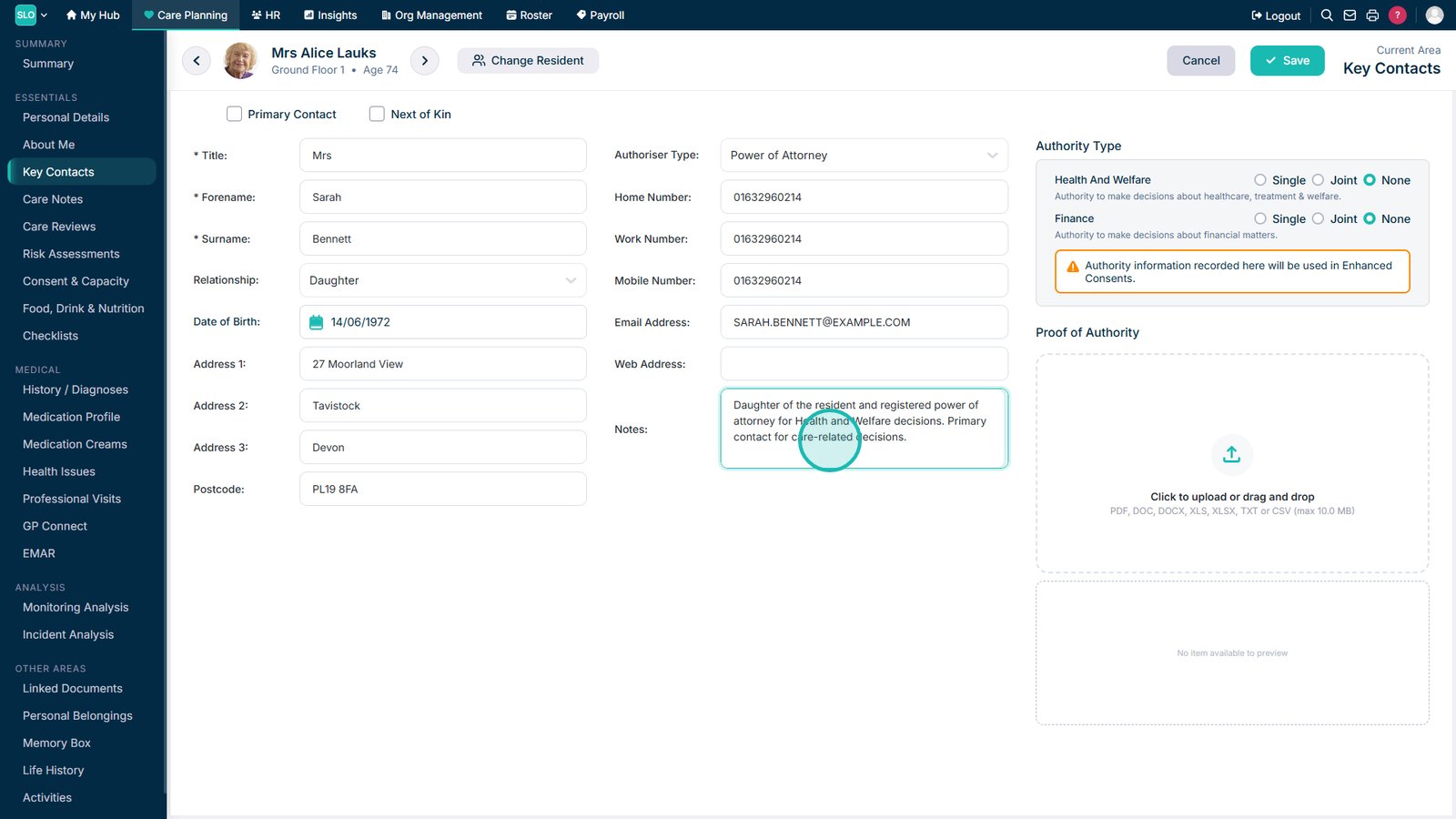
Add any additional information to the Notes section.

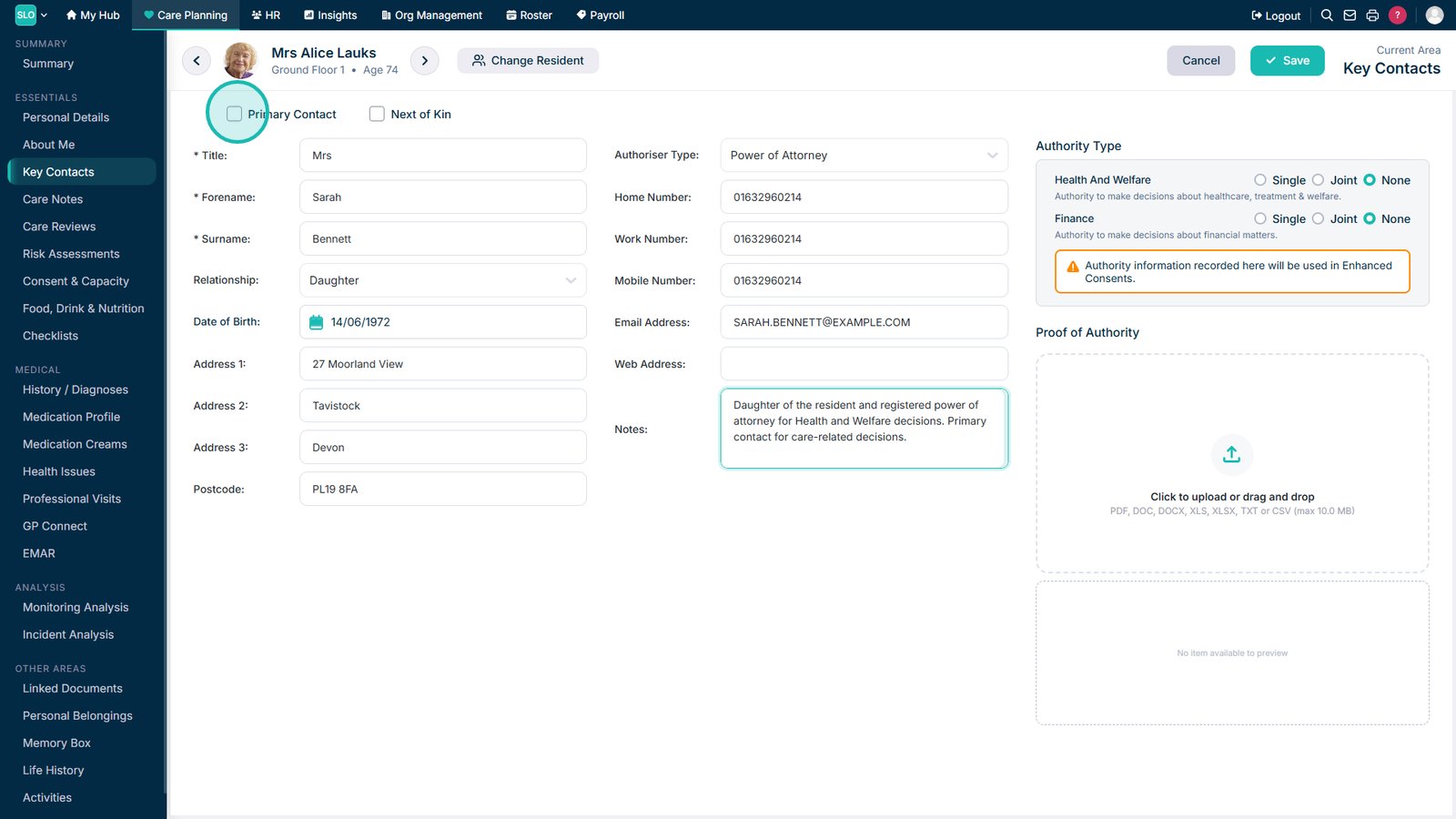
Mark the person as the Primary Contact if required.

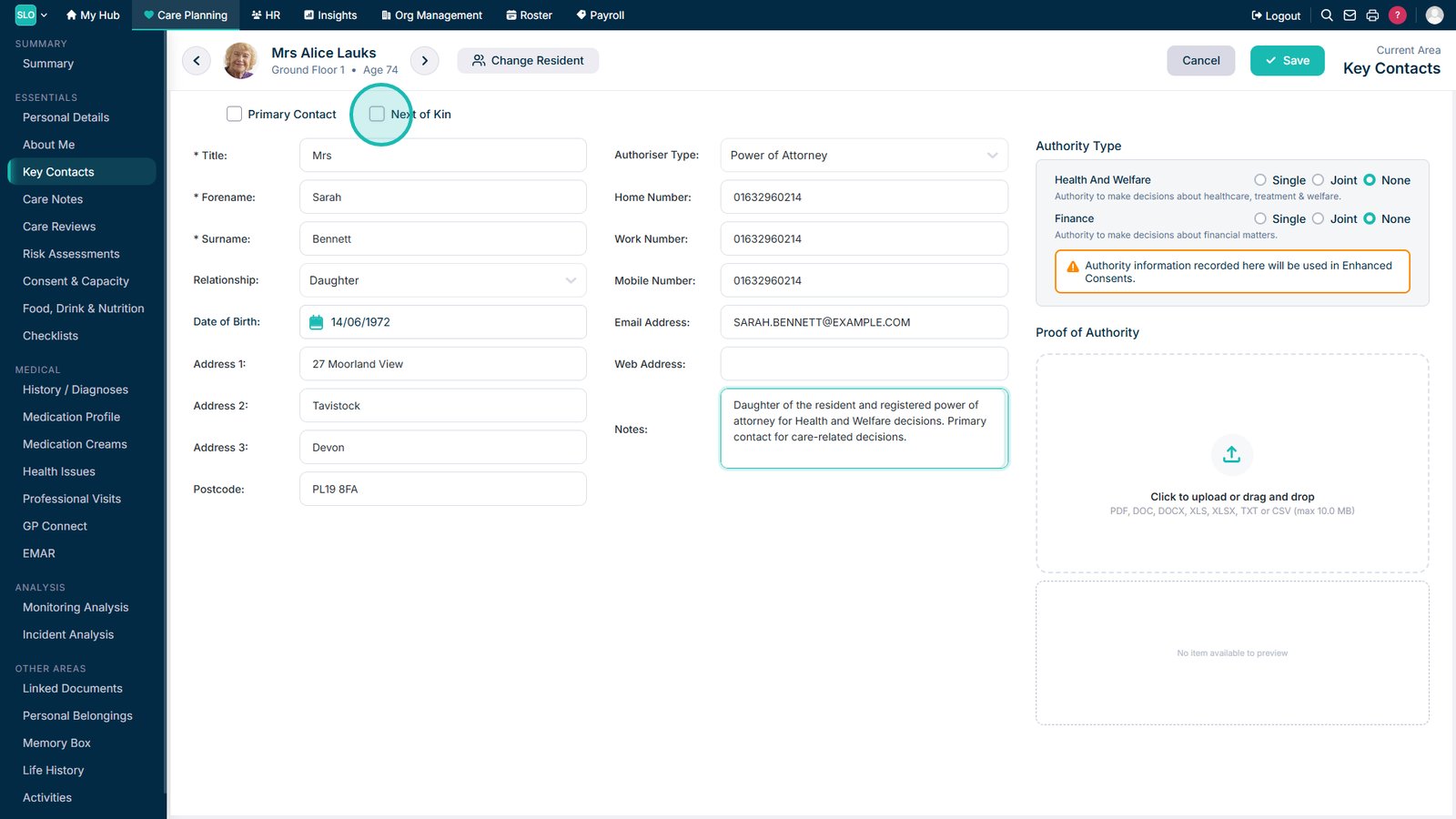
Mark the person as Next of Kin if required.

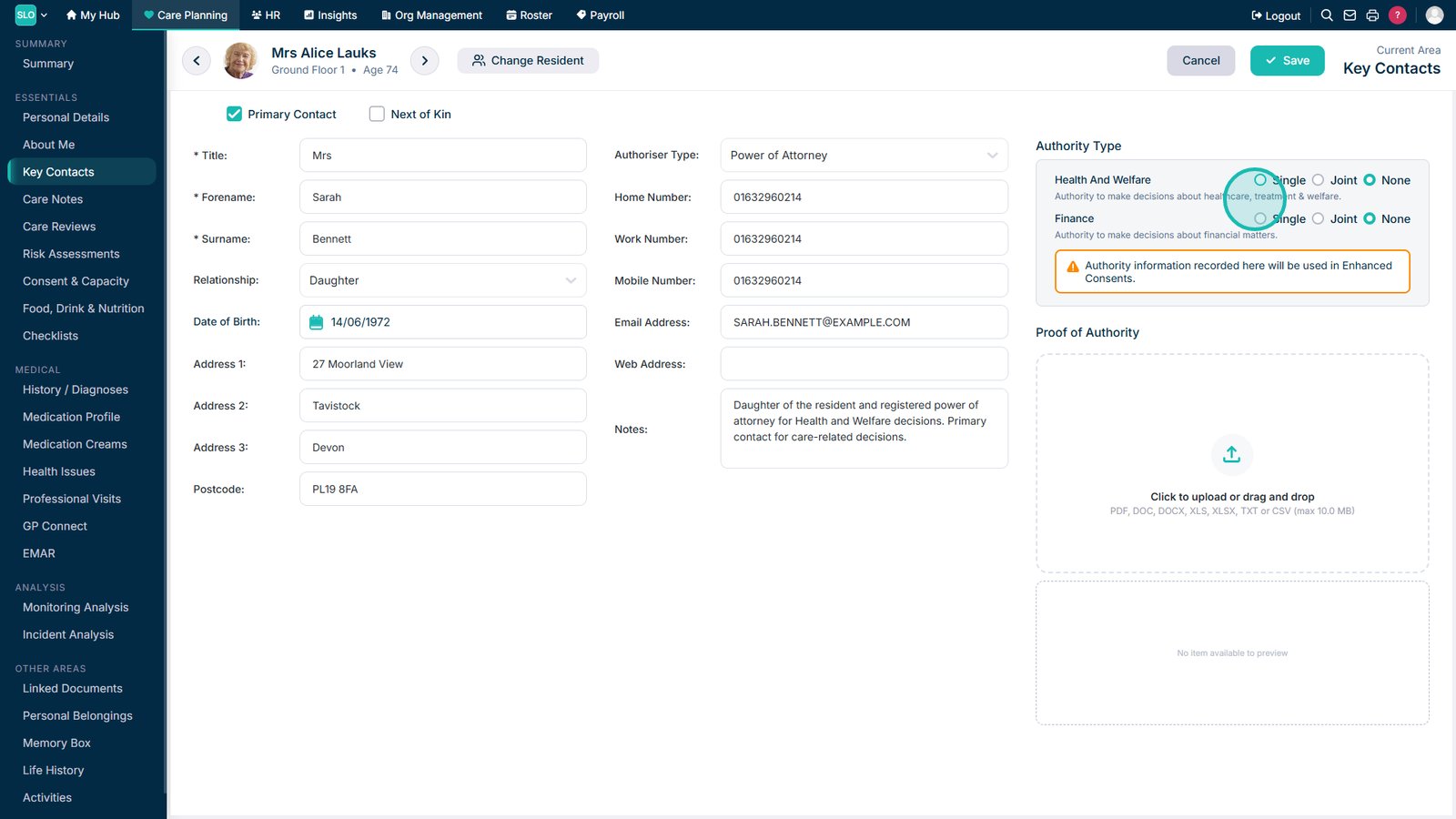
If applicable, record the authority held by the Key Contact. This can include Health & Welfare, Finance, or both, and may be single or joint authority.

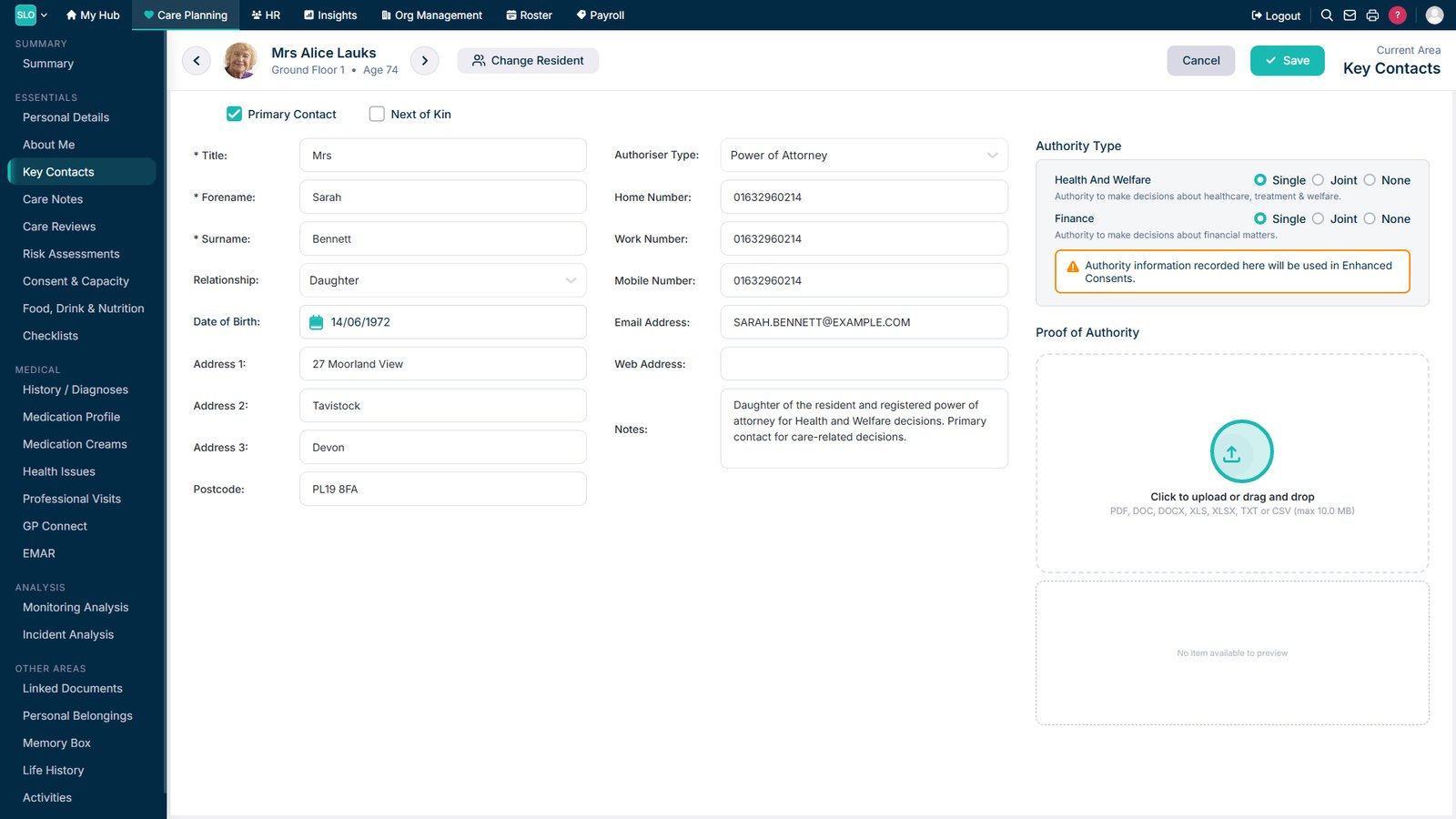
Upload supporting documents to provide evidence of the Key Contact's authority.

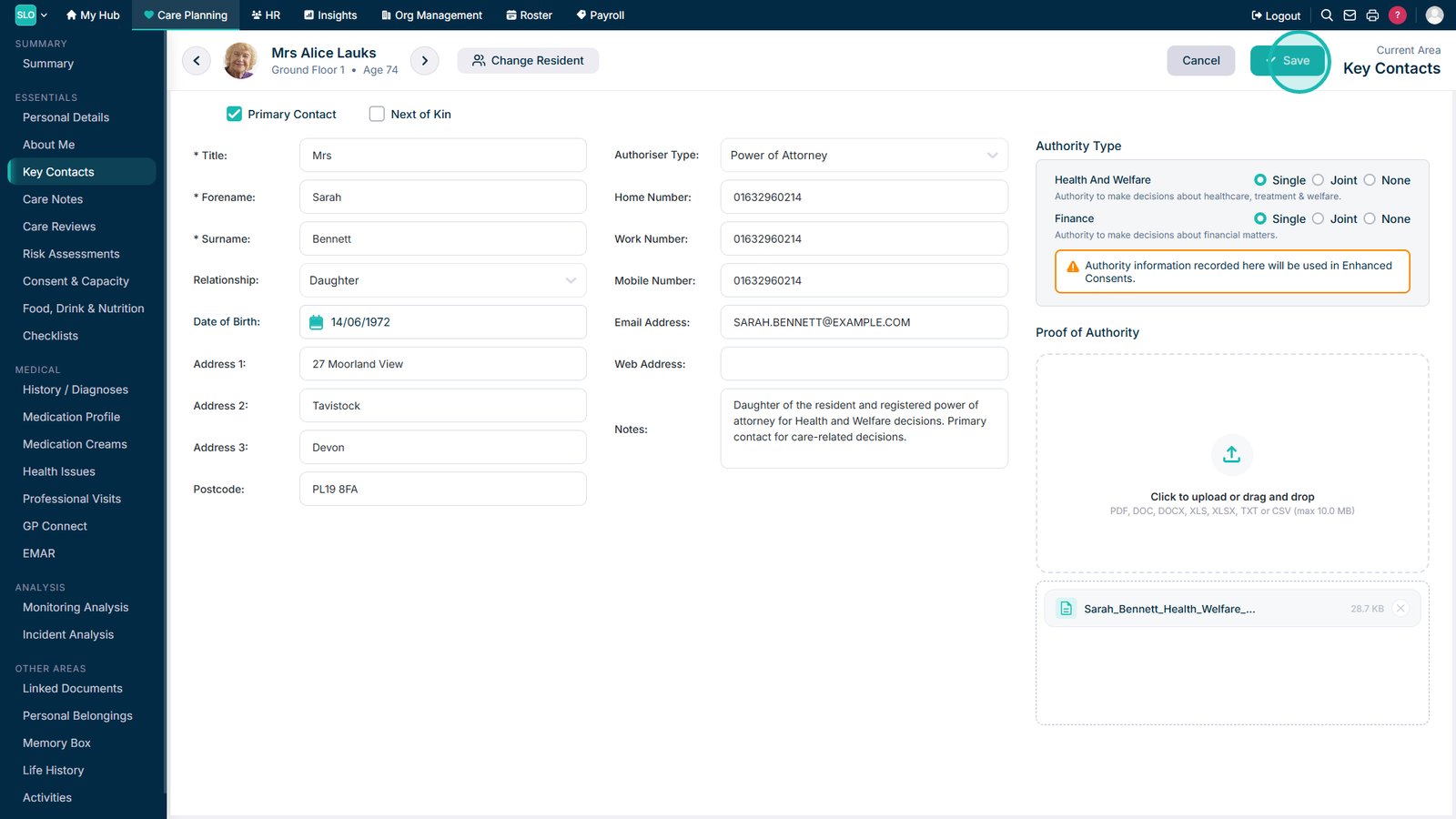
Select Save to add the Key Contact to the resident's record.

Top tip

If a Key Contact has legal authority for the resident, make sure the correct authority type is selected and supporting documentation is uploaded. This helps ensure the information is available when completing consent records.

Was this guide helpful?

Need more help?

Can't find what you're looking for? Our support team is here to help.

Contact Support

Or call us on

On this page