How to Expire Consents & Capacity Assessments
Learn how to expire one or more active consent records for a resident, select the relevant consent, record the reason for expiry, and save the change.
Takes 2 minutes
For: Care Staff
Updated: 30th Sept 2026
Introduction
The Consent & Capacity area allows you to manage a resident's existing consent records, including expiring consents that are no longer valid or required.
You can select the active consent you want to expire, record a reason for the change, and then save the update to the resident's record.
In this guide you'll learn how to:
- Open the resident's Consent & Capacity records
- Start the Expire Active Consents process
- Select the consent you want to expire
- Record a reason for the expiry
- Save the change
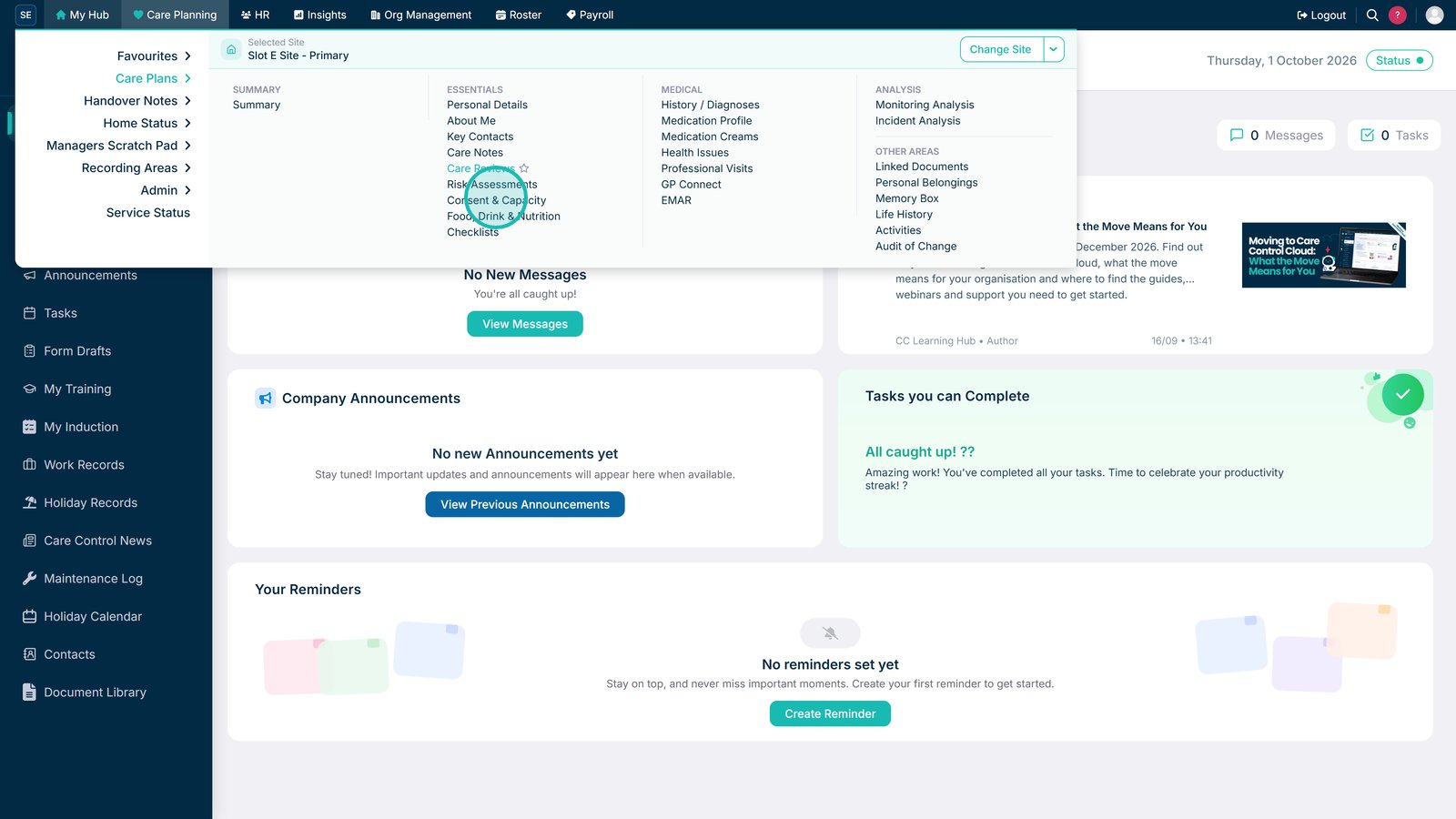
Open Consent & Capacity from Care Planning.

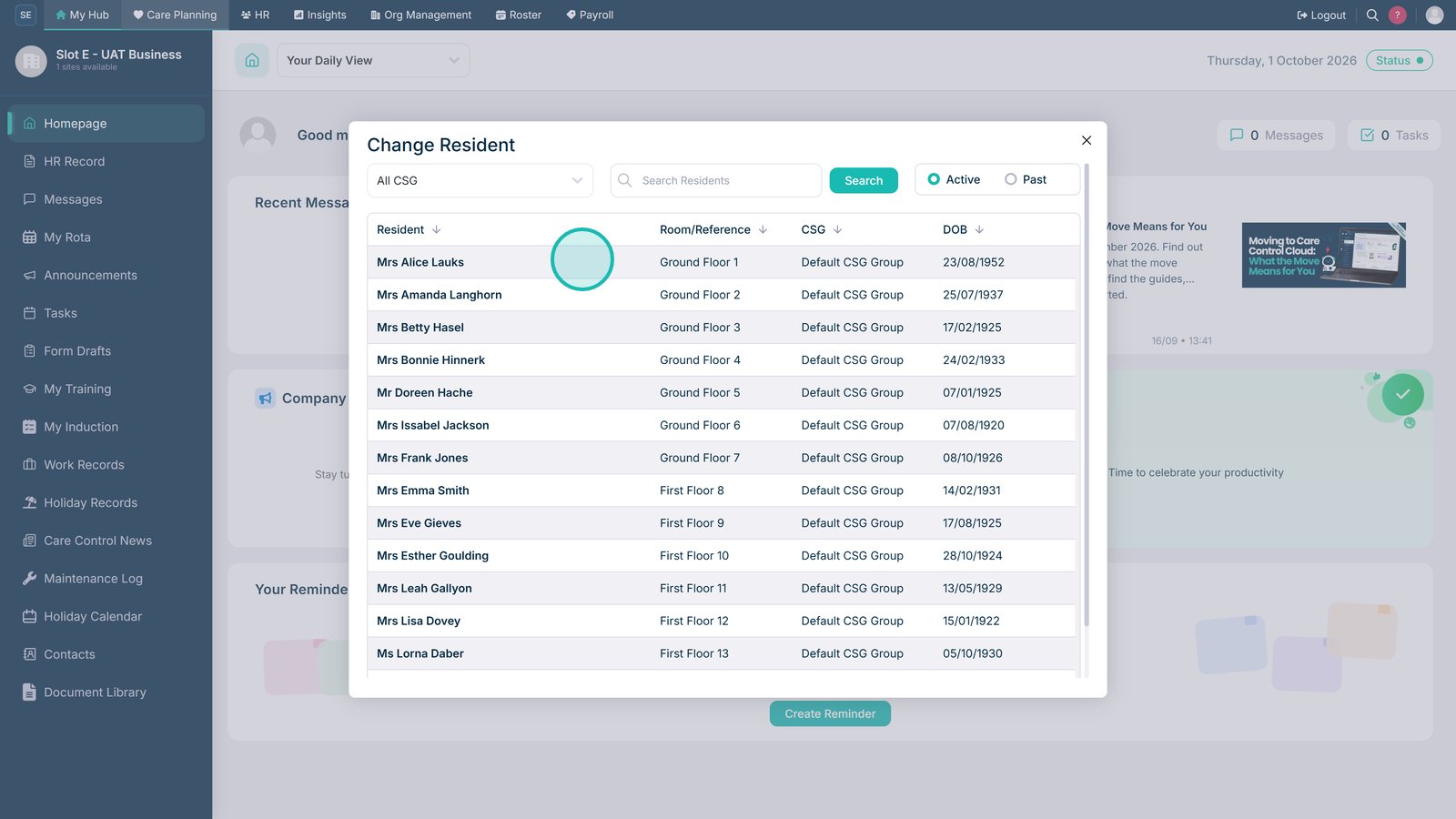
Select the resident whose consent records you want to manage.

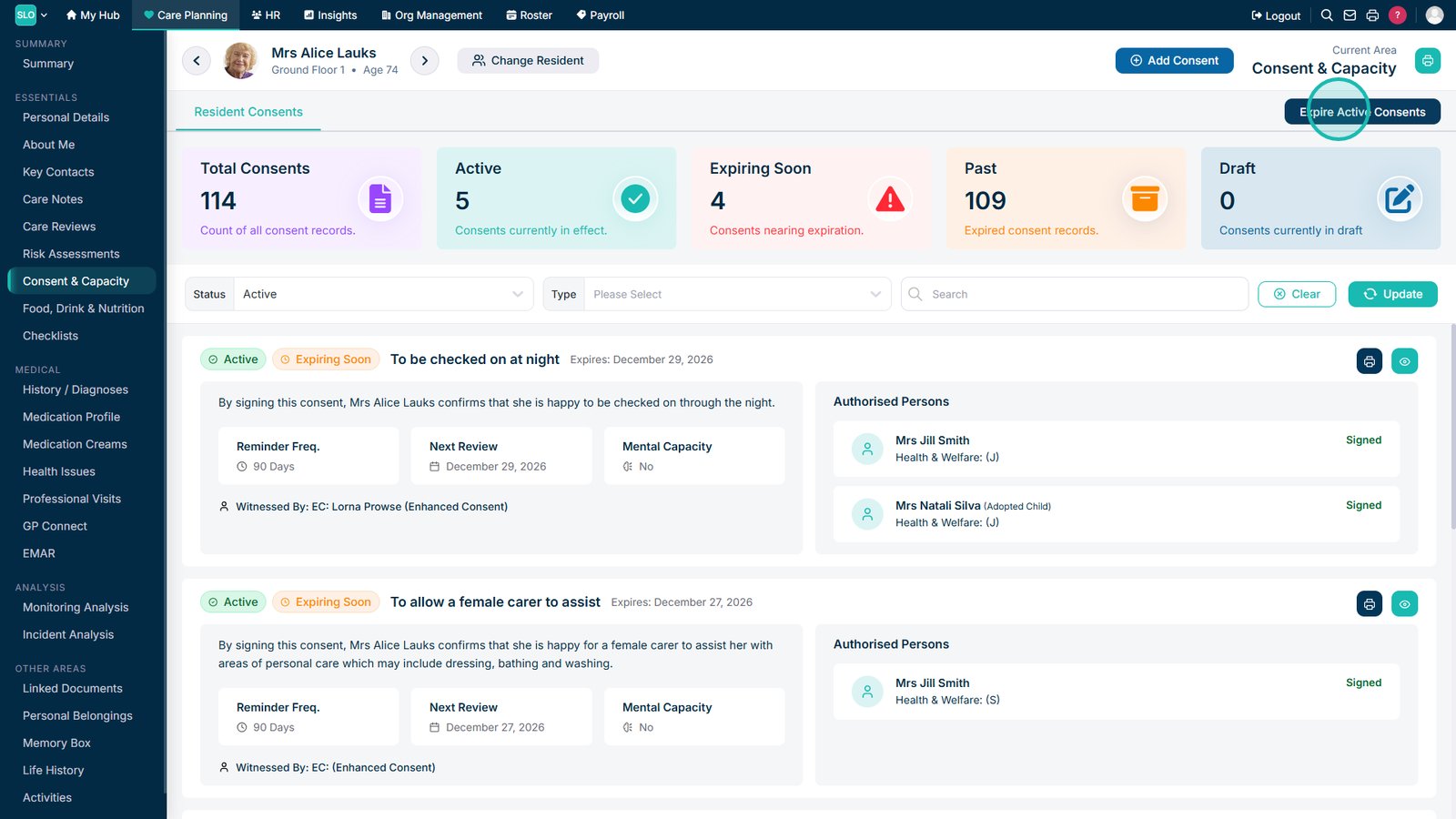
Select Expire Active Consents.

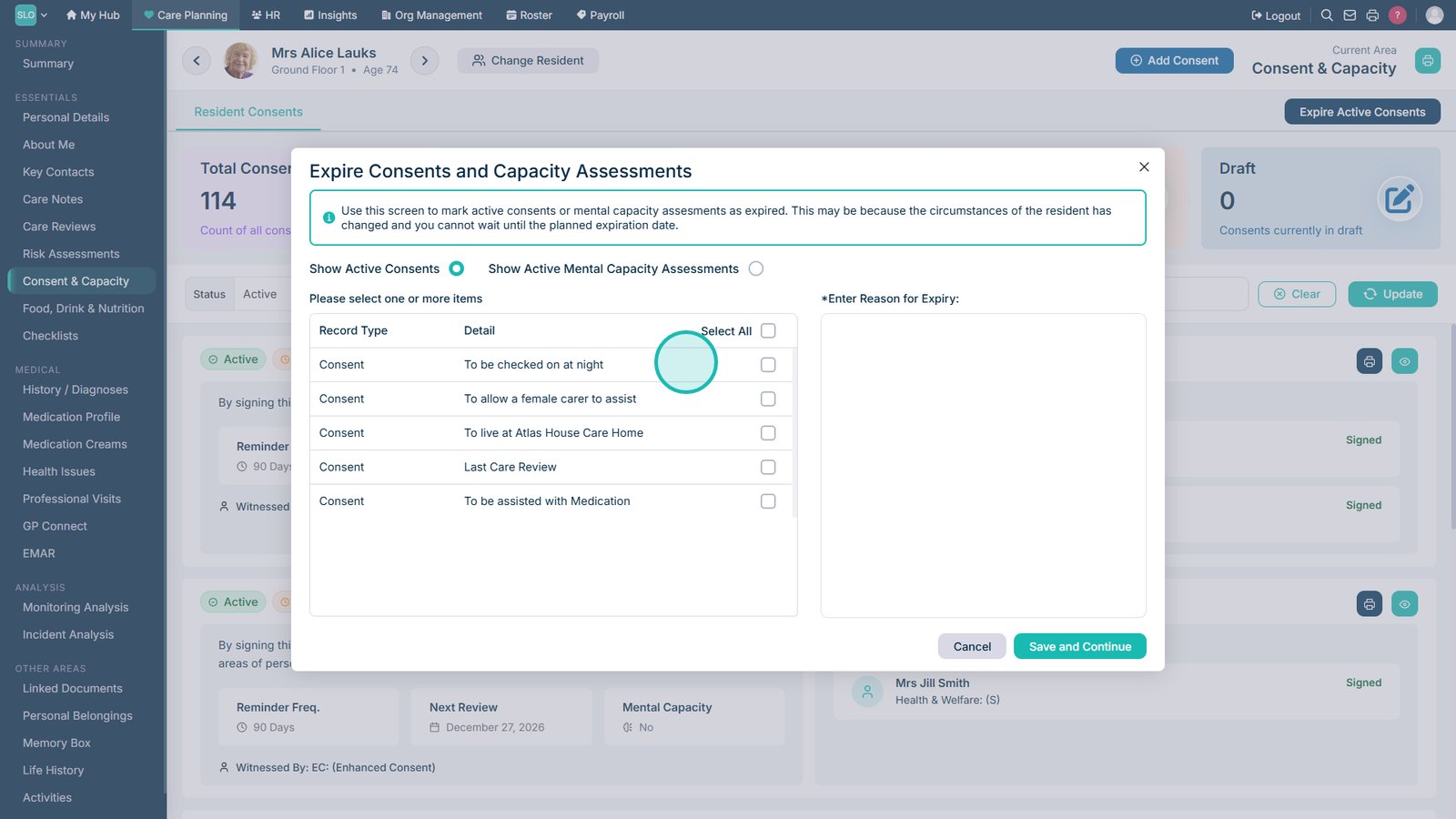
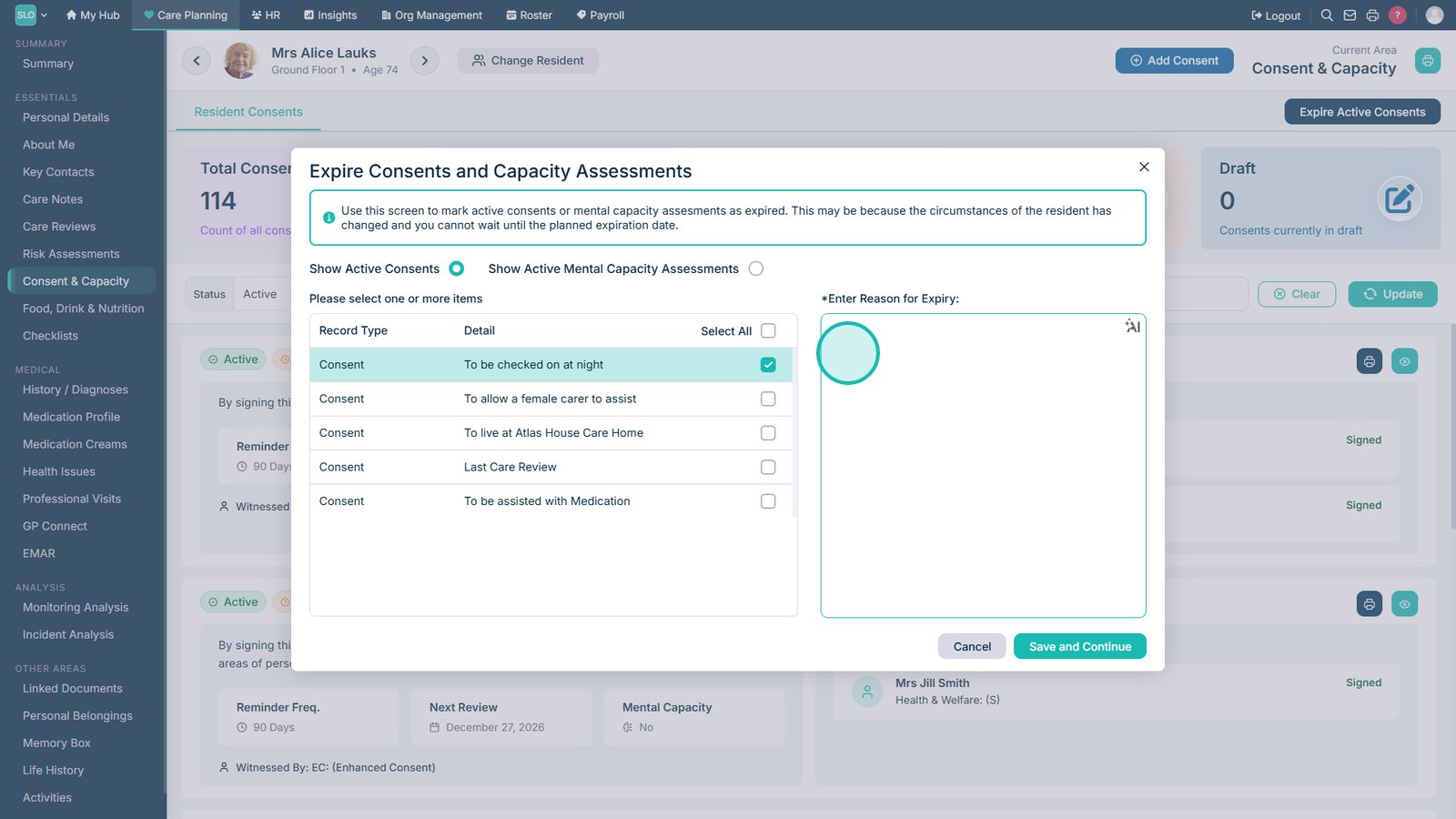
Select the active consent record you want to expire.

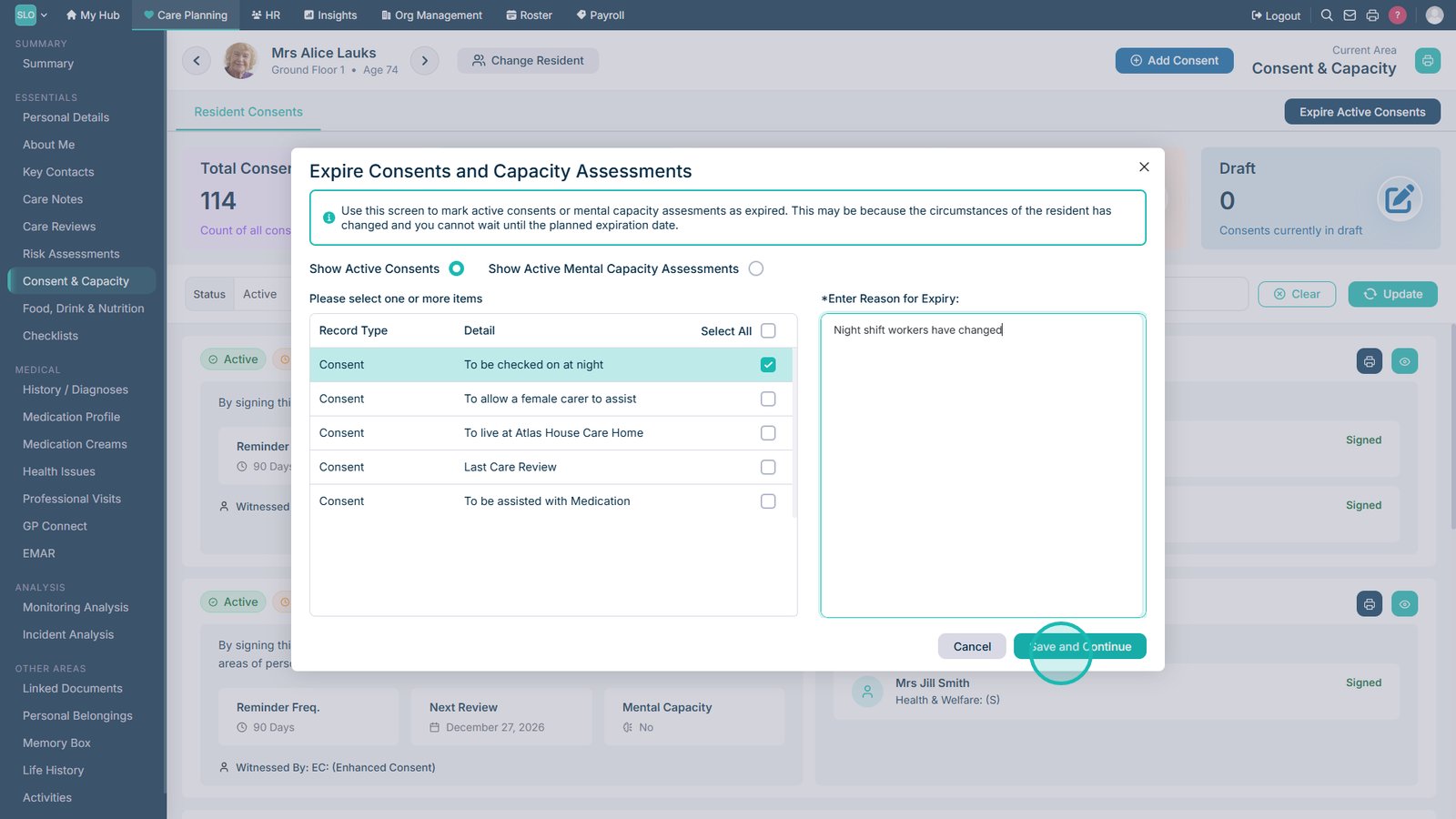
Enter the reason why the consent is being expired.

Select Save and Continue to confirm the expiry.

Top tip
Always record a clear reason when expiring a consent to maintain an accurate audit trail and support compliance requirements.
Need more help?
Can't find what you're looking for? Our support team is here to help.
Contact SupportOr call us on