How to Restore a Pre-Care Review Assessment
Learn how to review and restore a previous version of your Pre-Care Assessment Form. This guide covers accessing previous versions, restoring the required form, and publishing it for use by your care team.
Takes 3 minutes
For: Managers
Updated: 24th Sept 2026
Introduction
Manage Care Review Pre-Assessments allows you to access previous versions of your Pre-Care Assessment Form and restore an earlier version when required.
Once a previous version has been restored, you can publish it to make that version available for use by staff completing Pre-Care Reviews.
In this guide you'll learn how to:
- Open Manage Care Review Pre-Assessments
- View previous versions of the assessment
- Restore a previous version
- Publish the restored assessment
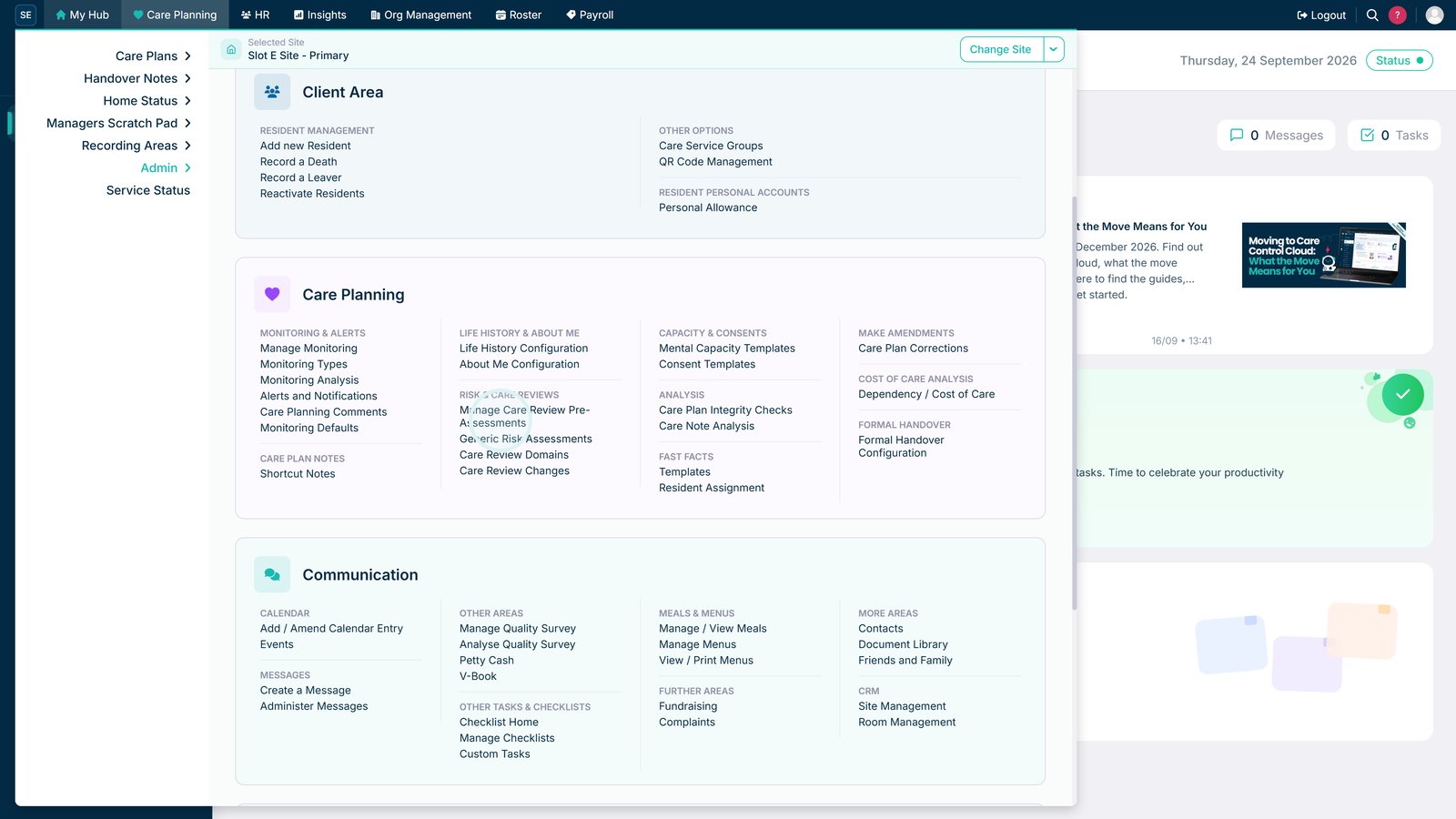
Open Manage Care Review Pre-Assessments.

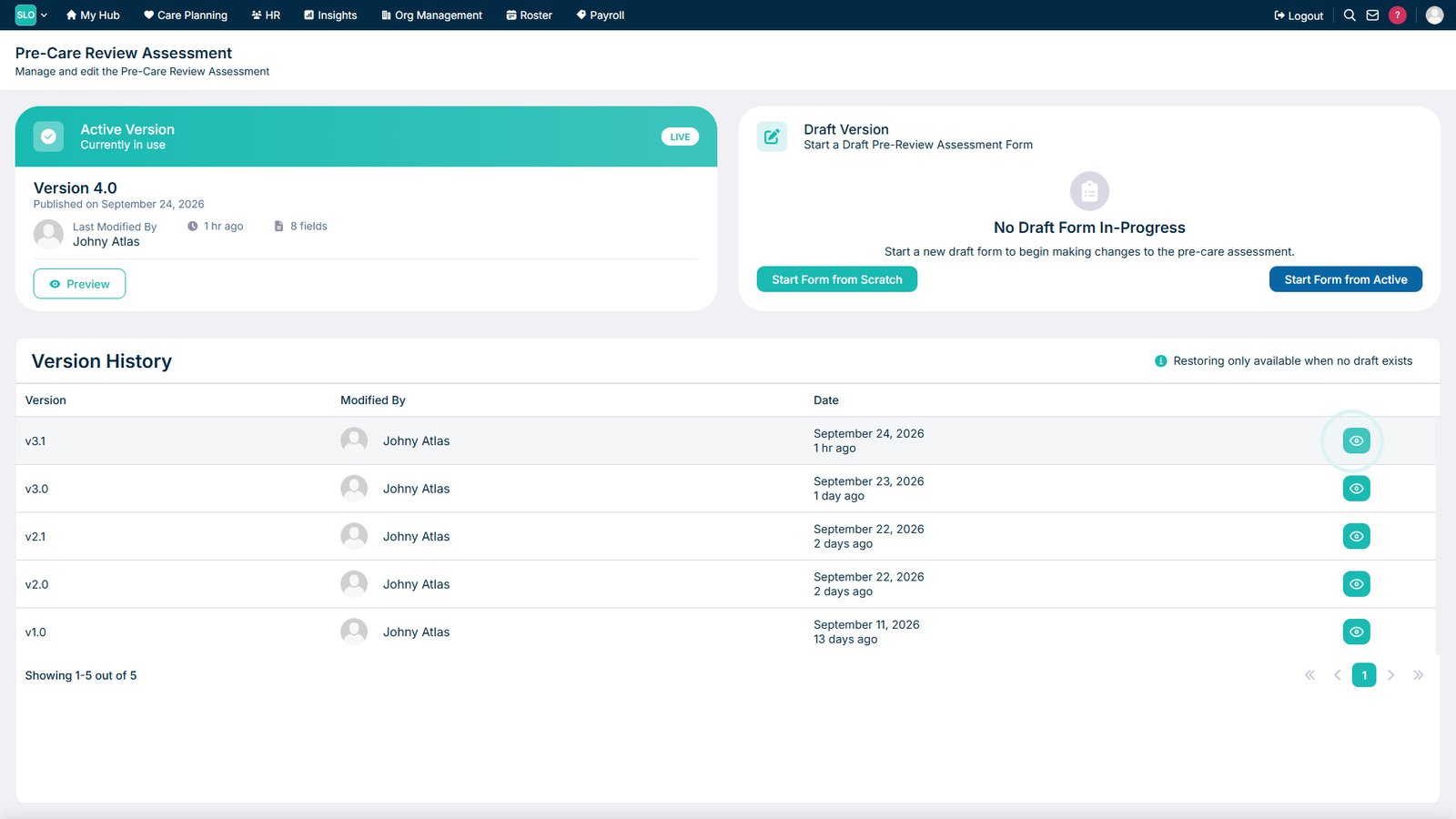
Open Previous Versions to review the assessment's version history.

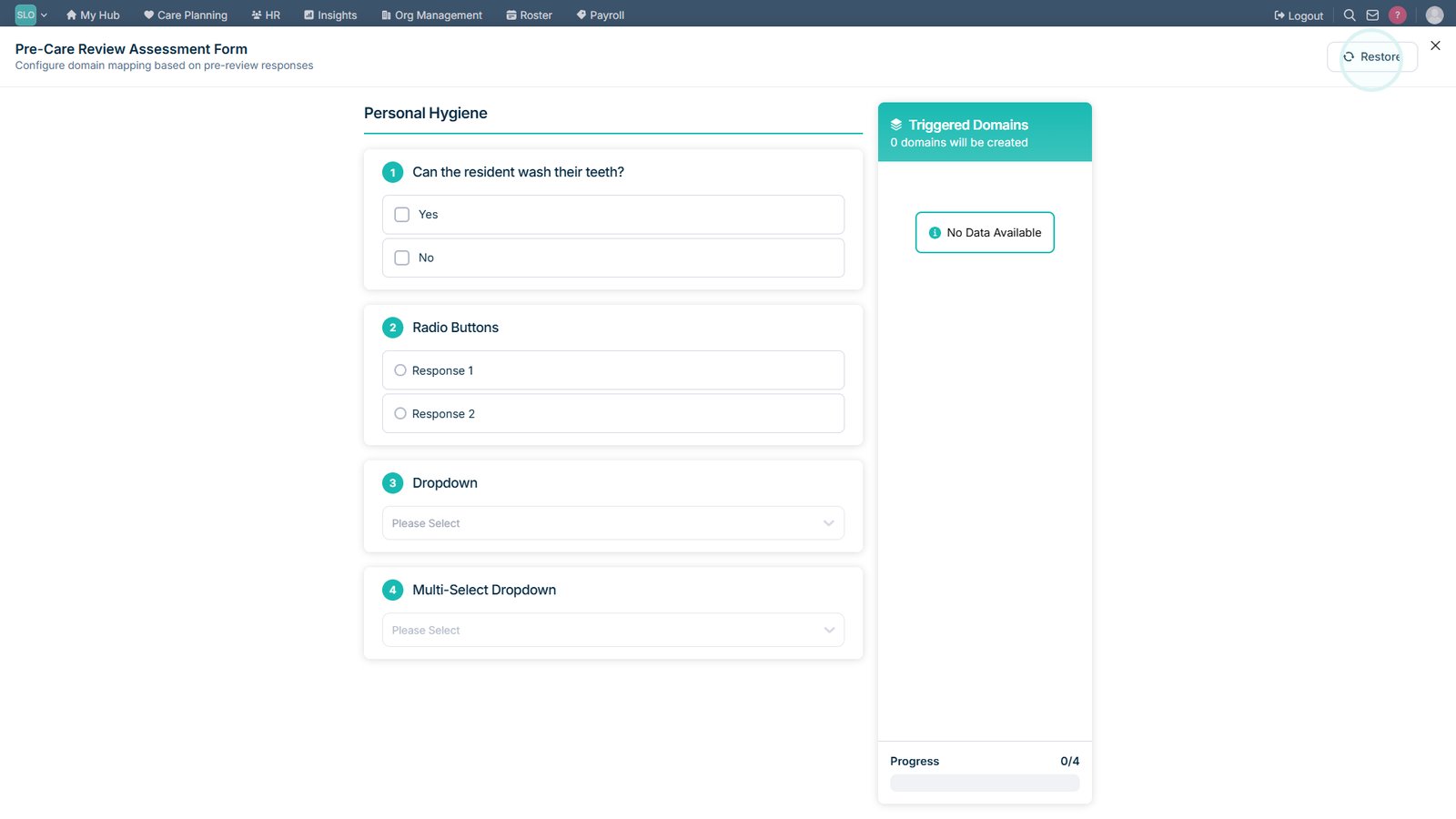
Select Restore on the previous version you want to use.

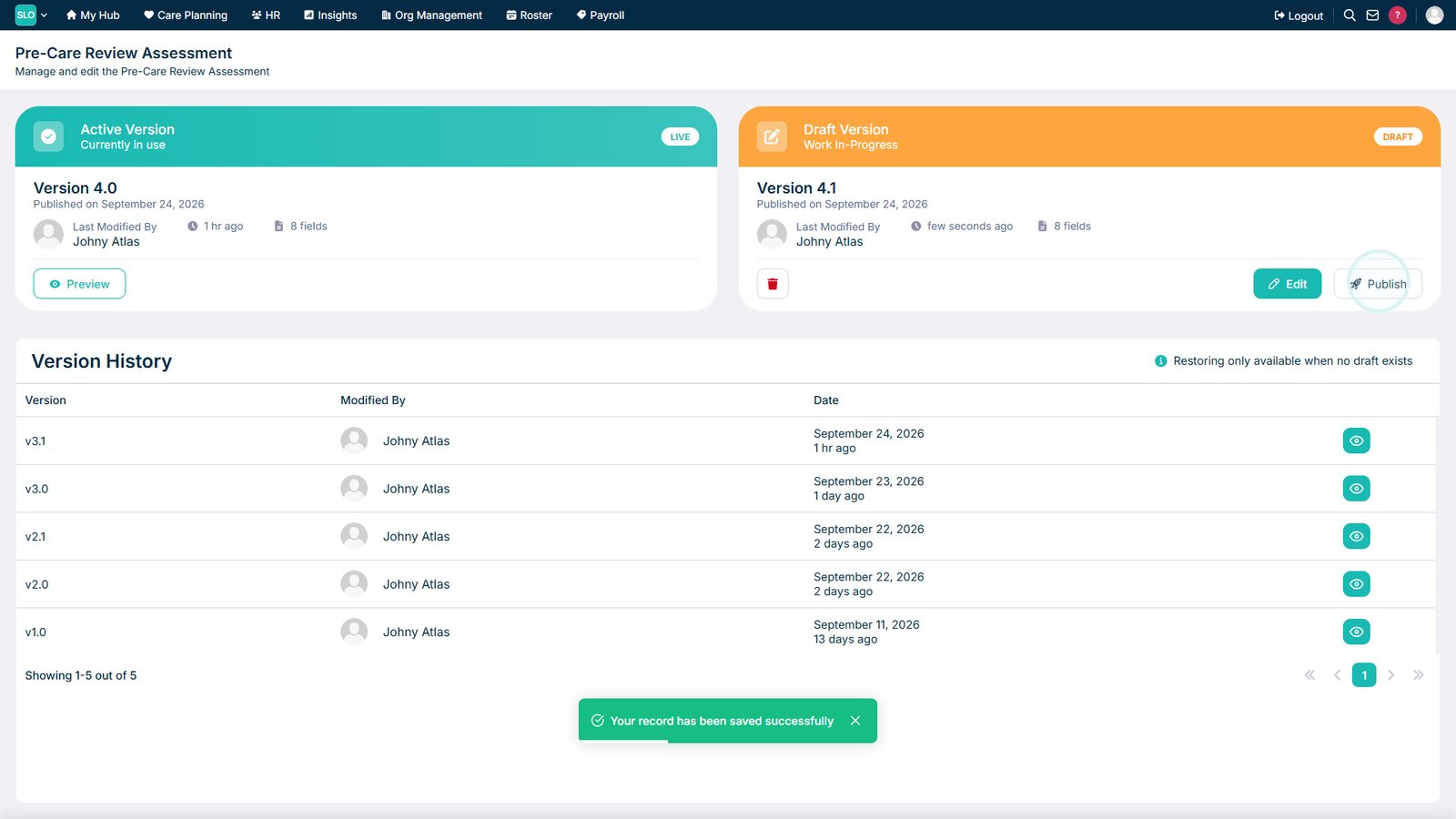
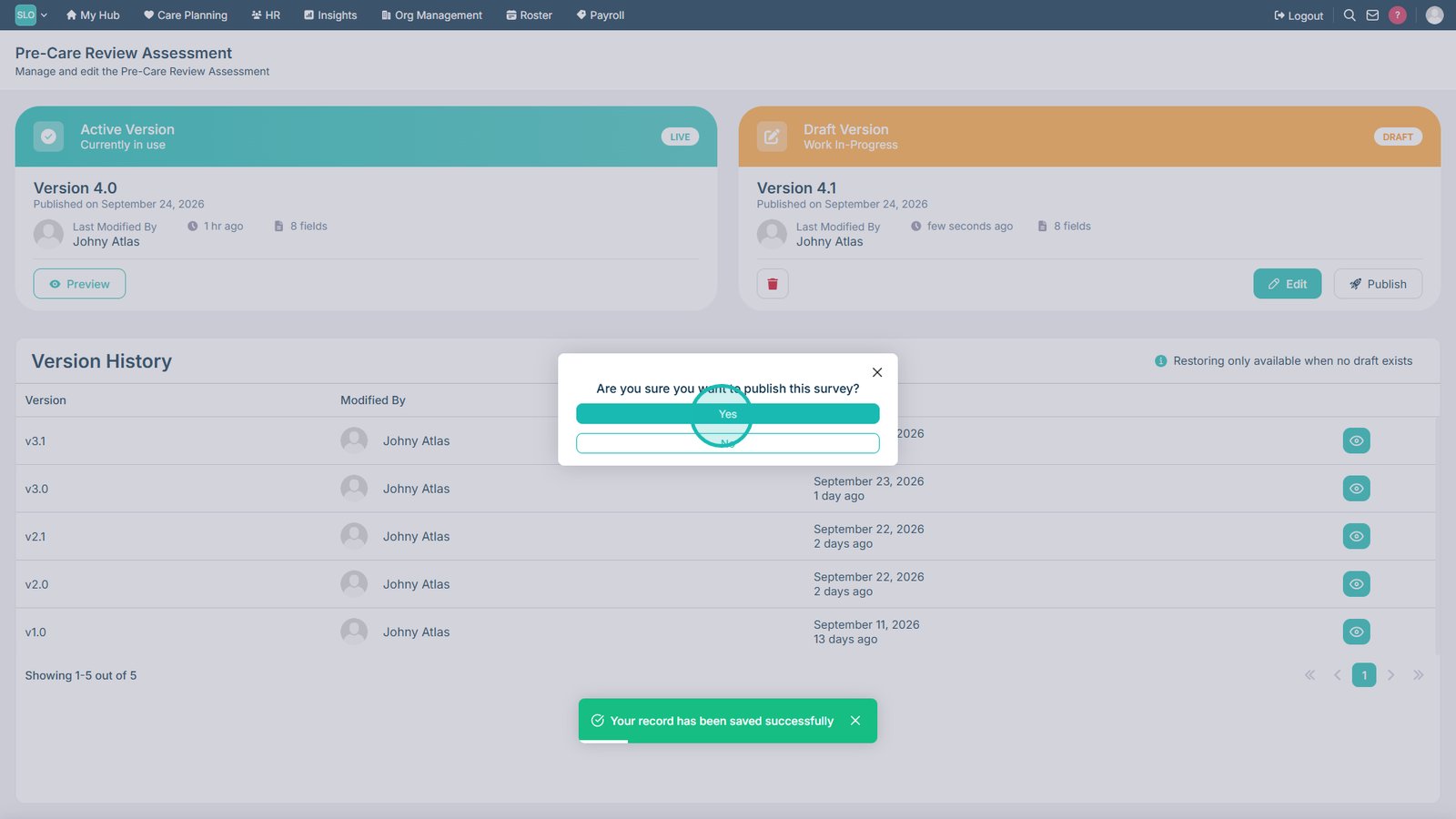
Select Publish when the restored assessment is ready to be made available.

Confirm that you want to publish the assessment.

Top tip
Review the previous version carefully before restoring and publishing it to make sure it is the assessment you want staff to use.
Need more help?
Can't find what you're looking for? Our support team is here to help.
Contact SupportOr call us on