How to Review and Analyse Monitoring Forms that have been recorded via the Mobile and Pocket Apps
This guide explains how to export and annotate Active Monitoring reports in the Insights App. You’ll learn how to access monitoring data, use the share tools to create a PDF or image snapshot, and add your own annotations before saving or sharing the file.
These features are useful for reviewing key monitoring trends, highlighting important data points, and sharing insights with team members or management. Exporting annotated reports ensures accurate communication and makes it easier to keep visual records of care activity and outcomes.
Interactive Guide
Text based guide
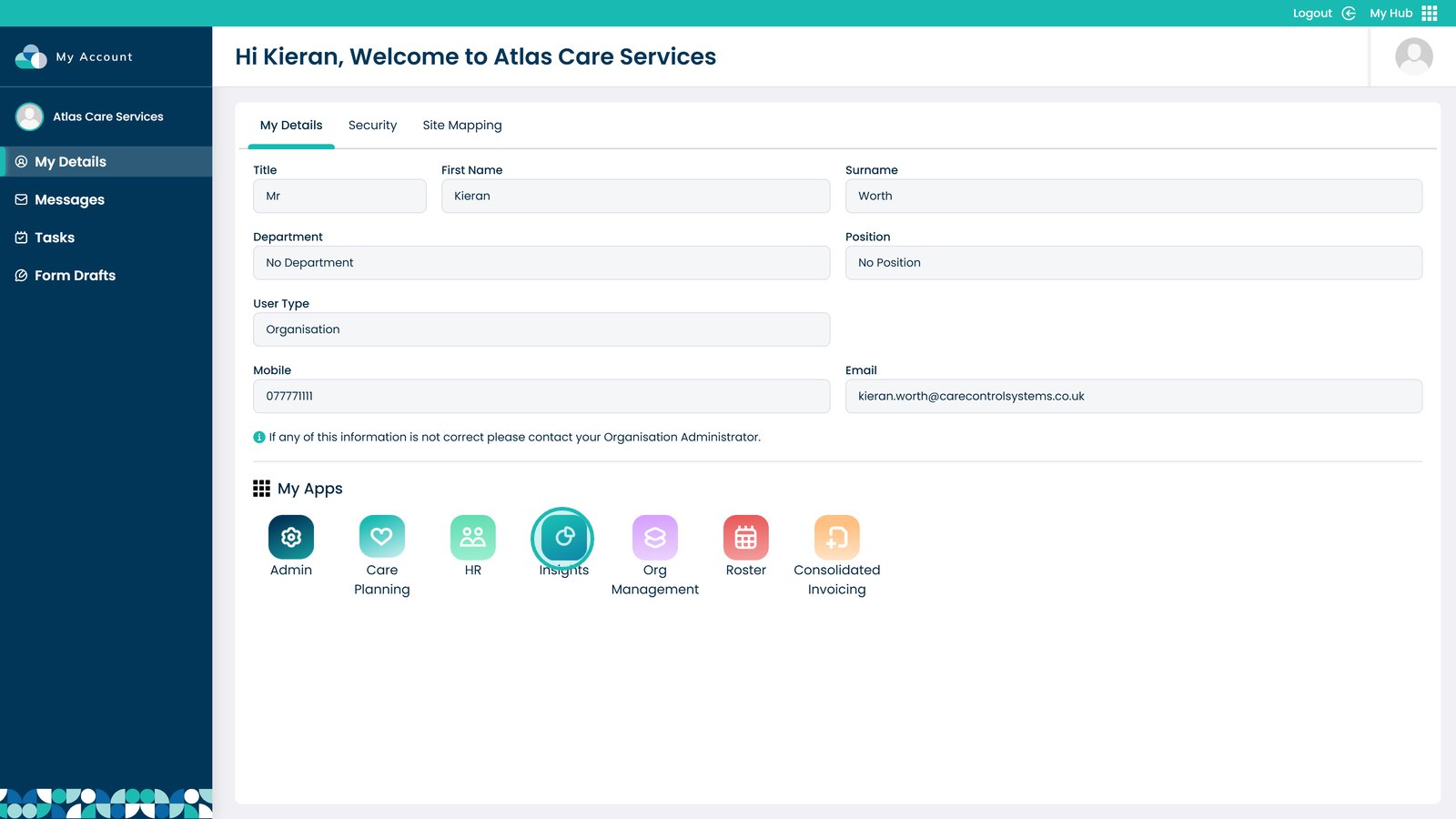
Enter the Insights App

Â
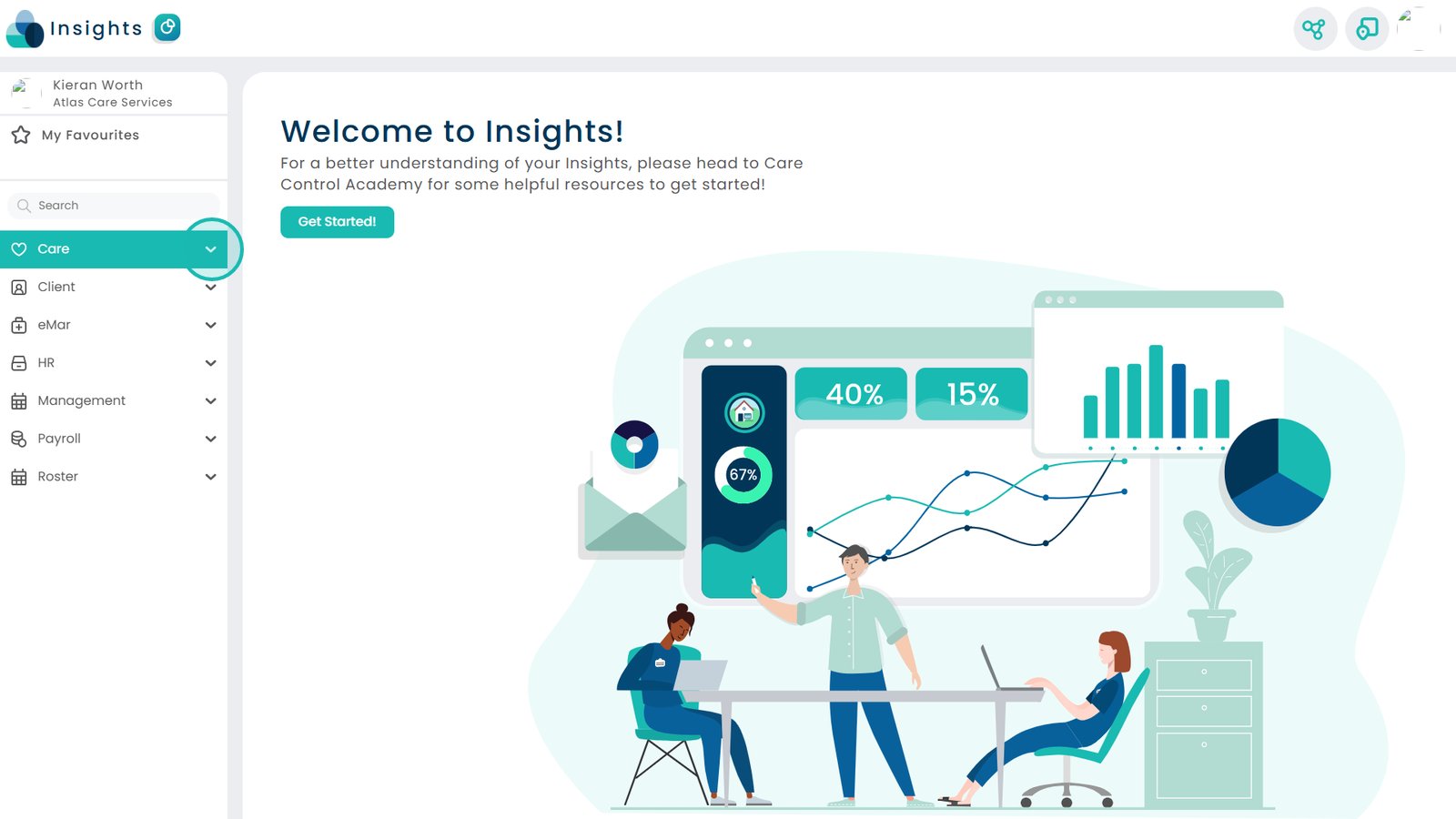
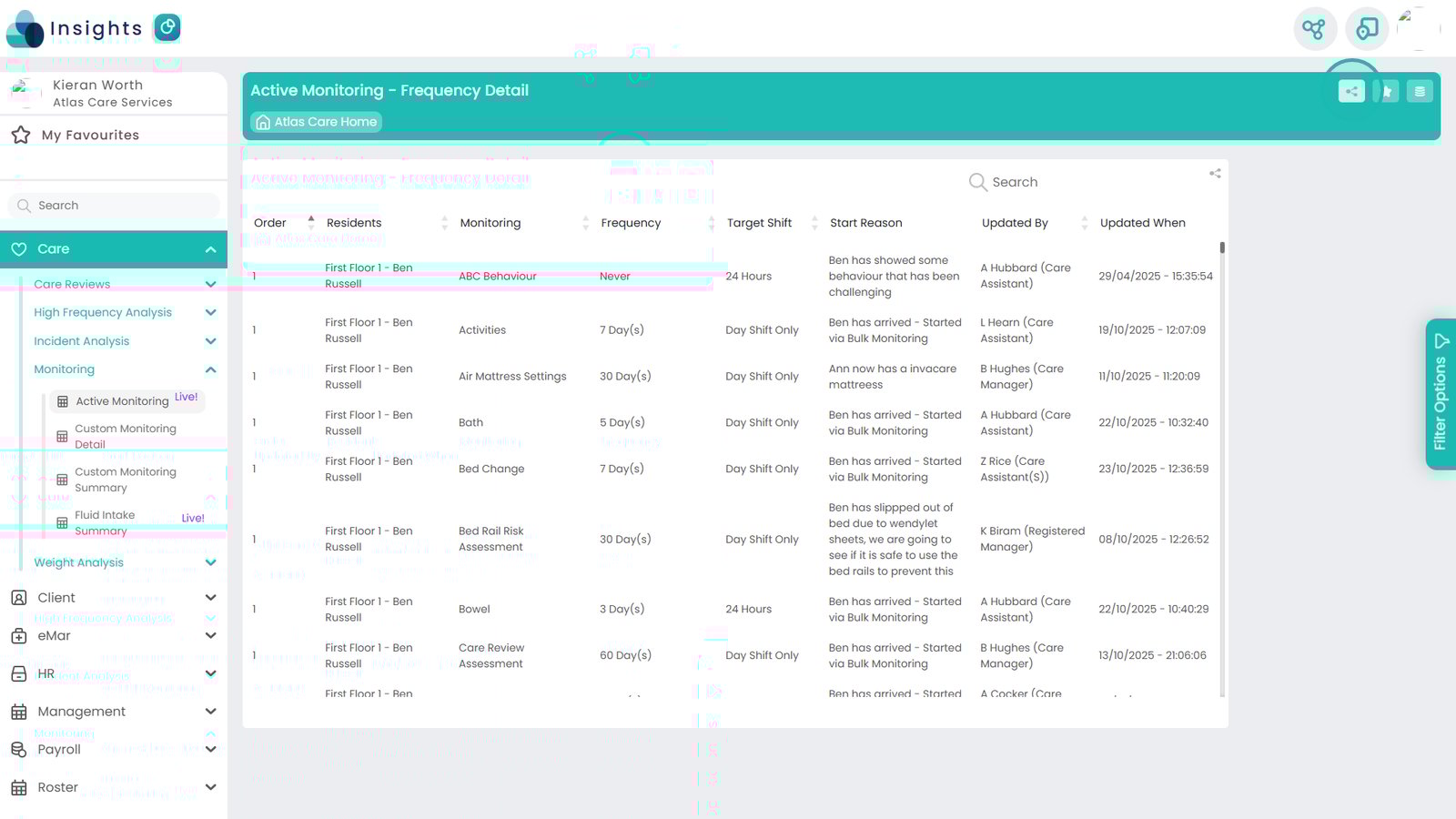
Select Care to open further options

Â
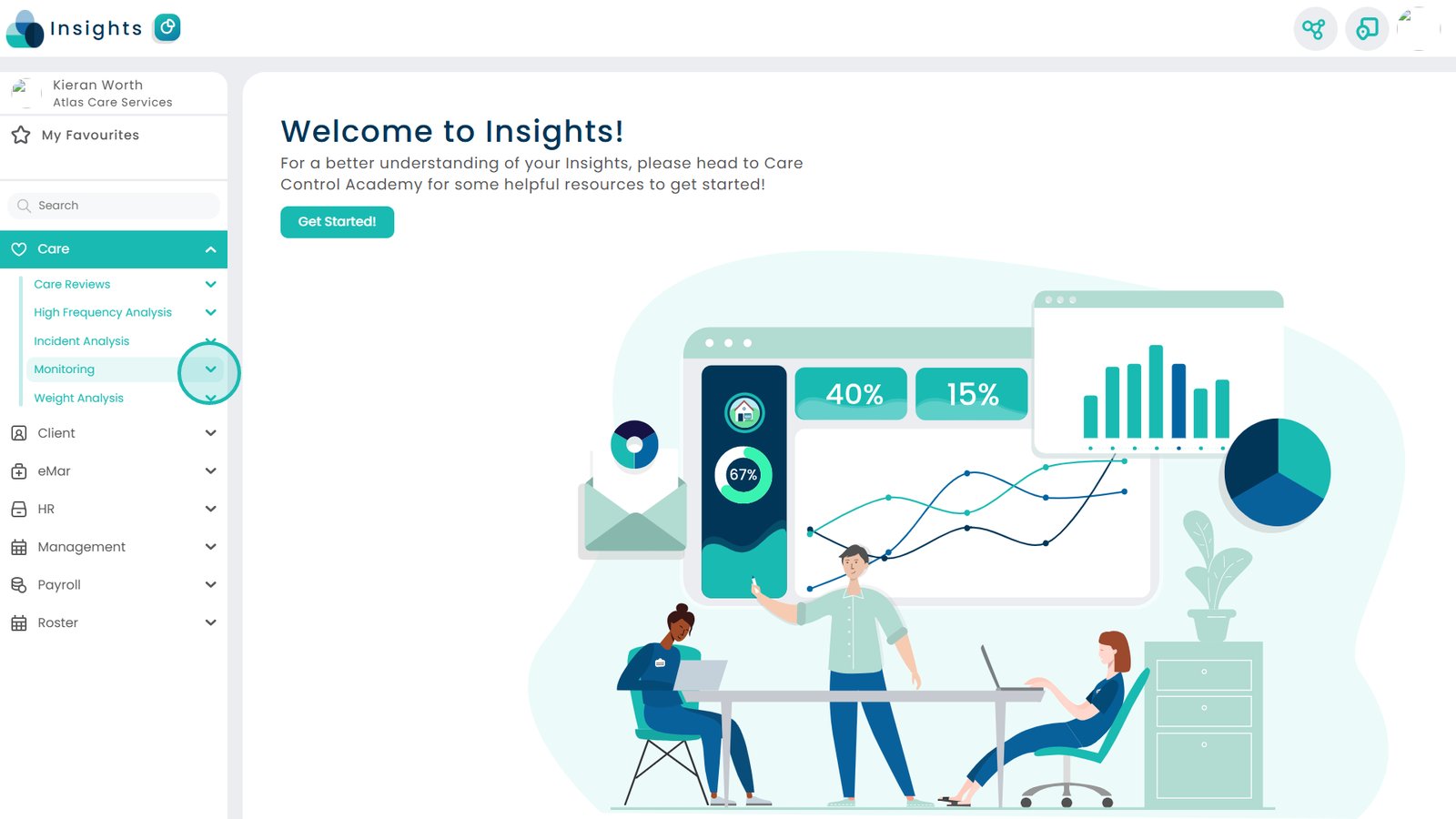
Now click Monitoring

Â
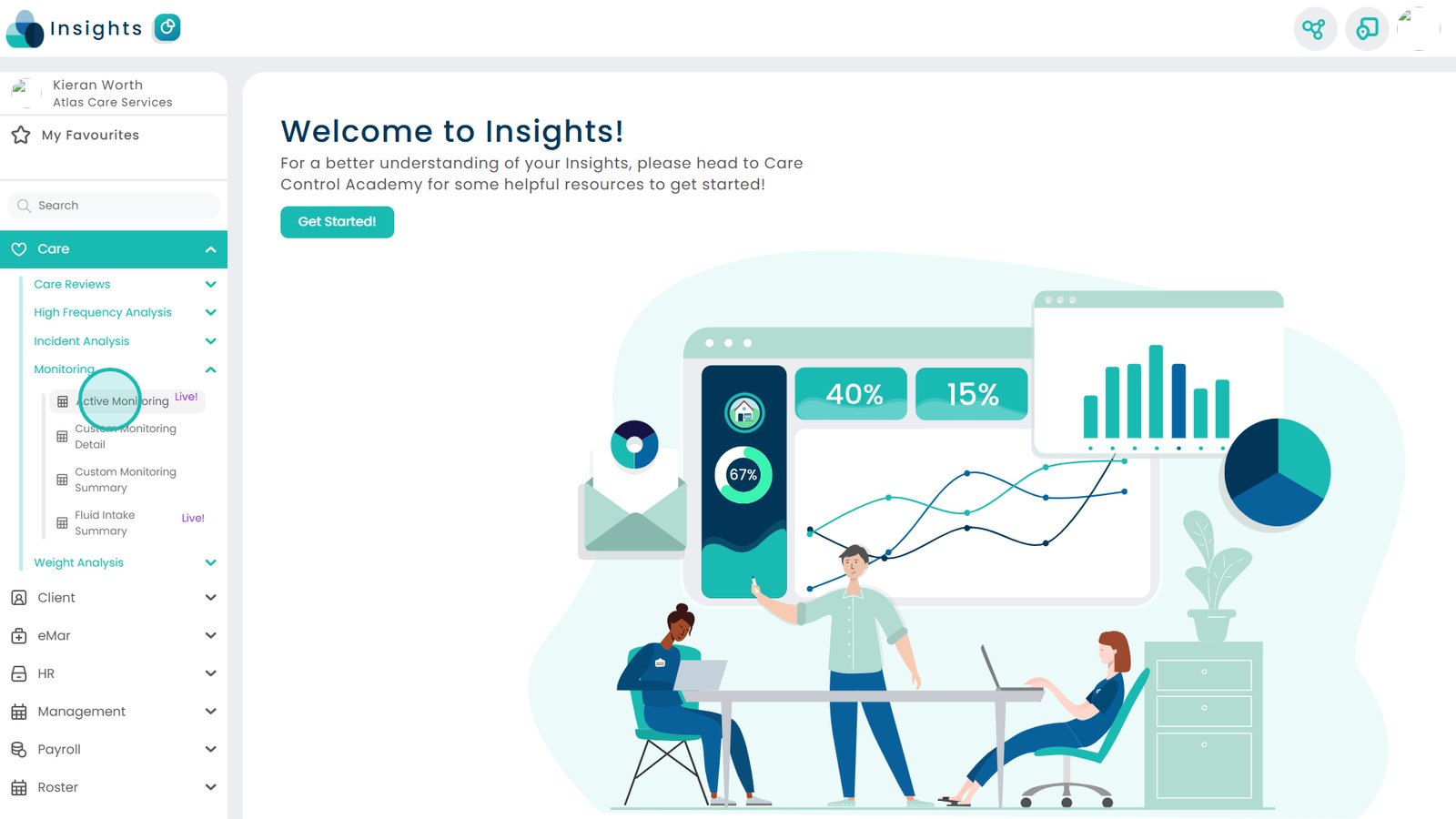
Select Active Monitoring

Â
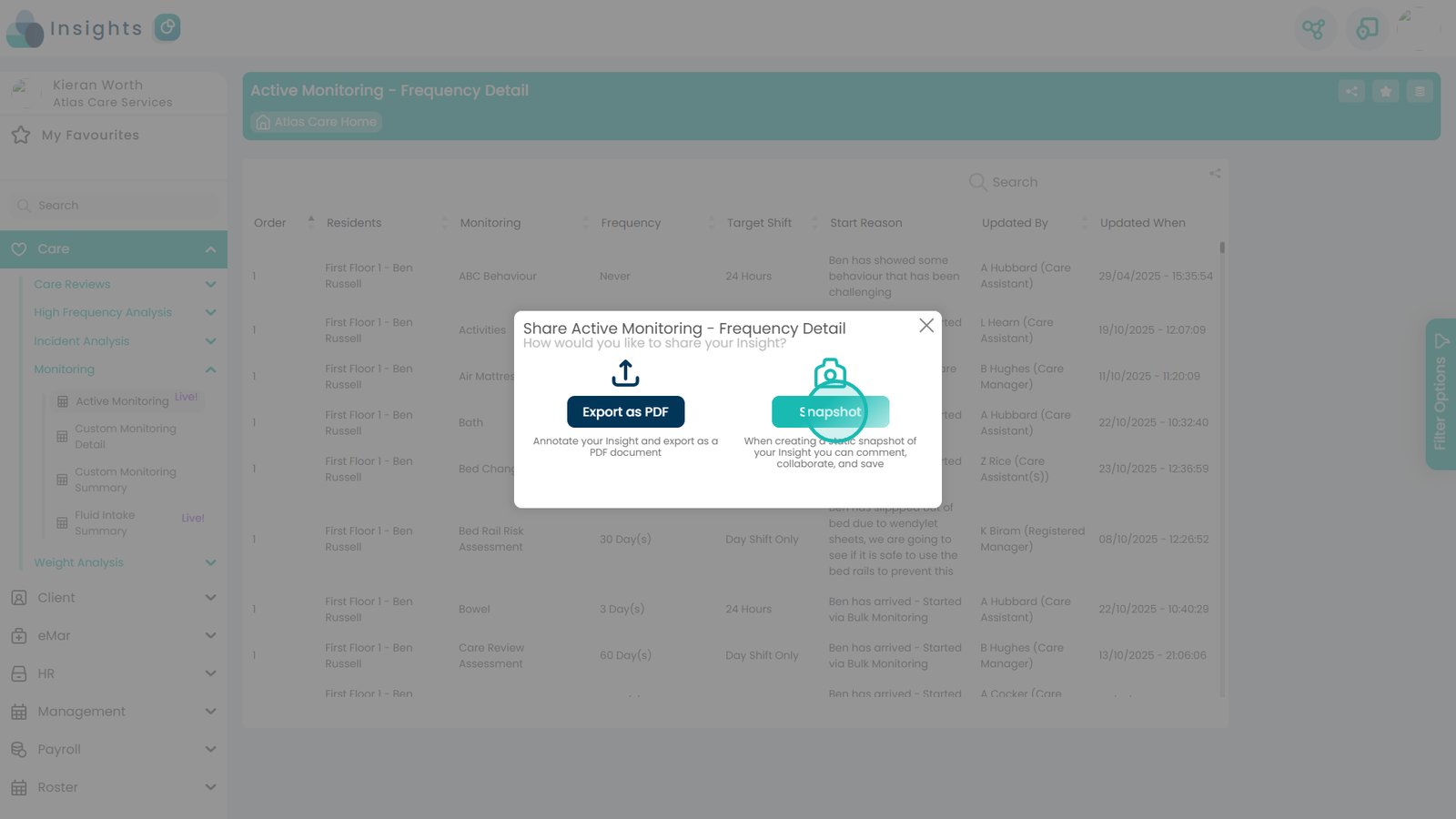
Click the Share button in the top right

Â
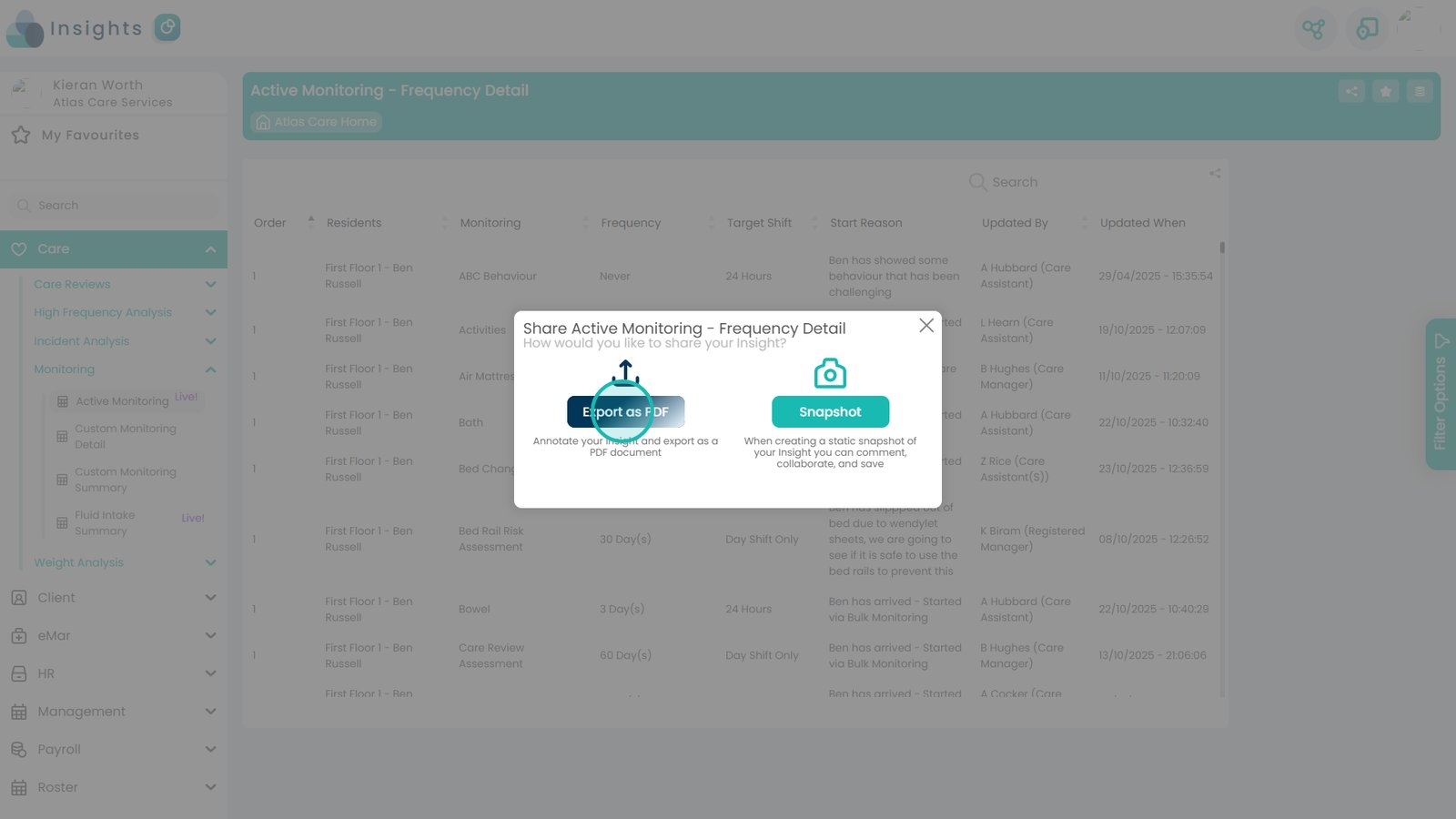
Export as PDF or Snapshot

Â
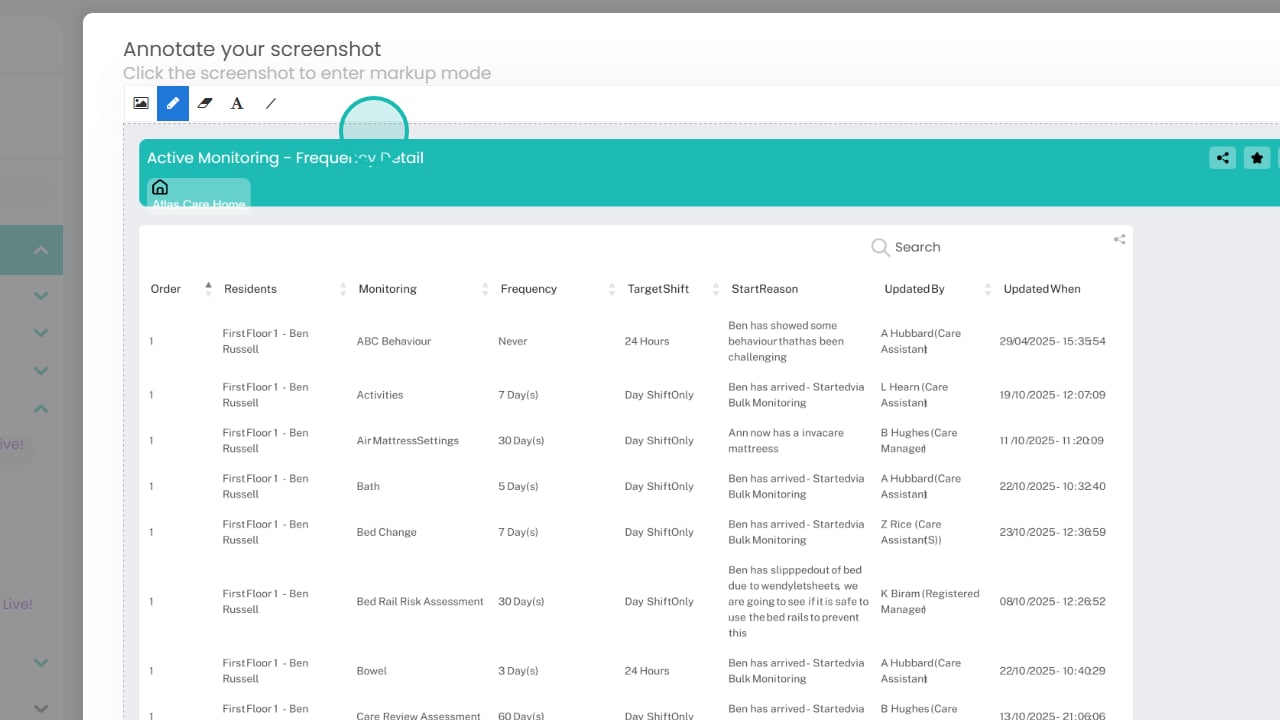
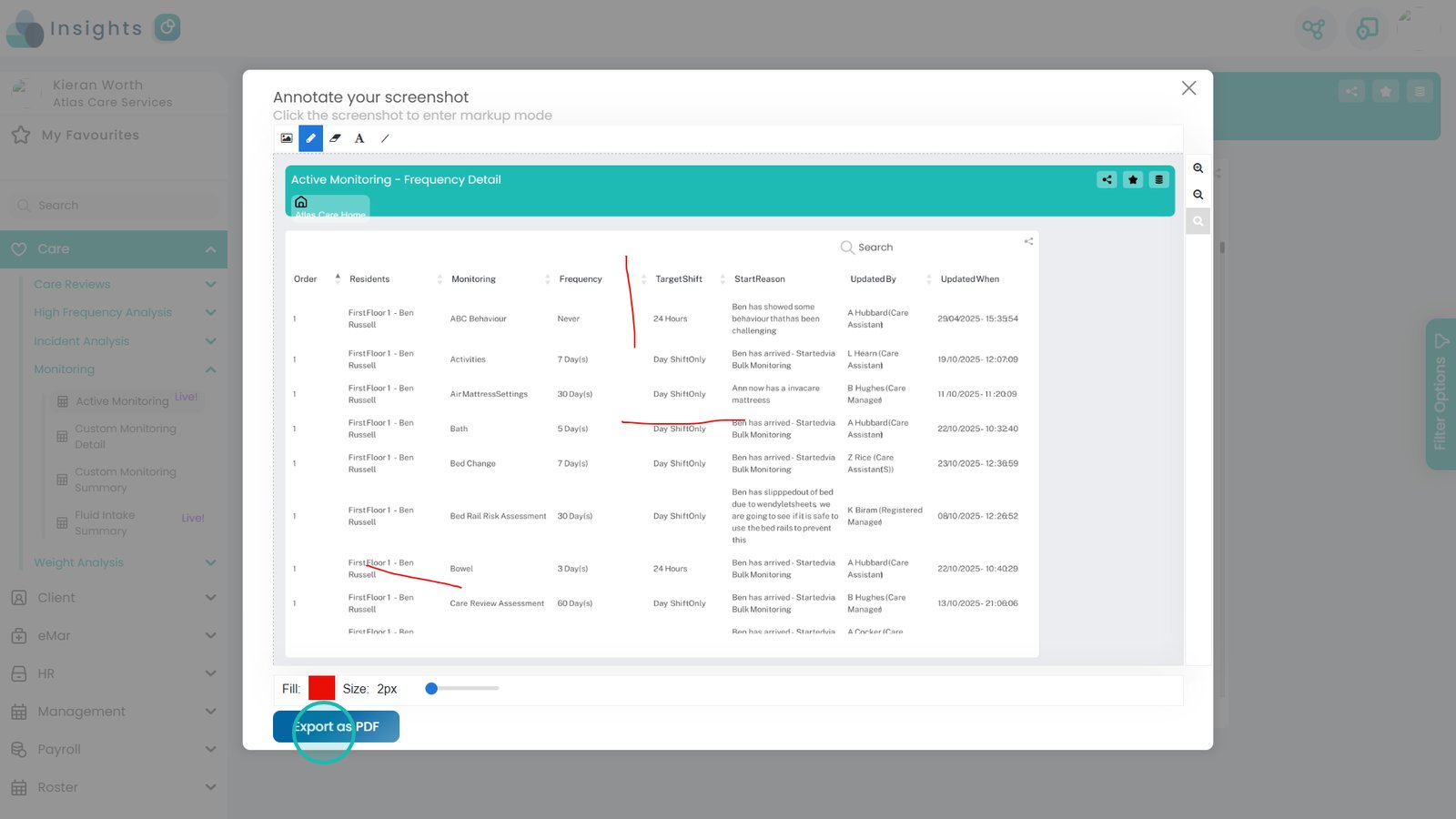
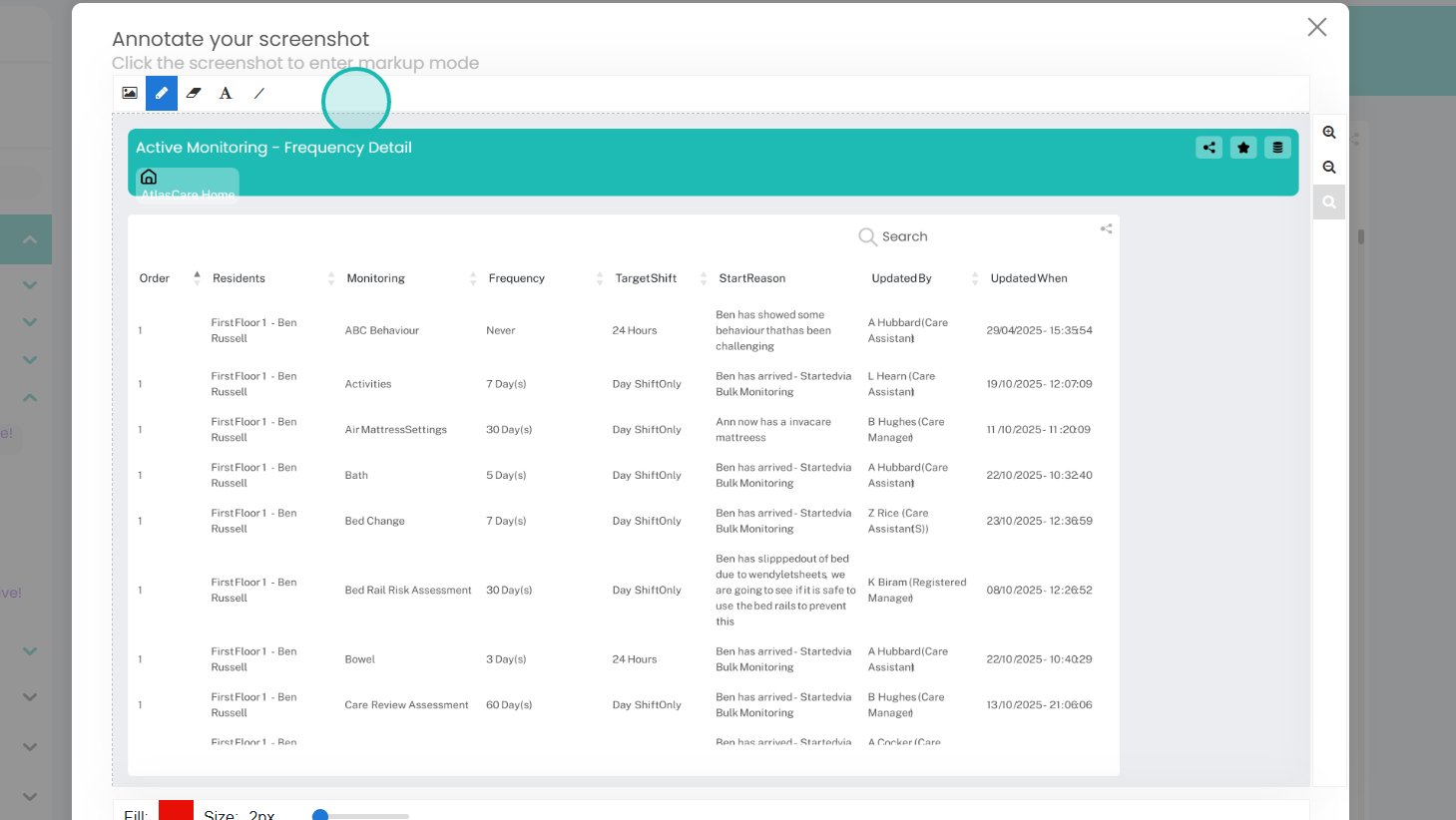
Choose the tools at the top to annotate

Â
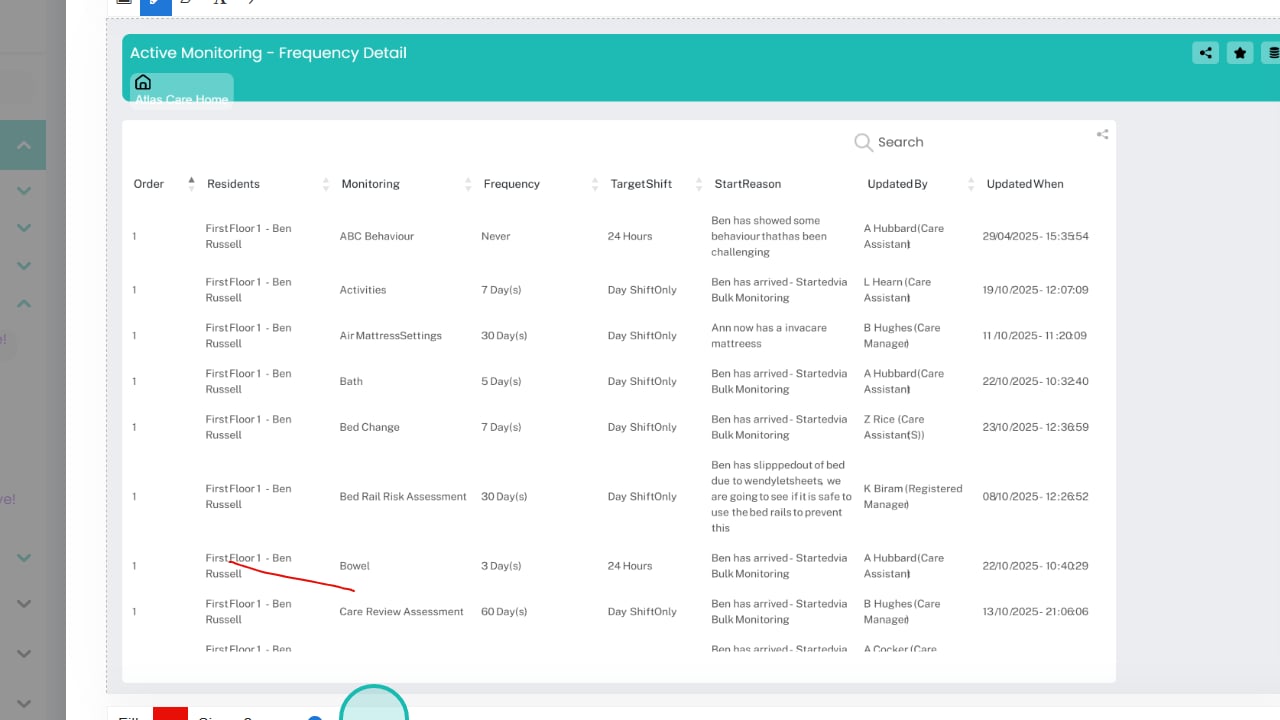
Add your annotations to the document

Â
Export as PDF to download the file

Â
Use Snapshot to create an image instead of a PDF

Â
Annotate snapshots if needed

Â
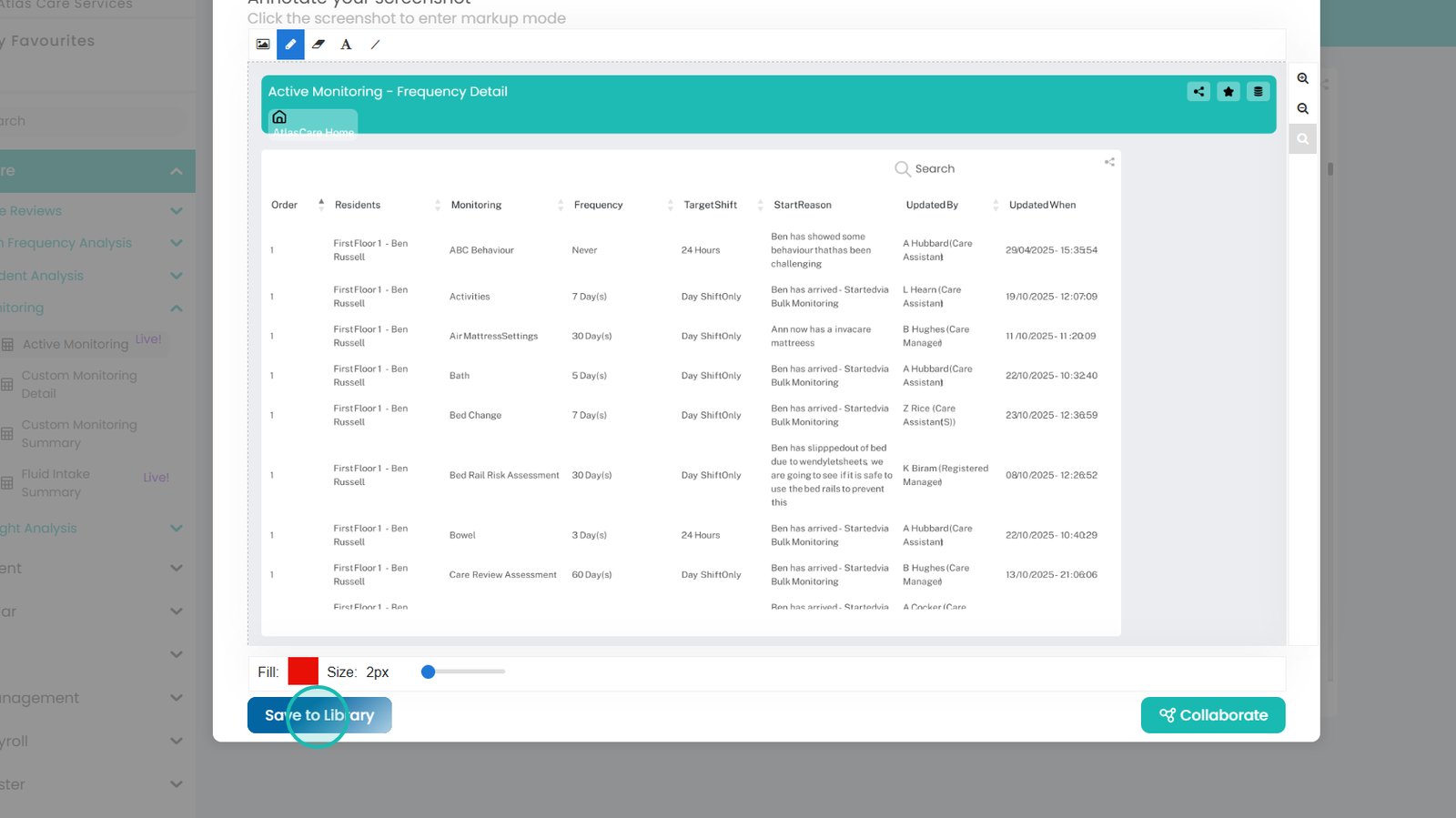
Click Save to Library

Â
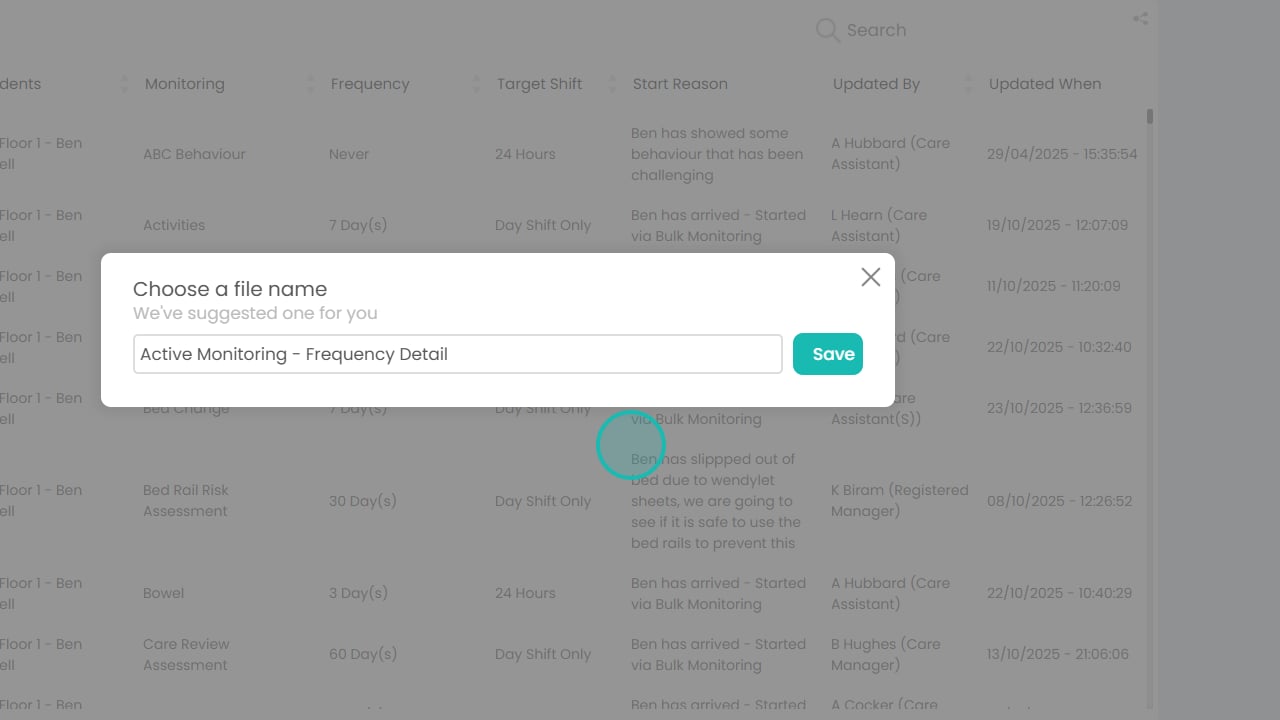
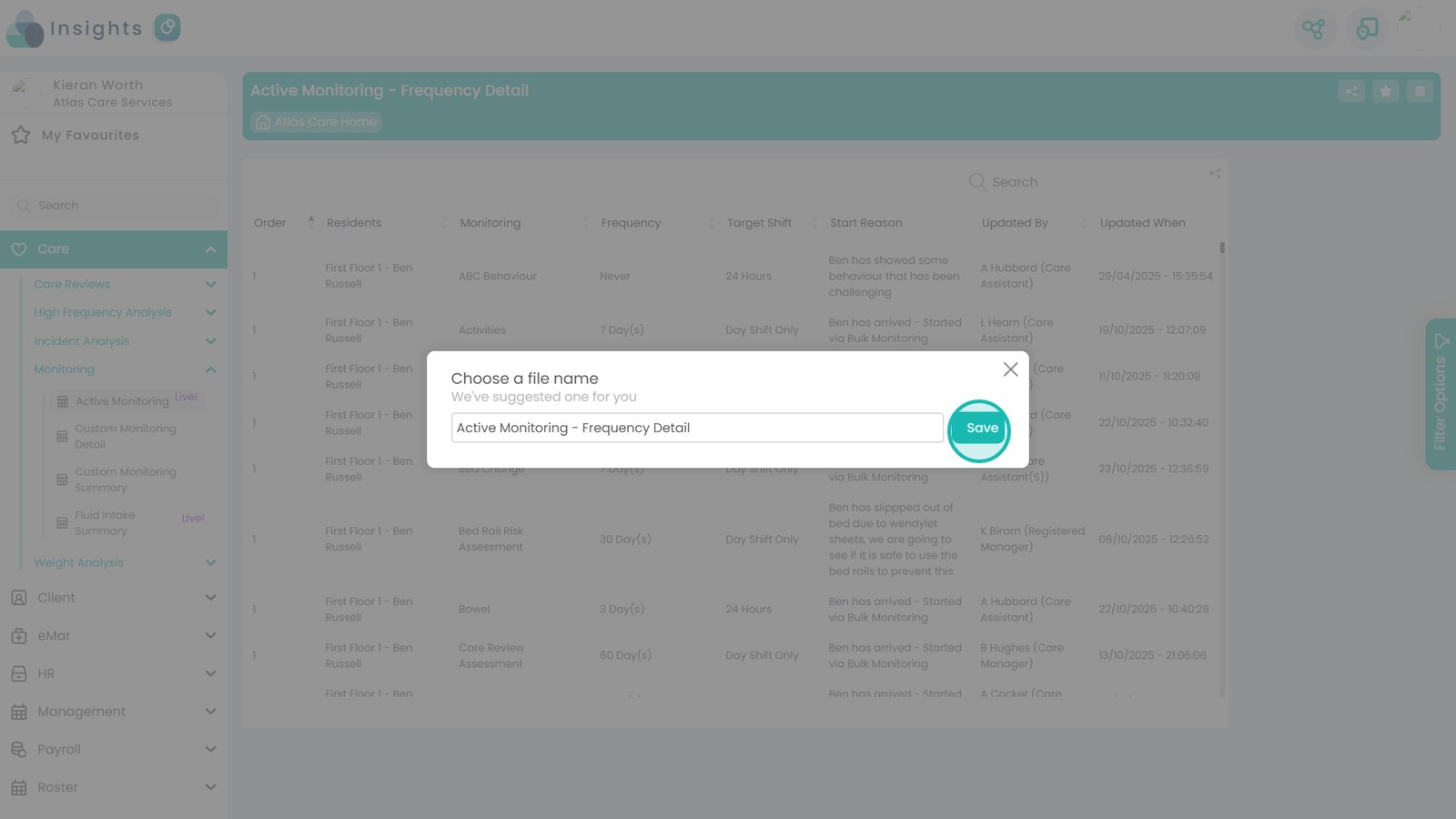
Confirm or edit the pre-filled file name

Â
Click Save when done