This guide explains how to access and review Care Review information for a resident.
Takes 2 minutes
For: Care Staff
Updated: 19th June 2026
Introduction
The Care Reviews section provides access to historical reviews and key monitoring information for each resident. You can review care outcomes, track dependency levels, monitor weight changes, and use MargoAI to help analyse recorded data.
In this guide you'll learn how to:
Access a resident's Care Reviews
Review previous care review records
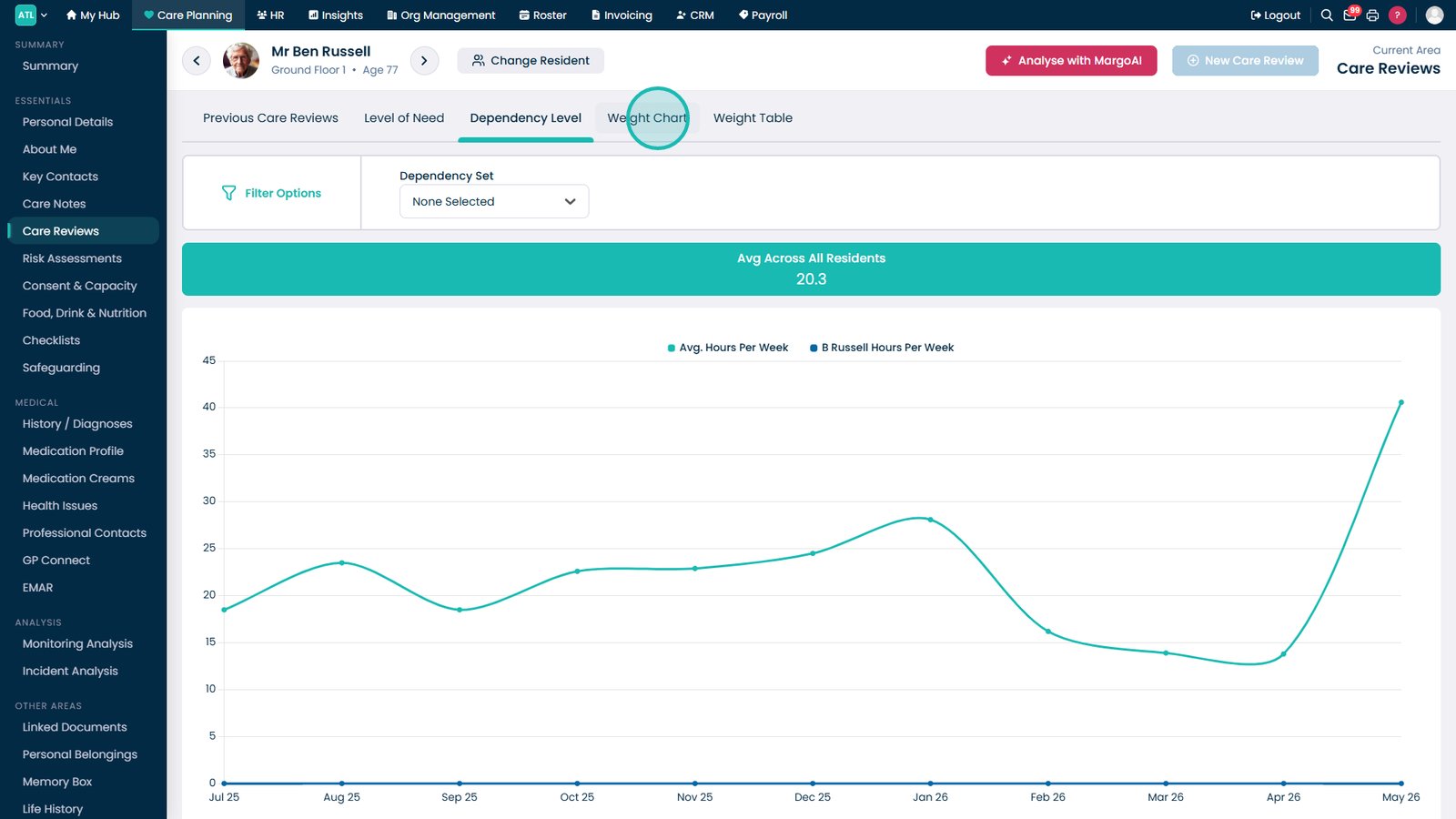
Analyse dependency level trends
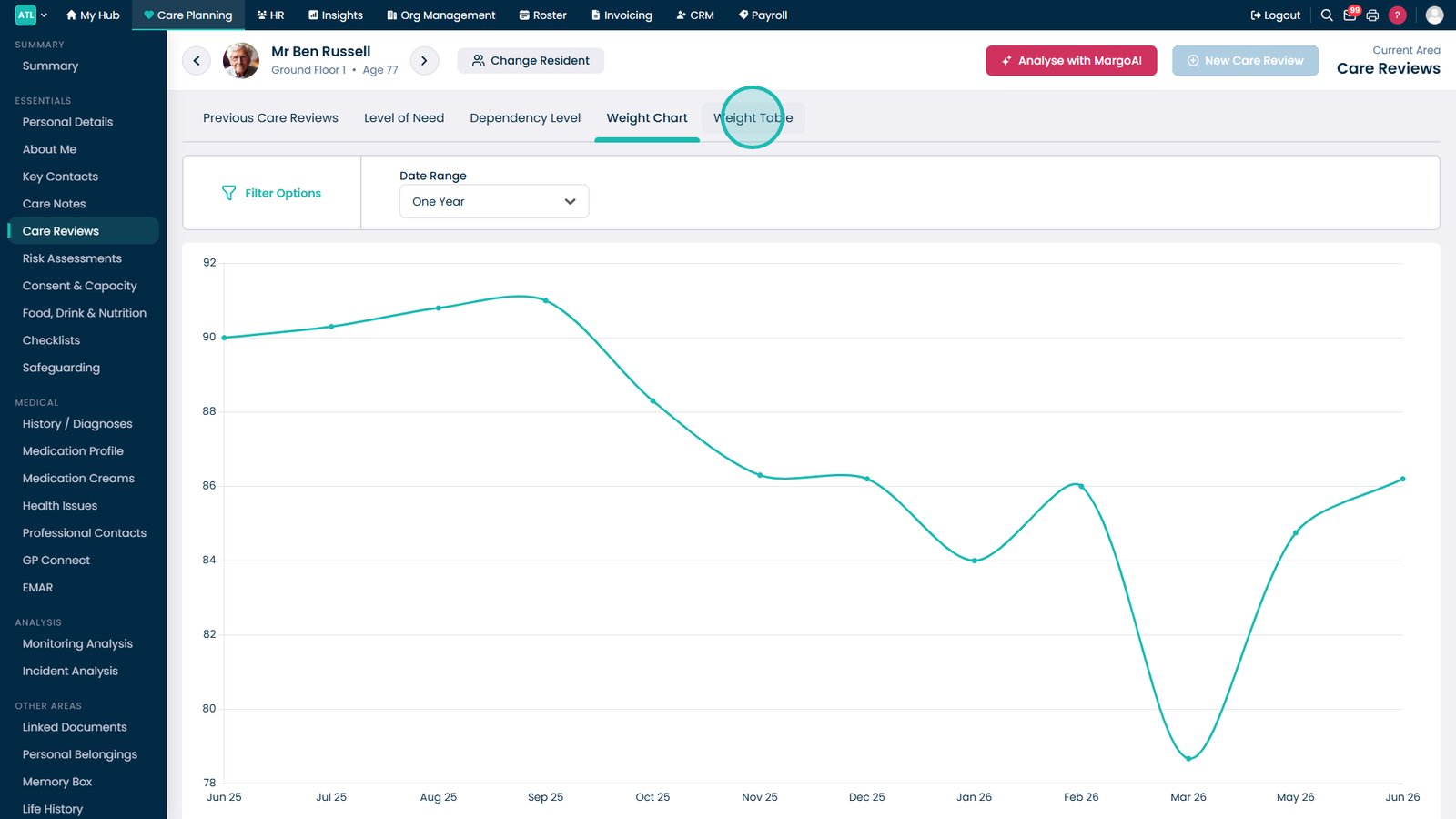
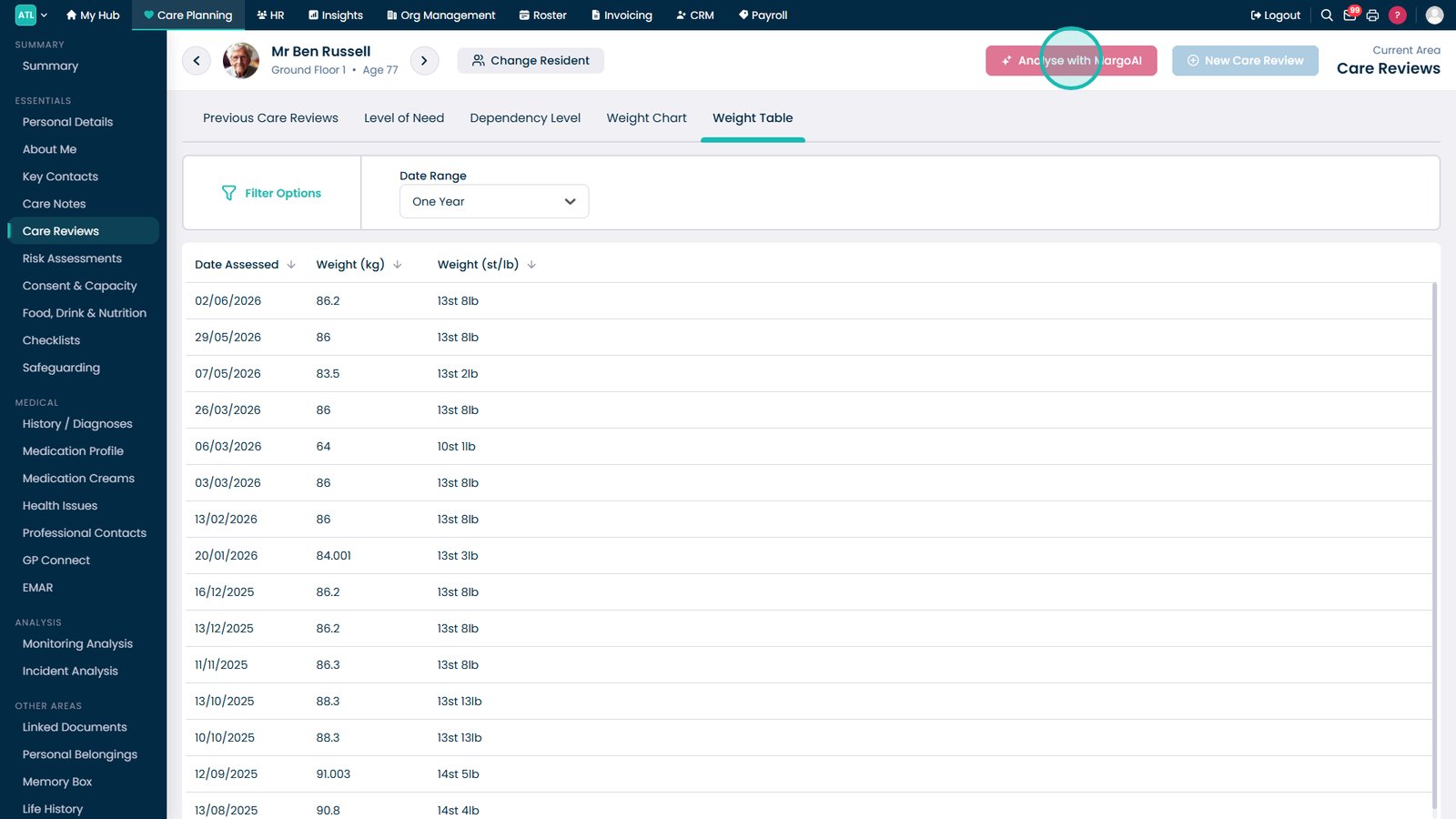
Monitor weight data using charts and tables
Use MargoAI to gain additional insights
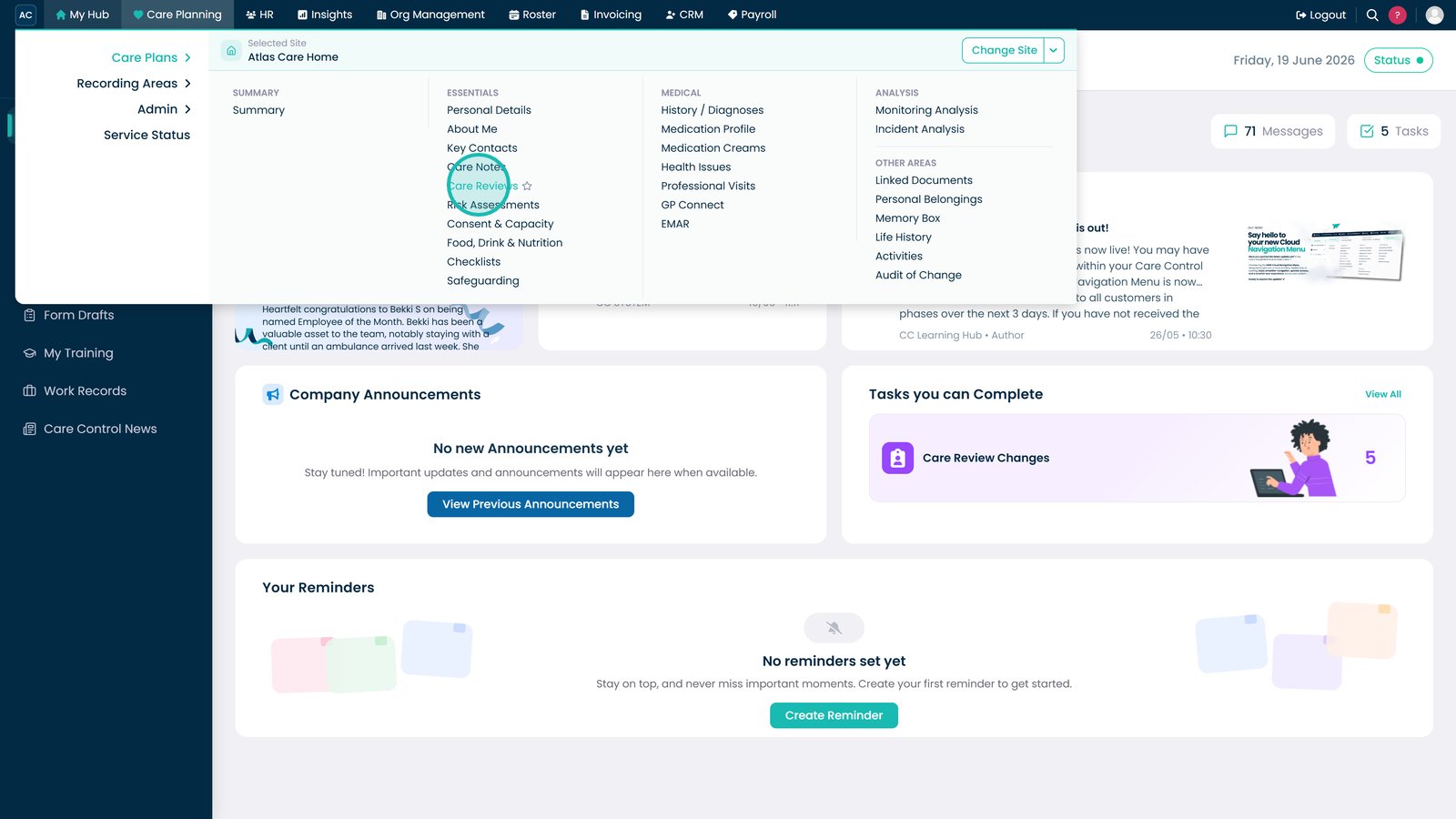
Open Care Reviews from the Care Planning menu.
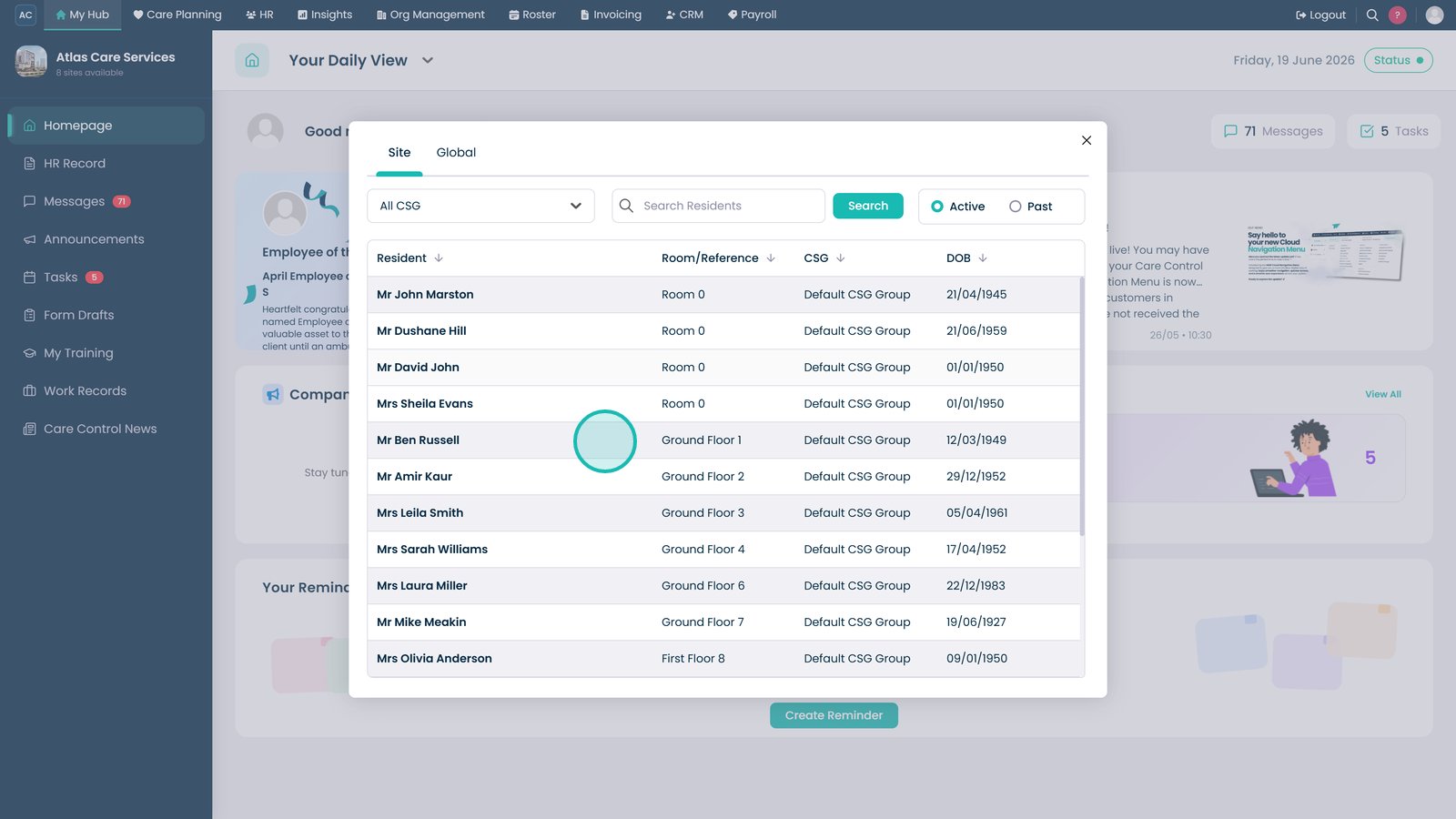
Select the resident whose care review information you want to view.
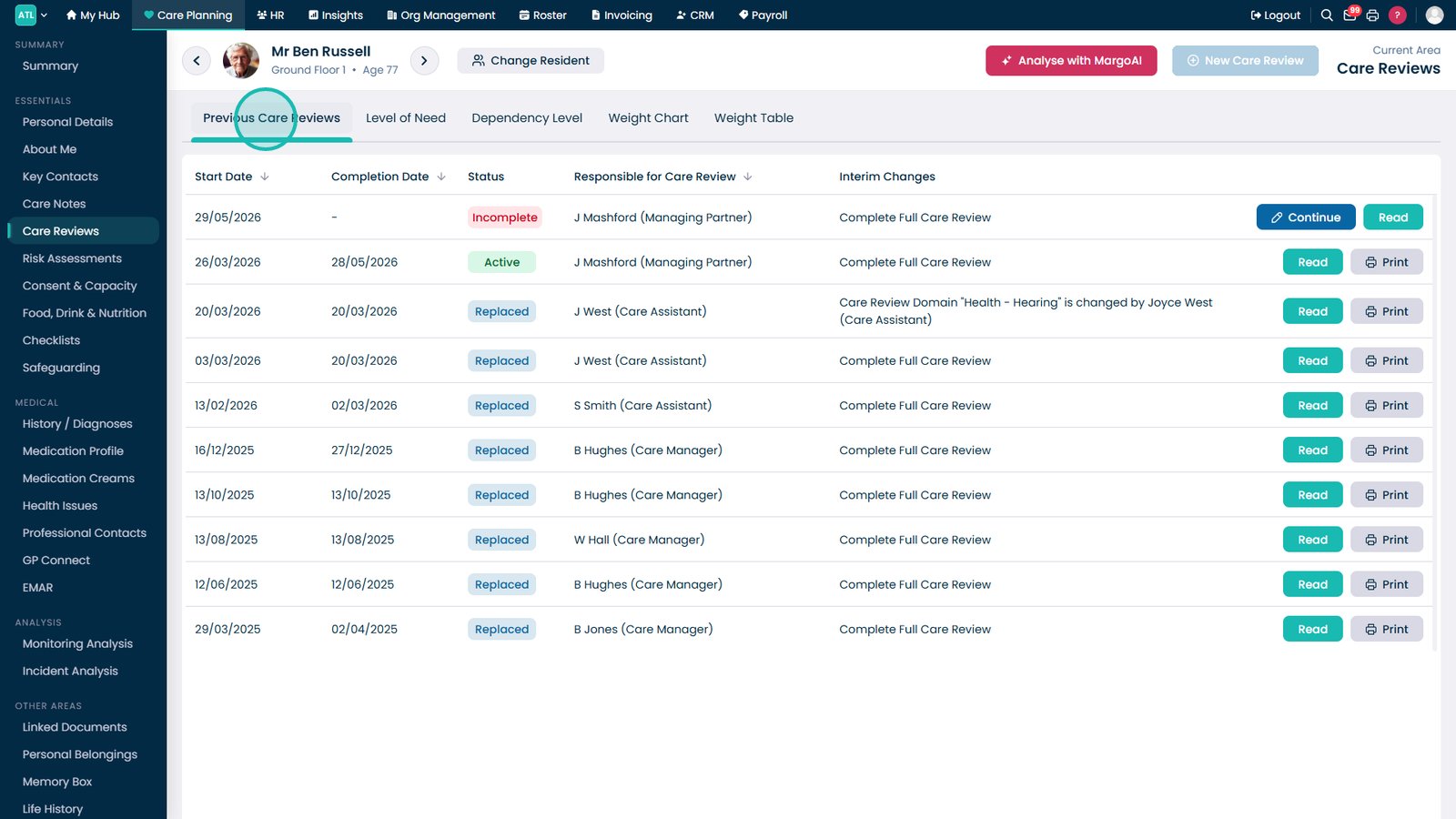
Open the Previous Care Reviews tab to view historical reviews and outcomes.
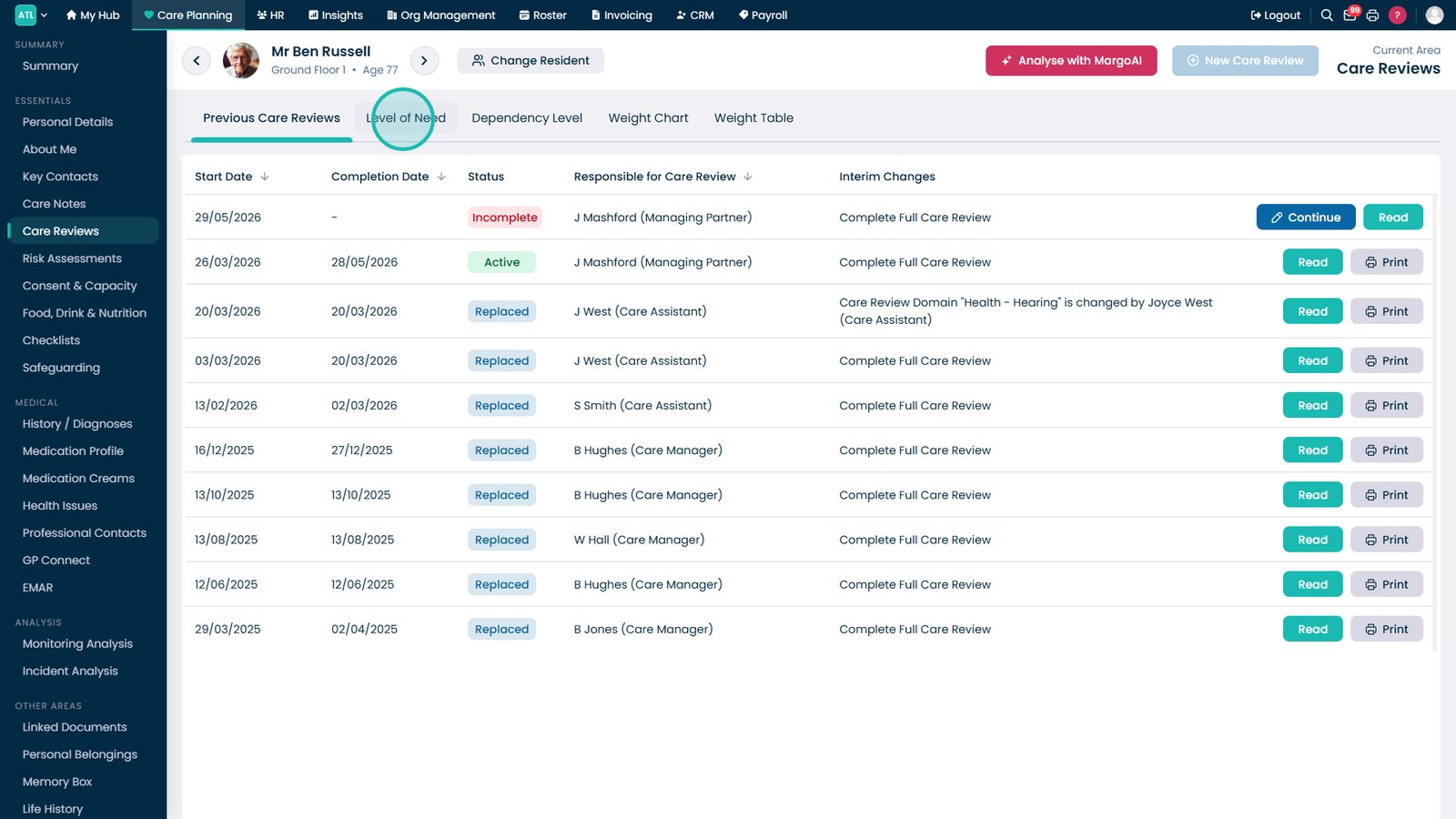
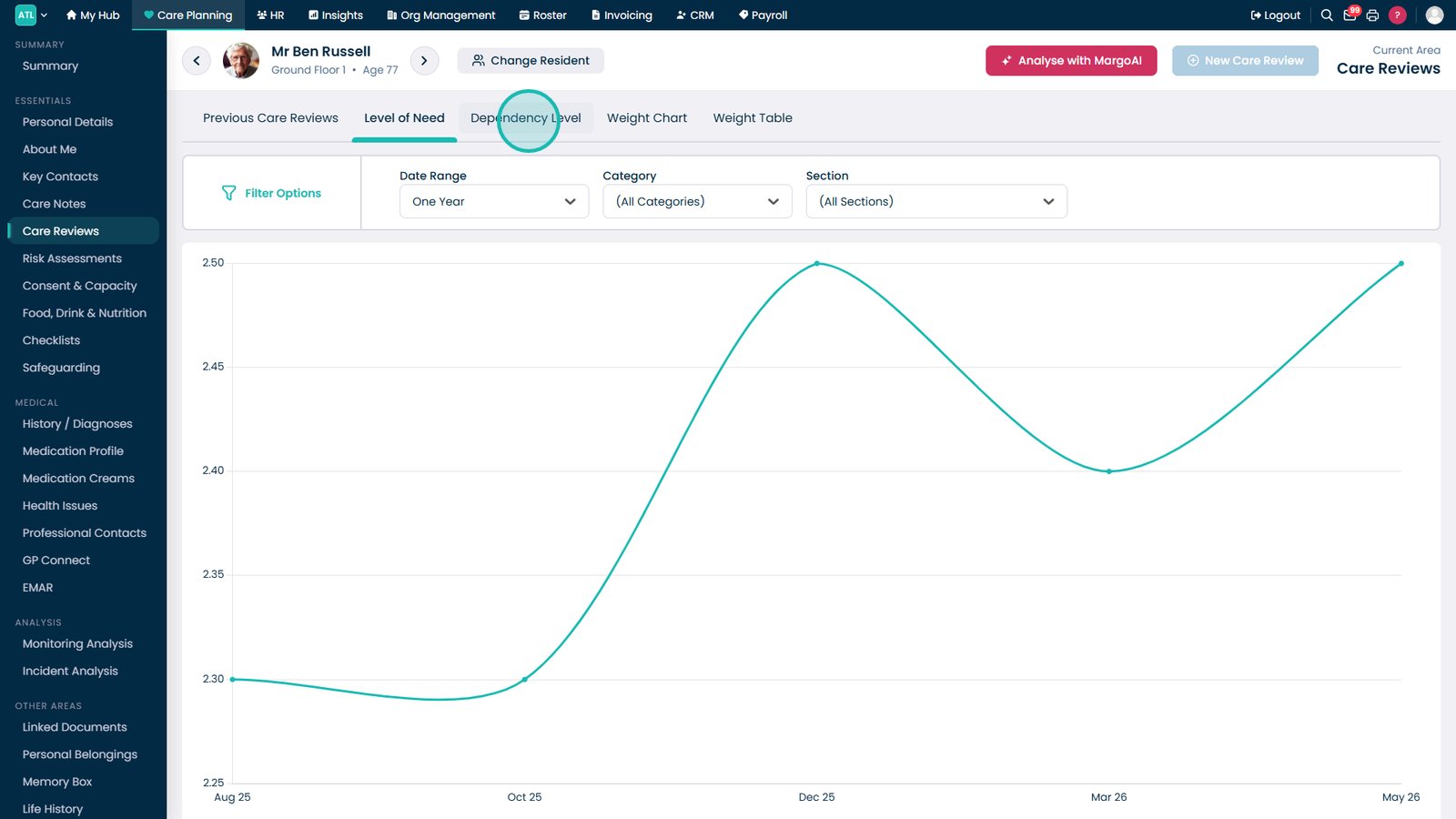
Select Level of Need to review the resident's assessed care requirements.
Review the Dependency Level graph to monitor changes over time.
Open the Weight Chart tab to view the resident's weight trends visually.
Use the Weight Table tab to review detailed weight records and measurements.
Select MargoAI to analyse the resident's review data and identify key trends or concerns.
Top tip
The Dependency Level and Weight Chart tabs are useful for identifying trends that may require further review or intervention during care planning meetings.