🚀 UPCOMING WEBINAR: See Payroll in Care Control Cloud in action on Thursday 18th June and discover how to manage payroll more efficiently from one connected system. Click here to find out more!

View Categories

How to View Outstanding Tasks

This guide explains how to view and manage a resident's outstanding tasks from their Care Plan Summary.

Takes 1 minute
For: Care Staff
Updated: 8th June 2026

Introduction

The Outstanding Tasks section provides a central place to review tasks that are due, overdue or awaiting completion for a resident. This helps staff quickly identify priorities and access the relevant records directly from the resident's care plan.

In this guide you'll learn how to:

  • Access a resident's outstanding tasks
  • Identify overdue and upcoming actions
  • Understand task status indicators
  • Open tasks directly for completion

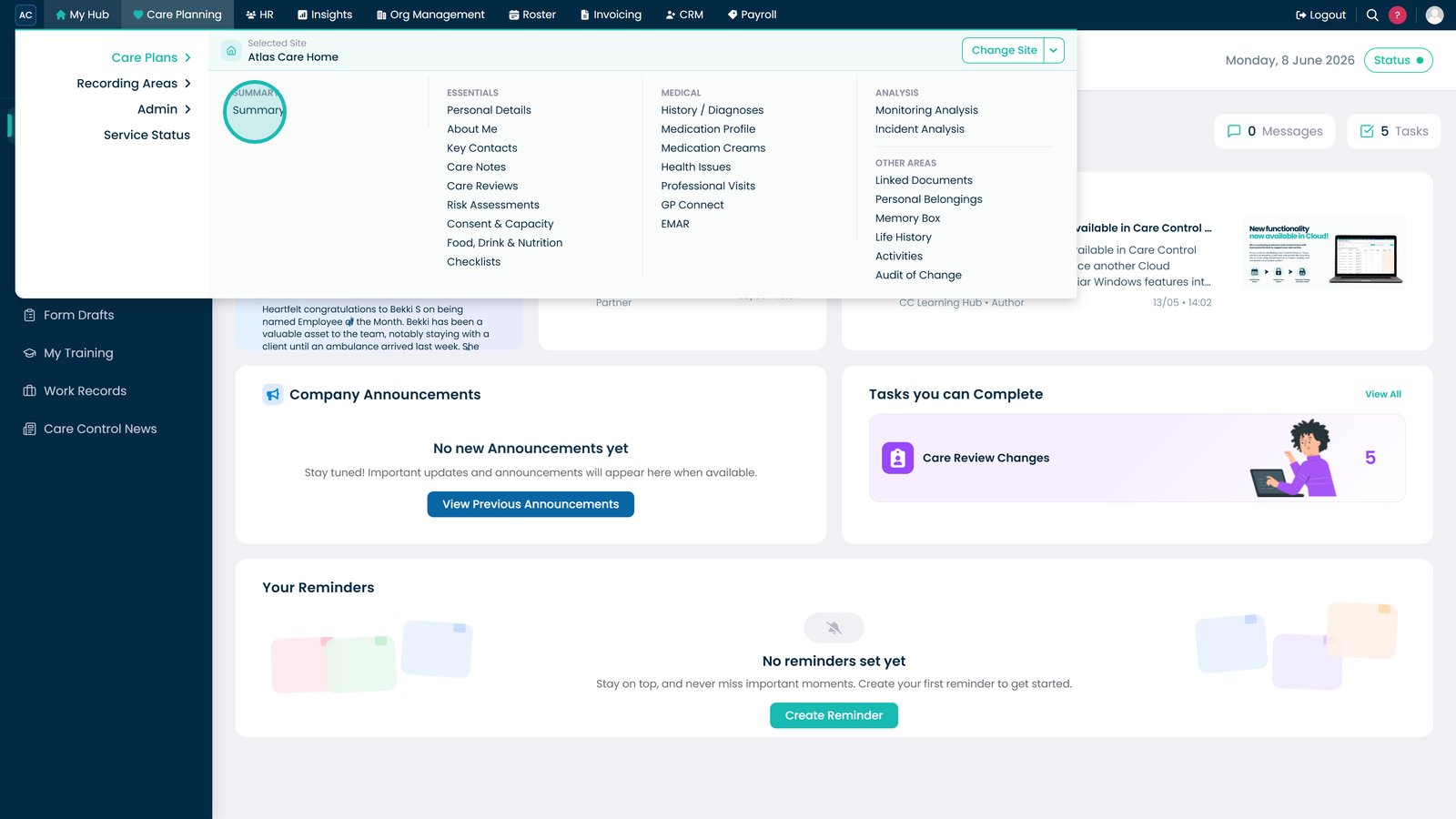
Open the Summary section from Care Plans.

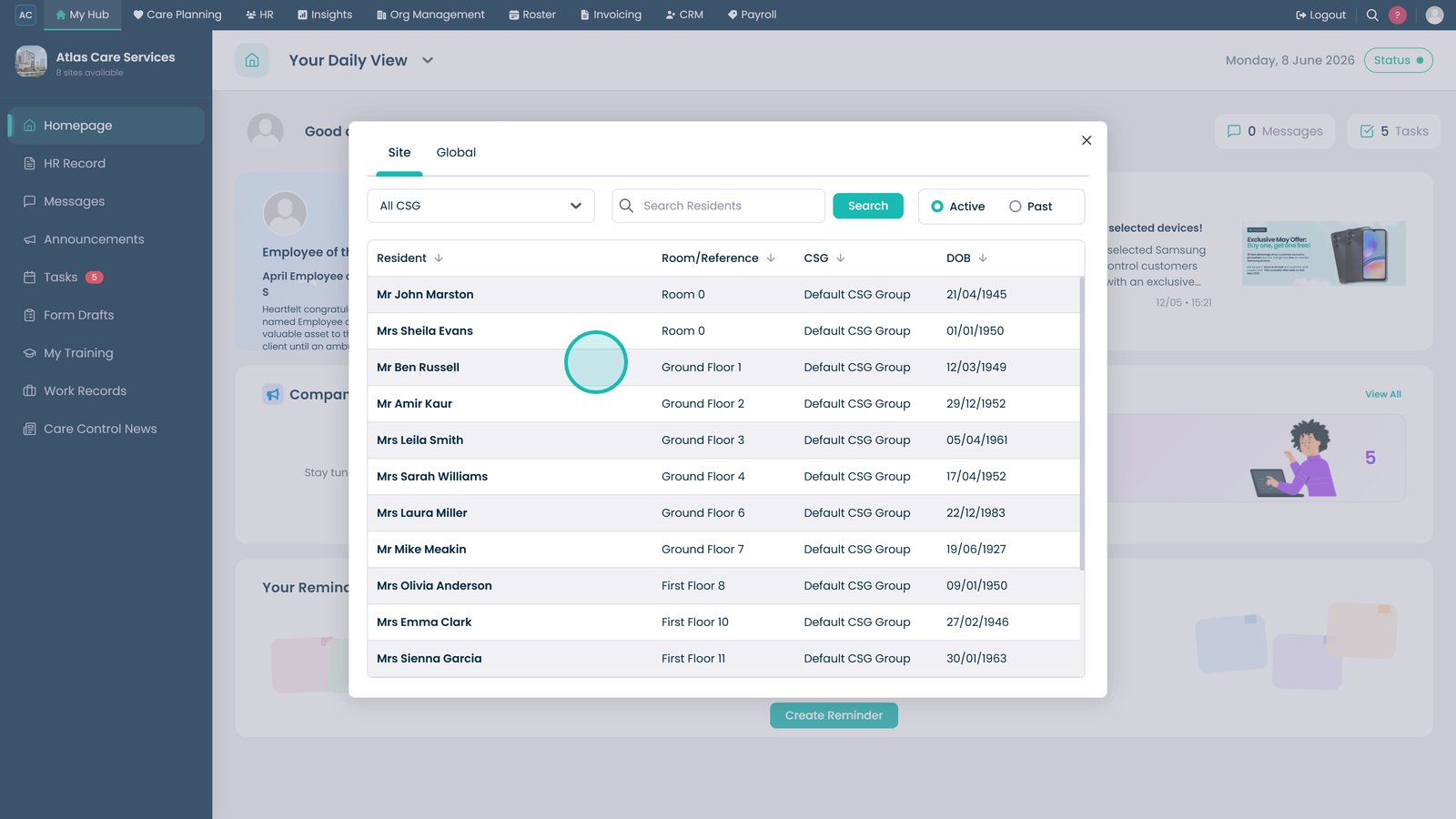
Select the resident whose tasks you want to review.

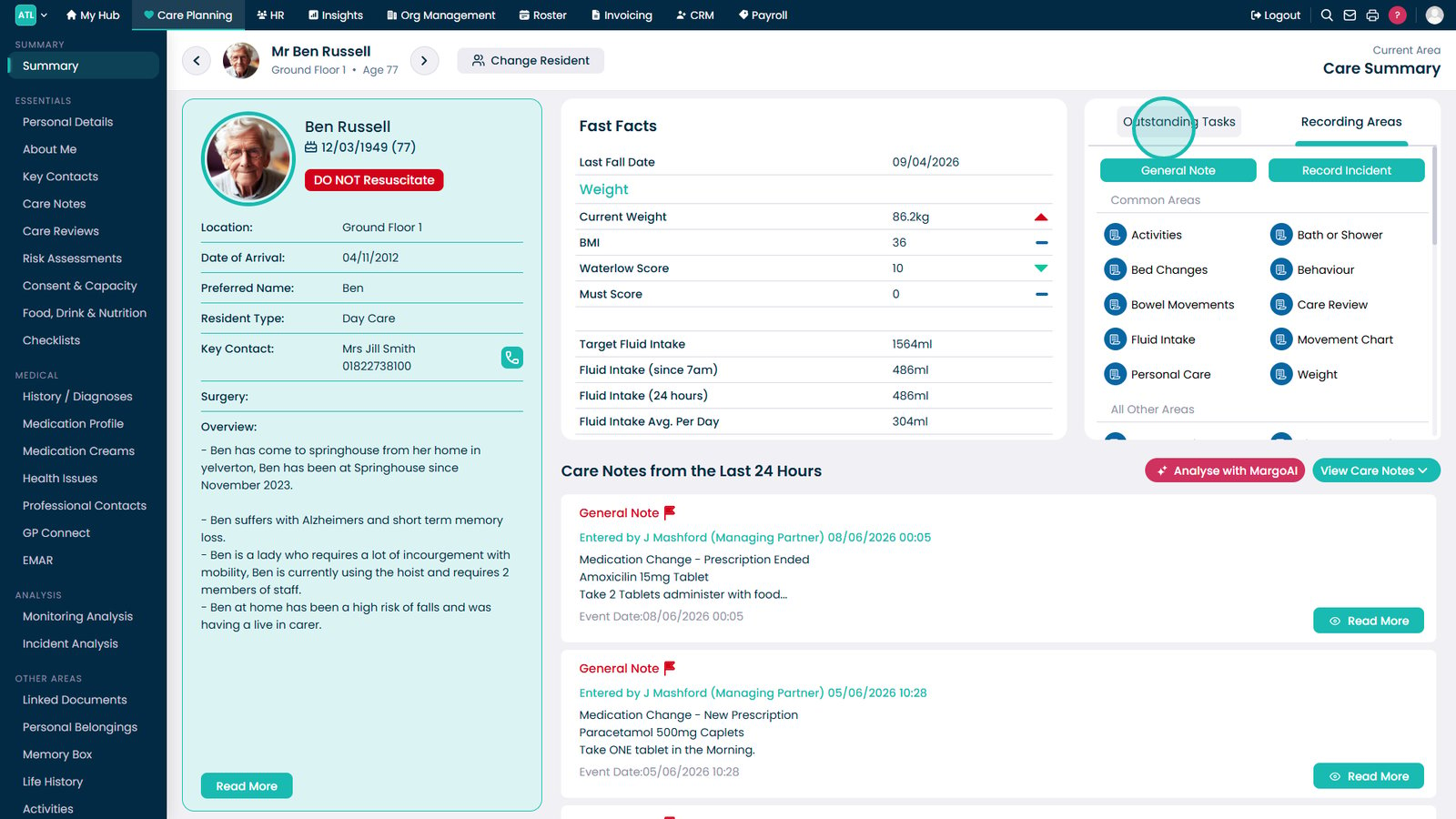
Open the Outstanding Tasks tab to view tasks that require attention.

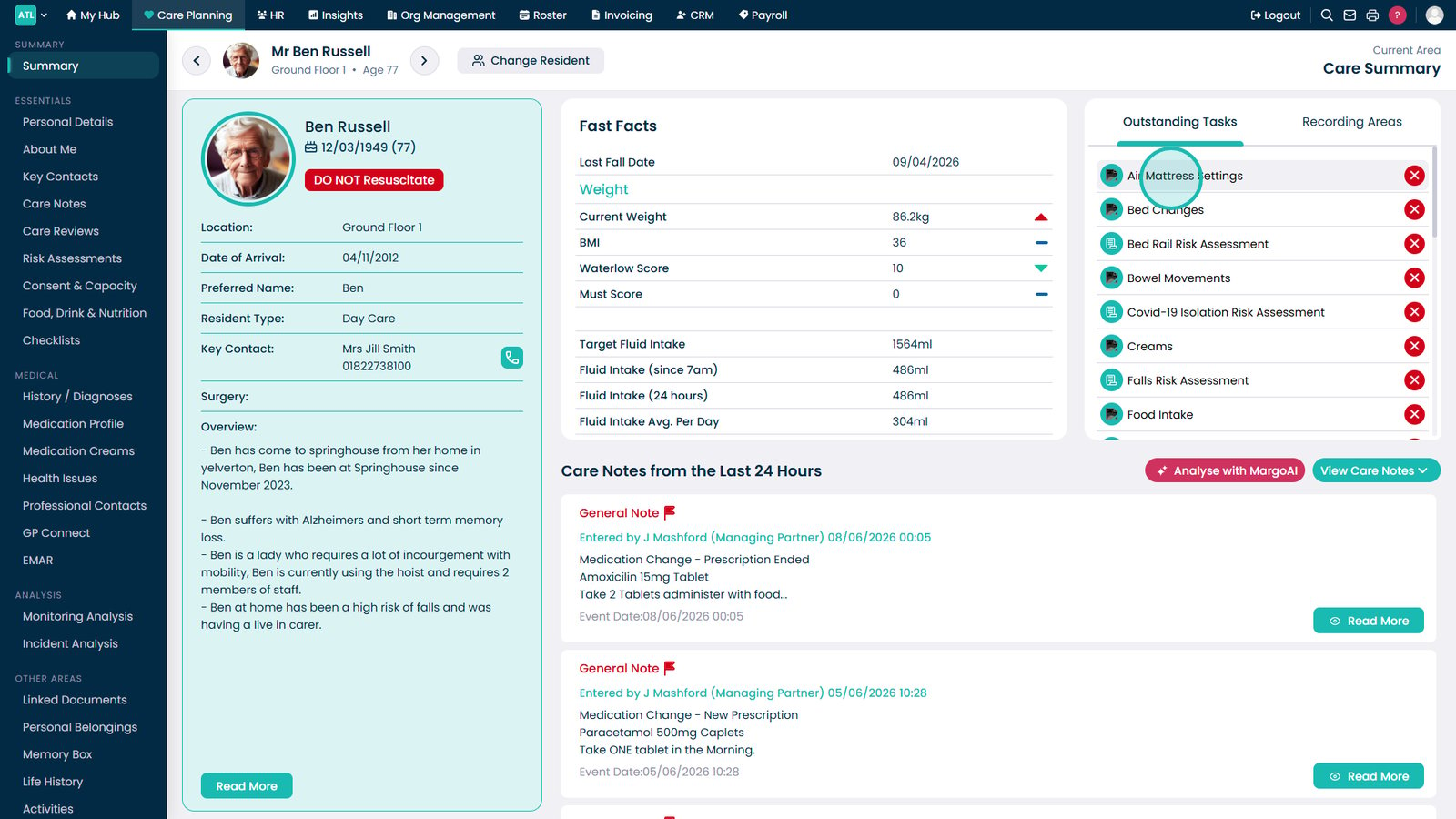
Select a task to open it and begin completion. Overdue tasks display a red indicator, while upcoming tasks display an amber indicator.

Top tip

Red indicators highlight overdue tasks that require immediate attention, while amber indicators show tasks that are approaching their due date.

Was this guide helpful?

Need more help?

Can't find what you're looking for? Our support team is here to help.

Contact Support

Or call us on

On this page