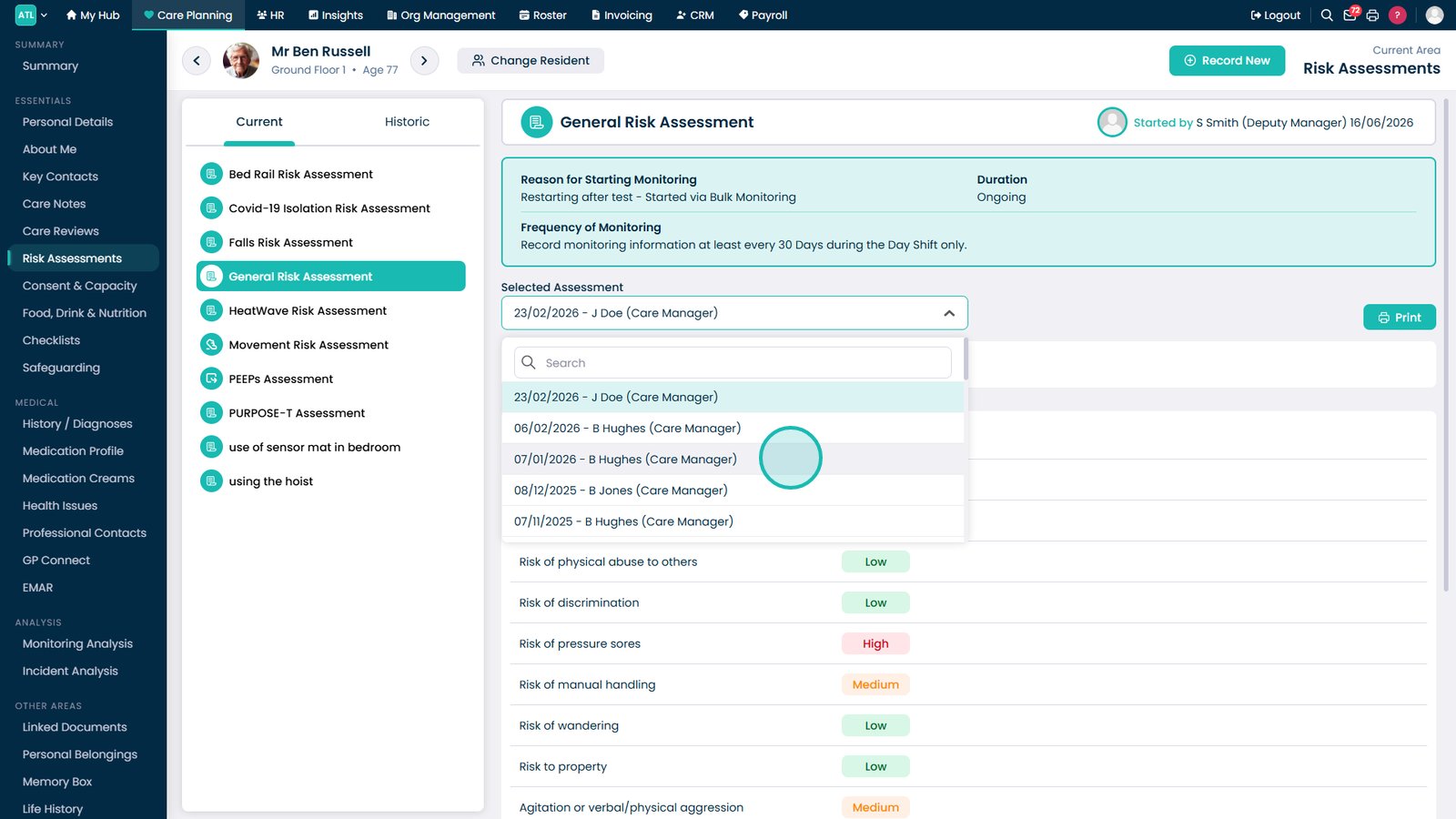
This guide explains how to review current and historical risk assessments for a resident.
Takes 1 minute
For: Care Staff
Updated: 19th June 2026
Introduction
The Risk Assessments section allows you to review completed assessments for a resident, including previous versions and historical records. This provides a clear overview of identified risks, assessment outcomes, and any supporting notes that have been recorded over time.
In this guide you'll learn how to:
Access resident risk assessments
View different assessment categories
Review historical assessment records
Open and examine previous assessment details
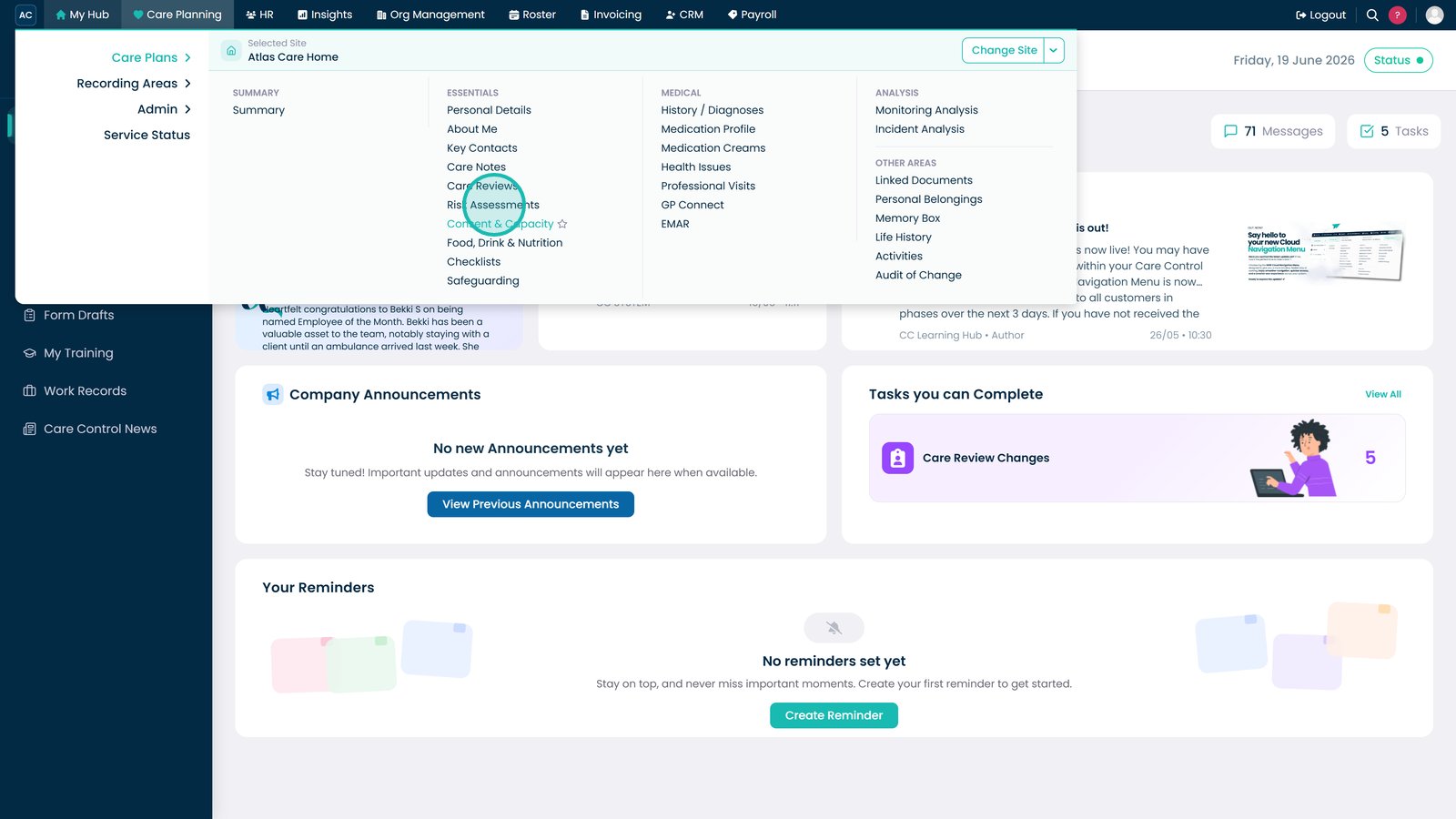
Open Risk Assessments from the Care Planning menu.
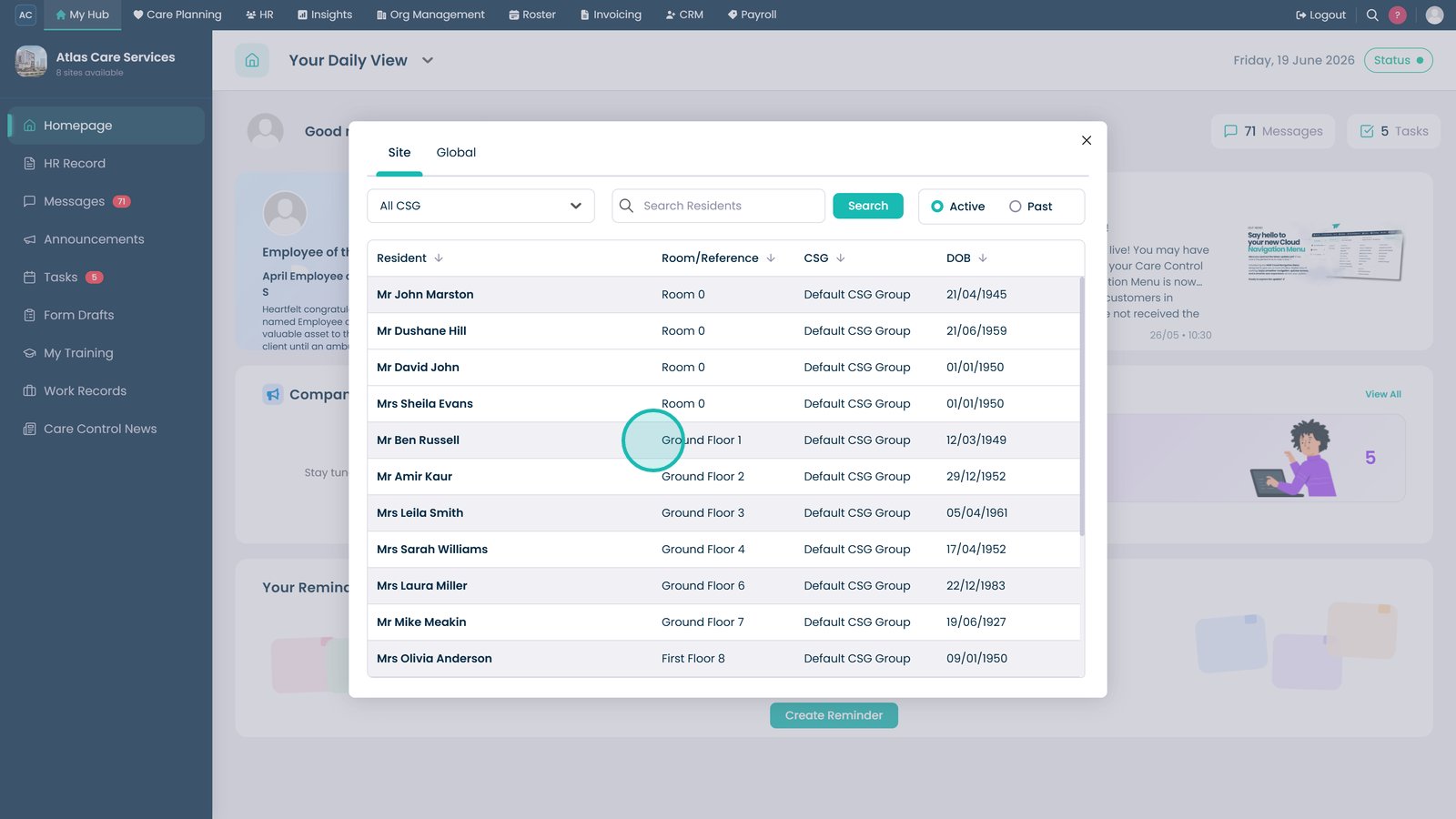
Select the resident whose assessments you want to review.
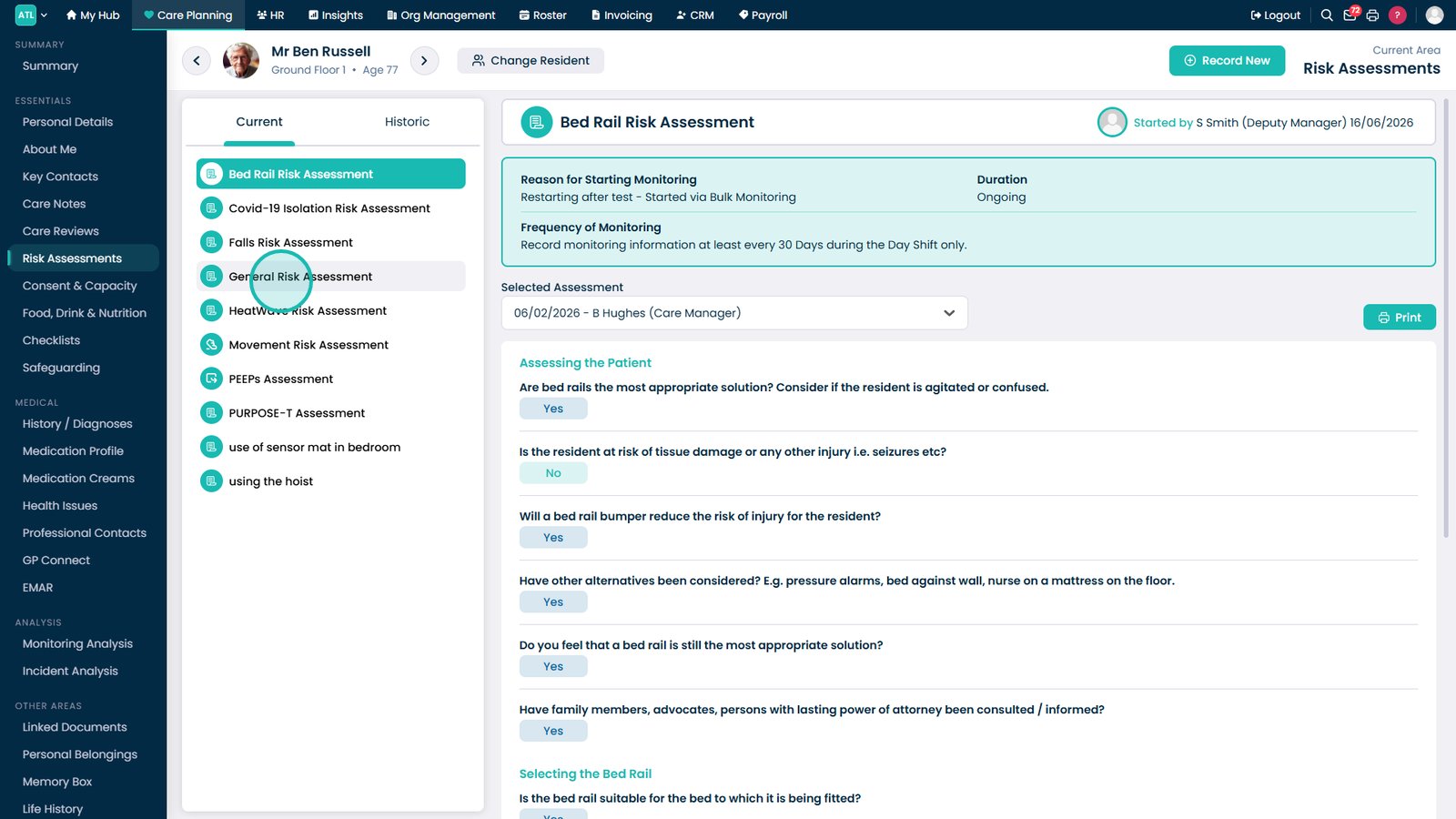
Select an assessment type from the list on the left-hand side.
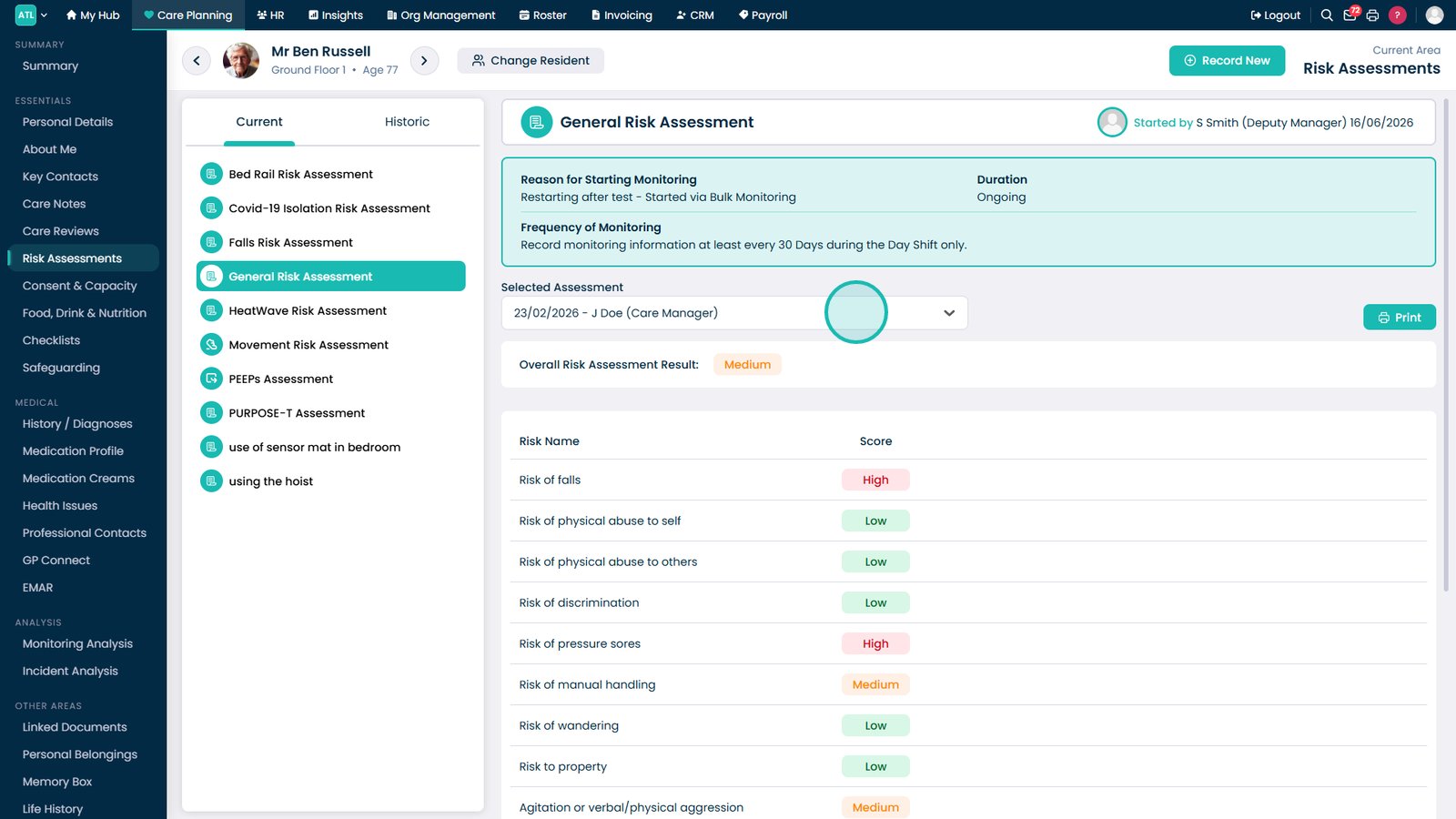
Open the Selected Assessment dropdown to view previous assessment records.
Select an assessment entry to review the full assessment details, scores, and recorded notes.
Top tip
Use the assessment history dropdown to compare previous assessments and track changes in a resident's risk profile over time.